Hi There
And welcome here…SO, Radek
Jovelyn is absolutely right on the money here! It is a very common trap. Using the standard delay(10000) just pauses your sketch while leaving the main CPU spinning its wheels in a high-power active state.
While the Nordic SoftDevice is incredibly efficient at automatically waking up the radio, firing off the BLE advertisement, and shutting the radio back down, it does not automatically put the main CPU to sleep.
 using a standard Arduino
 delay(10000), the MCU is essentially just sitting there twiddling its thumbs  in a high-power active state for 10 seconds. The CPU clocks keep running, which is exactly why they are seeing a constant 6mA draw.
To actually tap into the microamp range that Nordic hardware is famous for, your application loop has to explicitly yield to the power management API (using commands like sd_app_evt_wait() or __WFE()). This tells the CPU to suspend its operations and go into a true sleep state until the next RTC timer or BLE event wakes it up.
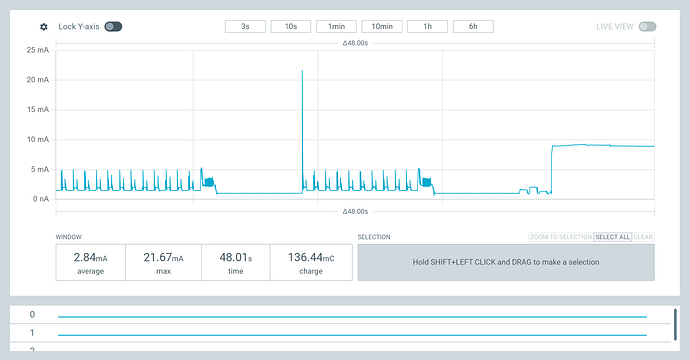
If you want to see this in action, check out our [[e-paper nRF52840 “NO-power” (🏆 Winner Winner... Microamp Dinner!™ 1.54" E-Paper & Xiao). It shows exactly how to leverage these sleep states with some Nordic PPKII Graphs  to drop the power floor down to the low microamp range while still running peripherals!
Keep at it! Once you swap out those delays for proper sleep APIs, you will absolutely hit those magic microamp numbers.
HTH
GL  PJ
PJ 
BTW , you want this 
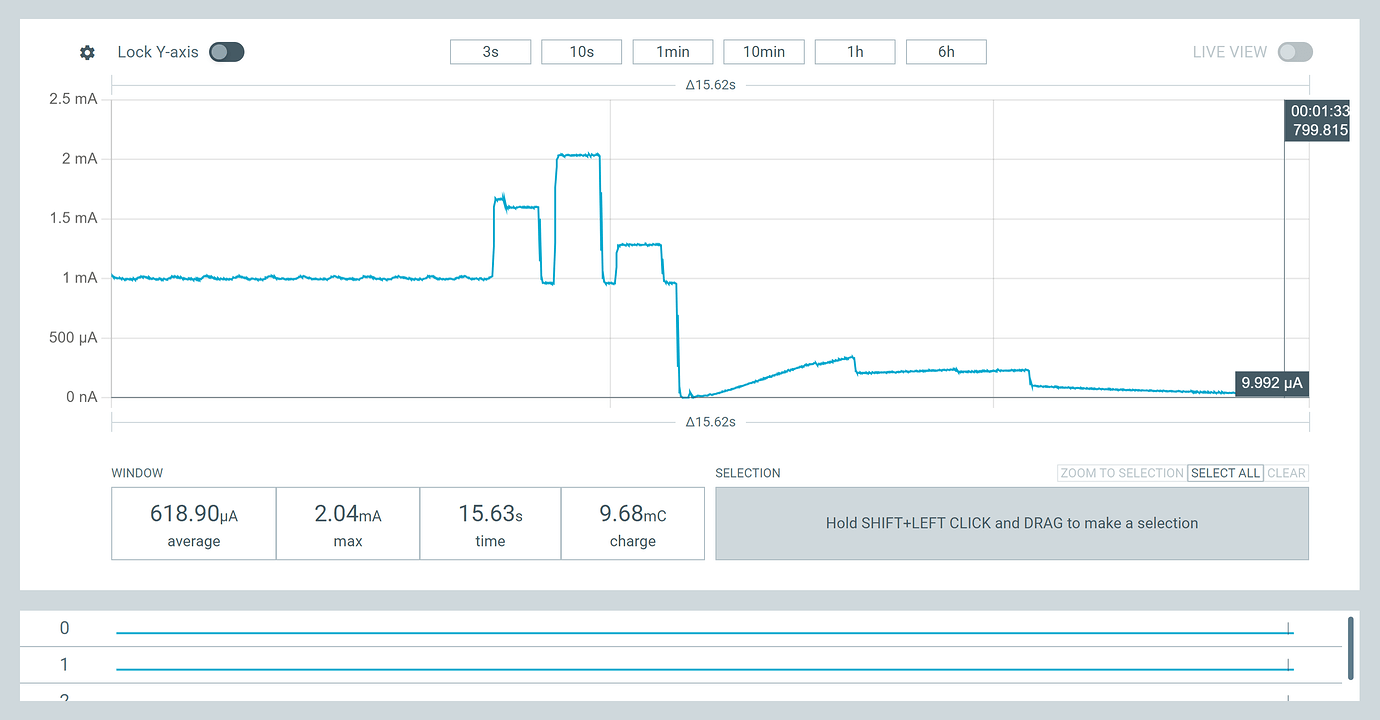
not this one…