XIAO ESP32S3 SENSE - New Unit just arrived - Camera server AOK

I just got my first ESP32s3 Sense with camera. :clap:

  1. opened package , read most of the Documentation and a few threads.
  2. Updated/ downgraded the ESP32 BSP to 2.0.8.
  3. Connected only the Antenna.
  4. connected it to Computer running Arduino 2.2.1 IDE (computer beeps with new device)
  5. I select Xioa ESP32S3 and com(23) Shows connected in lower right
  6. Opened Serial monitor Showed with the board plugged in to usb (I got no camera error code ) ok
    (because it wasn’t plugged in) so good so far. it’s alive and the docs said it’s got pre-installed code
    (unplugged it from usb)
  7. I added the camera board and a 32G SD formatted fat32.

This time when connected I got a boot message and some Periods “…” It’s waiting on WiFi
So I go on. Good to this point! (i reviewed the example code)

OUT of the Box & Bag it’s waiting for a WiFi with no Credentials (FACTORY CODE) proof of life no doubt,for end users. SO If you :index_pointing_at_the_viewer: buy one, put it together and power it on with usb monitor ON you should get “…periods…” until forever.

Then It got weird, when I copied and pasted the WIKI demo “Camera-Server” code section and added my Creds for my home WiFi I got the “camera.pin.h” file was missing ? HUH?
(turns out) THIS LINK
I had to open the Camera Server example from Example menu and it opened additional TABS with the other files.opened the example camera server project and pasted in the WIKI code, added my Creds. and it compiled with this output AOK

FQBN: esp32:esp32:XIAO_ESP32S3
Using board 'XIAO_ESP32S3' from platform in folder: C:\Users\Dude\AppData\Local\Arduino15\packages\esp32\hardware\esp32\2.0.8
Using core 'esp32' from platform in folder: C:\Users\Dude\AppData\Local\Arduino15\packages\esp32\hardware\esp32\2.0.8

loading library from d:\Arduino_projects\libraries\arduino-esp32-master: invalid library: no header files found
cmd /c if exist "D:\\Arduino_projects\\CameraWebServer\\partitions.csv" COPY /y "D:\\Arduino_projects\\CameraWebServer\\partitions.csv" "C:\\Users\\Dude\\AppData\\Local\\Temp\\arduino\\sketches\\2483406E539F426B3724F5B26F4C3E0D\\partitions.csv"
        1 file(s) copied.
cmd /c if not exist "C:\\Users\\Dude\\AppData\\Local\\Temp\\arduino\\sketches\\2483406E539F426B3724F5B26F4C3E0D\\partitions.csv" if exist "C:\\Users\\Dude\\AppData\\Local\\Arduino15\\packages\\esp32\\hardware\\esp32\\2.0.8\\variants\\XIAO_ESP32S3\\partitions.csv" COPY "C:\\Users\\Dude\\AppData\\Local\\Arduino15\\packages\\esp32\\hardware\\esp32\\2.0.8\\variants\\XIAO_ESP32S3\\partitions.csv" "C:\\Users\\Dude\\AppData\\Local\\Temp\\arduino\\sketches\\2483406E539F426B3724F5B26F4C3E0D\\partitions.csv"
cmd /c if not exist "C:\\Users\\Dude\\AppData\\Local\\Temp\\arduino\\sketches\\2483406E539F426B3724F5B26F4C3E0D\\partitions.csv" COPY "C:\\Users\\Dude\\AppData\\Local\\Arduino15\\packages\\esp32\\hardware\\esp32\\2.0.8\\tools\\partitions\\default_8MB.csv" "C:\\Users\\Dude\\AppData\\Local\\Temp\\arduino\\sketches\\2483406E539F426B3724F5B26F4C3E0D\\partitions.csv"
cmd /c IF EXIST "D:\\Arduino_projects\\CameraWebServer\\bootloader.bin" ( COPY /y "D:\\Arduino_projects\\CameraWebServer\\bootloader.bin" "C:\\Users\\Dude\\AppData\\Local\\Temp\\arduino\\sketches\\2483406E539F426B3724F5B26F4C3E0D\\CameraWebServer.ino.bootloader.bin" ) ELSE ( IF EXIST "C:\\Users\\Dude\\AppData\\Local\\Arduino15\\packages\\esp32\\hardware\\esp32\\2.0.8\\variants\\XIAO_ESP32S3\\bootloader.bin" ( COPY "C:\\Users\\Dude\\AppData\\Local\\Arduino15\\packages\\esp32\\hardware\\esp32\\2.0.8\\variants\\XIAO_ESP32S3\\bootloader.bin" "C:\\Users\\Dude\\AppData\\Local\\Temp\\arduino\\sketches\\2483406E539F426B3724F5B26F4C3E0D\\CameraWebServer.ino.bootloader.bin" ) ELSE ( "C:\\Users\\Dude\\AppData\\Local\\Arduino15\\packages\\esp32\\tools\\esptool_py\\4.5.1/esptool.exe" --chip esp32s3 elf2image --flash_mode dio --flash_freq 80m --flash_size 8MB -o "C:\\Users\\Dude\\AppData\\Local\\Temp\\arduino\\sketches\\2483406E539F426B3724F5B26F4C3E0D\\CameraWebServer.ino.bootloader.bin" "C:\\Users\\Dude\\AppData\\Local\\Arduino15\\packages\\esp32\\hardware\\esp32\\2.0.8\\tools\\sdk\\esp32s3\\bin\\bootloader_qio_80m.elf" ) )
esptool.py v4.5.1
Creating esp32s3 image...
Merged 1 ELF section
Successfully created esp32s3 image.
cmd /c if exist "D:\\Arduino_projects\\CameraWebServer\\build_opt.h" COPY /y "D:\\Arduino_projects\\CameraWebServer\\build_opt.h" "C:\\Users\\Dude\\AppData\\Local\\Temp\\arduino\\sketches\\2483406E539F426B3724F5B26F4C3E0D\\build_opt.h"
cmd /c if not exist "C:\\Users\\Dude\\AppData\\Local\\Temp\\arduino\\sketches\\2483406E539F426B3724F5B26F4C3E0D\\build_opt.h" type nul > "C:\\Users\\Dude\\AppData\\Local\\Temp\\arduino\\sketches\\2483406E539F426B3724F5B26F4C3E0D\\build_opt.h"
Detecting libraries used...
C:\Users\Dude\AppData\Local\Arduino15\packages\esp32\tools\xtensa-esp32s3-elf-gcc\esp-2021r2-patch5-8.4.0/bin/xtensa-esp32s3-elf-g++ -DHAVE_CONFIG_H -DMBEDTLS_CONFIG_FILE="mbedtls/esp_config.h" -DUNITY_INCLUDE_CONFIG_H -DWITH_POSIX -D_GNU_SOURCE -DIDF_VER="v4.4.4" -DESP_PLATFORM -D_POSIX_READER_WRITER_LOCKS -IC:\Users\Dude\AppData\Local\Arduino15\packages\esp32\hardware\esp32\2.0.8/tools/sdk/esp32s3/include/newlib/platform_include -IC:\Users\Dude\AppData\Local\Arduino15\packages\esp32\hardware\esp32\2.0.8/tools/sdk/esp32s3/include/freertos/include -IC:\Users\Dude\AppData\Local\Arduino15\packages\esp32\hardware\esp32\2.0.8/tools/sdk/esp32s
*** EDIT for brevity***
C:\\Users\\Dude\\AppData\\Local\\Arduino15\\packages\\esp32\\hardware\\esp32\\2.0.8\\tools\\ide-debug\\esp32s3.json" "D:\\Arduino_projects\\CameraWebServer\\debug_custom.json"
cmd /c IF 0==1 COPY /y "C:\\Users\\Dude\\AppData\\Local\\Arduino15\\packages\\esp32\\hardware\\esp32\\2.0.8\\tools\\ide-debug\\svd\\esp32s3.svd" "D:\\Arduino_projects\\CameraWebServer\\debug.svd"

Using library WiFi at version 2.0.0 in folder: C:\Users\Dude\AppData\Local\Arduino15\packages\esp32\hardware\esp32\2.0.8\libraries\WiFi 
"C:\\Users\\Dude\\AppData\\Local\\Arduino15\\packages\\esp32\\tools\\xtensa-esp32s3-elf-gcc\\esp-2021r2-patch5-8.4.0/bin/xtensa-esp32s3-elf-size" -A "C:\\Users\\Dude\\AppData\\Local\\Temp\\arduino\\sketches\\2483406E539F426B3724F5B26F4C3E0D/CameraWebServer.ino.elf"
Sketch uses 773397 bytes (23%) of program storage space. Maximum is 3342336 bytes.
Global variables use 59492 bytes (18%) of dynamic memory, leaving 268188 bytes for local variables. Maximum is 327680 bytes.

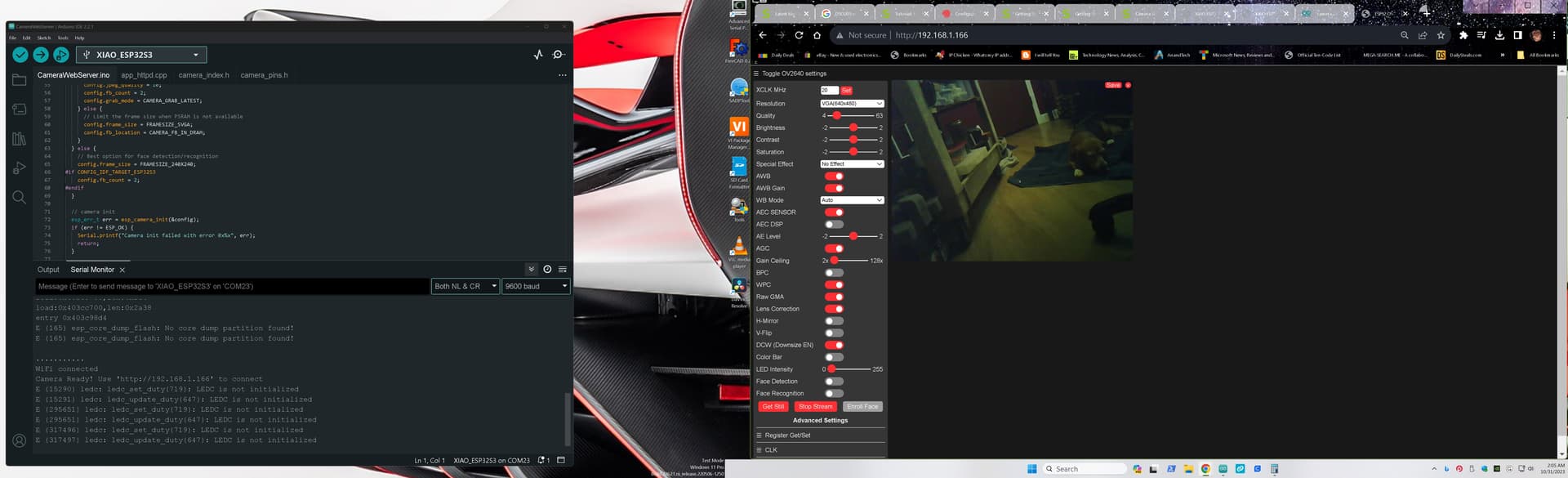
Uploaded to the Xiao and got this IP address on the serial monitor as promised.

ESP-ROM:esp32s3-20210327
Build:Mar 27 2021
rst:0x15 (USB_UART_CHIP_RESET),boot:0x9 (SPI_FAST_FLASH_BOOT)
Saved PC:0x420800ea
SPIWP:0xee
mode:DIO, clock div:1
load:0x3fce3808,len:0x44c
load:0x403c9700,len:0xbe4
load:0x403cc700,len:0x2a38
entry 0x403c98d4
E (165) esp_core_dump_flash: No core dump partition found!
.
WiFi connected
Camera Ready! Use 'http://192.168.1.166' to connect

Open a Chrome tab and pasted the IP address and BOB’s Your Uncle It WORKS ! :star_struck: :heart_hands:


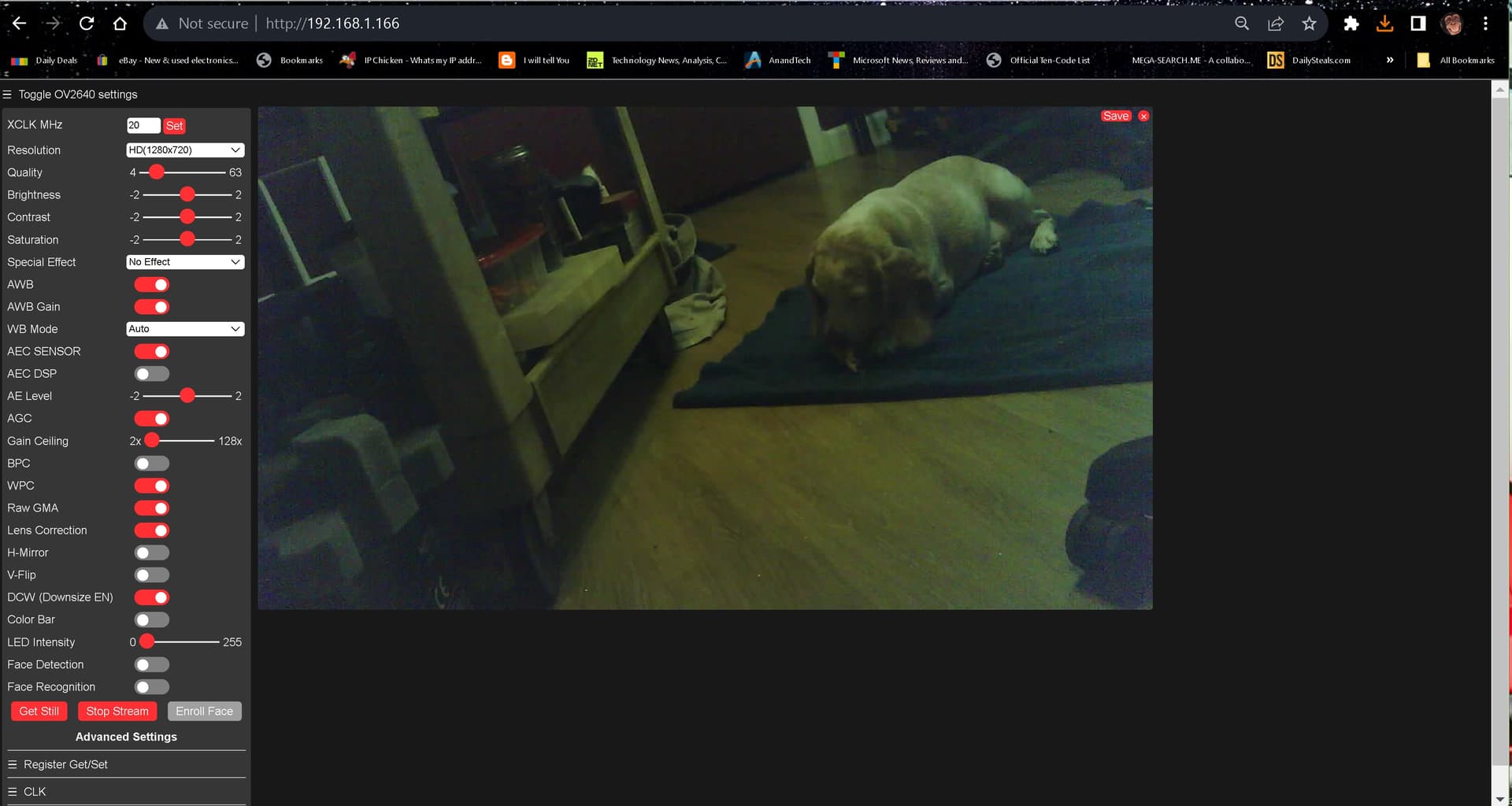
took a still (note this is a low light room, Image was pretty good)
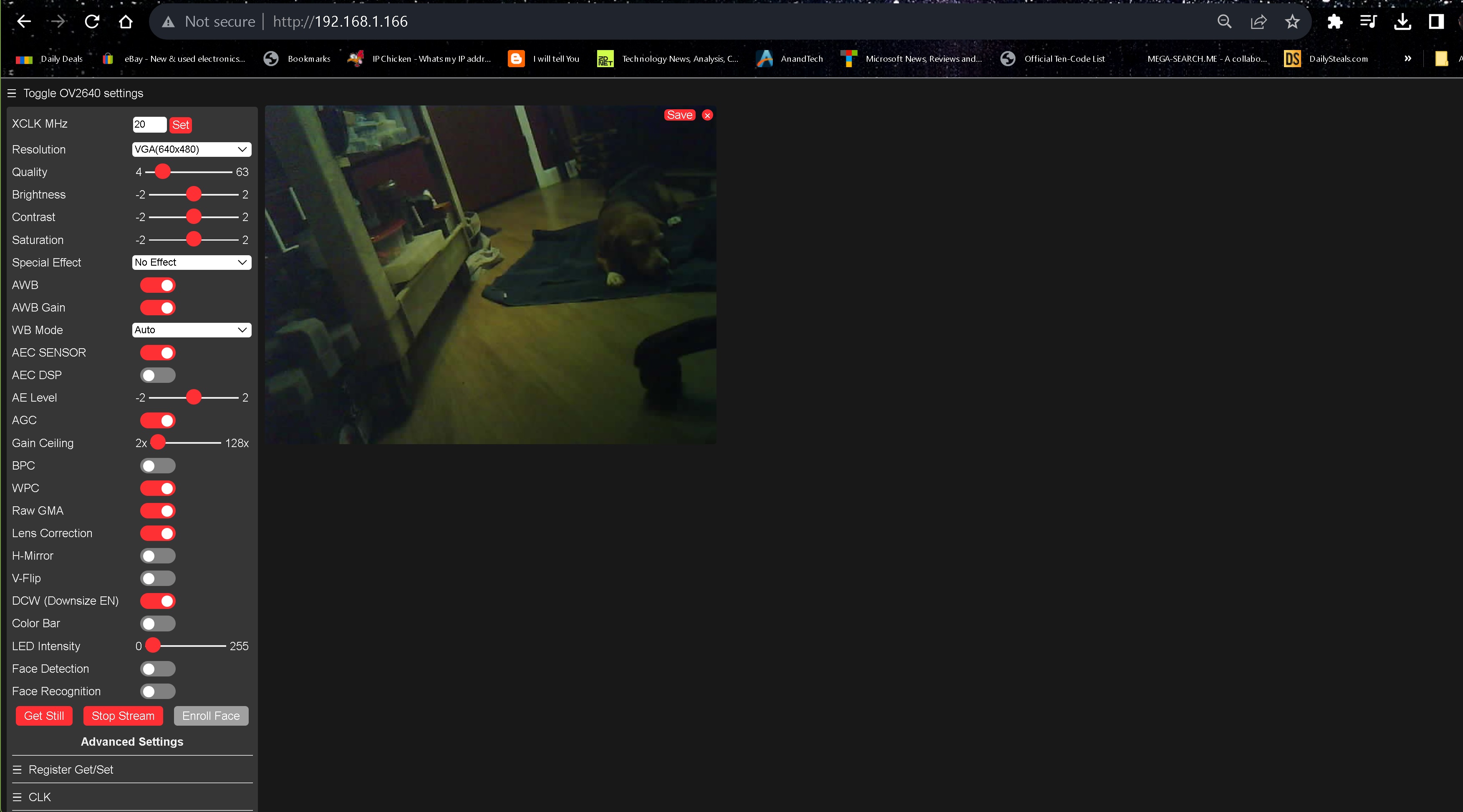
VGA & HD settings , very Nice.! :kissing_heart: :ok_hand:

first impression It does get warm, I like the B2B connector, I probably would never use a camera perhaps just the SD card and increased performance, but sure would like a mating board with IMU SD card slot and digital mic like the Xiao Nrf52480 BLE SEnse. :innocent: :pray: and for christmas add a display connection. :santa: IMO Another Sweet Device.

HTH
GL :slight_smile: PJ

Thanks for sharing, how do you feel about XIAO’s internet connection? Is the video push streaming stable enough?

Hi there,
Yes very Stable and very good range indoors , no stuttering at the 640x480 res AOK.
small package Packs a sweet punch. Love the B2B connector and some possibilities there.
GL :slight_smile: PJ

Hi PJ,
I also got the ESP32S3 Sense.
I followed the steps you wrote, but I can’t get the camera to work. If possible, could you please make a ZIP file of your code as is, including the header files?

‘XIAO ESP32S3 Sense camera not working’

Hi there,
Sure… The trick was to open the Real Example from the IDE, then paste in the seeed camera info from WIKI, leaving out the others. the first time through I had to load a adafruit board to fix the compiler i think, but maybe not, too many projects LOL.
Here is what works. LMK?
CameraWebServer_copy_PJ.zip (54.6 KB)
HTH
GL :slight_smile: PJ

PJ, thanks for sending me the code.
I tried, but the situation did not improve and the camera did not work. I need to find out what the LEDC is and isolate if it is a hardware or software problem !

Can you elaborate on this? Is it a hardware problem?

I am trying to get the camera to work by following the steps in the Wiki.
I can connect to Chrome via Wifi, but when I click on GetStill, the serial monitor shows an error and no images from the camera.

....
WiFi connected
e[0;31mE (16036) MFN: Partition Not founde[0m
e[0;31mE (16037) MFN: Please Set the Partitione[0m
Camera Ready! Use 'http://192.168.11.51' to connect
E (33426) ledc: ledc_set_duty(719): LEDC is not initialized
E (33426) ledc: ledc_update_duty(647): LEDC is not initialized
E (76704) ledc: ledc_set_duty(719): LEDC is not initialized

Hi there,
I get that LEDC is not initialized Error too, but Camera works anyway.
from that error I would say it’s the SD card NOT being Fast enough.
I used BSP 2.0.8 of the ESP32 (exspresif) package, had to roll back from the Beta or alpha package that’s current.
look at that output info is yours the same on the compiler?

FQBN: esp32:esp32:XIAO_ESP32S3
Using board 'XIAO_ESP32S3' from platform in folder: 
C:\Users\Dude\AppData\Local\Arduino15\packages\esp32\hardware\esp32\2.0.8
Using core 'esp32' from platform in folder: 
C:\Users\Dude\AppData\Local\Arduino15\packages\esp32\hardware\esp32\2.0.8

HTH
GL :slight_smile: PJ

PJ, thanks for the info.
I have the exact same compile message, and I don’t use an SD card.
I tried it on another PC and the camera did not work. I am beginning to wonder if it is a hardware failure.

Hi there,
I went back and removed the SD card , camera and server stared almost instantly.
be sure to give High visual inspection, Maybe a large hand tried to assemble.
The other error about the partition , is that for the PSram partition? perhaps there’s a failure.
HTH
GL :slight_smile: PJ

Hi there ,

And welcome here, So this thread & Tittle is more appropriate place to START,
You’ll notice your photos didn’t make it , you need to reply and few times or intro posts to get credz on the forum in order to have the new post or pictures capability.

You DEFINETLY should NOT Hijack another thread :face_with_peeking_eye:that has NOTHING to do with yours.

With that in mind , The Answers are RIGHT there why it doesn’t work. I doubt the hardware is bad, The code not so much… We see it ALOT.
also if the chip is alive (appears to be with diag message) You solder job :face_with_hand_over_mouth: may be ok.
You should be able to attach an image now. and you should also use the code tags above “</>” and paste in your code.

(moved-from-other-thread) per PJ.

XIAO ESP32S3 Sense: camera never detected (0x106 / 0x105) - need solution or replacement

I would like to get a direct solution for my XIAO ESP32S3 Sense. The camera has never worked since I received the board (it took 3 weeks to arrive), and I have exhausted everything I can think of. Below is exactly what I did and did not do.
HARDWARE
• XIAO ESP32S3 Sense with the camera module (the ribbon is marked OV3660)
• Pin headers soldered by me on the main board, antenna attached
• Connected by USB to a Windows laptop, port COM3
PROBLEM
The camera is never detected. Serial Monitor shows:
With ESP32 core 3.3.12:
E camera: Detected camera not supported.
E camera: Camera probe failed with error 0x106 (ESP_ERR_NOT_SUPPORTED)
With ESP32 core 3.0.7:
E camera: Camera probe failed with error 0x105 (ESP_ERR_NOT_FOUND)
E gdma: gdma_disconnect: no peripheral is connected to the channel
WHAT I HAVE DONE

  1. Used the official example File > Examples > ESP32 > Camera > CameraWebServer, with CAMERA_MODEL_XIAO_ESP32S3 enabled in board_config.h (all other models commented out). Same error.
  2. Wrote my own sketch (take a photo on BOOT button press and send to Telegram) using the same pins. Same error.
  3. Arduino IDE 2.3.10. Board: XIAO_ESP32S3. PSRAM: OPI PSRAM. Everything else default.
  4. Tested two ESP32 core (BSP) versions: 3.3.12 and 3.0.7. The error changed from 0x106 to 0x105, but the camera is still not found.
  5. Removed the camera expansion board and re-attached it several times, pressing firmly until it clicked.
  6. Opened the black FPC latch, removed the camera ribbon and re-inserted it several times, straight and flat, then closed the latch evenly. Someone on your Discord mentioned the latch looked half engaged, so I redid it carefully again. No change.
  7. Followed the advice from your Discord and forum threads. No change.
    WHAT WORKS
    • Uploading code
    • WiFi connects every time
    • The BOOT button is read correctly
    So the main board seems fine and only the camera link fails.
    WHAT I HAVE NOT DONE
    • I have not tried a different camera module (I do not have one)
    • I have not tried ESP32 core 2.0.x
    • I have not measured anything with a multimeter or inspected the connector under magnification
    REQUEST
    Could you please either:
    (a) tell me the exact fix if I am missing something (specific core version, library version, or ribbon orientation), or
    (b) send a replacement camera module or board, since it looks like a hardware fault?
    I have attached photos of the Serial Monitor output and of the connector with the latch open and closed. I can send more photos or videos if needed.
    Thank you very much.

OK, SO no problem,

We start by examination and comparison to what this thread contains.
Do you get a Build ERROR ?
Just the serial monitor error on Startup ?

Paste your code I’ll run it.

HTH
GL :slight_smile: PJ :v:

Yea, the 3 weeks thing , I get it, but ONE major not …
Grain of salt.
" This is a Chinese companies support forum for their products , which are many RESPECT is paramount, so be mindful and you will get solutions." :bow:
:wink:

Hi there,

SO reading through the 1-7 list , You fumbled the bag at 1. (loaded the wrong BSP) ALL bet’s were OFF :face_with_hand_over_mouth:

When the web camera server didn’t work, going any further was the true source of the following efforts and failures, leading to the frustration. SO
Let’s start Again. … deep breath.

Reload the camera webserver , exactly like i have in the beginning on the thread same versions and BSP., You obviously got the camera name edit correct, it seems.
SO You were close, but missed it.

HTH
GL :slight_smile: PJ :v:

BTW, this is NOT a PAY for help service, more like “tech a man to fish” vibe, here :+1:
you’ll get this working. I saw the discord piture did you reseat the FPC ribbon, from the picture it was NOT properly secured. (don’t worry about the type on camera)
just be sure it’s in properly.

If rolling back to BSP 2.0.11 doesn’t clear the error, inspect the small FPC latch with a magnifying glass to ensure the gold contacts on the ribbon are inserted completely straight before clamping