I recently acquired both the Xiao 7.5 ePanel and the reTerminal 1001 monochrome, and I must say, I’ve been thoroughly impressed with both devices. The reTerminal, in particular, stands out as an exceptional tool—the built-in battery indicator alone adds tremendous value for practical use.
To integrate these devices into my projects, I’ve developed a web application that includes dedicated routes for rendering content tailored to each. One route handles direct web viewing, while another converts the output to an image format, which is essential for the Xiao ePanel running custom Arduino firmware to display the content seamlessly.
While exploring the Device HMI setup web application, I encountered a minor limitation in the interval configuration for screen refreshes. Currently, users can only specify refreshes at fixed intervals (e.g., every X minutes), which works well for many scenarios. However, I believe adding an “except during these hours” option would greatly enhance flexibility. For instance, this would allow users to prevent refreshes during evening or nighttime hours, conserving energy and reducing unnecessary activity when the device isn’t actively in use.
Implementing this feature for the Xiao ePanel is straightforward with custom Arduino firmware, where I have full control. That said, I’d prefer to avoid custom firmware on the reTerminal to maintain its out-of-the-box reliability and ease of use. Expanding the interval settings in this way would address a common need among users who balance frequent updates with periods of low activity.
Thank you for considering this suggestion. I’m excited about the potential improvements and look forward to your thoughts. Please let me know if you’d like more details about my setup or use case.
So , can you post a picture of it going. That would be great!
I’m sure they would consider it, seems like a reasonable and well thought out ASK.
I know they have big plans with the Line of displays so I would also send an email to the support @seeedstudio.cc Also you may need to reply on a few posts to gain forum credz to post a pic or create a new topic.. (Spam protection)
i am using reterminal e1002 to show weather and calendar info on 2 screens. i would like to have default weather screen and functionality to manually switch to calendar. system is now automatically switching between these 2 screens, which is not useful for me. how should turn off automatic screen switch?
I have exactly the same feature request. I’m planning to use it as a stock monitor which only needs to refresh during market hours, so it will be great to have a customizable sleep time setting to save some API calls and battery during off hours. Thanks for considering this in advance.
Sounds like you’re suggesting a useful feature for the Device HMI app, being able to set do not refresh’ hours would save power and reduce unnecessary updates, especially for the reTerminal. Definitely worth passing along as a feature request to Seeed.
This is exactly my pain right now. I use the reTerminal E1001 to display weather information since the WeatherDirect service will be discontinued soon, where the devices receiver the information by radio signals in Gernany. The reTerminal E1001 with a weather widgert works great apart from non localized strings. Only the 5 min intervall is bad. While I don’t need to update the screen at night time, it would be essential to update it in the morning, while we’re checking the time and see, when it’s time to start to drive to work.
So, others are in the same boat Here is a possible solution if you can put in the chair time
To replace a discontinued radio service like WeatherDirect while working around SenseCraft’s rigid 5-minute refresh limitation, consider the following approaches for the reTerminal E1001:
1. Flash ESPHome or Custom Arduino/LVGL Firmware
Time-Based Deep Sleep: Configure cron-like wake schedules using the internal RTC. You can set the device to refresh every 2–5 minutes during morning commute hours (e.g., 6:00 AM – 8:30 AM), switch to 30–60 minute intervals during the day, and enter deep sleep overnight to conserve screen life and power.
Localized Strings: ESPHome or native Arduino code lets you format temperature, wind speed, and condition strings directly in German rather than relying on SenseCraft’s English presets.
2. Switch to Open-Meteo or DWD (Deutscher Wetterdienst) APIs
Open-Meteo: Completely free for personal use with no API keys required. It returns native German weather condition codes (WMO interpretation) and hourly precipitation forecasts suited for commute planning.
BrightSky / DWD Open Data: Provides hyperlocal, station-level German weather forecasts and weather warnings (Unwetterwarnungen) formatted directly for local devices.
3. Drive the Display via Home Assistant or Node-RED
Render the weather view server-side into a monochrome bitmap and push it to the reTerminal via HTTP/MQTT.
This offloads all layout, scheduling, and localization logic to a local server, waking the e-paper display only when new radar or forecast changes actually occur.
HTH
GL PJ
I’m sure others have come up with some creative work-arounds.
Thanks for pointing out the different possibilities. To be honest, I’d like to keep it simple, since for me, that was the main reason for buying the reTerminal E1001. I don’t use Home Assistant but a combination of KNX with some MQTT stuff added.
I hope to see an interval of 1 minute added. In the end, the user should decide, if they want to get longer battery life or faster updates.
I also hope, to see the localization improved in future updates. I can already set my location for the date item but though I use Europe/Berlin it shows the days in English.
Sure no problem, I do know they are working on the site and improving the interactive and parameters available to users, so I’ll high lite it see who reply’s.
I agree 1 minute should be an Option. Not sure of the full refresh TOC time.
may be in the wiki.? Partial refresh should be adjusted there too.
I bought a TRMNL before but couldn’t get it to connect to my Wi-Fi. And I have plenty of IoT devices in my network. So the reTerminal E1001 just worked out of the box. I really love it. While the TRMNL relied on their server to render the display, I assume, devices running the SenseCraft HMI interface, directly receive the data. Then the 1 minute interval wouldn’t burden their servers.

 PJ
PJ 
 Here is a possible solution if you can put in the chair time
 PJ
PJ 
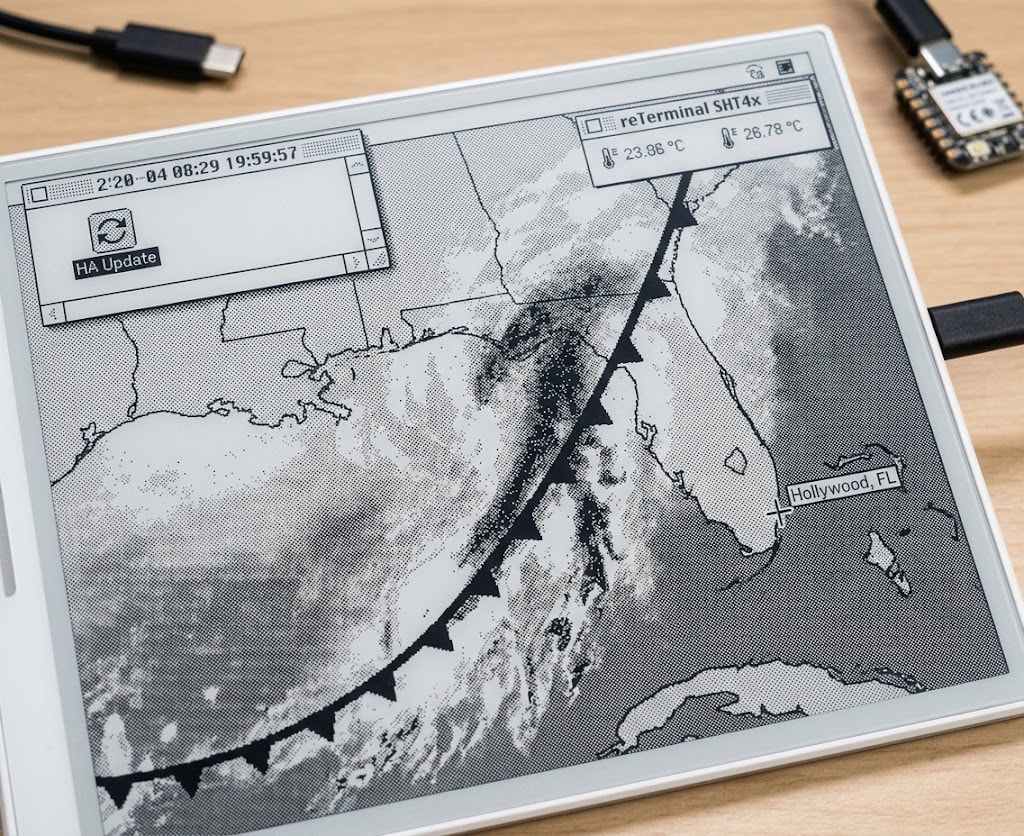


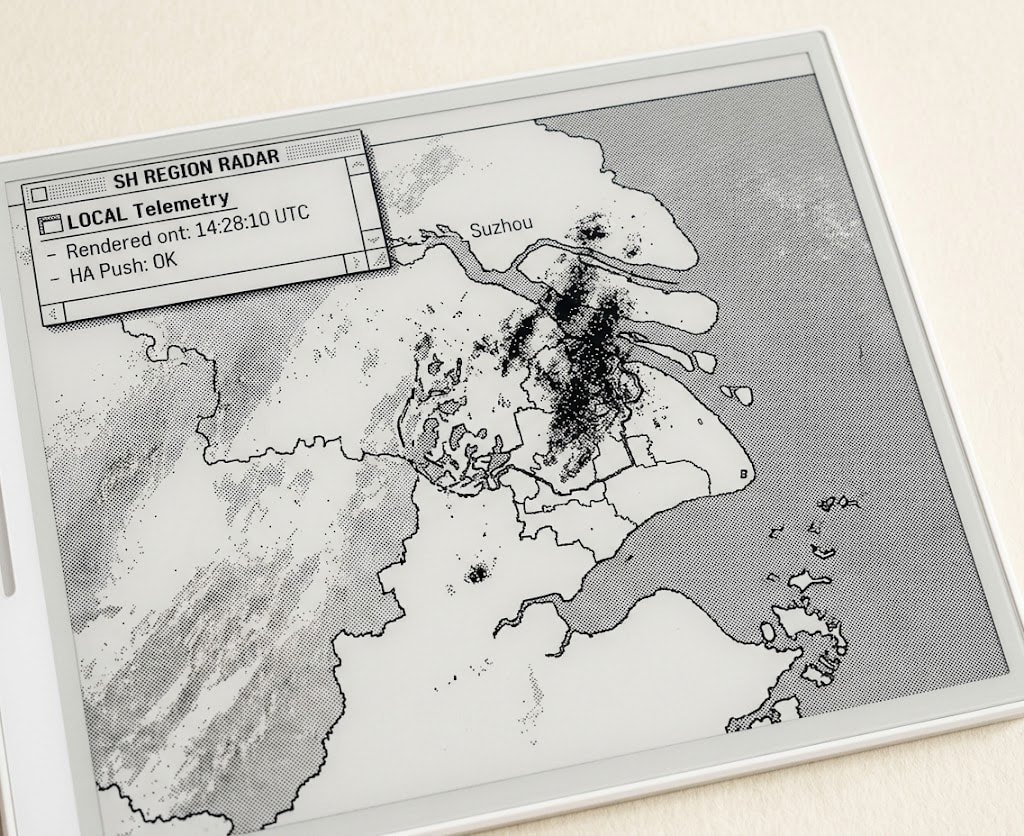
 Partial refresh should be adjusted there too.