Round Display with Xiao Nrf52840 Sense ,TFT_eSPI , LVL Example

It was the systems library, I needed 2.0.11 and I had 2.0.17. Fixed that and reviewed everything again. Everything looks identical, but it still doesn’t work.

Using library TFT_eSPI at version 2.5.23 in folder: /Users/localuser/Arduino/libraries/TFT_eSPI 
Using library SPI at version 2.0.0 in folder: /Users/localuser/Library/Arduino15/packages/esp32/hardware/esp32/2.0.11/libraries/SPI 
Using library FS at version 2.0.0 in folder: /Users/localuser/Library/Arduino15/packages/esp32/hardware/esp32/2.0.11/libraries/FS 
Using library SPIFFS at version 2.0.0 in folder: /Users/localuser/Library/Arduino15/packages/esp32/hardware/esp32/2.0.11/libraries/SPIFFS 
Using library Seeed Arduino Round display at version 1.0.0 in folder: /Users/localuser/Arduino/libraries/Seeed_Arduino_Round_display 
Using library lvgl at version 8.3.7 in folder: /Users/localuser/Arduino/libraries/lvgl 
Using library Wire at version 2.0.0 in folder: /Users/localuser/Library/Arduino15/packages/esp32/hardware/esp32/2.0.11/libraries/Wire 
/Users/localuser/Library/Arduino15/packages/esp32/tools/riscv32-esp-elf-gcc/esp-2021r2-patch5-8.4.0/bin/riscv32-esp-elf-size -A /private/var/folders/sc/4y094kzs1rs26_qzh6wfr5qr0000gp/T/arduino/sketches/D2021C59B7223DD82C9812977605CDBE/demo.ino.elf
Sketch uses 284606 bytes (21%) of program storage space. Maximum is 1310720 bytes.
Global variables use 14148 bytes (4%) of dynamic memory, leaving 313532 bytes for local variables. Maximum is 327680 bytes.
"/Users/localuser/Library/Arduino15/packages/esp32/tools/esptool_py/4.5.1/esptool" --chip esp32c3 --port "/dev/cu.usbmodem2101" --baud 921600  --before default_reset --after hard_reset write_flash  -z --flash_mode dio --flash_freq 80m --flash_size 4MB 0x0 "/private/var/folders/sc/4y094kzs1rs26_qzh6wfr5qr0000gp/T/arduino/sketches/D2021C59B7223DD82C9812977605CDBE/demo.ino.bootloader.bin" 0x8000 "/private/var/folders/sc/4y094kzs1rs26_qzh6wfr5qr0000gp/T/arduino/sketches/D2021C59B7223DD82C9812977605CDBE/demo.ino.partitions.bin" 0xe000 "/Users/localuser/Library/Arduino15/packages/esp32/hardware/esp32/2.0.11/tools/partitions/boot_app0.bin" 0x10000 "/private/var/folders/sc/4y094kzs1rs26_qzh6wfr5qr0000gp/T/arduino/sketches/D2021C59B7223DD82C9812977605CDBE/demo.ino.bin" 
esptool.py v4.5.1
Serial port /dev/cu.usbmodem2101

Wait, I cut the power and reload it… now it works… this hardware is not good.

Hi there,
SO it could be the serial port, not doing the RTS reset.
Check for cold solder joints also , those castellated holes can be finicky.
HTH
GL :slight_smile: PJ :v:

Hi there,

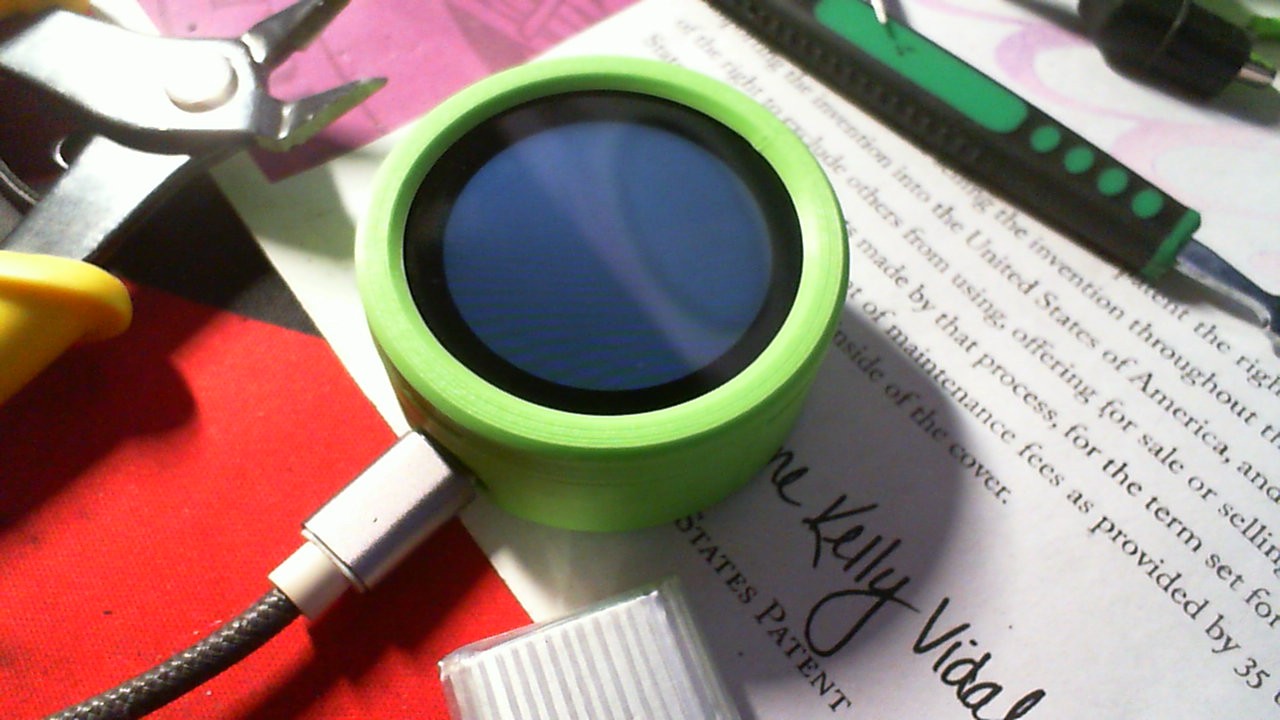
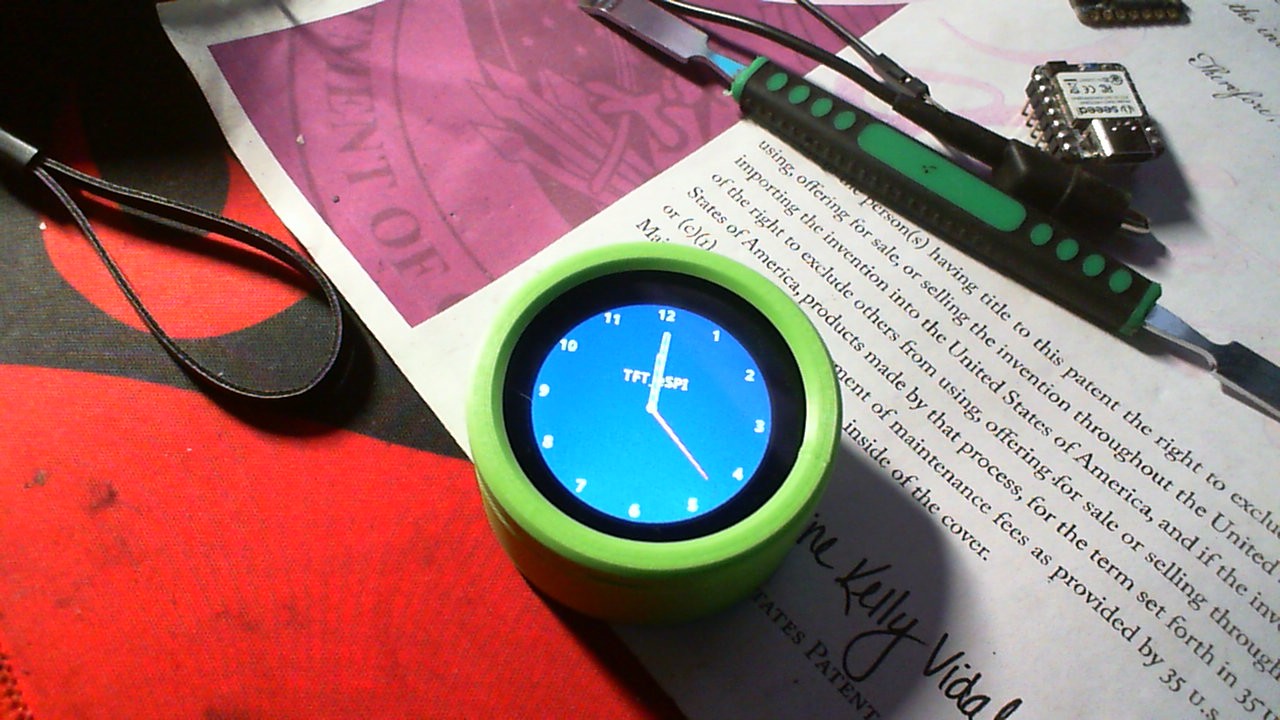
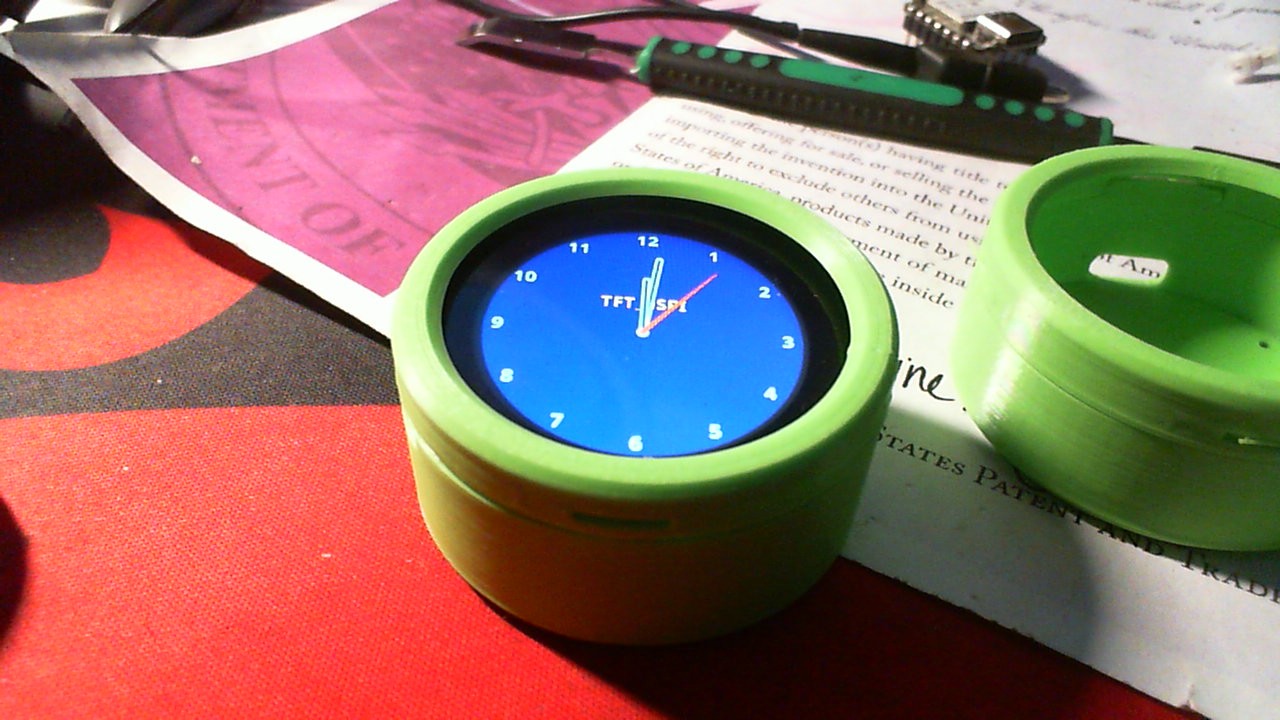
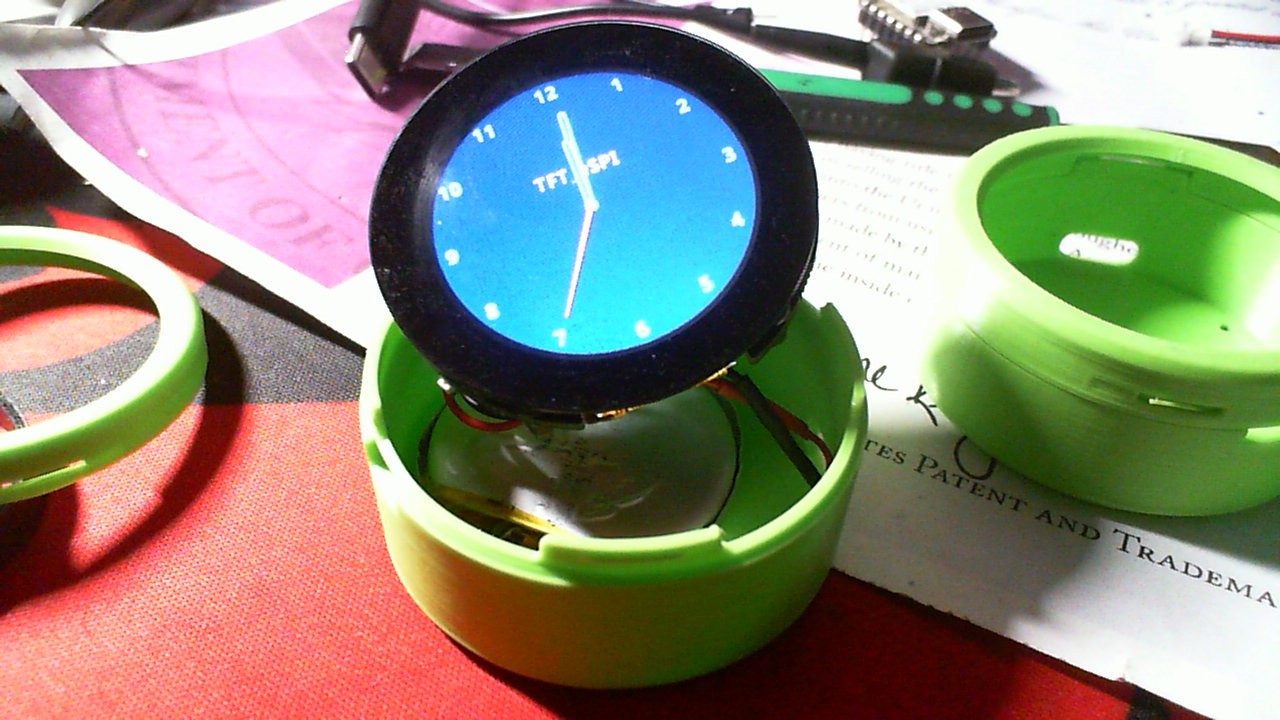
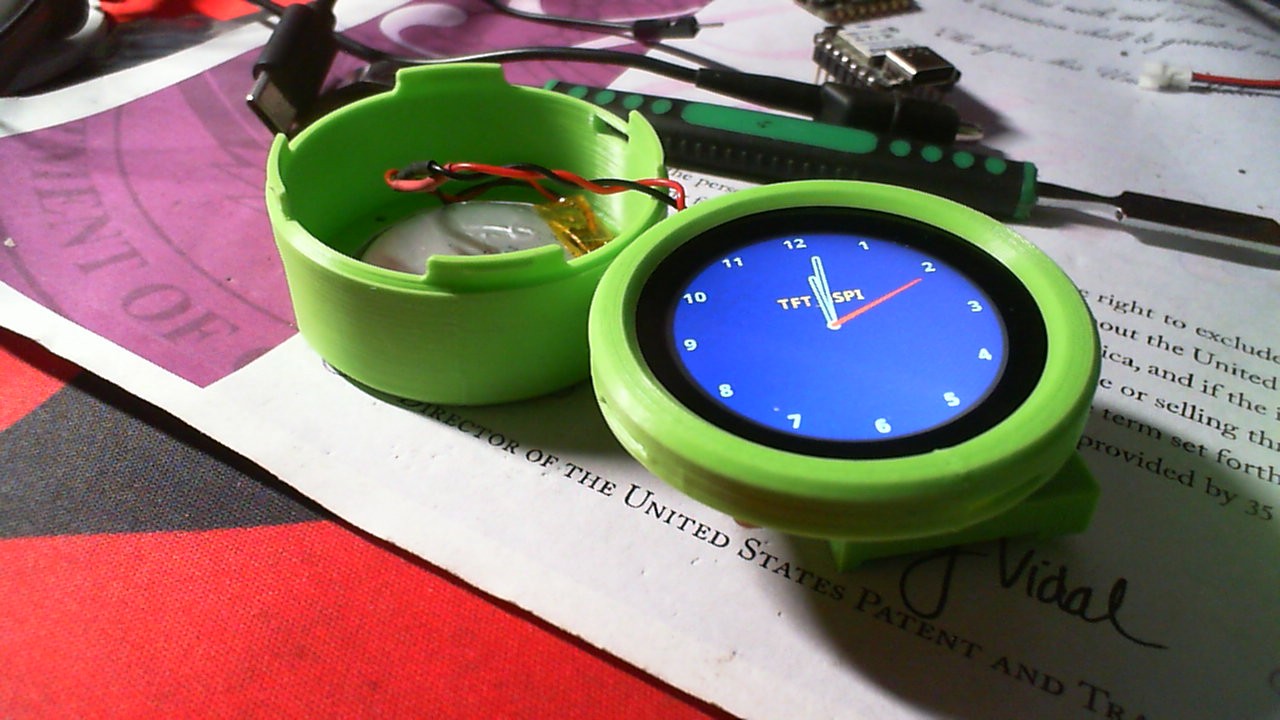
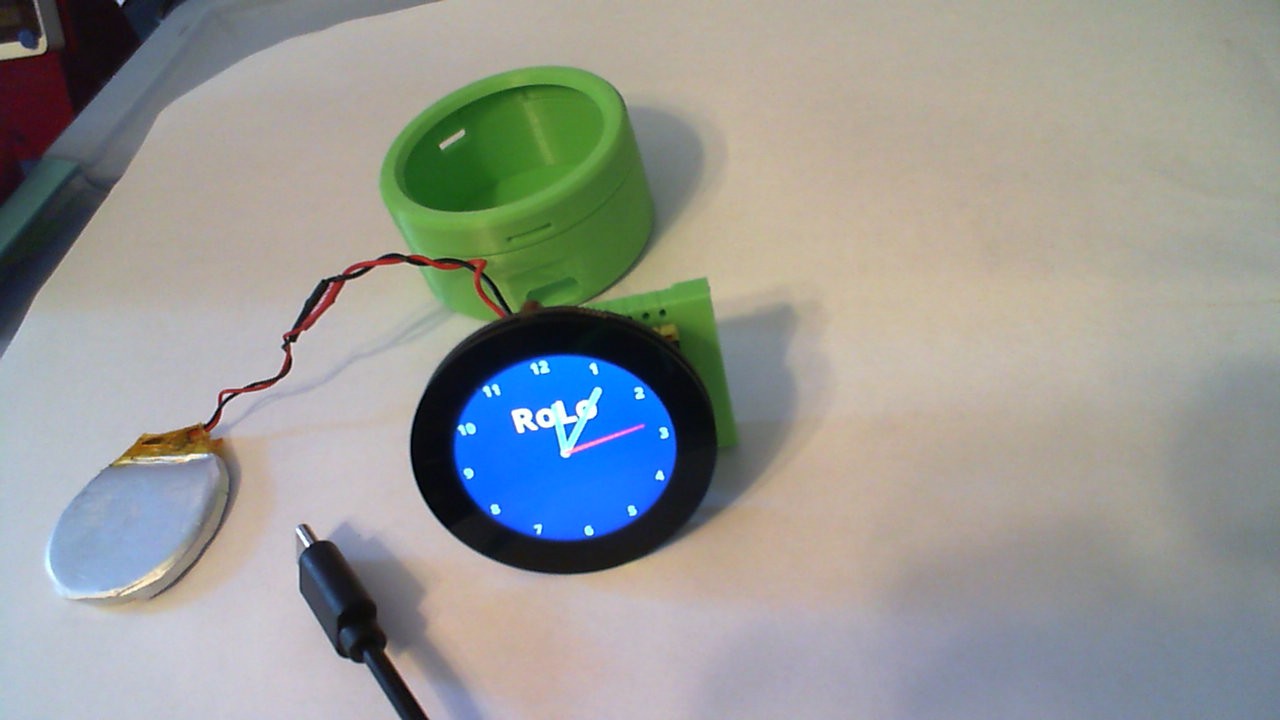
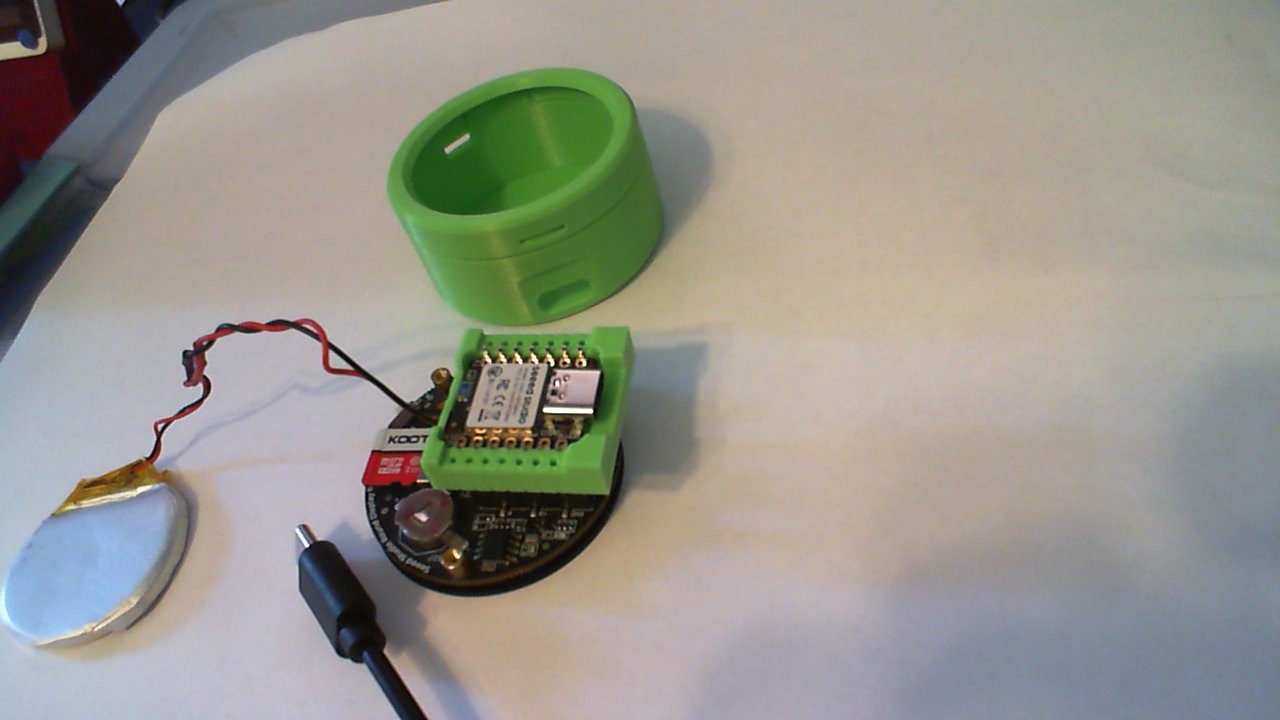
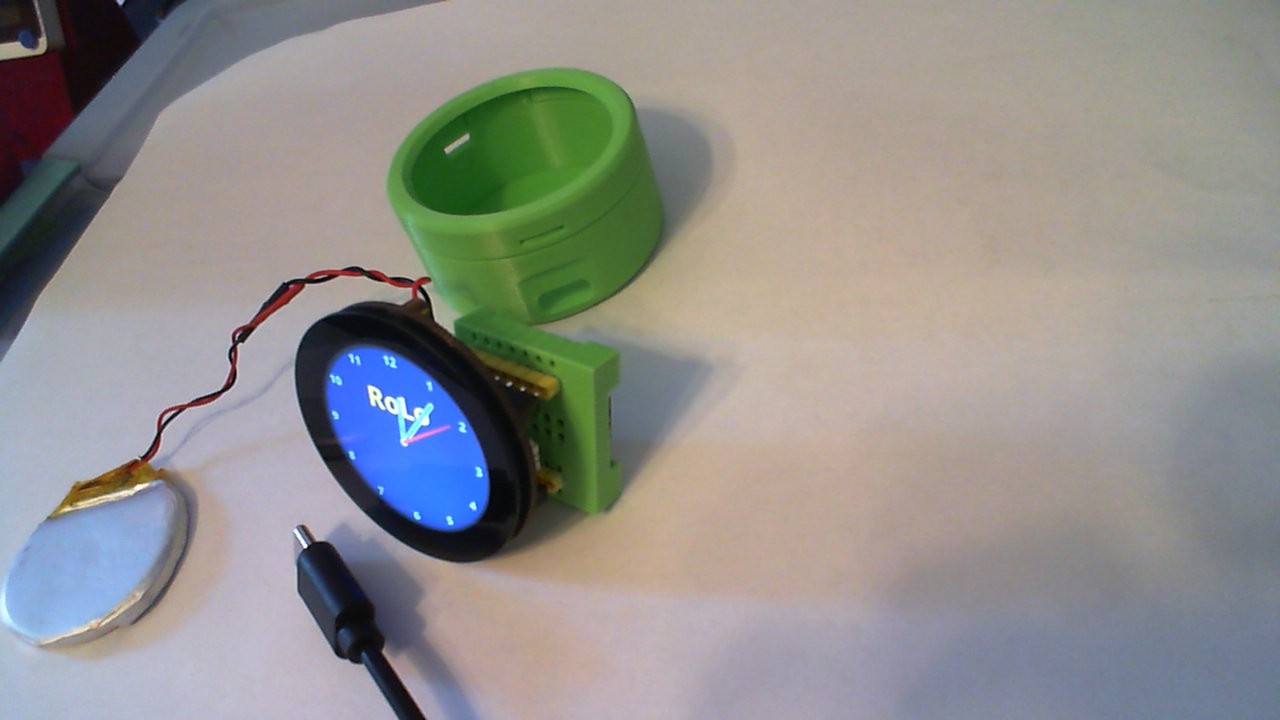
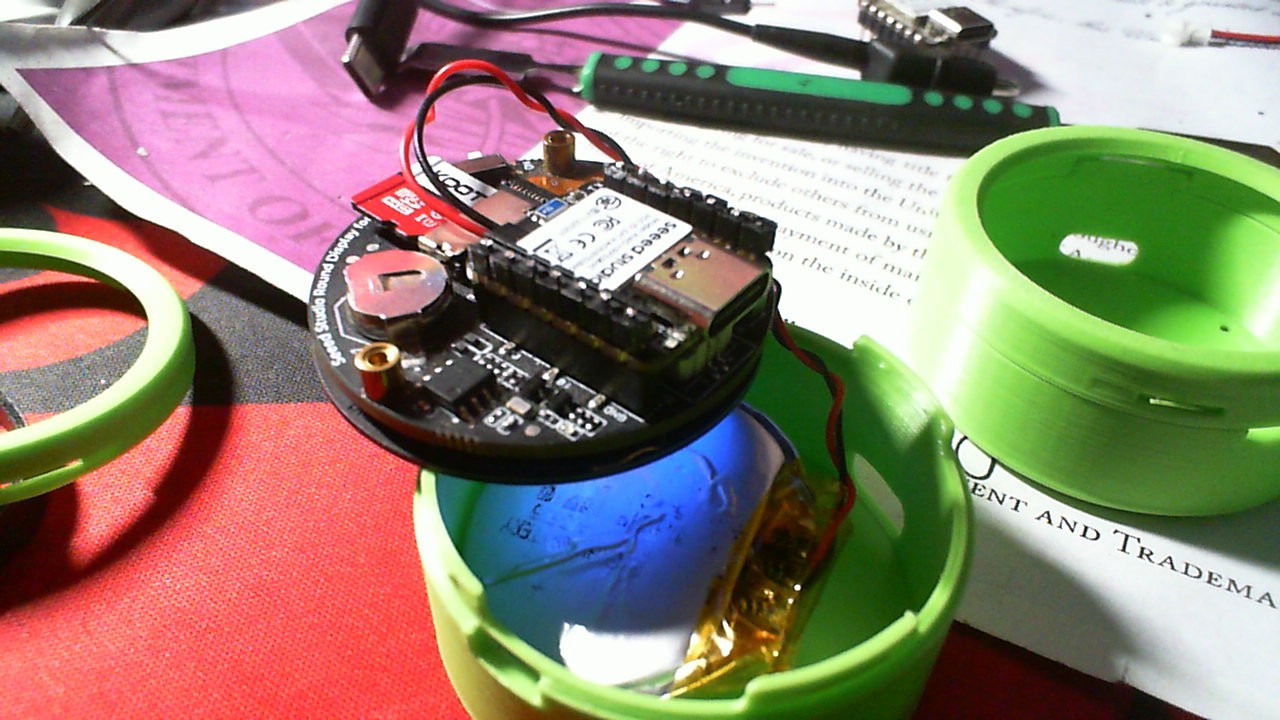
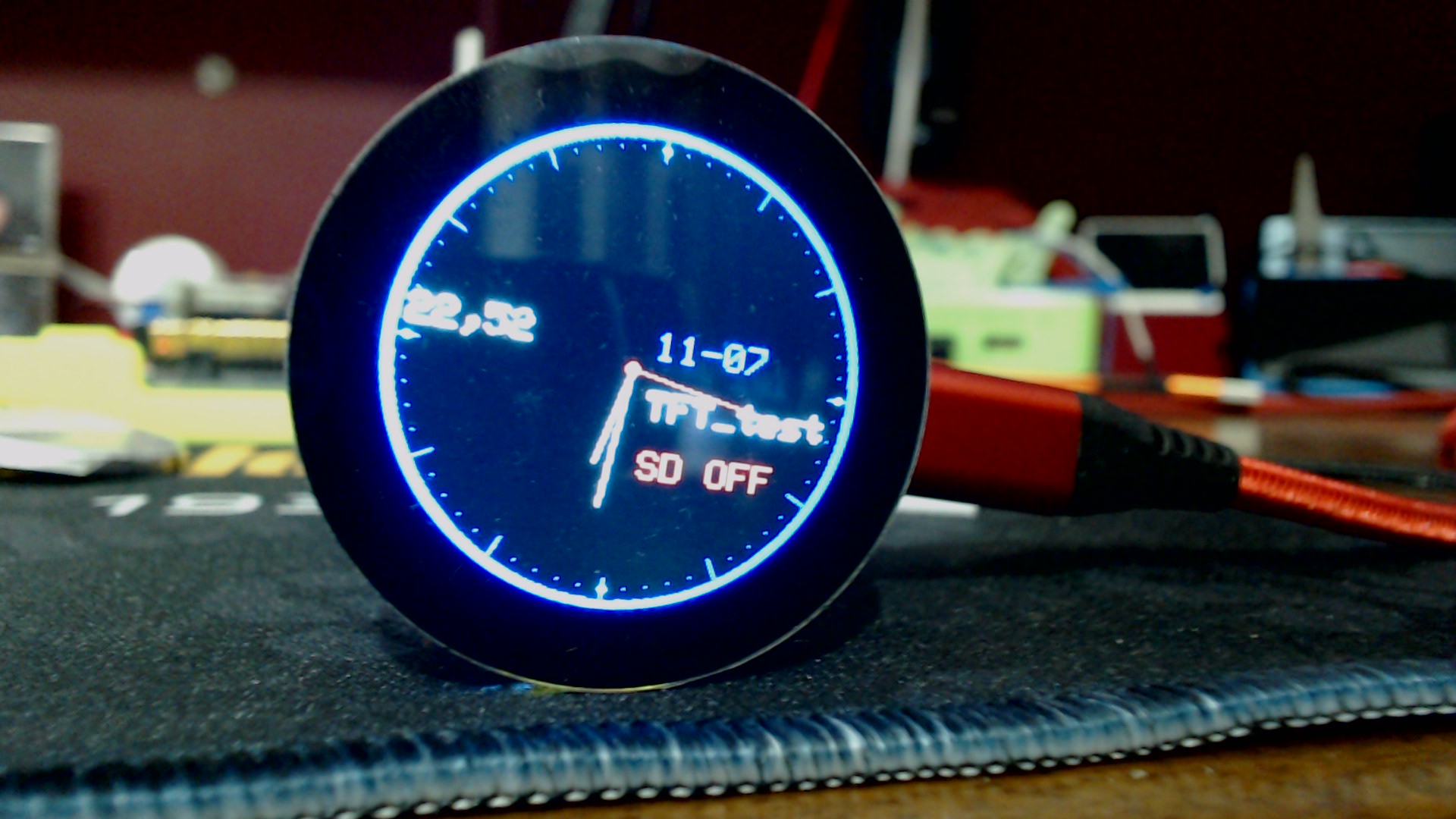
So printed up the Sweet “SEEED” Green Enclosure for the round display… I stretched the original 3.8mm to accommodate the battery. Pictured is running TFT_eSPI CLOCK example;

  • the nRF52840 Sense

  • BSP is 1.1.8 (non-mbed)

  • TFT_eSPI LIB version 2.5.43 (latest)

Works GREAT! Looks Cool :sunglasses: :ok_hand:


HTH
GL :slight_smile: PJ :v:

Get that ROLO on! :smile: :ok_hand:


Round-Display+BAT-Model.zip (1020.1 KB)
G_code if you want to print your OWN! Merry Christmas :+1: :santa:

do you have to use stand-offs to connect the back to the screws?

If you want to I added some foam between battery and top of xiao to make it tight.(so you can slide the switch without it moving in there. :v:

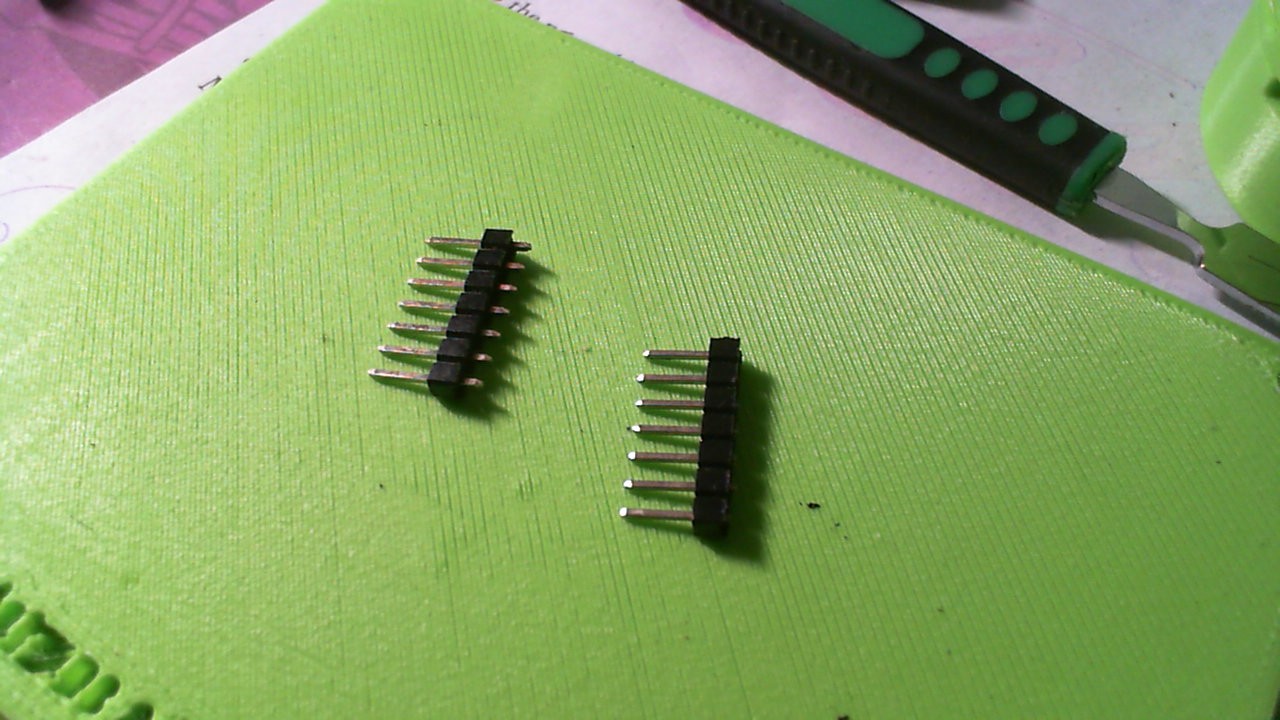
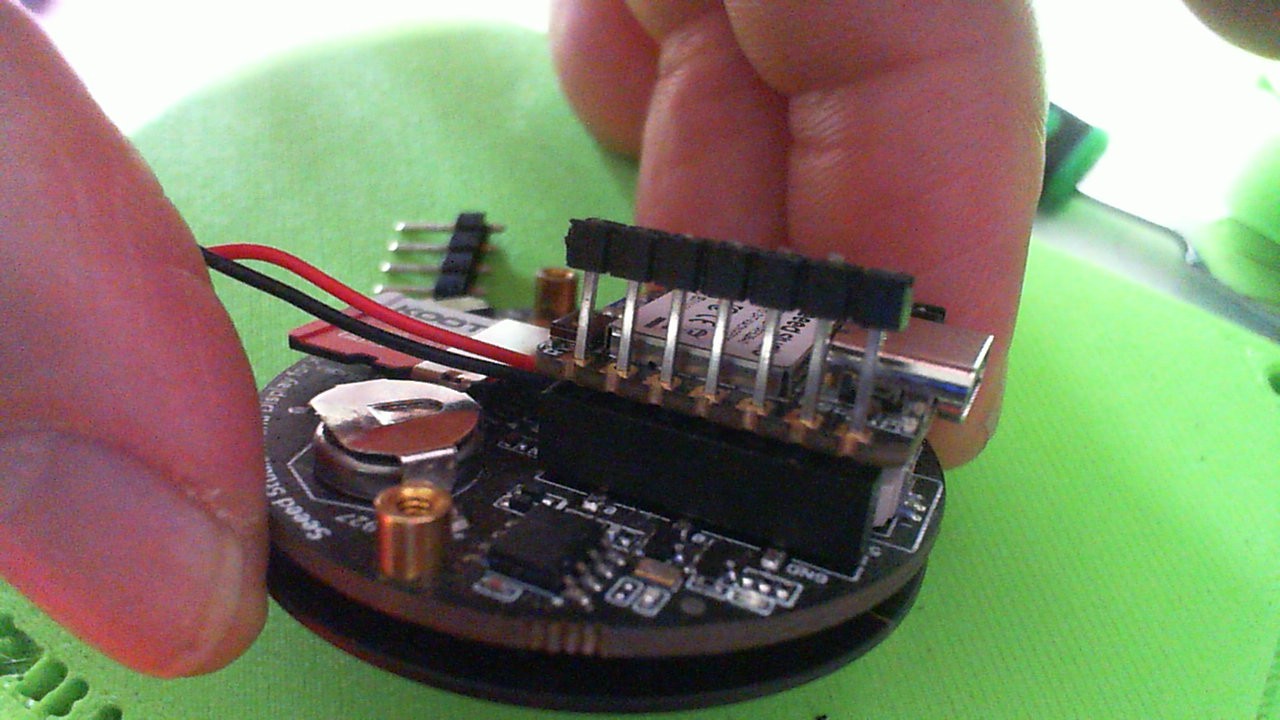
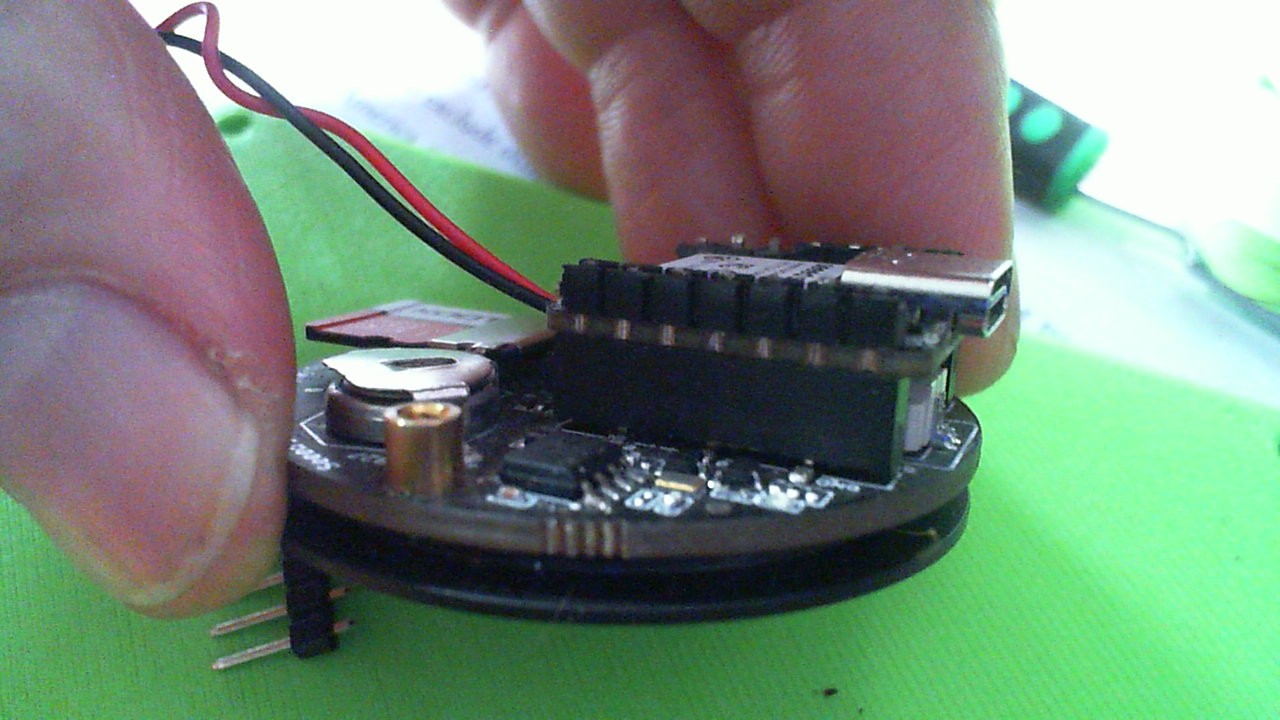
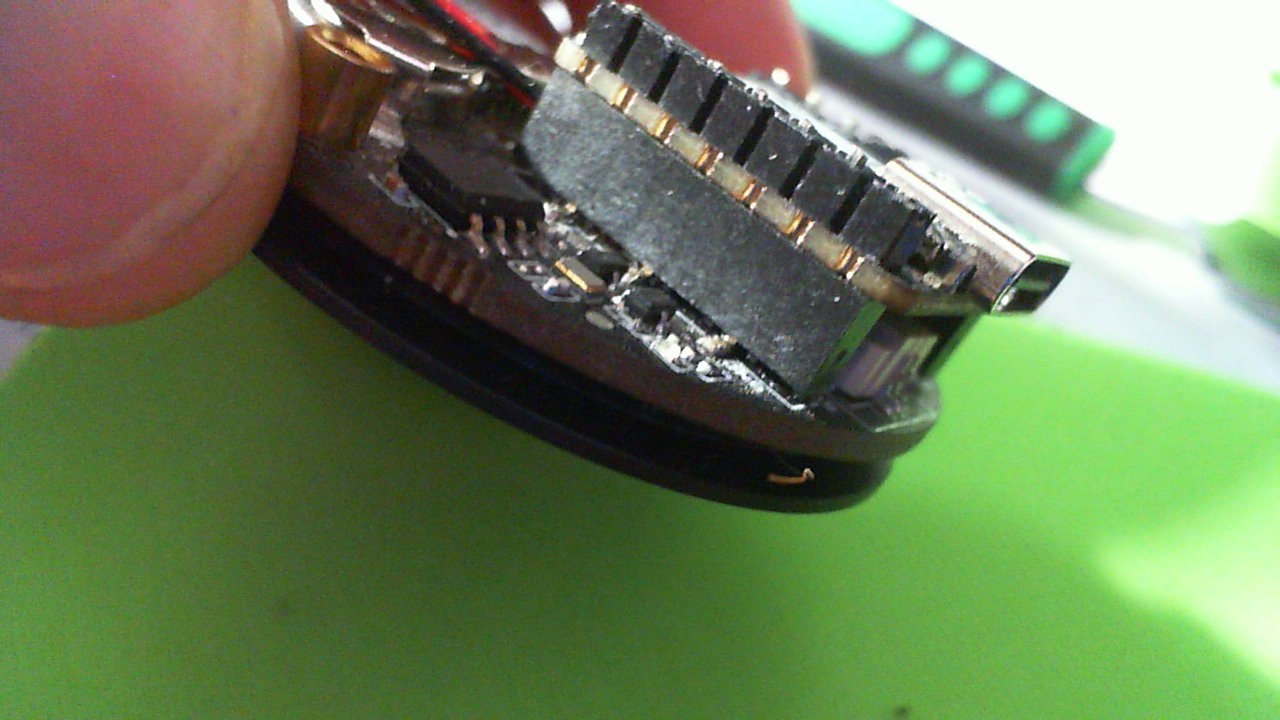
I modified the pins and put them on top to lower the Xiao as low as possible (see pic)


1 Like

Hi all,

I’m trying to follow the tutorial here and having trouble getting it to run

get_start_round_display

Demo 1: Arduino Life is working

Demo 2: TFT Clock - not working

Here’s my Hardware:

  • Seeed Xiao ESP32-S3

    Seeed Round Display Screen

Software:

  • Arduino IDE

    Board support package: Espressif esp32 ver. 2.0.11

    Seeed_Arduino_RoundDisplay:

    downloaded latest zip from github

    Arduino IDE > Sketch > Include Library > Add zip library

    Seeed_GFX:

    downloaded latest zip from github

    Arduino IDE > Sketch > Include Library > Add zip library

Now the board is constantly rebooting.

Here’s the error in the serial monitor:

Saved PC:0x4203b6b6

SPIWP:0xee

mode:DIO, clock div:1

load:0x3fce3808,len:0x44c

load:0x403c9700,len:0xbe4

load:0x403cc700,len:0x2a68

entry 0x403c98d4

Guru Meditation Error: Core 1 panic’ed (LoadProhibited). Exception was unhandled.

Core 1 register dump:

PC : 0x4200a5d4 PS : 0x00060430 A0 : 0x8200a6be A1 : 0x3fcebca0

A2 : 0x00000000 A3 : 0x0000000c A4 : 0x00000010 A5 : 0x00060823

A6 : 0x00060823 A7 : 0x00000001 A8 : 0x00000000 A9 : 0x00000003

A10 : 0xffffffff A11 : 0x3fcebca8 A12 : 0x3fcebcac A13 : 0x00000004

A14 : 0x02c936e0 A15 : 0x00ffffff SAR : 0x00000010 EXCCAUSE: 0x0000001c

EXCVADDR: 0x00000014 LBEG : 0x400570e8 LEND : 0x400570f3 LCOUNT : 0xffffffff

Backtrace: 0x4200a5d1:0x3fcebca0 0x4200a6bb:0x3fcebcd0 0x4200a3ac:0x3fcebcf0 0x4200a848:0x3fcebd10 0x42009e44:0x3fcebd30 0x42007435:0x3fcebd50 0x42001e78:0x3fcebd70 0x4200267d:0x3fcebd90 0x420122f2:0x3fcebdc0

-------------------------------

Now, the instructions from the Seeed_Arduino_RoundDisplay github say to install these dependencies:

lvgl, lv_examples, TFT_eSPI, GFX Library for Arduino, I2C BM8563 RTC, SD, AnimatedGIF

Here’s my installed version:

  • Lvgl: v9.4.0

    lv_examples: v8.1.0

    TFT_eSPI: v2.5.43

    GFX Library for Arduino: v1.6.3

    I2C BM8563 RTC: v1.0.4

    SD: v1.3.0

    AnimatedGIF: v2.2.0

But the demo page says to uninstall TFT_eSPI since Seeed_GFX is a fork of that.

Is that right?

The instructions from the Seeed_Arduino_RoundDisplay github also state:

3.Uncomment a library for display driver.

I found this post that I’m replying to.

Uncomment #define GC9A01_DRIVER" in the User_Setup.h

I did that in \libraries\Seeed_GFX\User_Setup.h

Next the instructions say:

If you want to use the TFT_eSPI library for display driving,

you must comment out the line #include <User_Setup.h>

uncomment the line #include <User_Setups/Setup66_Seeed_XIAO_RoundDisplay.h>

in the “User_Setup_Select.h” file.

>> this line: #include <User_Setup.h>

Was not found in this file: \libraries\Seeed_GFX\User_Setup_Select.h

>> this line: #include <User_Setups/Setup66_Seeed_XIAO_RoundDisplay.h>

Was not found in this file: \libraries\Seeed_GFX\User_Setup_Select.h

The lvgl configuration file lv_conf.h must be copied to your Arduino IDE’s libraries directory.

>> this was already copied. So I add #include <lv_conf.h> to my TFT_Clock.ino?

I asked AI about the error, and it said I need to remove the return inside setup:

if (SD.begin(chipSelect)) {

SDstatus = 1;

//return;

}

So I tried that but still getting the error.

Now, I tried a bunch of other things too. Too many to remember now.

Uninstalling TFT_eSPI, uninstalling GFX library for arduino, making a bunch of code changes recommended by genAI, searching forums and downgrading bsp, etc.

I’m sure I’m missing something obvious, any help is appreciated.

Hi there,

And Welcome Here…

So I see you went “kitchen sink on it” :grin:
Yea, that usually ends up the same…

How about this, seems you may be close.
Go open the User_setup.ino in the examples folder , it will run and print to the console ,Serial port What the configuration is that is set. Compile and run that first.
Paste it in the Code Tags above “</>” paste it in there. Code too , BTW.
Makes it readable and keeps it clean and clear.

So you are getting verbose output on the compiler it appears , so Check the first 3 lines. What do they show?

You will get it going, it’s not rocket science but this Nice display requires some steps to get going.
Also you can download one of the Rolo Watch face DEMO’s on here’s BIN file and flash it, no compiling required to just test the hardware. Touch, SD & BLE…

HTH
GL :slight_smile: PJ :v:

ESP-ROM:esp32s3-20210327

[code]
TFT_eSPI ver = 2.5.43
Processor    = ESP32
Frequency    = 240MHz
Transactions = Yes
Interface    = SPI
Display driver = 9A01
Display width  = 240
Display height = 240

MOSI    = GPIO 9
MISO    = GPIO 8
SCK     = GPIO 7
TFT_CS   = GPIO 2
TFT_DC4

TFT_BL           = GPIO 43

Font GLCD   loaded
Font 2      loaded
Font 4      loaded
Font 6      loaded
Font 7      loaded
Font 8      loaded
Smooth font enabled

Display SPI frequency = 40.00
[/code]

Sketch uses 413101 bytes (12%) of program storage space. Maximum is 3342336 bytes.
Global variables use 20100 bytes (6%) of dynamic memory, leaving 307580 bytes for local variables. Maximum is 327680 bytes.
esptool.py v4.5.1
Serial port COM10
Connecting…
Chip is ESP32-S3 (revision v0.2)
Features: WiFi, BLE
Crystal is 40MHz

TFT_Clock.ino

#include "TFT_Clock.h"

#include <lv_conf.h>


#include <AnimatedGIF.h>


// SD

#include <SD.h>

#include <sd_defines.h>

#include <sd_diskio.h>


// RTC

#include <I2C_BM8563.h>


// Seeed GFX

#include <TFT_eSPI.h> 


#include <lvgl.h>


void setup(void) {


    init_rtc();

    Serial.begin(115200);

    lv_xiao_touch_init();

    draw_clock();


    if (SD.begin(chipSelect)) {

        SDstatus = 1;

        Serial.println("SD card initialized!");

        //return;

    }

    else{

        Serial.println("SD card not inserted or initialization failed!");

    }

}


void loop() {

    sdstatus();

    draw_clock_time();

    get_touch();

}

TFT_Clock.h

#include <SPI.h>

#include <I2C_BM8563.h>

#include <SD.h>

#define USE_TFT_ESPI_LIBRARY

#include "lv_xiao_round_screen.h"


int SDstatus = 0;

int tftStatus = 0;


I2C_BM8563 rtc(I2C_BM8563_DEFAULT_ADDRESS, Wire);

const int chipSelect = D2;


TFT_eSprite face = TFT_eSprite(&tft);


#define CLOCK_R 260.0f

#define TFT_GREY 0xBDF7


float sx = 0, sy = 1, mx = 1, my = 0, hx = -1, hy = 0;

float sdeg = 0, mdeg = 0, hdeg = 0;

uint16_t osx = 120, osy = 120, omx = 120, omy = 120, ohx = 120, ohy = 120;

uint16_t x0 = 0, x1 = 0, yy0 = 0, yy1 = 0;

uint32_t targetTime = 0;


static uint8_t conv2d(const char* p) {

    uint8_t v = 0;

    if ('0' <= *p && *p <= '9')

        v = *p - '0';

    return 10 * v + *++p - '0';

}


uint8_t hh = conv2d(__TIME__), mm = conv2d(__TIME__ + 3), ss = conv2d(__TIME__ + 6);


bool initial = 1;


void init_rtc() {

    Wire.begin();

    rtc.begin();

    I2C_BM8563_DateTypeDef date;

    date.month = 11;

    date.date = 7;

    date.year = 2024;

    I2C_BM8563_TimeTypeDef time = {18, 30, 20};

    rtc.setDate(&date);

    rtc.setTime(&time);

}


void sdstatus() {

    if (SDstatus == 0) {

        tft.setTextSize(2);

        tft.setTextDatum(TFT_TRANSPARENT);

        tft.setTextColor(TFT_RED);

        tft.drawString("SD OFF", CLOCK_R / 2, CLOCK_R * 0.5 + 30);

    }

    if (SDstatus == 1) {

        tft.setTextSize(2);

        tft.setTextDatum(TFT_TRANSPARENT);

        tft.setTextColor(TFT_GREEN);

        tft.drawString("SD ON", CLOCK_R / 2, CLOCK_R * 0.5 + 30);

        tftStatus = 1;

    }

    if (tftStatus == 1) {

        tft.init();

        tftStatus = 0;

    }

    delay(100);

}


void draw_clock() {

    tft.init();

    tft.setRotation(0);

    tft.fillScreen(TFT_GREY);

    tft.setTextColor(TFT_GREEN, TFT_GREY);


    tft.fillCircle(120, 120, 122, TFT_BLUE);

    tft.fillCircle(120, 120, 115, TFT_BLACK);


    for (int i = 0; i < 360; i += 30) {

        sx = cos((i - 90) * 0.0174532925);

        sy = sin((i - 90) * 0.0174532925);

        x0 = sx * 115 + 120;

        yy0 = sy * 115 + 120;

        x1 = sx * 105 + 120;

        yy1 = sy * 105 + 120;


        tft.drawLine(x0, yy0, x1, yy1, TFT_BLUE);

    }


    for (int i = 0; i < 360; i += 6) {

        sx = cos((i - 90) * 0.0174532925);

        sy = sin((i - 90) * 0.0174532925);

        x0 = sx * 110 + 120;

        yy0 = sy * 110 + 120;


        tft.drawPixel(x0, yy0, TFT_BLUE);

        if (i == 0 || i == 180) tft.fillCircle(x0, yy0, 1, TFT_CYAN);

        if (i == 0 || i == 180) tft.fillCircle(x0 + 1, yy0, 1, TFT_CYAN);

        if (i == 90 || i == 270) tft.fillCircle(x0, yy0, 1, TFT_CYAN);

        if (i == 90 || i == 270) tft.fillCircle(x0 + 1, yy0, 1, TFT_CYAN);

    }


    tft.fillCircle(120, 120, 3, TFT_RED);


    targetTime = millis() + 1000;

}


void draw_clock_time() {

    I2C_BM8563_DateTypeDef dateStruct;

    I2C_BM8563_TimeTypeDef timeStruct;


    rtc.getDate(&dateStruct);

    rtc.getTime(&timeStruct);


    int ss = timeStruct.seconds;

    int mm = timeStruct.minutes;

    int hh = timeStruct.hours;

    int dd = dateStruct.date;

    int mmnth = dateStruct.month;


    String date =  (mmnth < 10 ? "0" : "") + String(mmnth) + "-" + (dd < 10 ? "0" : "") + String(dd);


    tft.setTextSize(2);

    tft.setTextDatum(TFT_TRANSPARENT);

    tft.setTextColor(TFT_BLUE);

    tft.drawString(date, CLOCK_R / 2, CLOCK_R * 0.5 - 30);


    tft.setTextSize(2);

    tft.setTextDatum(TFT_TRANSPARENT);

    tft.setTextColor(TFT_WHITE);

    tft.drawString("TFT_test", CLOCK_R / 2, CLOCK_R * 0.5);


    if (targetTime < millis()) {

        targetTime = millis() + 1000;


        int sdeg = ss * 6;

        int mdeg = mm * 6 + sdeg * 0.01666667;

        int hdeg = hh * 30 + mdeg * 0.0833333;


        float hx = cos((hdeg - 90) * 0.0174532925);

        float hy = sin((hdeg - 90) * 0.0174532925);

        float mx = cos((mdeg - 90) * 0.0174532925);

        float my = sin((mdeg - 90) * 0.0174532925);

        float sx = cos((sdeg - 90) * 0.0174532925);

        float sy = sin((sdeg - 90) * 0.0174532925);


        if (ss == 0 || initial) {

            initial = 0;

            tft.drawLine(ohx, ohy, 120, 120, TFT_BLACK);

            ohx = hx * 50 + 120;

            ohy = hy * 50 + 120;

            tft.drawLine(omx, omy, 120, 120, TFT_BLACK);

            omx = mx * 70 + 120;

            omy = my * 70 + 120;

        }


        tft.drawLine(osx, osy, 120, 120, TFT_BLACK);

        tft.drawLine(ohx, ohy, 120, 120, TFT_WHITE);

        tft.drawLine(omx, omy, 120, 120, TFT_WHITE);

        osx = sx * 85 + 120;

        osy = sy * 85 + 120;

        tft.drawLine(osx, osy, 120, 120, TFT_RED);


        tft.fillCircle(120, 120, 3, TFT_RED);

    }

    delay(100);

}


void get_touch() {

    lv_coord_t touchX, touchY;


    if (chsc6x_is_pressed()) {

        chsc6x_get_xy(&touchX, &touchY);

        if (touchX > 240 || touchY > 240) {

            touchX = 0;

            touchY = 0;

        }

        Serial.print("Touch coordinates: X = ");

        Serial.print(touchX);

        Serial.print(", Y = ");

        Serial.println(touchY);

        tft.fillRect(10, 100, 90, 18, TFT_BLACK);

        char buffer1[20];

        sprintf(buffer1, "%d,%d", touchX, touchY);

        tft.drawString(buffer1, 10, 100);

    }

    if (SDstatus == 0) {

        delay(400);

    }

}

driver.h

#define BOARD_SCREEN_COMBO 501 // Round Display for Seeed Studio XIAO (GC9A01)


Hi there,

SO , congratulations You got it going the first step :+1:

Ok , so look at those Pin Numbers and the Names look good

Go into the preferences and turn on the Verbose OUTPUT Check box,
the first three lines of output will show the BSP used.
What you provided is the Basic view and upload…

I was able to compile and run it,

here is my output.

FQBN: esp32:esp32:XIAO_ESP32S3
Using board 'XIAO_ESP32S3' from platform in folder: C:\Users\Dude\AppData\Local\Arduino15\packages\esp32\hardware\esp32\3.3.3
Using core 'esp32' from platform in folder: C:\Users\Dude\AppData\Local\Arduino15\packages\esp32\hardware\esp32\3.3.3

first three lines… Above (shows BSP)

Last 20 or so show the rest… :+1:

esptool v5.1.0
Wrote 0x800000 bytes to file 'C:\Users\Dude\AppData\Local\arduino\sketches\D622CE9FB5D5F3CE0622A322AA11CA4A/sketch_nov27a.ino.merged.bin', ready to flash to offset 0x0.
Multiple libraries were found for "SD.h"
  Used: C:\Users\Dude\AppData\Local\Arduino15\packages\esp32\hardware\esp32\3.3.3\libraries\SD
  Not used: C:\Users\Dude\AppData\Local\Arduino15\libraries\SD
  Not used: D:\Arduino_projects\libraries\SD
Using library SPI at version 3.3.3 in folder: C:\Users\Dude\AppData\Local\Arduino15\packages\esp32\hardware\esp32\3.3.3\libraries\SPI 
Using library I2C BM8563 RTC at version 1.0.4 in folder: D:\Arduino_projects\libraries\I2C_BM8563_RTC 
Using library Wire at version 3.3.3 in folder: C:\Users\Dude\AppData\Local\Arduino15\packages\esp32\hardware\esp32\3.3.3\libraries\Wire 
Using library SD at version 3.3.3 in folder: C:\Users\Dude\AppData\Local\Arduino15\packages\esp32\hardware\esp32\3.3.3\libraries\SD 
Using library FS at version 3.3.3 in folder: C:\Users\Dude\AppData\Local\Arduino15\packages\esp32\hardware\esp32\3.3.3\libraries\FS 
Using library Seeed Arduino Round display at version 1.0.0 in folder: D:\Arduino_projects\libraries\Seeed_Arduino_Round_display 
Using library lvgl at version 8.3.4 in folder: D:\Arduino_projects\libraries\lvgl 
Using library TFT_eSPI at version 2.5.43 in folder: D:\Arduino_projects\libraries\TFT_eSPI 
Using library SPIFFS at version 3.3.3 in folder: C:\Users\Dude\AppData\Local\Arduino15\packages\esp32\hardware\esp32\3.3.3\libraries\SPIFFS 
Using library TFT_eSPI_Setups in folder: D:\Arduino_projects\libraries\TFT_eSPI_Setups (legacy)
Using library AnimatedGIF at version 2.2.0 in folder: D:\Arduino_projects\libraries\AnimatedGIF 
"C:\\Users\\Dude\\AppData\\Local\\Arduino15\\packages\\esp32\\tools\\esp-x32\\2507/bin/xtensa-esp32s3-elf-size" -A "C:\\Users\\Dude\\AppData\\Local\\arduino\\sketches\\D622CE9FB5D5F3CE0622A322AA11CA4A/sketch_nov27a.ino.elf"
Sketch uses 452743 bytes (13%) of program storage space. Maximum is 3342336 bytes.
Global variables use 23024 bytes (7%) of dynamic memory, leaving 304656 bytes for local variables. Maximum is 327680 bytes.

HTH
GL :slight_smile: PJ :v:

So , works with BSP 3.3.3 with the config you have.
Good Job Welcome to LEVEL #2 :grin:

1 Like

FQBN: esp32:esp32:XIAO_ESP32S3
Using board ‘XIAO_ESP32S3’ from platform in folder: C:\Users\anthony\AppData\Local\Arduino15\packages\esp32\hardware\esp32\2.0.11
Using core ‘esp32’ from platform in folder: C:\Users\anthony\AppData\Local\Arduino15\packages\esp32\hardware\esp32\2.0.11

I tried your code posted earlier

TFT_Clock.ino:

#include <Arduino.h>

#include <TFT_eSPI.h>

#include <SPI.h>

#include <Wire.h>

#include "time.h"    //

#include "RTClib.h"  // 


#if defined(CONFIG_IDF_TARGET_ESP32S3) || defined(CONFIG_IDF_TARGET_ESP32C3)

#include "esp_wifi.h"

#include "WiFi.h"


#include "esp_wps.h"  //


const char *ntpServer = "time.cloudflare.com";

const char *ssid     = "********";

const char *password = "********"; // edited for security and LOL's

#endif


#include "I2C_BM8563.h"

#include "NotoSansBold15.h"

#define ESP_MANUFACTURER  "SEEED"

#define ESP_MODEL_NUMBER  "ESP32S3"

#define ESP_MODEL_NAME    "Xiao ESP"


I2C_BM8563 rtc(I2C_BM8563_DEFAULT_ADDRESS, Wire);

I2C_BM8563_TimeTypeDef timeStruct;

I2C_BM8563_DateTypeDef dateStruct;


//I2C_BM8563_TimeTypeDef tStruct;


TFT_eSPI tft = TFT_eSPI();  // Invoke library, pins defined in User_Setup.h

TFT_eSprite face = TFT_eSprite(&tft);


uint32_t chipId = 0;

#define CLOCK_X_POS 10

#define CLOCK_Y_POS 10


#define CLOCK_FG   TFT_SKYBLUE

#define CLOCK_BG   TFT_NAVY

#define SECCOND_FG TFT_RED

#define LABEL_FG   TFT_GOLD


#define CLOCK_R       230.0f / 2.0f // Clock face radius (float type)

#define H_HAND_LENGTH CLOCK_R/2.0f

#define M_HAND_LENGTH CLOCK_R/1.4f

#define S_HAND_LENGTH CLOCK_R/1.3f


#define FACE_W CLOCK_R * 2 + 1

#define FACE_H CLOCK_R * 2 + 1


// Calculate 1 second increment angles. Hours and minute hand angles

// change every second so we see smooth sub-pixel movement

#define SECOND_ANGLE 360.0 / 60.0

#define MINUTE_ANGLE SECOND_ANGLE / 60.0

#define HOUR_ANGLE   MINUTE_ANGLE / 12.0


// Sprite width and height

#define FACE_W CLOCK_R * 2 + 1

#define FACE_H CLOCK_R * 2 + 1


const long  gmtOffset_sec = -18000;  //For UTC -5.00 : -5 * 60 * 60 : -18000

const int   daylightOffset_sec = 3600;


// Time h:m:s

uint8_t h = 0, m = 0, s = 0;


float time_secs = h * 3600 + m * 60 + s;


// Time for next tick

uint32_t targetTime = 0;


// =========================================================================

// Setup

// =========================================================================

void setup() {

  Serial.begin(9600);

  delay(2500);  //relax...Get Ready for serial port

  Serial.println();

  Serial.println();

  Serial.println("Power ON ");  // Let's BEGIN!!

  Serial.println("");

  // Init and get the time

 // configTime(gmtOffset_sec, daylightOffset_sec, ntpServer);

  //printLocalTime();

  Serial.println("Program " __FILE__ " compiled on " __DATE__ " at " __TIME__ );

  Serial.println();


  // Initialise the screen

  tft.init();


  // Ideally set orientation for good viewing angle range because

  // the anti-aliasing effectiveness varies with screen viewing angle

  // Usually this is when screen ribbon connector is at the bottom

  tft.setRotation(0);

  tft.fillScreen(TFT_BLACK);


  // Create the clock face sprite

  //face.setColorDepth(8); // 8 bit will work, but reduces effectiveness of anti-aliasing

  face.createSprite(FACE_W, FACE_H);


  // Only 1 font used in the sprite, so can remain loaded

  face.loadFont(NotoSansBold15);


  // Draw the whole clock - NTP time not available yet

  renderFace(time_secs);


#if defined(CONFIG_IDF_TARGET_ESP32S3) || defined(CONFIG_IDF_TARGET_ESP32C3)

  WiFi.begin(ssid, password);

  while ( WiFi.status() != WL_CONNECTED ) 

  {

    delay ( 500 );

    Serial.print ( "." );

  }

  Serial.println("");

  // Init and get the time

  //configTime(gmtOffset_sec, daylightOffset_sec, ntpServer);

  configTime(8 * 3600, 0, ntpServer);

  struct tm timeInfo;

  if (getLocalTime(&timeInfo)) {

    timeStruct.hours   = timeInfo.tm_hour;

    timeStruct.minutes = timeInfo.tm_min;

    timeStruct.seconds = timeInfo.tm_sec;

    rtc.setTime(&timeStruct);

    //dateStruct.weekDay = timeInfo.tm_wday;

    //dateStruct.month   = timeInfo.tm_mon + 1;

    //dateStruct.date    = timeInfo.tm_mday;

    //dateStruct.year    = timeInfo.tm_year + 1900;

    //rtc.setDate(&dateStruct);

  }

#endif


  Wire.begin();

  rtc.begin();

  syncTime();


  Serial.println();

   for(int i=0; i<17; i=i+8) {

    chipId |= ((ESP.getEfuseMac() >> (40 - i)) & 0xff) << i;

  }

  Serial.printf("ESP32 Chip model = %s Rev %d\n", ESP.getChipModel(), ESP.getChipRevision());

  Serial.printf("This chip has %d cores\n", ESP.getChipCores());

  Serial.print("Chip ID: "); Serial.println(chipId);

  Serial.println("Connected to :" + String(WiFi.SSID()));

  Serial.print("Got IP: ");

  Serial.println(WiFi.localIP());

  delay (500);

  printLocalTime();

}


// =========================================================================

// Loop

// =========================================================================

void loop() {

  // Update time periodically

  if (targetTime < millis()) {


    // Update next tick time in 100 milliseconds for smooth movement

    targetTime = millis() + 100;


    // Increment time by 100 milliseconds

    time_secs += 0.100;


    // Midnight roll-over

    if (time_secs >= (60 * 60 * 24)) time_secs = 0;


    // All graphics are drawn in sprite to stop flicker

    renderFace(time_secs);


    // syncTime();

  }

}


// =========================================================================

// Draw the clock face in the sprite

// =========================================================================

static void renderFace(float t) {

  float h_angle = t * HOUR_ANGLE;

  float m_angle = t * MINUTE_ANGLE;

  float s_angle = t * SECOND_ANGLE;


  // The face is completely redrawn - this can be done quickly

  face.fillSprite(TFT_BLACK);


  // Draw the face circle

  face.fillSmoothCircle( CLOCK_R, CLOCK_R, CLOCK_R, CLOCK_BG );


  // Set text datum to middle centre and the colour

  face.setTextDatum(MC_DATUM);


  // The background colour will be read during the character rendering

  face.setTextColor(CLOCK_FG, CLOCK_BG);


  // Text offset adjustment

  constexpr uint32_t dialOffset = CLOCK_R - 10;//10


  float xp = 0.0, yp = 0.0; // Use float pixel position for smooth AA motion


  // Draw digits around clock perimeter

  for (uint32_t h = 1; h <= 12; h++) {

    getCoord(CLOCK_R, CLOCK_R, &xp, &yp, dialOffset, h * 360.0 / 12);

    face.drawNumber(h, xp, 2 + yp);

  }


  // Add text (could be digital time...)

  face.setTextColor(LABEL_FG, CLOCK_BG);

  face.drawString("ROLO", CLOCK_R, CLOCK_R * 0.75);


  // Draw minute hand

  getCoord(CLOCK_R, CLOCK_R, &xp, &yp, M_HAND_LENGTH, m_angle);

  face.drawWideLine(CLOCK_R, CLOCK_R, xp, yp, 6.0f, CLOCK_FG);

  face.drawWideLine(CLOCK_R, CLOCK_R, xp, yp, 2.0f, CLOCK_BG);


  // Draw hour hand

  getCoord(CLOCK_R, CLOCK_R, &xp, &yp, H_HAND_LENGTH, h_angle);

  face.drawWideLine(CLOCK_R, CLOCK_R, xp, yp, 6.0f, CLOCK_FG);

  face.drawWideLine(CLOCK_R, CLOCK_R, xp, yp, 2.0f, CLOCK_BG);


  // Draw the central pivot circle

  face.fillSmoothCircle(CLOCK_R, CLOCK_R, 4, CLOCK_FG);


  // Draw Second hand

  getCoord(CLOCK_R, CLOCK_R, &xp, &yp, S_HAND_LENGTH, s_angle);

  face.drawWedgeLine(CLOCK_R, CLOCK_R, xp, yp, 2.5, 1.0, SECCOND_FG);

  face.pushSprite(5, 5, TFT_TRANSPARENT);

}


// =========================================================================

// Get coordinates of end of a line, pivot at x,y, length r, angle a

// =========================================================================

// Coordinates are returned to caller via the xp and yp pointers

#define DEG2RAD 0.0174532925

void getCoord(int16_t x, int16_t y, float *xp, float *yp, int16_t r, float a)

{

  float sx1 = cos( (a - 90) * DEG2RAD);

  float sy1 = sin( (a - 90) * DEG2RAD);

  *xp =  sx1 * r + x;

  *yp =  sy1 * r + y;

}


void syncTime(void){

  targetTime = millis() + 100;

 rtc.getTime(&timeStruct);

  time_secs = timeStruct.hours * 3600 + timeStruct.minutes * 60 + timeStruct.seconds;

  //rtc.getTime(&tStruct);

   // char rtc_time[10];

   // sprintf(rtc_time, "%d:%d:%d", tStruct.hours, tStruct.minutes, tStruct.seconds);

    //Serial.println(rtc_time);


}

void printLocalTime(){

  struct tm timeinfo;

  if(!getLocalTime(&timeinfo)){

    Serial.println("Failed to obtain time");

    return;

  }

  Serial.println("");

  Serial.println(&timeinfo, "%H:%M:%S");  //"%A, %B %d %Y %H:%M:%S"%A returns day of week

/* %B returns month of year

%d  returns day of month

%Y  returns year

%H  returns hour

%M  returns minutes

%S  returns seconds

*/

}

This does compile and upload. I see it connected to wifi, got an ip, and outputs the current (incorrect) time. The screen never displays anything though.

Ok so I upgraded the BSP to 3.3.3 and used your code above and I now see the TFT_Clock.ino is rendering a clock. blue screen, white hands. looks good. Thank you! I will try hardware_test.ino next.

1 Like

Hi there OK,
So the setup file you have is NOT correct, Try these in your TFT_eSPI folder.
User_Setup.zip (10.0 KB)

HTH
GL :slight_smile: PJ :v:

You are close, I got to go eat some turkey , B back later to check. :grin:
I copy and pasted the code you provided so the code works..
Get the config squared away.:+1:

Awesome.

Bback soon :+1:

Happy Thanksgiving!

PJ :v:

Do me a solid and mark it as the Solution So others can Find It

ok, so now I’m trying hardware test.

In file included from c:\Users\anthony\Documents\Arduino\libraries\Seeed_Arduino_Round_display\src/lv_xiao_round_screen.h:29, from C:\Users\anthony\Documents\Arduino\SeedRoundDisplay\Hardware_Test\Hardware_Test.ino:8:

c:\Users\anthony\Documents\Arduino\libraries\Seeed_GFX/TFT_eSPI.h:1040:2: warning: #warning >>>>------>> TOUCH_CS pin not defined, TFT_eSPI touch functions will not be available! [-Wcpp]

Copilot recommended adding these lines:

#define TOUCH_CS -1

#define TOUCH_CLK -1

#define TOUCH_DIN -1

#define TOUCH_DOUT -1

#define TOUCH_IRQ -1

into User_Setup_Select.h

I have to say, I really hate the idea of having to edit the user setup files inside the libraries to get my code working. The entire point of libraries is that they should be separate from my code. I put my code in github, not the libraries. Now if I open this project on another machine it won’t run, because it won’t have the library edits I made.

Then I get this error:

C:\Users\anthony\Documents\Arduino\SeedRoundDisplay\Hardware_Test\lv_hardware_test.h:69:42: warning: invalid suffix on literal; C++11 requires a space between literal and string macro [-Wliteral-suffix] 69 | lv_label_set_text_fmt(battery_label, "%"LV_PRId32"%", battery_level_percent());


and this one:

C:\Users\anthony\Documents\Arduino\SeedRoundDisplay\Hardware_Test\lv_hardware_test.h:43:44: error: invalid use of incomplete type 'lv_timer_t' {aka 'struct _lv_timer_t'} 43 | lv_obj_t *rtc_clock = (lv_obj_t *)timer->user_data;

so now I have to edit lv_hardware_test.h and replace this:

timer->user_data

with this:

lv_timer_get_user_data(timer)

and replace this:

lv_obj_add_state(tf_state, LV_STATE_CHECKED | LV_STATE_DISABLED);

with this:

lv_obj_add_state(tf_state, LV_STATE_CHECKED);
lv_obj_add_state(tf_state, LV_STATE_DISABLED);

and replace this:

“%“LV_PRId32”%”

with this:

“%” LV_PRId32 “%”

but now I’m getting this error:

c:\Users\anthony\Documents\Arduino\libraries\Seeed_GFX/Touch_Drivers/Touch.h:7:10: error: 'uint16_t TFT_eSPI::getTouchRawZ()' cannot be overloaded with 'uint16_t TFT_eSPI::getTouchRawZ()' 7 | uint16_t getTouchRawZ(void); | ^~~~~~~~~~~~ In file included from c:\Users\anthony\Documents\Arduino\libraries\Seeed_GFX/TFT_eSPI.h:1036: c:\Users\anthony\Documents\Arduino\libraries\Seeed_GFX/Extensions/Touch.h:8:12: note: previous declaration 'uint16_t TFT_eSPI::getTouchRawZ()' 8 | uint16_t getTouchRawZ(void); | ^~~~~~~~~~~~

and copilot tells me I’ve hit a known bug:

You’ve hit a known Seeed_GFX / TFT_eSPI conflict:

:red_exclamation_mark: The Seeed_Round_Display library ships two different copies of touch support:

  • Seeed_GFX/Extensions/Touch.h

  • Seeed_GFX/Touch_Drivers/Touch.h

This is not your fault — it’s a bug in Seeed’s packaging of TFT_eSPI + touch.
And it happens specifically on XIAO ESP32S3 Round Display

I know GenAI can be wrong a lot, but sure enough the library has duplicates for this stuff.

so now I have to go rename

Seeed_GFX\Touch_Drivers

edit Seeed_GFX\TFT_eSPI.h

comment out //#include “Touch_Drivers/Touch.h”

edit Seeed_GFX\TFT_eSPI.cpp

comment out #include “Touch_Drivers/Touch_Init.cpp”

so now it compiles but the touch still doesn’t work.

so copilot gives me some test code to run

Wire.beginTransmission(0x5D);
uint8_t err = Wire.endTransmission();
Serial.println(err == 0 ? “GT911 FOUND” : “GT911 NOT FOUND”);

which gives me this output

12:21:45.233 → XIAO round screen - LVGL_Arduino

12:21:47.264 → GT911 NOT FOUND

and now copilot tells me it’s a hardware issue, that it’s not wired correctly, or I have the wrong voltage (running this off the usb-c port on the xiao.

At this point, I’ve modified so many untracked library files I have no hope of ever getting this working on another machine.

I have been programming for decades, I’ve coded c++, arduino, C#, python, circuit python, the list goes on. I’ve ran code in windows, linux, mobile devices, arduinos, teensy, raspberry pi, the list goes on.

I’ve never had this much trouble getting a simple example to run, especially considering the company making the hardware is the same company publishing the demo code and the libraries, this is just insane.

Even if I could get the demo code working, I have zero confidence that I could ever figure out how to write my own code for this hardware.

Hi there,

WOW, Sorry you are having some issues’ but I’m thinking the Copilot stuff isn’t up to speed. Look at the many Demo’s and threads It works easily with the Xiao’s that are compatible. It’s really only designed for them. The two touch screen LIB’s are standard. ONE for the hardware there is one already and then for the Driver chip itself one is available , BOTH work! depending on which screen LIB you want to use.

Sounds Like the copilot stuff got you twisted into a pretzel with the code.
Don’t overthink it. The Issue is the " TFT_eSPI.LIB " trying to be the swiss army knife of display LIB’s (that requires the edits) nothing else.
The display Hardware is SOLID, proof in the Demo’s I have posted is obvious. IDC how much experience folks have, with this stuff You better read the fine print,(WiKI) to pickup the nuances required to be successful.

Post up the code you are trying, use the code tags above “</>” paste it in there.
Lots of smart users here that can help.

HTH
GL :slight_smile: PJ :v: