I need help with the GT9271 touch configuration for the reTerminal DM 10.1".
History:
After buying the device I initially had a black screen. I then followed the official flashing guide:
I flashed the image with integrated drivers:
Raspbian-reTerminal-DM-arm64-v1.1.8.tar.xz
After that the display turned on immediately, but the touch input is wrong. The touch controller responds, but the coordinates are not mapped correctly. It is not just a simple X/Y swap or axis inversion. or any guide here reTerminal DM Flash OS | Seeed Studio Wiki
Some areas appear mirrored or shifted, and the touch position does not match the screen position.
I have been trying to build/tune a goodix_9271_cfg.bin myself. Changing this file clearly changes the raw touch range, so it looks like the GT9271 config is important. But so far I only had limited success.
Could Seeed or someone with a working reTerminal DM 10.1" please confirm:
Is a correct goodix_9271_cfg.bin required for this device?
If yes, where can I get the official factory config?
Can someone share a working goodix_9271_cfg.bin or register dump?
Is the mainline Goodix-TS driver expected to work, or is a Seeed-specific driver required?
Or is my approach wrong and this could indicate a defective touch panel?
Any known-good config or guidance would help a lot.
I tested multiple older OS versions, both with and without the Seeed drivers pre-installed. The touch behavior remains unpredictable in all cases.
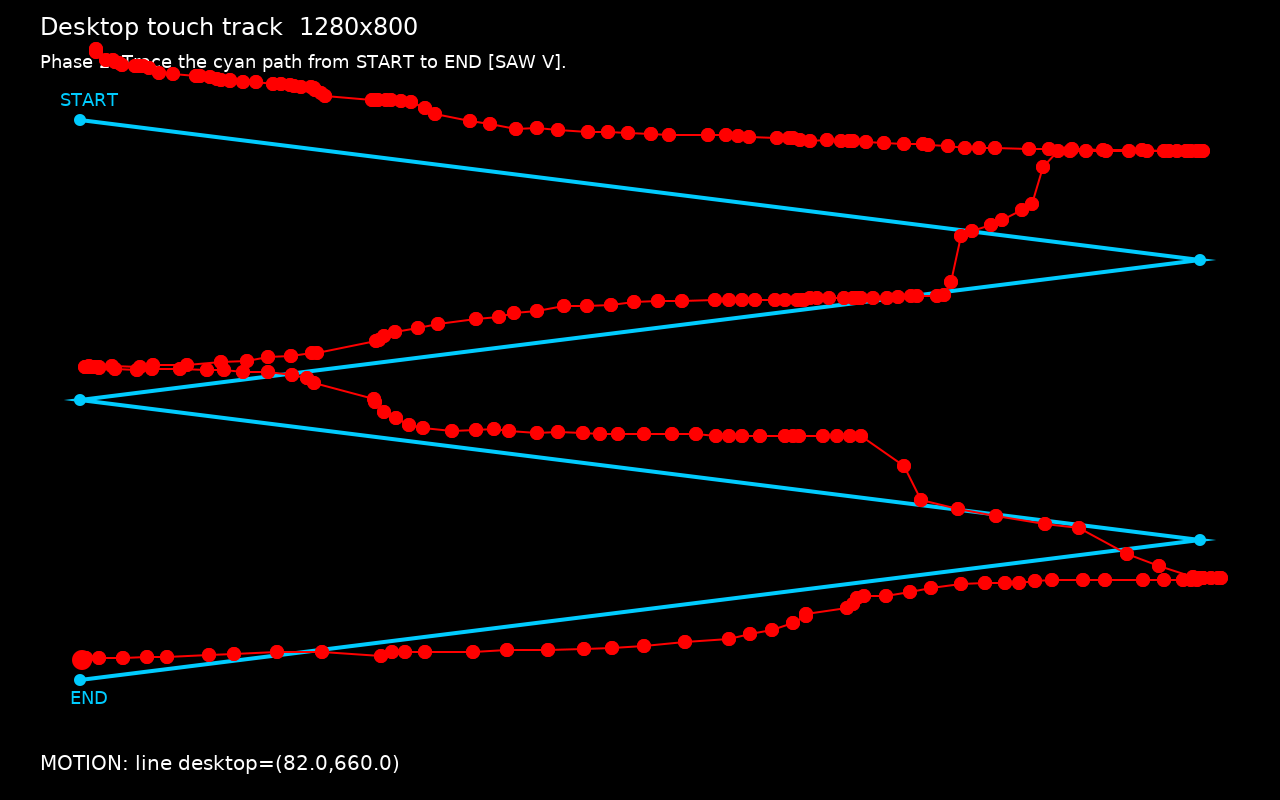
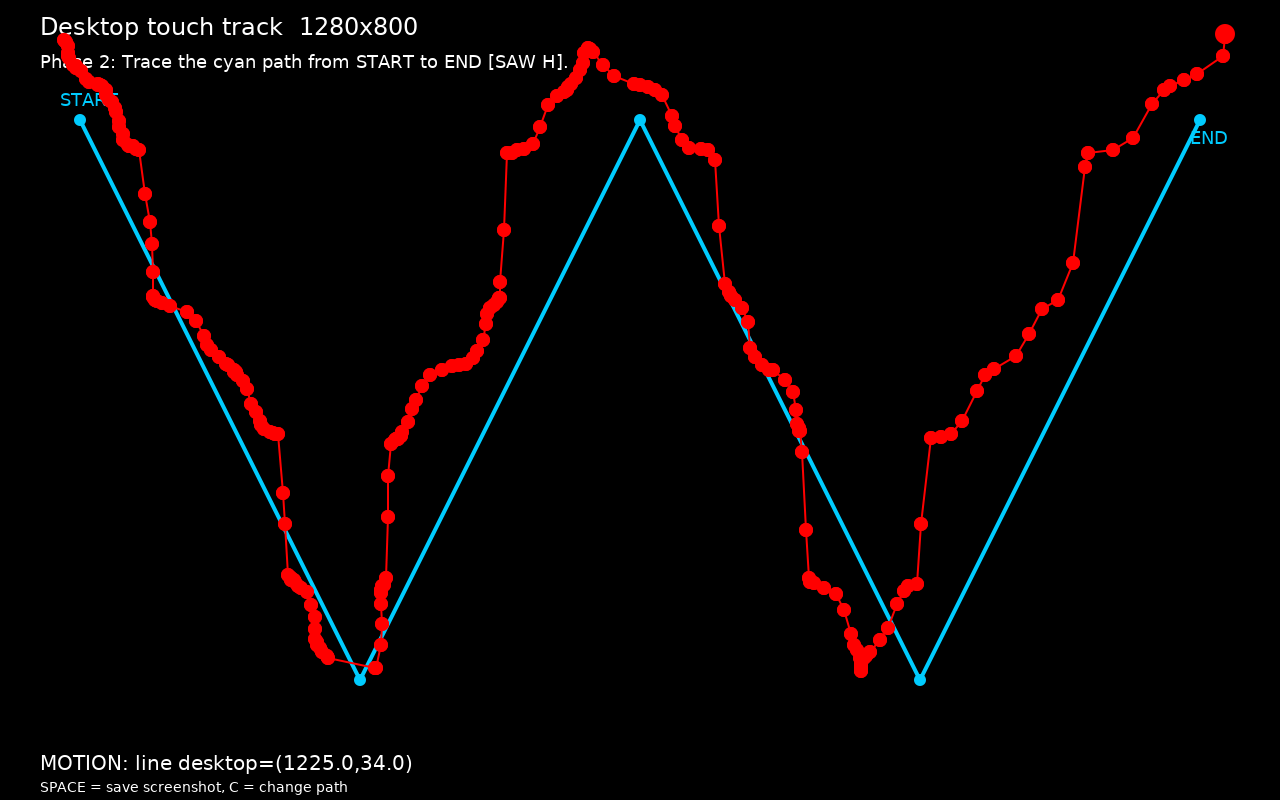
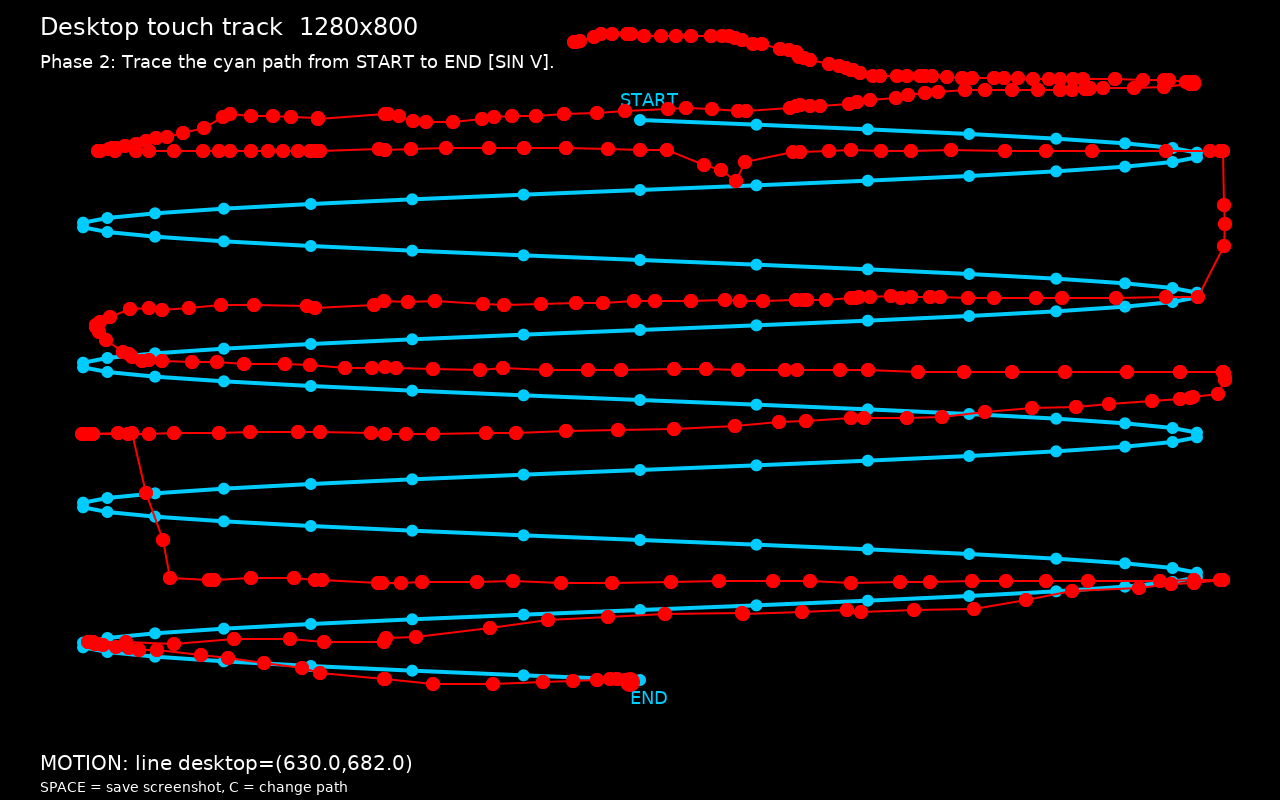
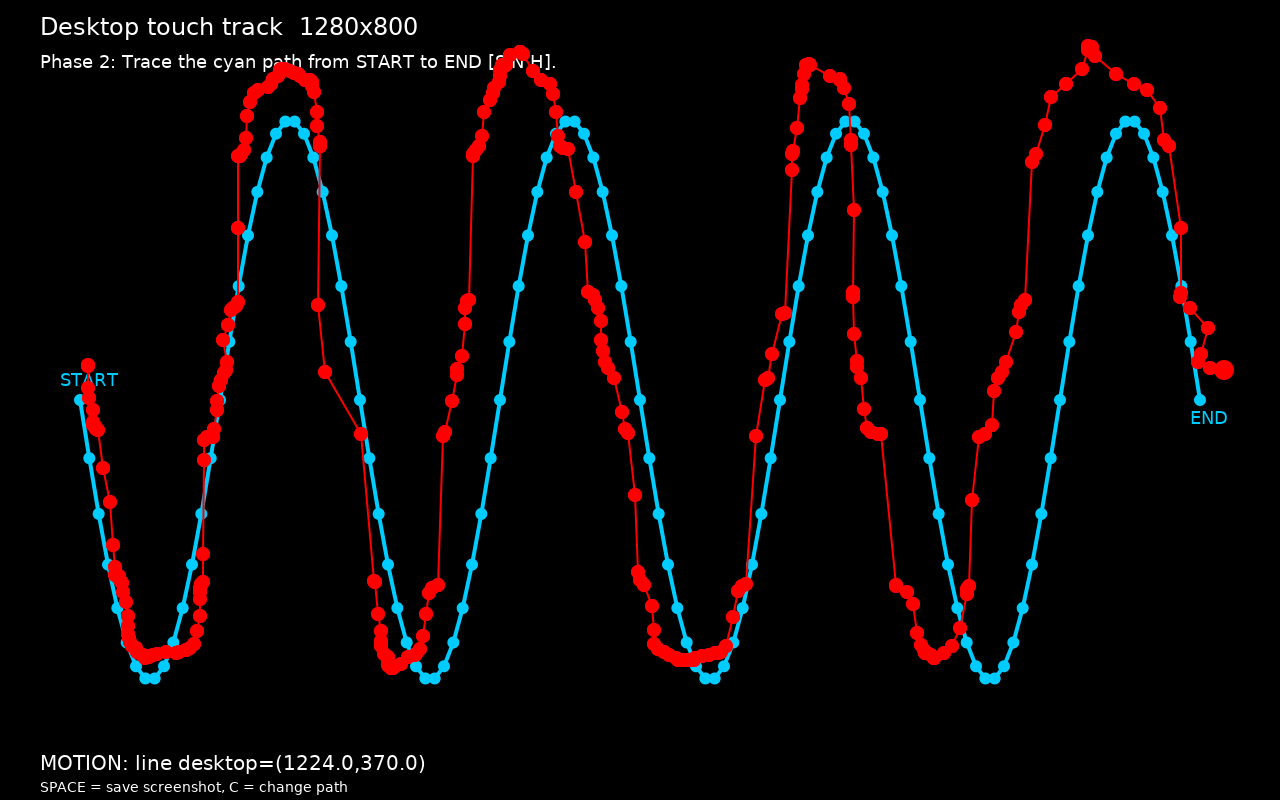
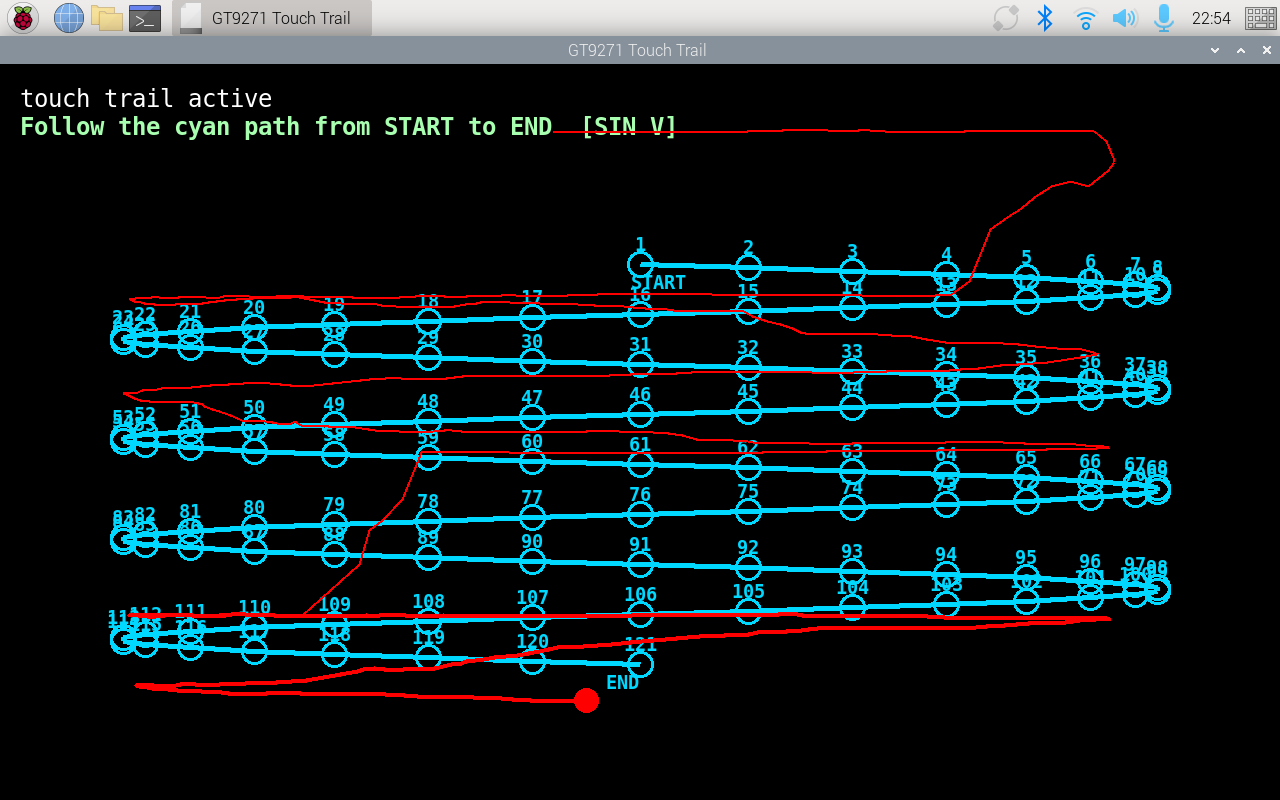
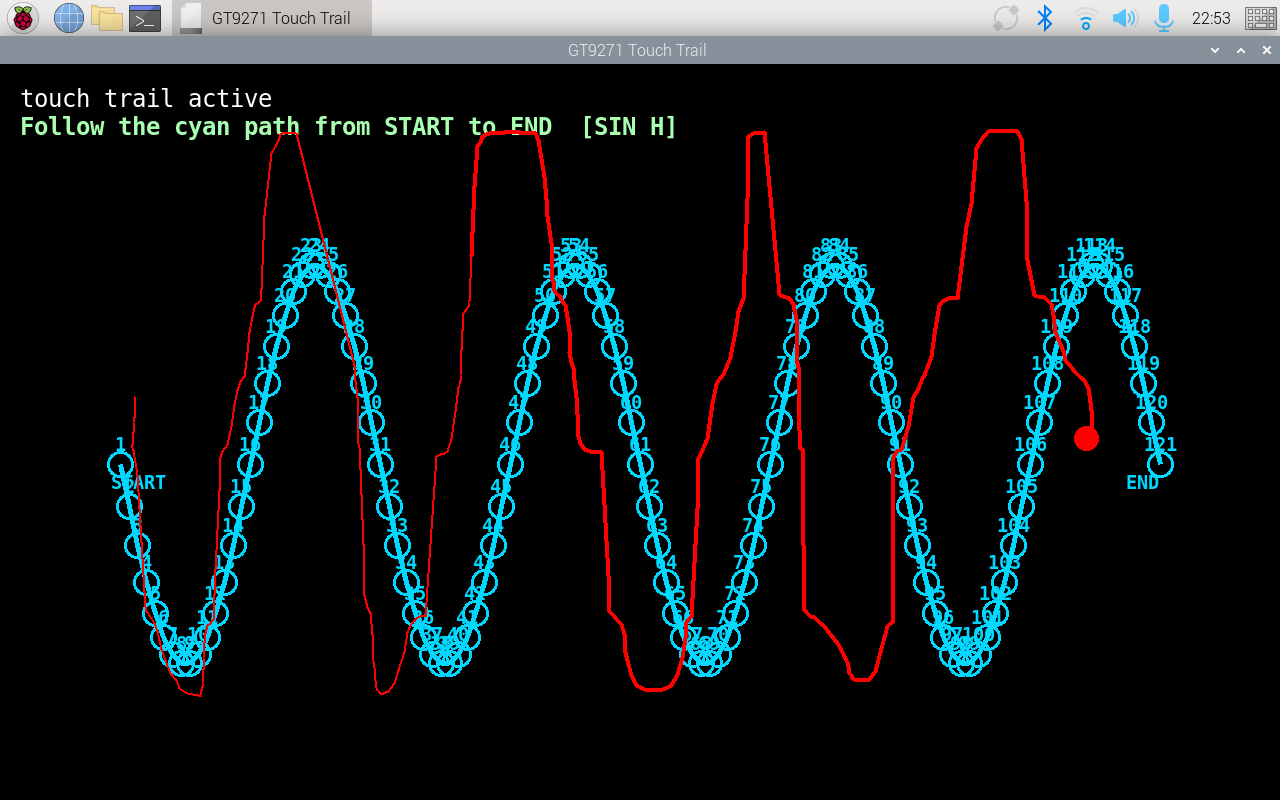
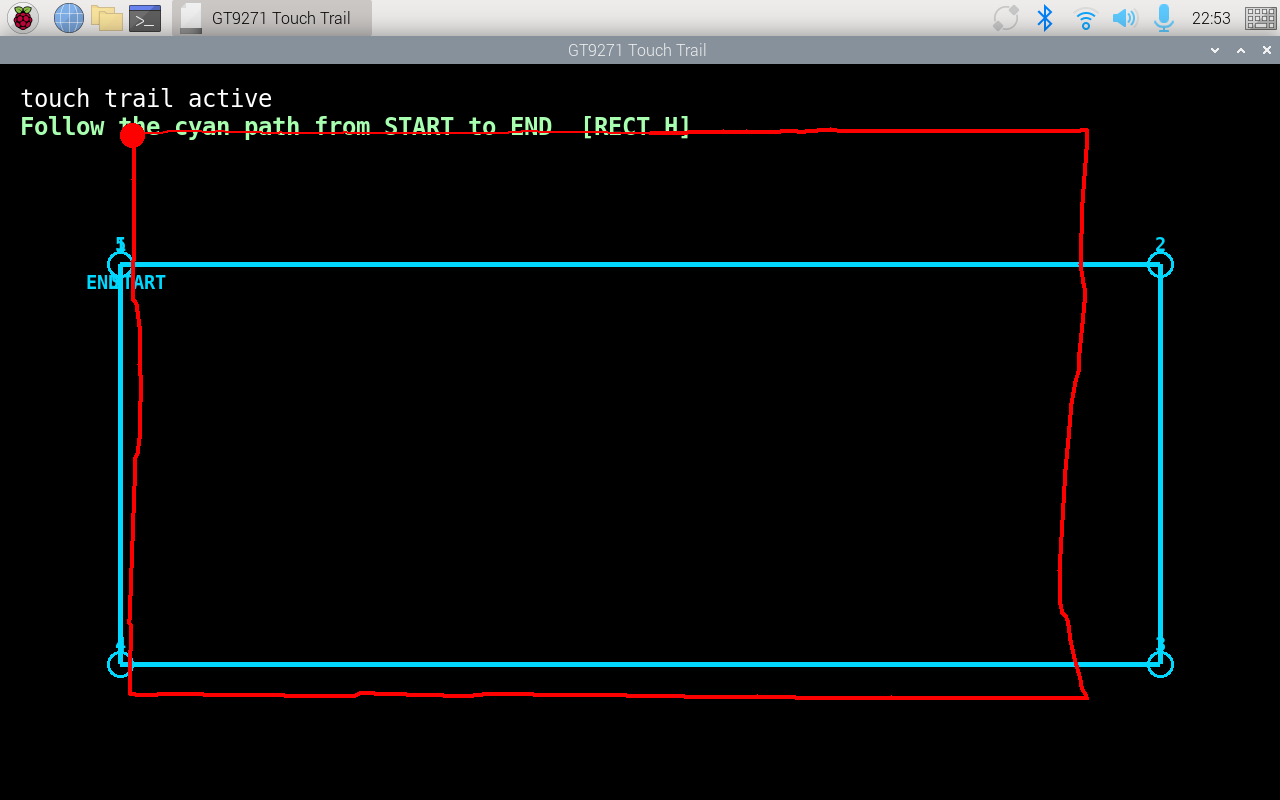
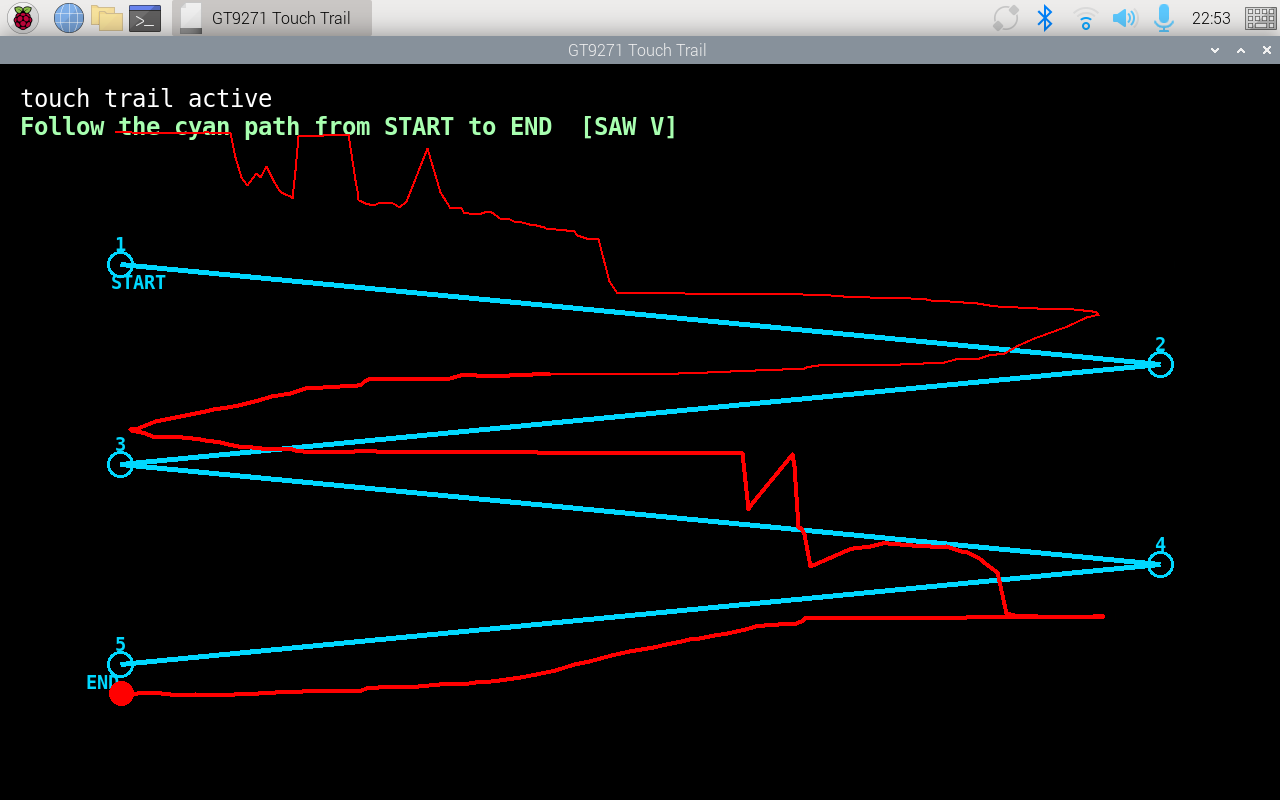
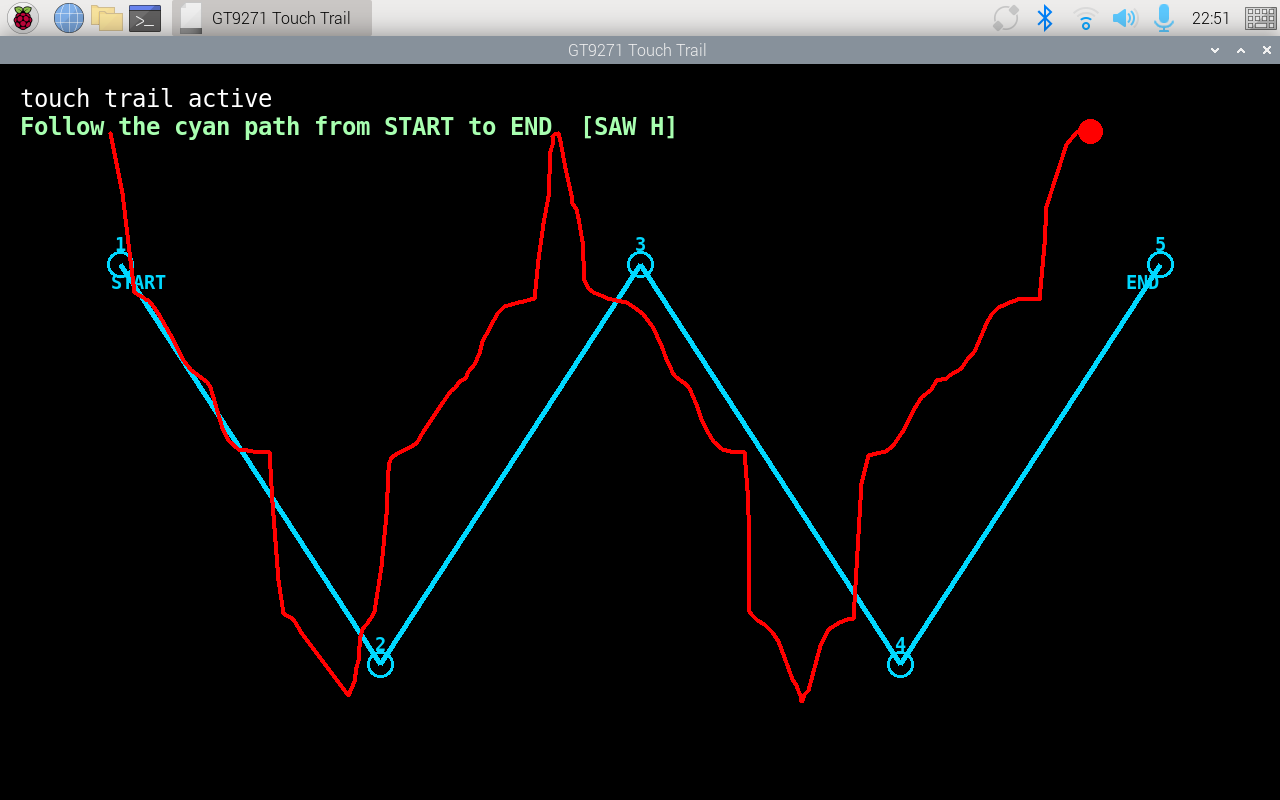
After a fresh installation with the default config, the mirrored half issue is gone, but the touchpad is still uncontrollable overall. Please see the screenshot attached.
I traced the lines with my finger and tracked the mouse pointer to verify the behavior. The pointer movement is still not stable or consistent across the full screen.
If I remember correctly, the orientation of the image rotates relative to the touchscreen gestures.
I’m currently trying to file a complaint about the device.