Hello.
I’m looking for an antenna andcable that can be connected to the Xiao nRF54L15’s ECT818000500.
Can you tell me where I can purchase one?
Best regards.
Hello.
I’m looking for an antenna andcable that can be connected to the Xiao nRF54L15’s ECT818000500.
Can you tell me where I can purchase one?
Best regards.
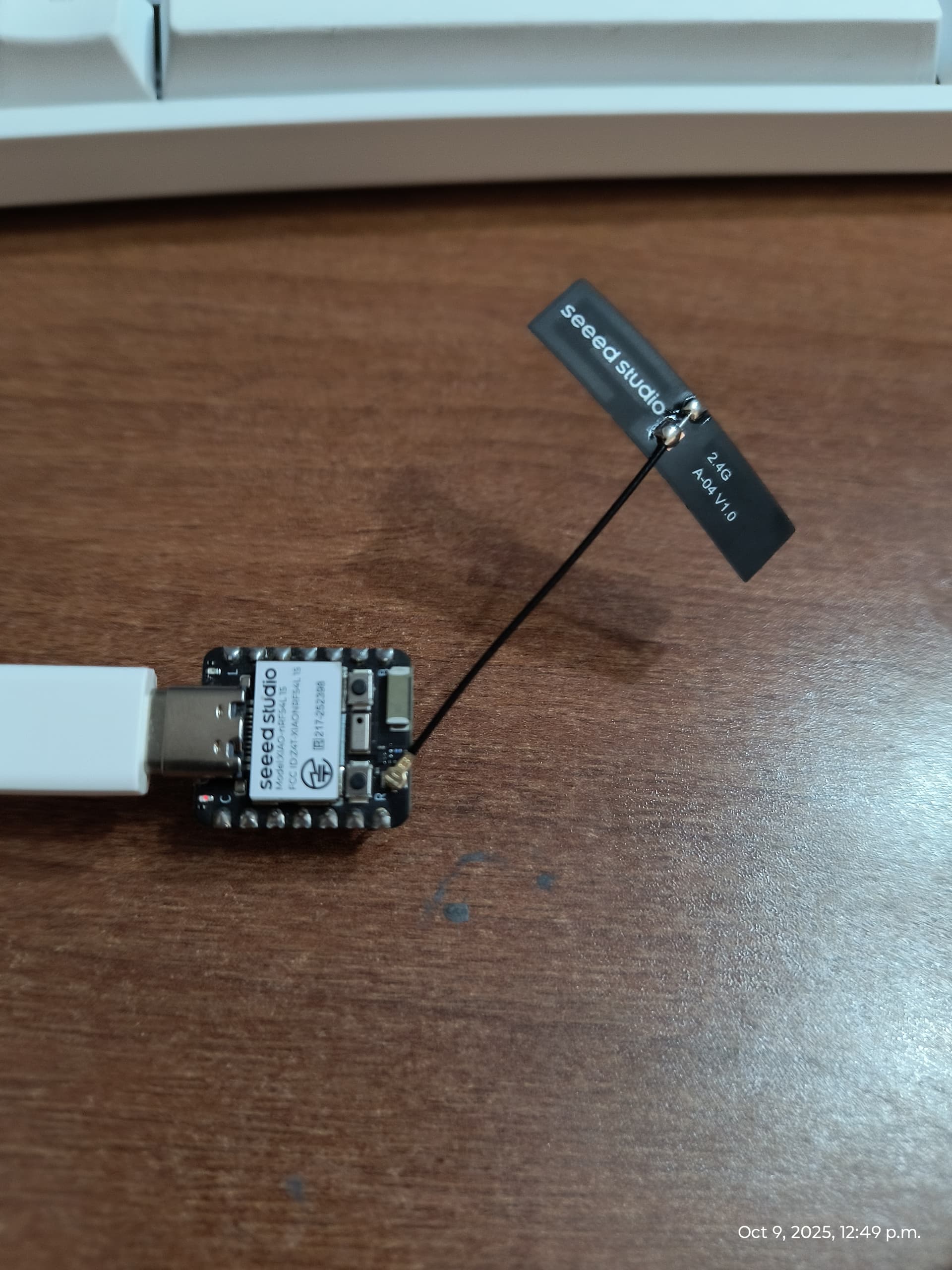
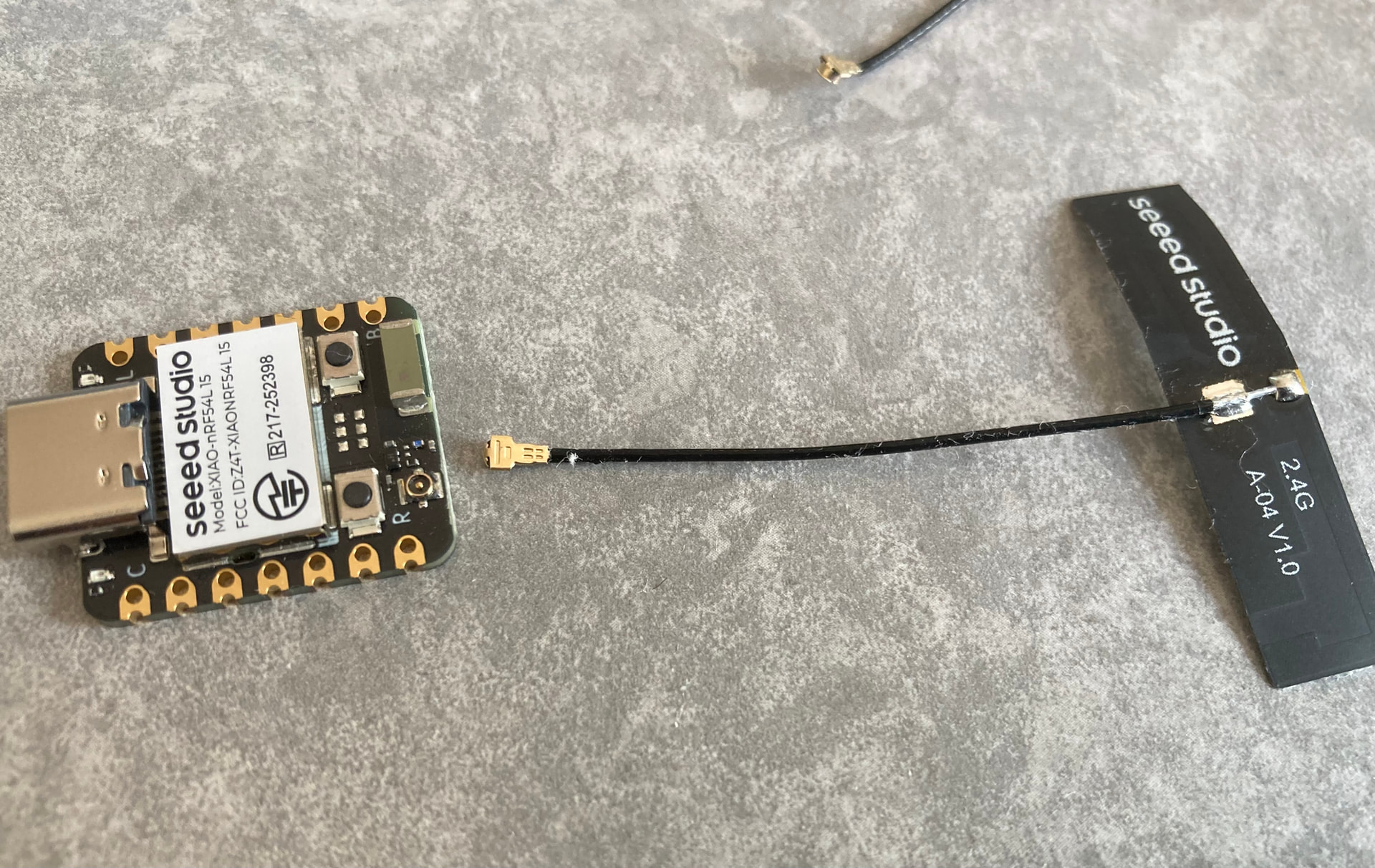
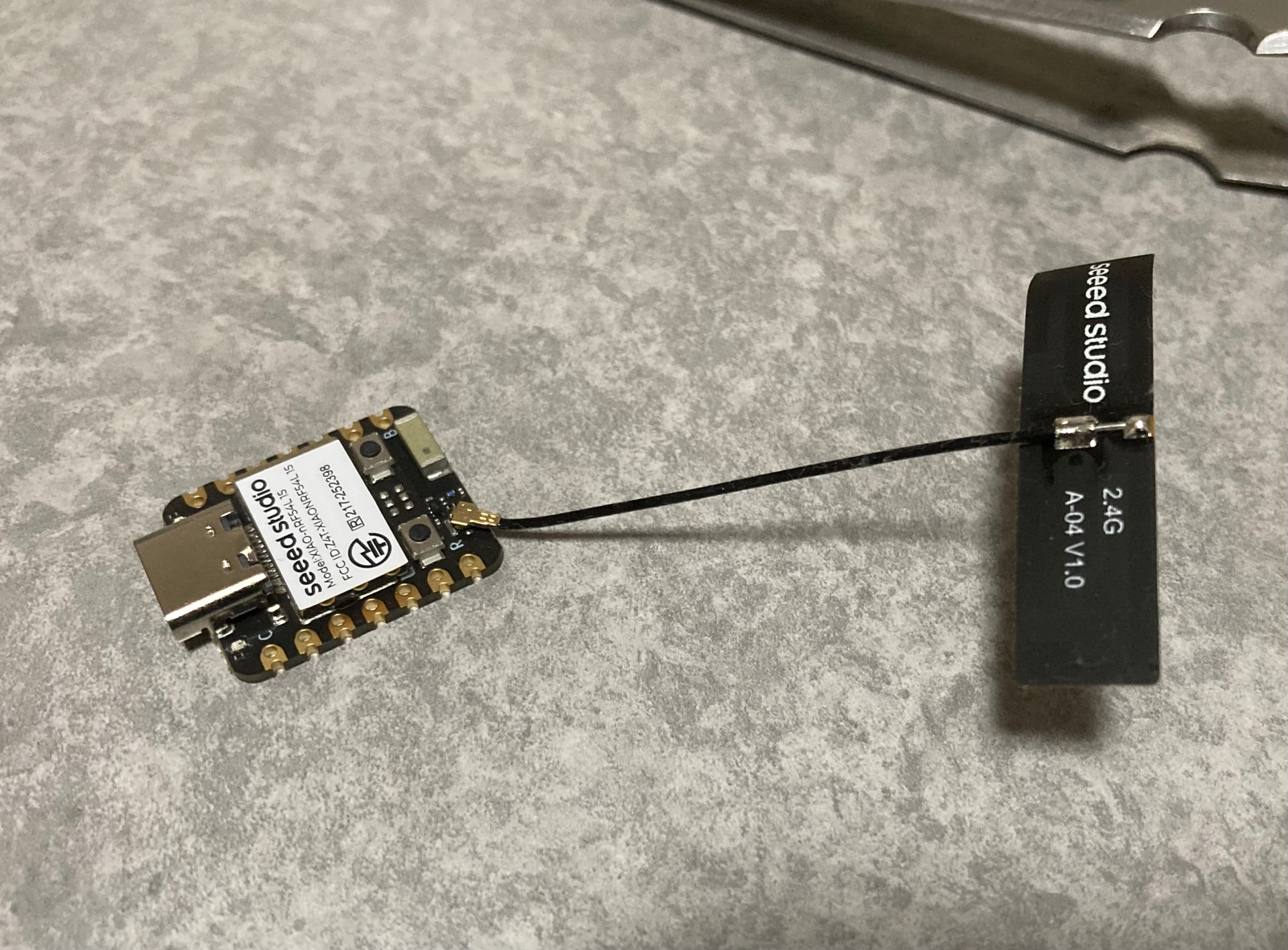
Indeed, I got my hands on an engineering sample of one, and it literally took me 5 minutes to get the connector latched on.
According to a statements on the seed discord,
“The accompanying external FPC antenna for the XIAO nRF54L15 is expected to be available by the end of October.”
And it will be listed in the normal SEEED web store for purchases.
Hi there,
Awesome, And I thought the C6 & S3 and C3 were a PITA ,  WOWSA gonna need tweezers and some Divine intervention
Realestate I tell You ! , LOL
GL  PJ
PJ 
Hi there,
Wow, Looks Great! , smaller too, NICE 

GL PJ
Hello Toastee0.
As expected. That’s amazing.
I’m looking forward to it.
Thank you.
I line it up with a pair of ceramic tweezers and gently press it down with my finger nail.
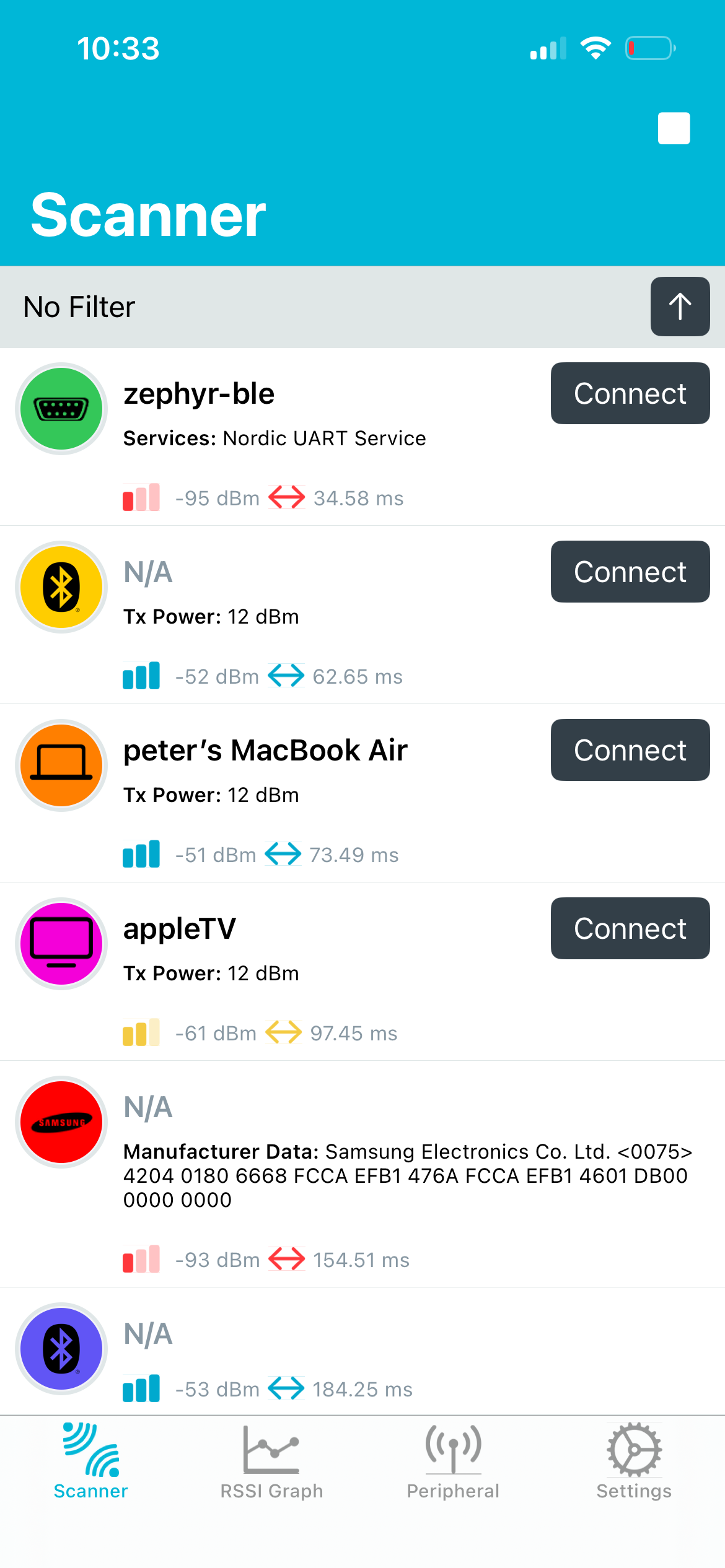
I am developing on the nrf54l15 and love it. But is it me that the onboard antenna is not useful? I have and RSSI of -70 at 50cm with a tx power of +8dBm. Doing the same with a Nordic nrf54l15 Development Kit gives me and RSSI of -40. That is a factor 1000 in power.
Is this what others see as well?
Hi there,
So are you coded for enabling the external Antenna switch. Those numbers seem off to me?
Can you post up the code you are using we can look. 
HTH
GL  PJ
PJ 
Hi Johannes33,
Have you read the wiki?
Thank you for helping out. I am running quite standard NUS example using VSCode and Zephyr. No overlay for this test code (no uart connected). Here are my prj.conf and main.c.
prj.conf:
CONFIG_BT=y
CONFIG_BT_PERIPHERAL=y
CONFIG_BT_ZEPHYR_NUS=y
CONFIG_BT_DEVICE_NAME=“Heater Controller”
CONFIG_REBOOT=y
CONFIG_GPIO=y
CONFIG_BT_CTLR_TX_PWR_PLUS_8=y
main.c:
/*
* Copyright (c) 2024 Croxel, Inc.
*
* SPDX-License-Identifier: Apache-2.0
*/
#include <zephyr/kernel.h>
#include <zephyr/devicetree.h>
#include <zephyr/drivers/gpio.h>
#include <zephyr/bluetooth/bluetooth.h>
#include <zephyr/bluetooth/conn.h>
#include <zephyr/bluetooth/services/nus.h>
#include <zephyr/sys/reboot.h>
#define LED0_NODE DT_ALIAS(led0)
static const struct gpio_dt_spec led0 = GPIO_DT_SPEC_GET(LED0_NODE, gpios);
#define DEVICE_NAME CONFIG_BT_DEVICE_NAME
#define DEVICE_NAME_LEN (sizeof(DEVICE_NAME) - 1)
/* Bespoke advertisement service UUID (device name in prj.conf)*/
#define MY_SRV_VAL \
BT_UUID_128_ENCODE(0x26330001, 0xa5a3, 0xa393, 0xa0a9, 0xea0e24dcca9e)
static const struct bt_data ad = {
 BT_DATA_BYTES(BT_DATA_FLAGS, (BT_LE_AD_GENERAL | BT_LE_AD_NO_BREDR)),

 BT_DATA(BT_DATA_NAME_COMPLETE, DEVICE_NAME, DEVICE_NAME_LEN),
};
static const struct bt_data sd = {
BT_DATA_BYTES(BT_DATA_UUID128_ALL, MY_SRV_VAL),};
static void notif_enabled(bool enabled, void *ctx)
{
 ARG_UNUSED(ctx);

 printk("%s() - %s\\n", \__func_\_, (enabled ? "Enabled" : "Disabled"));
}
static void received(struct bt_conn *conn, const void *data, uint16_t len, void *ctx)
{
 ARG_UNUSED(conn);

 ARG_UNUSED(ctx);

 printk("%s() - Len: %d, Message: %.\*s\\n", \__func_\_, len, len, (char \*)data);
}
struct bt_nus_cb nus_listener = {
 .notif_enabled = notif_enabled,

 .received = received,
};
static void disconnected(struct bt_conn *conn, uint8_t reason)
{
 ARG_UNUSED(conn);

 ARG_UNUSED(reason);


 printk("Disconnected, rebooting...\\n");

 sys_reboot(SYS_REBOOT_COLD);
}
BT_CONN_CB_DEFINE(conn_callbacks) = {
.disconnected = disconnected,};
static void flash_led_pattern(void)
{
if (!gpio_is_ready_dt(&led0)) {
return;
 }


 gpio_pin_configure_dt(&led0, GPIO_OUTPUT_INACTIVE);


 /\* 3x on with 500ms pause \*/
for (int i = 0; i < 3; i++) {
     gpio_pin_set_dt(&led0, 1);

     k_sleep(K_MSEC(500));

     gpio_pin_set_dt(&led0, 0);

     k_sleep(K_MSEC(200));

 }


 /\* 2x on with 200ms pause \*/
for (int i = 0; i < 2; i++) {
     gpio_pin_set_dt(&led0, 1);

     k_sleep(K_MSEC(200));

     gpio_pin_set_dt(&led0, 0);

     k_sleep(K_MSEC(100));

 }

 gpio_pin_set_dt(&led0, 1);
}
int main(void)
{
int err;
 printk("Sample - Bluetooth Peripheral NUS\\n");


 flash_led_pattern();

 err = bt_nus_cb_register(&nus_listener, NULL);
if (err) {
printk("Failed to register NUS callback: %d\\n", err);return err;
 }

 err = bt_enable(NULL);
if (err) {
printk("Failed to enable bluetooth: %d\\n", err);return err;
 }

 err = bt_le_adv_start(BT_LE_ADV_CONN_FAST_1, ad, ARRAY_SIZE(ad), sd, ARRAY_SIZE(sd));
if (err) {
printk("Failed to start advertising: %d\\n", err);return err;
 }

 printk("Initialization complete\\n");
while (true) {
const char *hello_world = “Hello World!\n”;
     k_sleep(K_SECONDS(3));

     err = bt_nus_send(NULL, hello_world, strlen(hello_world));

     printk("Data send - Result: %d\\n", err);
if (err < 0 && (err != -EAGAIN) && (err != -ENOTCONN)) {
return err;
     }

 }
return 0;
}
msjujino, I had partly read it. But not the external antenna switch part. My default for the ceramic antenna is ok, right?
I’m not sure what “My default for the ceramic antenna” refers to, but to use the ceramic antenna, you need to apply power to the RFSW and then select the internal antenna via the port.
Thanks! Are you saying that when using the sample code (BLE NUS in my case), you use the Nordic sample code, and not Xiao specific? Such that enabling the internal antenna is not done by default?
Try this
err = gpio_pin_set_dt(&rfswctl, 1); // 1:onboard, 0:external