I’m trying to get ESPHome working on an 2.13 mono e-ink display, it’s working in Arduino so hardware is ok, I’cant get it to work in ESPHome , has somebody had this problem and maybe a solution, much appreciated!
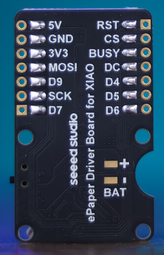
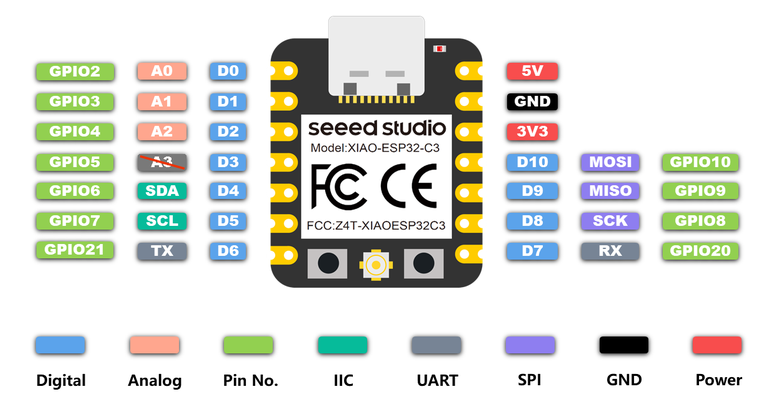
1-The driver board for the screen is an ePaper Driver Board for Seeed Studio XIAO with a fixed GPIO pin layout, as shown in the photo.
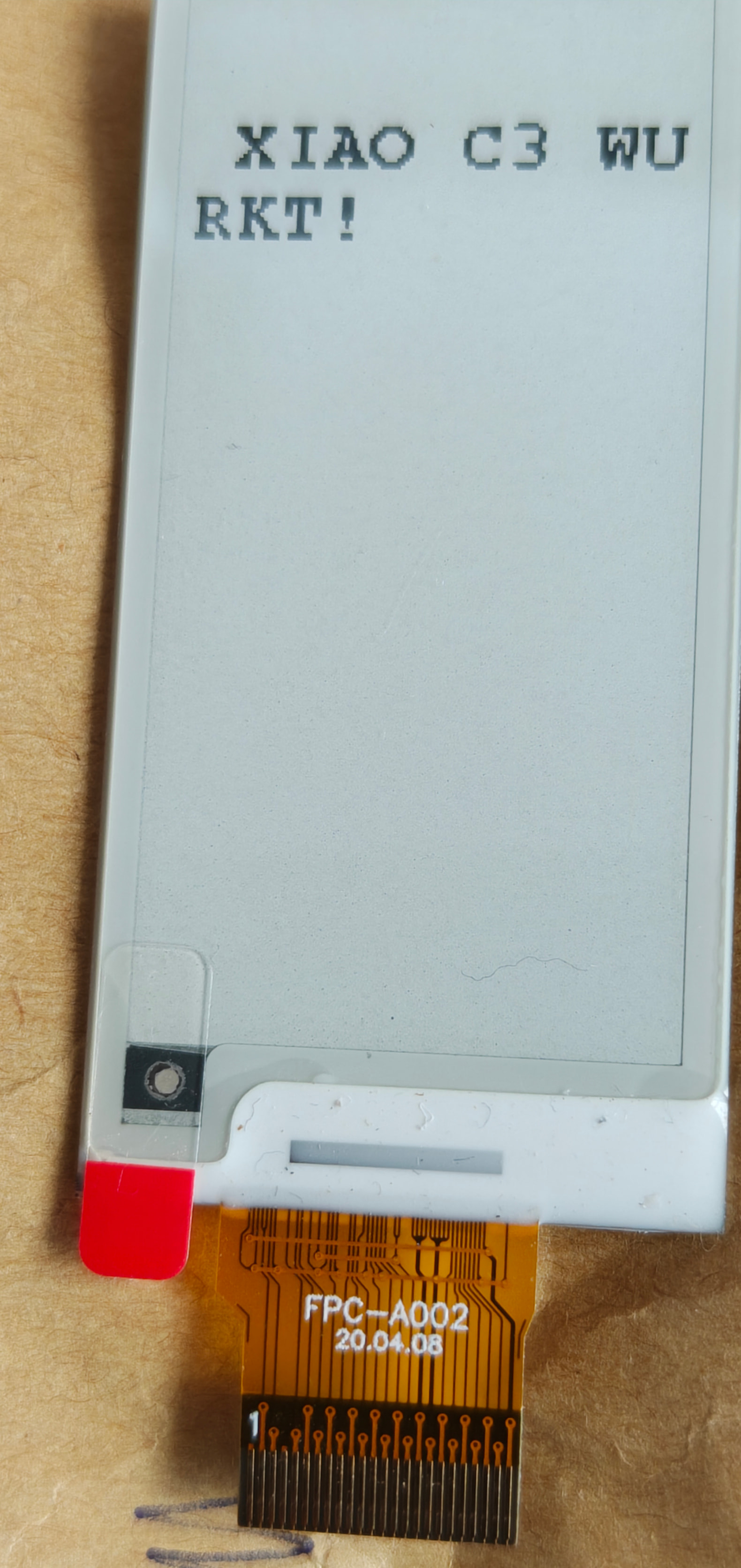
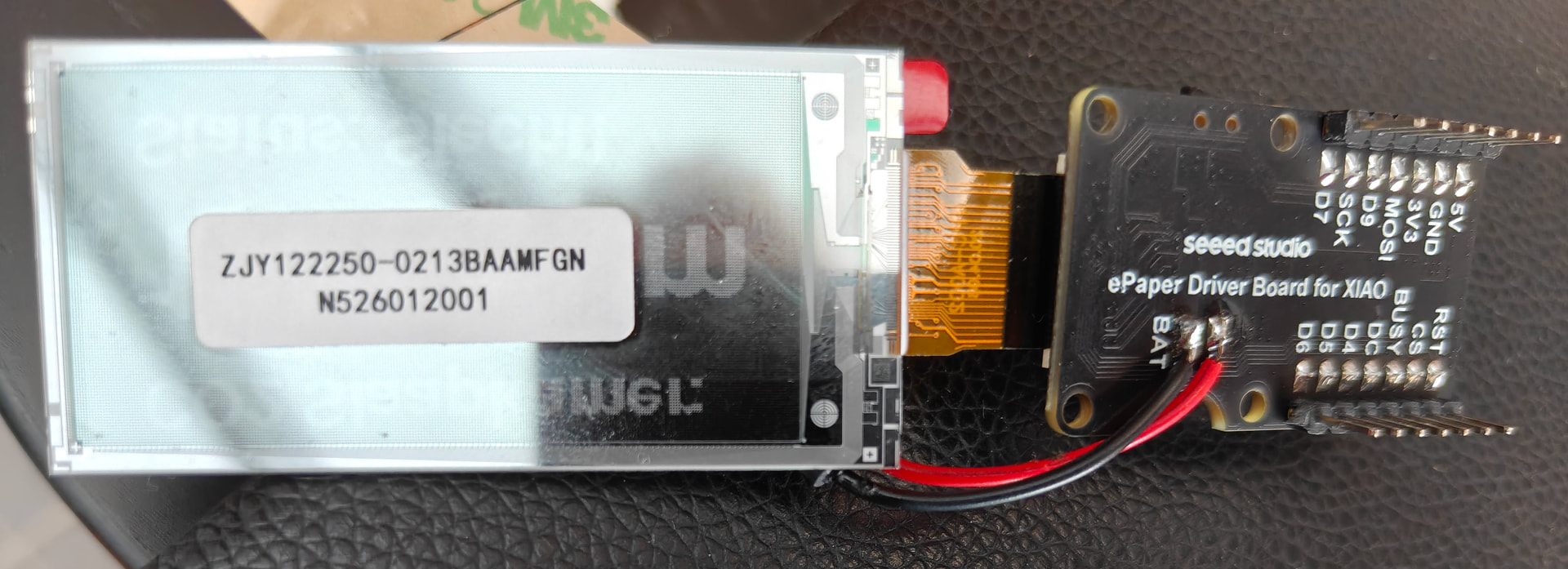
3- 2.13" Monochrome eInk / ePaper Display with 122x250 Pixels, SPI inte rface
The 2.13 inch E-paper Display offers a high-quality, low-power solution for a wide range of applications. The model features a 122x250 resolution, black and white display with a diagonal size of 2.13 inches
Since the display works in Arduino, the hardware is probably fine. I’d first verify the controller IC matches the ESPHome driver (SSD1680, UC8151, IL3897, etc.), then double-check the SPI and control pin assignments. If you can share your ESPHome YAML and the controller part number, it’ll be much easier to identify the issue.
// Check if the sensor has received valid data from HA
if (std::isnan(id(ha_co2_sensor).state)) {
// Status when no data is loaded yet or Wi-Fi is disconnected
it.printf(20, 35, id(sans_bold_24), Color::BLACK, “Loading…”);
it.print(20, 90, id(sans_bold_12), Color::BLACK, “Status: Unknown”);
} else {
// Fetch numerical value from the Home Assistant state
int co2_numeric = (int)id(ha_co2_sensor).state;
// 2. Print large CO2 value with "ppm" suffix
it.printf(20, 35, id(sans_bold_24), Color::BLACK, "%d ppm", co2_numeric);

// 3. Determine and display indoor air quality status
if (co2_numeric < 800) {
  it.print(20, 90, id(sans_bold_12), Color::BLACK, "Status: Good");
} else if (co2_numeric >= 800 && co2_numeric <= 1200) {
  it.print(20, 90, id(sans_bold_12), Color::BLACK, "Status: Fair");
} else {
  it.print(20, 90, id(sans_bold_12), Color::BLACK, "Status: Poor!");
}
Great progress. For refinement, I would avoid refreshing the e-ink display on every Home Assistant update, as frequent full refreshes can increase ghosting and power consumption. Consider updating only when the CO2 value changes significantly … perhaps by 25–50 ppm …or after a maximum time interval.
You could also add a “last updated” time and Wi-Fi/API status indicator, which would make stale readings easier to identify.
So, Great suggestion on dialing back the update frequency to save power! You are absolutely right that running frequent updates will drain the battery much faster.
However, I did want to add a quick technical note regarding the display ghosting: it’s actually the partial refreshes that cause ghosting to build up over time. A full black-and-white refresh cycle is what the panel uses to clear out the residual charge (DC bias) and restore the capsules.
Manufacturers specifically advise forcing a full refresh to clear these artifacts. For example, Good Display’s E-paper Display FAQ states: “we suggest that after partial refresh for 5 times, it is necessary to add a black-and-white full screen refresh display… to improve ghosting.”
But your main point is spot on updating only when the CO2 shifts by 25–50 ppm is a much better approach for the longevity of the battery and the panel!
I have found this to be true with all the Seeed E-Papers I have tested and posted demo’s on. even though it’s a 6 year or more old tech, the controllers and panels are getting better and better. the 1.54" is great, seeed should offer it with a touch plane.
HTH
GL PJ
still waiting on the E1003 i won in live stream a while back.
 PJ
PJ 



 and restore the capsules.
 updating only when the CO2 shifts by 25–50 ppm is a much better approach for the longevity of the battery and the panel!