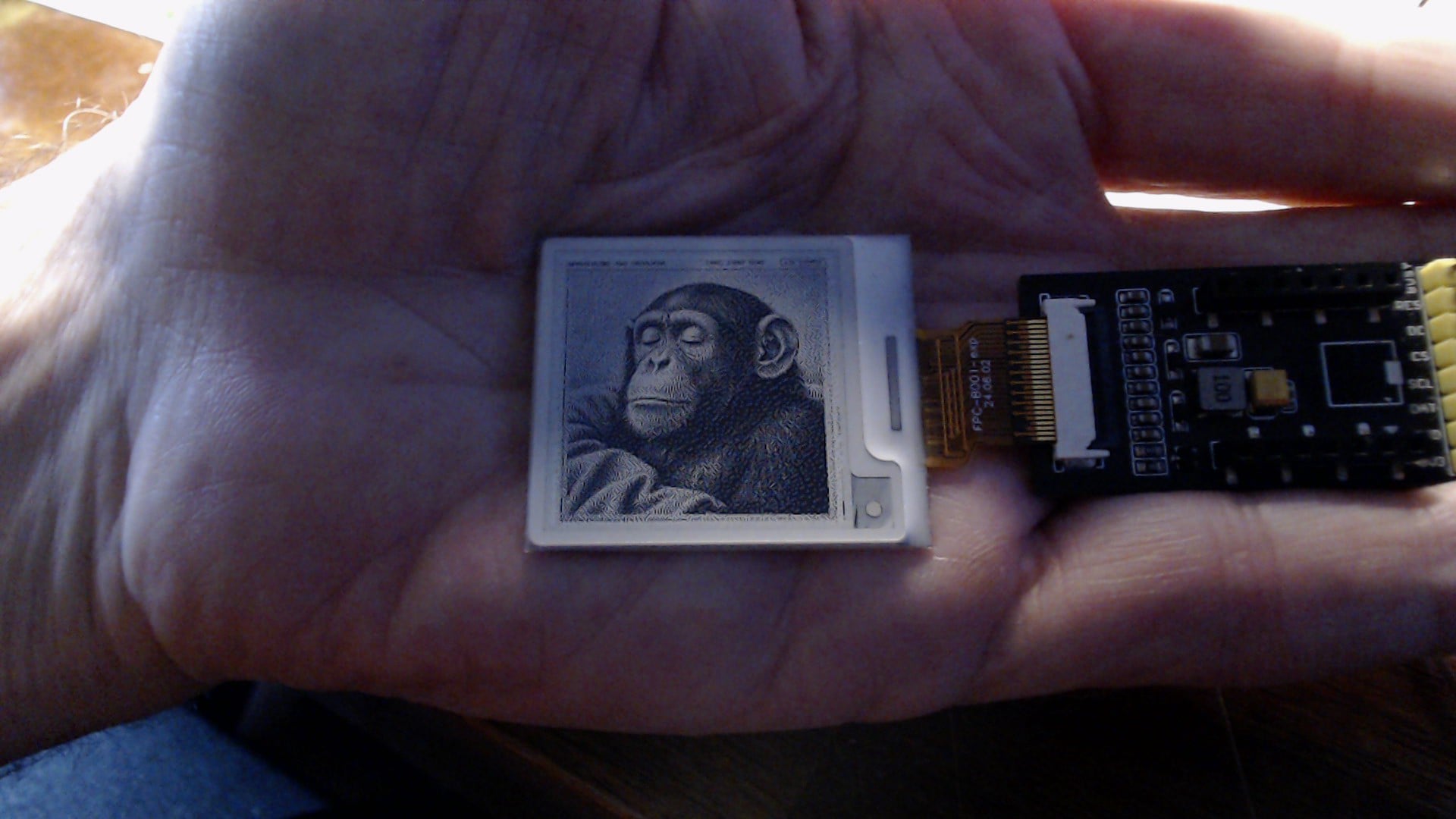
Using SEEED_GFX2 with SEEED_Driver_Board; (SKU 114993558); AND XIAO_ESP32C6

Using SEEED_GFX2 with SEEED_Driver_Board; (SKU 114993558); AND XIAO_ESP32C6 instead of XIAO_ESP32S3 gives GPIO errors: Code:

#include <Seeed_GFX.h>
#include “board/boards/XIAO_ePaper_Boards.h”
#include “panel/configs/Seeed_Panel_Configs.h”
#include “driver/epaper/Driver_SSD1677.h”
#include “panel/Panel_EPaper.h”
//#define Board_XIAO_ePaper_Driver //Board_XIAO_EPAPER_DRIVER_BOARD
Seeed_GFX display;

void setup() {
Serial.begin(115200);
if (!display.begin<Board_XIAO_ePaper_Driver, Config_Seeed_ePaper_4inch26_BW_SSD1677>()) { Serial.println(display.lastResult().message); return; }

…

}

The documentation shows all of the XIAO boards are supported. The above code works automatically with XIAO_ESP32S3 but when i exchanged the S3 to XIAO_ESP32C6, GPIO error and display.begin(… compiler errors occurred. I tried to figure out how to hard code the C6 but the same errors occurred. CoPilot was no help. Is there a working example someone is willing to share - how to use a board other than XIAO_ESP32C3 or S3?

Hi there,

So, two things … 1- rest assured one thing, It works…
The BSP you are using is more than likely the culprit. and or the version of the LIB.
2- can you use the code tags above “</>” paste the code in there, makes it easy to read and you’ll get better quality help that way.

I have some demo’s on here of it , so be sure you have the tools configured properly as well.

HTH
GL :slight_smile: PJ :v:

can you provide the first 3 lines of the compiler output. ?
:+1:

"<

In file included from c:\Users\gesch\Documents\Arduino\libraries\Seeed_GFX2\src/bus/Bus_SPI.h:15,
from c:\Users\gesch\Documents\Arduino\libraries\Seeed_GFX2\src/Seeed_GFX.h:54,
from C:\Users\gesch\Documents\Arduino\ePaper\gfx2_epaper_lines_text\gfx2_epaper_lines_text.ino:11:
c:\Users\gesch\Documents\Arduino\libraries\Seeed_GFX2\src/bus/Bus_SPI_Platform.h: In function ‘void seeed_gpio_lo(uint8_t)’:
c:\Users\gesch\Documents\Arduino\libraries\Seeed_GFX2\src/bus/Bus_SPI_Platform.h:86:32: error: no match for ‘operator=’ (operand types are ‘volatile gpio_out_w1tc_reg_t’ and ‘int’)
86 | GPIO.out_w1tc = (1 << pin);

>"

Probably a GPIO mismatch or hard coded

Hi there,

SO, Those don’t look like the first three lines of the compiler output, ???
more like the errors?

and you failed on the code tags portion :grin:
its at the top of the edit page header between the ""quotes and the UPLoad…
“</>” :backhand_index_pointing_left: that one, put your stuff in those, for maximum results.

In file included from c:\Users\gesch\Documents\Arduino\libraries\Seeed_GFX2\src/bus/Bus_SPI.h:15,
from c:\Users\gesch\Documents\Arduino\libraries\Seeed_GFX2\src/Seeed_GFX.h:54,
from C:\Users\gesch\Documents\Arduino\ePaper\gfx2_epaper_lines_text\gfx2_epaper_lines_text.ino:11:
c:\Users\gesch\Documents\Arduino\libraries\Seeed_GFX2\src/bus/Bus_SPI_Platform.h: In function ‘void seeed_gpio_lo(uint8_t)’:
c:\Users\gesch\Documents\Arduino\libraries\Seeed_GFX2\src/bus/Bus_SPI_Platform.h:86:32: error: no match for ‘operator=’ (operand types are ‘volatile gpio_out_w1tc_reg_t’ and ‘int’)
86 | GPIO.out_w1tc = (1 << pin);

Your close , try again.
HTH
GL :slight_smile: PJ :v:

This demo ,

uses the LM20A but same libs , so check out the code attached to the posts… Should show you something you are missing? Or Post your code using the code tags above and we can look. :+1:

or this one ,

Thank you for the response. I see the </> now. After thinking about my question, I probably should have just asked why SEEED-GFX2 knows XIAO_ESP32C3 and XIAO_ESP32S3 and not the other supported XIAO boards. I did not have to specify the XIAO_ESP32S3 and it either detected the board automatically or the pins match the default structure. I somehow missed the author’s method on how to tell the compiler about a non XIAO_ESP32S3 in the #include or #define or the “display.begin” statement.
The only output showing up in the OUTPUT window is below:

In file included from c:\Users\gesch\Documents\Arduino\libraries\Seeed_GFX2\src/bus/Bus_SPI.h:15,
                 from c:\Users\gesch\Documents\Arduino\libraries\Seeed_GFX2\src/Seeed_GFX.h:54,
                 from C:\Users\gesch\Documents\Arduino\ePaper\gfx2_epaper_lines_text\gfx2_epaper_lines_text.ino:11:
c:\Users\gesch\Documents\Arduino\libraries\Seeed_GFX2\src/bus/Bus_SPI_Platform.h: In function 'void seeed_gpio_lo(uint8_t)':
c:\Users\gesch\Documents\Arduino\libraries\Seeed_GFX2\src/bus/Bus_SPI_Platform.h:86:32: error: no match for 'operator=' (operand types are 'volatile gpio_out_w1tc_reg_t' and 'int')
   86 |       GPIO.out_w1tc = (1 << pin);
      |                                ^
In file included from C:\Users\gesch\AppData\Local\Arduino15\packages\esp32\tools\esp32c6-libs\3.3.12/include/soc/include/soc/gpio_periph.h:10,
                 from C:\Users\gesch\AppData\Local\Arduino15\packages\esp32\tools\esp32c6-libs\3.3.12/include/hal/esp32c6/include/hal/gpio_ll.h:20,
                 from c:\Users\gesch\Documents\Arduino\libraries\Seeed_GFX2\src/bus/Bus_SPI_Platform.h:32:
C:\Users\gesch\AppData\Local\Arduino15\packages\esp32\tools\esp32c6-libs\3.3.12/include/soc/esp32c6/register/soc/gpio_struct.h:64:3: note: candidate: 'constexpr gpio_out_w1tc_reg_t& gpio_out_w1tc_reg_t::operator=(const gpio_out_w1tc_reg_t&)'
   64 | } gpio_out_w1tc_reg_t;
      |   ^~~~~~~~~~~~~~~~~~~
C:\Users\gesch\AppData\Local\Arduino15\packages\esp32\tools\esp32c6-libs\3.3.12/include/soc/esp32c6/register/soc/gpio_struct.h:64:3: note:   no known conversion for argument 1 from 'int' to 'const gpio_out_w1tc_reg_t&'
C:\Users\gesch\AppData\Local\Arduino15\packages\esp32\tools\esp32c6-libs\3.3.12/include/soc/esp32c6/register/soc/gpio_struct.h:64:3: note: candidate: 'constexpr gpio_out_w1tc_reg_t& gpio_out_w1tc_reg_t::operator=(gpio_out_w1tc_reg_t&&)'
C:\Users\gesch\AppData\Local\Arduino15\packages\esp32\tools\esp32c6-libs\3.3.12/include/soc/esp32c6/register/soc/gpio_struct.h:64:3: note:   no known conversion for argument 1 from 'int' to 'gpio_out_w1tc_reg_t&&'
c:\Users\gesch\Documents\Arduino\libraries\Seeed_GFX2\src/bus/Bus_SPI_Platform.h: In function 'void seeed_gpio_hi(uint8_t)':
c:\Users\gesch\Documents\Arduino\libraries\Seeed_GFX2\src/bus/Bus_SPI_Platform.h:94:32: error: no match for 'operator=' (operand types are 'volatile gpio_out_w1ts_reg_t' and 'int')
   94 |       GPIO.out_w1ts = (1 << pin);
      |                                ^
C:\Users\gesch\AppData\Local\Arduino15\packages\esp32\tools\esp32c6-libs\3.3.12/include/soc/esp32c6/register/soc/gpio_struct.h:51:3: note: candidate: 'constexpr gpio_out_w1ts_reg_t& gpio_out_w1ts_reg_t::operator=(const gpio_out_w1ts_reg_t&)'
   51 | } gpio_out_w1ts_reg_t;
      |   ^~~~~~~~~~~~~~~~~~~
C:\Users\gesch\AppData\Local\Arduino15\packages\esp32\tools\esp32c6-libs\3.3.12/include/soc/esp32c6/register/soc/gpio_struct.h:51:3: note:   no known conversion for argument 1 from 'int' to 'const gpio_out_w1ts_reg_t&'
C:\Users\gesch\AppData\Local\Arduino15\packages\esp32\tools\esp32c6-libs\3.3.12/include/soc/esp32c6/register/soc/gpio_struct.h:51:3: note: candidate: 'constexpr gpio_out_w1ts_reg_t& gpio_out_w1ts_reg_t::operator=(gpio_out_w1ts_reg_t&&)'
C:\Users\gesch\AppData\Local\Arduino15\packages\esp32\tools\esp32c6-libs\3.3.12/include/soc/esp32c6/register/soc/gpio_struct.h:51:3: note:   no known conversion for argument 1 from 'int' to 'gpio_out_w1ts_reg_t&&'
exit status 1

Compilation error: exit status 1

#################################

I am not aware of any other output.

Hi there,

Ok,Cool…
So not a problem, in your settings in the preferences you can turn on Verbose output, It will show you much more useful info, ie. Which “BSP” vendor supplied Board Support Package of the pins, etc for each device. If you don’t see the C6 it’s probably the older one.(didn’t include c6) :wink: your not crazy… :v:

Open the Boards Tab and see which BSP is selected currently, use the pull down and pick the one before the newest release , ie. currently it’s 3.3.12.

Run the compile again and look at the first 3 lines , it will say which BSP is being used. a little later in the build , you will see the LIB versions too, worth a look too make sure it’s finding the ones you " #INCLUDE " in your code.

Which E-paper are you using?
Paste up the code and I can try it on my end. I have both Driver boards as you see.
:v:

HTH
G:L :slight_smile: PJ :v:

That compiler error is the real clue: GPIO.out_w1tc is an ESP32-S3 register, so the library’s Bus_SPI_Platform.h is selecting S3-specific code paths. The C6 uses a different GPIO peripheral layout, which is why XIAO_ESP32S3 works and the C6 fails even when you hard-code the board. Check whether Seeed_GFX2 has a C6-compatible platform header or a newer release that handles it; if not, the board variant may simply not be wired up yet despite the docs claiming support. It’s not your sketch. Worth confirming the exact library version you installed and whether a C6 target exists in that header.

currently using Arduino IDE: v2.3.10
esp32 Version: 3.3.12
Just downloaded the SEEED_GFX2 zip library to make sure. Removed the previous zip from October 2026.
Hardware:

I believe the XIAO-ESP32C6 is from last year. I recently bought a few more a week ago.
ePaper monochrome 4.26 from SEEED, SKU:114993631; Bought November 2025
4.26" Monochrome ePaper Display with 800x480 Pixels, SPI interface, Support XIAO/Arduino/STM32
ePaper Driver Board for Seeed Studio XIAO, SKU:114993558; Bought November 2025
Turned on Verbose and received the following:
FQBN: esp32:esp32:XIAO_ESP32C6
Using board 'XIAO_ESP32C6' from platform in folder: C:\Users\gesch\AppData\Local\Arduino15\packages\esp32\hardware\esp32\3.3.12
Using core 'esp32' from platform in folder: C:\Users\gesch\AppData\Local\Arduino15\packages\esp32\hardware\esp32\3.3.12

Here the code to get started:

#include <Seeed_GFX.h>
#include "board/boards/XIAO_ePaper_Boards.h"
#include "panel/configs/Seeed_Panel_Configs.h"
#include "driver/epaper/Driver_SSD1677.h"
#include "panel/Panel_EPaper.h"
//#define Board_XIAO_ePaper_Driver  //Board_XIAO_EPAPER_DRIVER_BOARD
Seeed_GFX display;


// Global Variables
#define spacing 35
#define xPos 8
#define tTop 15
#define lSpace 15
// Redeine BLACK and WHITE.  SOmehow they are reversed!
#define COLOR_BLACK 0xFFFF    //NORMAL TFT_BLACK VALUE == 0x0000
#define COLOR_WHITE 0x0000    //NORMAL TFT_WHITE VALUE == 0xFFFF

const char* myText;
int myValue;
int x, y, aLine, n, xPosR;
int qWidth, qHeight, vLine, xe, ye;
// (0, 0) ; (qWidth/2, 0) ; qWidth, 0)
// (0, qHeight /2) ; (qWIdth /2, qHeight /2 ) ; (qWidth, qHeight /2)
// (0, qHeight ) ; (qWIdth /2, qHeight ) ; (qWidth, qHeight)

void setup() {
    Serial.begin(115200);
    Serial.println("before Begin Display");
    // Board_XIAO_ePaper_Breakout original
    if (!display.begin<Board_XIAO_ePaper_Driver, Config_Seeed_ePaper_4inch26_BW_SSD1677>()) { Serial.println(display.lastResult().message); return; }

    display.setRotation(2);  // Had to rotate display 180 degrees for my display stand!
    display.setTextSize(3);
    display.fillScreen(COLOR_WHITE);
    /** Set display rotation (0-3) 
    default == 0 landscape
    setRotation(2) rotates 180 degrees
    */
    
    const int16_t w = display.width();   // 800
    const int16_t h = display.height();  // 480
    // 4 Quadrants
    qWidth = display.width();
    qHeight = display.height();
    xPosR = (qWidth /2) + xPos;  //For Right side of Middle (qWidth /2)

    x = 0;
    y = 0;
    display.drawRect(x,  y, qWidth /2, qHeight /2, COLOR_BLACK);   //X, y, w, H
    display.fillRect(x,  y, qWidth /2, qHeight /2, COLOR_WHITE);
    y = qHeight /4;
    //epaper.drawString("Quadrant 1", x, y);
    x = qWidth /2; 
    y = 0;
    display.drawRect(x,  y, qWidth /2, qHeight /2, COLOR_BLACK); 
    display.fillRect(x,  y, qWidth /2, qHeight /2, COLOR_WHITE);
// draw bottom 2 quadrants
    x = 0;
    y = qHeight /2;
    display.drawRect(x,  y, qWidth /2, qHeight /2, COLOR_BLACK);   //X, y, w, H
    display.fillRect(x,  y, qWidth /2, qHeight /2, COLOR_WHITE);
    x = qWidth /2; 
    y = qHeight /2;
    display.drawRect(x,  y, qWidth /2, qHeight /2, COLOR_BLACK);
    display.fillRect(x,  y, qWidth /2, qHeight /2, COLOR_WHITE);
   // Convert integer to string and combine
    char buffer[50]; // Ensure buffer is large enough
    myText = "ePaper Width: ";
    myValue = display.width();
    aLine = tTop;
    snprintf(buffer, sizeof(buffer), "%s%d", myText, myValue);
    // Draw combined string at coordinates x=10, y=20
    display.drawString(buffer, xPos, aLine );
//
    myText = "ePaper Height: ";
    myValue = display.height();
    snprintf(buffer, sizeof(buffer), "%s%d", myText, myValue);
    
    //Quadrant 1
    display.drawString(buffer, xPos, aLine += spacing);
    display.drawString("Q1 Line Three", xPos, aLine += spacing );
    display.drawString("Q1 Line Four", xPos, aLine += spacing );
    display.drawString("123456789A123456789B12", xPos, aLine += spacing );
    display.drawString("Quadrant 1", xPos, aLine += spacing );
    //Quadrant 3
    //xPos = 6; spacing 35
    aLine = (qHeight /2) + tTop;
    display.drawString("Q3 Line One", xPos, aLine );
    display.drawString("Q3 Line Two", xPos, aLine += spacing );
    display.drawString("Q3 Line Three", xPos, aLine += spacing );
    display.drawString("Q3 Line Four", xPos, aLine += spacing );
    display.drawString("Q3 Line Five", xPos, aLine += spacing);
    display.drawString("Quadrant 3", xPos, aLine += spacing );    

    // Quadrant 2:
    aLine = tTop;
    display.drawString("Q2 Line One", xPosR, aLine );
    display.drawString("Q2 Line Two", xPosR, aLine += spacing );
    display.drawString("Q2 Line Three", xPosR, aLine += spacing );
    display.drawString("Q2 Line Four", xPosR, aLine += spacing );
    display.drawString("Q2 Line Five", xPosR, aLine += spacing);
    display.drawString("Quadrant 2", xPosR, aLine += spacing );
    //Quadrant 4
    // drawFastVLine(int32_t x, int32_t y, int32_t h, uint32_t color)
    x = qWidth /2; 
    vLine = 30;
    y = qHeight /2;   //Middle down
    ye = qHeight;
    xe = x;
    //lSpace = 15
    
    display.drawLine(x += vLine, y, xe += vLine, ye, COLOR_BLACK);
    display.drawLine(x += vLine, y, xe += vLine, ye, COLOR_BLACK);
    display.drawLine(x += vLine, y, xe += vLine, ye, COLOR_BLACK);
    display.drawLine(x += vLine, y, xe += vLine, ye, COLOR_BLACK);
    display.drawFastVLine(x += vLine, y, qHeight /2, COLOR_BLACK);
    display.drawFastVLine(x += vLine, y, qHeight /2, COLOR_BLACK);
    display.drawFastVLine(x += vLine, y, qHeight /2, COLOR_BLACK);
    display.drawFastVLine(x += vLine, y, qHeight /2, COLOR_BLACK);
    display.drawFastVLine(x += vLine, y, qHeight /2, COLOR_BLACK);
    display.drawFastVLine(x += vLine, y, qHeight /2, COLOR_BLACK);
    display.drawFastVLine(x += vLine, y, qHeight /2, COLOR_BLACK);
    display.drawFastVLine(x += vLine, y, qHeight /2, COLOR_BLACK);
    display.drawFastVLine(x += vLine, y, qHeight /2, COLOR_BLACK);
    // 13*30 = 390
    display.update();
}

void loop() { delay(1000); }

I just tried compiling again with the newly installed/reinstalled SEEED-GFX2:

FQBN: esp32:esp32:XIAO_ESP32C6
Using board 'XIAO_ESP32C6' from platform in folder: C:\Users\gesch\AppData\Local\Arduino15\packages\esp32\hardware\esp32\3.3.12
Using core 'esp32' from platform in folder: C:\Users\gesch\AppData\Local\Arduino15\packages\esp32\hardware\esp32\3.3.12

cmd /c if exist "C:\\Users\\gesch\\AppData\\Local\\Arduino15\\packages\\esp32\\hardware\\esp32\\3.3.12\\tools\\partitions\\default.csv" COPY /y "C:\\Users\\gesch\\AppData\\Local\\Arduino15\\packages\\esp32\\hardware\\esp32\\3.3.12\\tools\\partitions\\default.csv" "C:\\Users\\gesch\\AppData\\Local\\arduino\\sketches\\F262D1B110B83DD884A9F4D6B44F83F7\\partitions.csv"
        1 file(s) copied.
cmd /c if exist "C:\\Users\\gesch\\AppData\\Local\\Arduino15\\packages\\esp32\\hardware\\esp32\\3.3.12\\variants\\XIAO_ESP32C6\\partitions.csv" COPY /y "C:\\Users\\gesch\\AppData\\Local\\Arduino15\\packages\\esp32\\hardware\\esp32\\3.3.12\\variants\\XIAO_ESP32C6\\partitions.csv" "C:\\Users\\gesch\\AppData\\Local\\arduino\\sketches\\F262D1B110B83DD884A9F4D6B44F83F7\\partitions.csv"
cmd /c if exist "C:\\Users\\gesch\\Documents\\Arduino\\ePaper\\gfx2_epaper_lines_text\\partitions.csv" COPY /y "C:\\Users\\gesch\\Documents\\Arduino\\ePaper\\gfx2_epaper_lines_text\\partitions.csv" "C:\\Users\\gesch\\AppData\\Local\\arduino\\sketches\\F262D1B110B83DD884A9F4D6B44F83F7\\partitions.csv"
cmd /c IF EXIST "C:\\Users\\gesch\\Documents\\Arduino\\ePaper\\gfx2_epaper_lines_text\\bootloader.bin" ( COPY /y "C:\\Users\\gesch\\Documents\\Arduino\\ePaper\\gfx2_epaper_lines_text\\bootloader.bin" "C:\\Users\\gesch\\AppData\\Local\\arduino\\sketches\\F262D1B110B83DD884A9F4D6B44F83F7\\gfx2_epaper_lines_text.ino.bootloader.bin" ) ELSE ( IF EXIST "C:\\Users\\gesch\\AppData\\Local\\Arduino15\\packages\\esp32\\hardware\\esp32\\3.3.12\\variants\\XIAO_ESP32C6\\bootloader.bin" ( COPY "C:\\Users\\gesch\\AppData\\Local\\Arduino15\\packages\\esp32\\hardware\\esp32\\3.3.12\\variants\\XIAO_ESP32C6\\bootloader.bin" "C:\\Users\\gesch\\AppData\\Local\\arduino\\sketches\\F262D1B110B83DD884A9F4D6B44F83F7\\gfx2_epaper_lines_text.ino.bootloader.bin" ) ELSE ( "C:\\Users\\gesch\\AppData\\Local\\Arduino15\\packages\\esp32\\tools\\esptool_py\\5.3.1\\esptool.exe" --chip esp32c6 elf2image --flash-mode dio --flash-freq 80m --flash-size 4MB -o "C:\\Users\\gesch\\AppData\\Local\\arduino\\sketches\\F262D1B110B83DD884A9F4D6B44F83F7\\gfx2_epaper_lines_text.ino.bootloader.bin" "C:\\Users\\gesch\\AppData\\Local\\Arduino15\\packages\\esp32\\tools\\esp32c6-libs\\3.3.12\\bin\\bootloader_qio_80m.elf" ) )
esptool v5.3.1
Creating ESP32-C6 image...
Merged 2 ELF sections.
Successfully created ESP32-C6 image.

…

I also found this after compiling with the re-installed seeed_gfx2 zip file a few minutes ago;

Using library Seeed_GFX2 at version 1.0.0 in folder: C:\Users\gesch\Documents\Arduino\libraries\Seeed_GFX2 
Using library SPI at version 3.3.12 in folder: C:\Users\gesch\AppData\Local\Arduino15\packages\esp32\hardware\esp32\3.3.12\libraries\SPI 
Using library Wire at version 3.3.12 in folder: C:\Users\gesch\AppData\Local\Arduino15\packages\esp32\hardware\esp32\3.3.12\libraries\Wire 
exit status 1

I just looked through SEEED_GFX2 and found the following for XIAO_ESP32C6:

 src/board/boards/XIAO_ESP32C6.h
/** @file XIAO_ESP32C6.h @brief Seeed XIAO ESP32C6 board type. */
#ifndef SEEED_GFX_BOARD_XIAO_ESP32C6_H
#define SEEED_GFX_BOARD_XIAO_ESP32C6_H

#include "../ConfiguredSpiBoard.h"
#include "../configs/XIAO_Board_Configs.h"

using Board_XIAO_ESP32C6 = ConfiguredSpiBoard<Config_XIAO_ESP32C6_Board>;

#endif
#############
src/board/configs/XIAO_Board_Configs.h
struct Config_XIAO_ESP32C6_Board {
static const char* name() { return "XIAO ESP32C6"; }
static BoardPinConfig pins() { return XIAO_StandardDisplayPins::make(); }
static SpiBusConfig spi() { return SpiBusConfig(40000000, 6000000); }
};

I just tried a XIAO_ESP32C6 that I purchased a week ago, checking if newer would work. It gave the same GPIO error. Of course, recent purchase does not mean the board was produced recently. I appears the Library was created to check which board is being used, automatically.