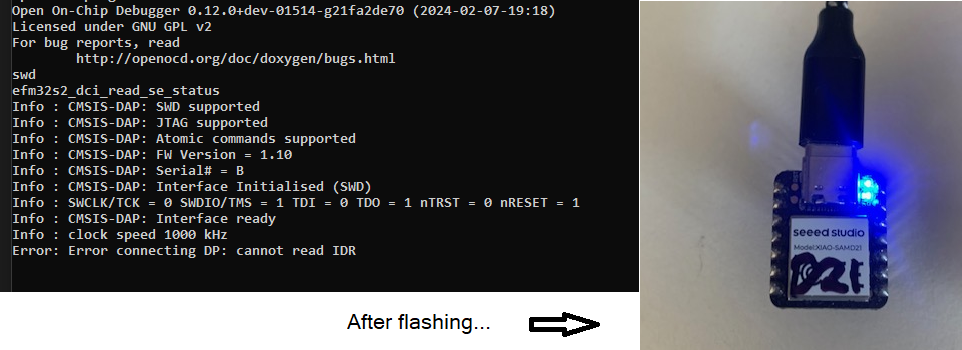
Quickly reset XIAO_SAMD21 twice to enter bootloader mode
ArduinoDrive appears in File Explorer
The moment I drag the simple_daplink_xiao.uf2 file and drop it onto ArduinoDrive, File Explorer freezes
I searched the web but couldn’t find any similar issues. Is there something wrong with my procedure, or am I missing a step?
Additional Information
I’m experiencing the same issue on three different PCs (Windows 11).
Three files are visible in ArduinoDrive, but the system freezes when I try to access them.
… its been a while… but I remember a similar issue… but it always transferred the file.. just a glitch in how windows handles it because it is not a USB drive in the true sense that windows generic drivers think that they are…
About five years ago, I was able to upload files without any problems, but for some reason, now the system freezes whenever I try to access the virtual Arduino Drive.
I’ve tried various resets and copy commands, and I’ve searched online, but I haven’t been able to find a clear cause or any similar cases.
I suspect that upgrading to Windows 11 might be the cause.
I’d appreciate it if anyone using Windows 10 and XIAO_SAMD21 could test this to see if they encounter the same issue.
Hi grobasoz,
Thanks for trying it out right away. It seems Windows 11 was indeed the cause. I tried all the settings that might be related, but it still freezes on all three of my Windows 11 PCs.
After that, I did some research and found several reports that accessing XIAO causes freezes on Windows 11 due to its enhanced security features.
Since there’s no other option, I decided to program it using bossac, just like with the Arduino IDE.
Actually, I encountered an issue where the SAMD11 firmware on the XIAO nRF54L15/LM20A was overwritten for some reason, causing the board to brick. It can be restored by re-flashing the firmware. I had been preparing to post a guide after setting up the necessary tools. I’m compiling this guide using the most affordable STLink clone and DAPLink (XIAO_SAMD21). However, while I was able to set up DAPLink easily five years ago, this time it kept freezing, which was a real headache.
 PJ:v:
PJ:v: