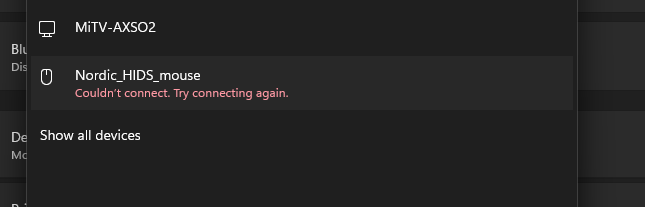
Simulate NRF52840 as a specific ble device per peer connection, Is it possible?

Hi all, I am working with XIAO NRF52840 on a project for an air mouse.
It’s almost pretty straightforward. I went through many examples.
Now I want to extend it as a Gamepad, without losing the mouse capabilities.
I implemented a button to switch between Mouse and Gamepad HID, and it works.
It works for a single PC perfectly.
Now I want to try a different method. I have 3 devices mobile, an office PC, and a Game PC,
And my device connects to only one device, so no multi-connection.
When I press the button, it should publish as M_Mouse and connect only to Mobile.
When I press again, it should publish as P_Mouse and connect only to the Office PC,
When I press again, it should publish as GPad and connect only to the Game PC.

To see, it seems very easy at first, as I can reject other devices connecting, but I want it to be published as a completely new device per peer connection. So other devices won’t even try to connect.
Initially, I thought changing the static address + Name + HID would make NRF look like a new device per connection, but it failed.

I tried to go with a simple method: Flash storage store peer bonds or IRKs, then reject other devices trying to connect, and allow only one device based on the storage table. It seems to work, but rejecting a device makes auto-reconnection of the rejected device impossible.

I tried to change the device IRK per peer to make it a unique device per peer, but failed.
Device IRK doesn’t change, even though I tried many methods for it. (Can someone help me with this?)

Finally, I stopped trying after 10days of BLE War with NRF52840, as I found when I was trying to do different tests, the Soft device core started acting weird, stopped storing the bonded devices, stopped publishing name, etc., so I felt I needed expert advice. What could be the best way to achieve my idea?

What I am using,
As I am a beginner in NRF52840, I took Arduino as my IDE for a quick POC.
using board XIAO NRF52840 sense (No MBED).
Libraries I use
Adafruit_TinyUSB
Adafruit_LittleFS
InternalFileSystem
bluefruit

Just guide me, I will try my best to code it.

@PJ_Glasso @msfujino or anyone from the team,
Please help me.
Is it possible in the NRF52840 with the Arduino environment to do this - Simulating the device as a unique device per peer connection?
Simple to explain
My issue case:
I configured the device as A and connected it to the PC, which works well
Now I configured the device as B and connected it to the PC, which can fail as it already stored the device as A and rejected pairing, OR It connects to B and rejects A when I configured it again as A.

I tried different methods, researched a little, and found that IRKs stored for both device is same, So PC also rejects.
Now, how to achieve this?
Same device → Device A —> Connect to PC —> Press button disconnect PC + Configure device as B —> Restart device ( If required) —> Connect to PC as B —> Again presss button to configure as A — so on
Possible?

Hi there,

SO, Changing only the device name is usually not enough and Yes, it can be done, but it depends a lot on which BLE stack/core you are using:

  • Adafruit Bluefruit / SoftDevice
  • ArduinoBLE
  • something else

this is possible, but the important part is that the device must change its BLE identity, not only its name.

A PC does not treat BLE devices as unique only by advertised name. It also uses the device identity, such as:

  • BLE address
  • bonding information
  • IRK / privacy identity

So if your “Device A” and “Device B” are really using the same BLE identity underneath, the PC will see them as the same device and may reject pairing or invalidate the previous bond.

The easiest reliable approach is:

Option 1: two separate BLE identities

Have the device maintain two identities:

  • Persona A
  • Persona B

When switching:

  • stop advertising
  • load the identity for A or B
  • use a different address / IRK / bond set
  • reboot if needed
  • advertise again

That is the proper way. :+1:

FWIW, Nordic’s BLE stack absolutely supports multiple identities at the stack level, and Nordic even ships a “Peripheral with multiple identities” sample — but that is an SDK/NCS-level feature, not something I can point to as a nicely exposed Bluefruit-Arduino API. That being said, for Arduino on nRF52840, the most realistic approach is:

  • give Persona A and Persona B different device names
  • give them different static random addresses
  • clear bonds when switching
  • reboot after switching

That is not as elegant as true dual-identity handling, but it is the most practical way to make a PC treat them like different devices in an Arduino workflow. Bluefruit does provide bond clearing, and the underlying issue You are seeing is exactly about identity + bond state, not just the advertised name. :v:

Be sure to start with forgetting all the test devices, or it won’t work.
Bluefruit’s API really does expose getAddr() and setAddr() on the main Bluefruit object, so changing the BLE address between persona A and persona B is a real option in this stack. Adafruit’s changelog also notes a clearbonds example and says bonding was reworked to use IRKs, which fits the exact problem you are seeing with one host confusing two “personas” on one physical board.

I have never done it in Arduino, but have run the Nordic example.

The practical method is to switch between:

  • a different static random BLE address
  • a different device name
  • and clear bond data
  • then reboot and let the PC pair each persona separately.

HTH
GL :slight_smile: PJ :v:

Thank you for the reply @PJ_Glasso
The resource link you provided is a great start for me.
First of all, I definately dont think that changing the name will change the Persona of a BLE device.
I want exactly this, as you mentioned

  • stop advertising
  • load the identity for A or B
  • use a different address / IRK / bond set
  • reboot if needed
  • advertise again

I am using Adafruit Bluefruit / SoftDevice
I want Option 1 in Arduino, not the practical method mentioned.
Why? Because I don’t want to lose the auto pair option completely from the PC side.
One more thing in the practical method, not only reboot, I need to delete the device from the paired list from PC to pair again, as random address + device name can’t make them unique, right?

I thought the BLE identity - Persona of the BLE device is its IRK key.
So I simply thought, I can set a new IRK for every new Bond in a soft device.
But I am not successful with that.
Check my bonding code here

Bluefruit.begin();
bond_print_list(BLE_GAP_ROLE_PERIPH);
bond_print_list(BLE_GAP_ROLE_CENTRAL);
ble_gap_addr_t gap_addr;
gap_addr.addr_type = BLE_GAP_ADDR_TYPE_RANDOM_STATIC;
uint8_t mac[][6] = {
  { 0x01, 0x00, 0xED, 0x1C, 0xDF, 0xD7 },
  { 0x02, 0x00, 0xED, 0x1C, 0xDF, 0xD7 }
};
static ble_gap_irk_t irk;
Serial.print("before assign  Device IRK: ");
for (int i = 0; i < 16; i++) {
  Serial.printf("%02X", irk.irk[i]);
}
Serial.println();
uint8_t new_irk[][16] = {
  { 0x9A, 0x4F, 0x21, 0xC7, 0xE1, 0x55, 0x6D, 0x8A, 0x3C, 0x7F, 0x12, 0x9D, 0xB4, 0x68, 0x0E, 0xF2 },
  { 0x73, 0xA9, 0x4C, 0xE2, 0x1B, 0xD6, 0xF0, 0x5A, 0x88, 0x39, 0xC4, 0x7D, 0x02, 0x6F, 0x91, 0xAB }
};

switch (DevicePersona) {
  case A:
    {
      memcpy(gap_addr.addr, mac[0], 6);
      memcpy(irk.irk, new_irk[0], 16);
      break;
    }
  case B:
    {
      memcpy(gap_addr.addr, mac[1], 6);
      memcpy(irk.irk, new_irk[1], 16);
      break;
    }
  default:
    {
      break;
    }
}

uint8_t error = sd_ble_gap_addr_set(&gap_addr);
delay(20);
Serial.println("Error of setting address : " + String(error));
ble_gap_privacy_params_t privacyset;
memset(&privacyset, 0, sizeof(privacyset));
privacyset.privacy_mode = BLE_GAP_PRIVACY_MODE_DEVICE_PRIVACY;
privacyset.private_addr_type = BLE_GAP_ADDR_TYPE_RANDOM_STATIC;
privacyset.private_addr_cycle_s = 900;  // 15 minutes
privacyset.p_device_irk = &irk;
sd_ble_gap_privacy_set(&privacyset);
delay(2000);
ble_gap_privacy_params_t privacyget;
memset(&privacyget, 0, sizeof(privacyget));
sd_ble_gap_privacy_get(&privacyget);
Serial.print("Own IRK: ");
printHex(privacyget.p_device_irk->irk, 16);
Serial.println();
Serial.print("Expected assign Device IRK: ");
for (int i = 0; i < 16; i++) {
  Serial.printf("%02X", irk.irk[i]);
}
Serial.println();
Bluefruit.Periph.setConnInterval(9, 16);
Bluefruit.setTxPower(4);          // Check bluefruit.h for supported values
Bluefruit.Advertising.clearData();
Bluefruit.ScanResponse.clearData();
Bluefruit.Advertising.addFlags(BLE_GAP_ADV_FLAGS_LE_ONLY_GENERAL_DISC_MODE);
Bluefruit.Advertising.addTxPower();
Bluefruit.Advertising.addName();
Bluefruit.ScanResponse.addName();
Bluefruit.Advertising.restartOnDisconnect(true);
Bluefruit.Advertising.setInterval(32, 244);  // in unit of 0.625 ms
Bluefruit.Advertising.setFastTimeout(30);    // number of seconds in fast mode
Bluefruit.Periph.setConnectCallback(connect_callback);
Bluefruit.Periph.setDisconnectCallback(disconnect_callback);
// Set callback for set LED from central
blehid.setKeyboardLedCallback(set_keyboard_led);
Serial.println("BLE adv started...");

But I always see my own unchanged IRK. At this point, I lost complete hope.
I definitely need this. “create_id() function to configure a new identity.”
How to achieve that in the Bluefruit library? Any hints?
Shall I investigate more on Bluefruit for that? Or do I need to move to SDK/NCS-level for that?
I chose Arduino for quick development, as I have my complete app developed already in Arduino, but I am regretting it now.

Hi there,

You didn’t make a bad choice starting in Arduino, you just reached the edge of what Bluefruit is comfortable exposing.

My suggestion is not to rewrite everything. Do this in stages:

  1. Keep your Arduino app as the behavioral reference.
  2. Move only the BLE identity/bonding part to Nordic SDK / NCS first.
  3. Prove Persona A and Persona B behave as truly separate bonded devices on the PC.
  4. Then port only the BLE service layer you need.
  5. Port the rest of the app later, one block at a time.

The first milestone should be very small:

  • boot as Persona A
  • pair to PC
  • button press switches to Persona B
  • reboot
  • pair to PC as B
  • switch back to A and confirm the PC still knows A independently

If that works, you’ve solved the real problem.

In other words: don’t port the whole app yet. stop trying to solve everything in one leap. Port the part Arduino is weak at first — BLE identity management.

Keep these things conceptually, even if the code changes:

  • state machine
  • event flow
  • button actions
  • service behavior
  • serial debug messages
  • user-visible behavior

What changes is the platform glue, not the whole design.

You only need to move the part that Arduino/Bluefruit is weak at: BLE identity + bonding architecture. Nordic’s nRF Connect SDK has an official Peripheral with multiple identities sample, which is the exact class of feature you want. Bluefruit exposes helpers like setAddr()/getAddr(), but it does not expose a clean high-level multi-identity API comparable to Nordic’s stack/sample support.

The low-pain migration plan or “don’t throw your Arduino app away” migration path. :grin:

Stage 1 — Freeze the Arduino app

Keep your working Arduino code as the behavior reference:

  • button logic
  • sensors
  • HID behavior
  • app state machine
  • any UI logic

That code becomes the spec, not wasted work.

Stage 2 — Move only BLE identity handling to NCS

Start a tiny NCS app whose only jobs are:

  • advertise
  • bond
  • switch between identity A / B
  • preserve separate bond behavior
  • prove the PC sees A and B as distinct devices

That is exactly the sort of thing Nordic’s multiple-identities sample is for. :backhand_index_pointing_left: :grinning_face:

Stage 3 — Recreate just the BLE service layer

Once A/B identity switching works, re-add only the BLE functionality you actually need:

  • HID first, if that is the core use case
  • then pairing behavior
  • then reconnect behavior

Do not port sensors, UI, or the whole app yet.

Stage 4 — Port the non-BLE pieces one block at a time

Only after BLE identity is proven:

  • buttons
  • LEDs
  • storage/settings
  • sensors
  • application logic

That keeps the risk low. I would split the firmware into 3 blocks:

1. Persona manager

This part owns:

  • current persona = A or B
  • identity selection
  • bond store selection
  • switching logic

2. BLE service layer

This part owns:

  • advertising
  • pairing
  • HID/services
  • connection callbacks

3. Application layer

This part owns:

  • button press means “switch persona”
  • keyboard/gamepad/etc. behavior
  • all non-BLE logic

That structure makes the port much easier.
in NCS lay it out like this,

app/
  src/
    main.c
    persona.c
    persona.h
    ble_app.c
    ble_app.h
    buttons.c
    buttons.h
  prj.conf
  boards/

And responsibilities:

  • persona.c → choose A/B, save selection, switch identity
  • ble_app.c → advertising, pairing, callbacks, services
  • main.c → startup + orchestration
  • buttons.c → persona switch trigger

That keeps it maintainable and sane. the next comment is from NSDK-AI
key take away.

HTH
GL :slight_smile: PJ :v:

What not to port first

Tell him not to start with:

  • all sensors
  • full UI
  • all app logic
  • custom storage
  • every Arduino helper library

That is how people bury themselves.

Port the identity problem first, because that is the real blocker.

Why this is the right move

Because his requirement is not “ordinary BLE peripheral.”
It is true multi-identity BLE, and Nordic already documents that as an SDK-level feature. That is the strongest sign that this feature belongs in NCS, not in a convenience Arduino wrapper.

Ok, Seems like I need to move to Zephyr then.
I tried the multi-identity example in the XIAO ble sense board and got the following error.
*** Booting nRF Connect SDK v3.2.4-4c3fc0d44534 ***
*** Using Zephyr OS v4.2.99-9673eec75908 ***
I: Initialized
I: SoftDevice Controller build revision:
I: 82 ba ca d0 7d 8d 3c 96 |…}.<.
I:I: SUSPEND state detected
I: RESUMING from suspend
b0 70 10 27 3b 6d 90 6a |.p.';m.j
I: 04 73 90 4f |.s.O
I: SUSPEND state detected
I: HW Platform: Nordic Semiconductor (0x0002)
I: HW Variant: nRF52x (0x0002)
I: Firmware: Standard Bluetooth controller (0x00) Version 130.51898 Build 1015905744
I: HCI transport: SDC
I: Identity: CA:54:FB:1C:80:D4 (random)
I: HCI: version 6.2 (0x10) revision 0x107e, manufacturer 0x0059
I: LMP: version 6.2 (0x10) subver 0x107e
Bluetooth initialized
Starting 20 advertisers
Using current id: 0
Created Nordic Peripheral ID: 0: 0x2000bcd0
Advertiser 0 successfully started
New id: 1
Using current id: 1
Created Nordic Peripheral ID: 1: 0x2000bce8
Advertiser 1 successfully started
New id: 2
Using current id: 2
Created Nordic Peripheral ID: 2E: Failed to allocate net_buf 4095, ep 0x80
I: Sequence 2 not cI: Sequence 3 not completed
Why so? Can’t I run this example in XIAO?
I am using VSCode + NRF connect for vscode.

No, Its working but i dont know what that error means.
Actually I cant see anything in my PC so I thought it is not working, but when I checked with BLE Scanner app I can see 20 devices.
Do I need to add some HID or UUIDs to the advertisers to make them visible to PC?
Do I need to worry about that error?
I started porting one by one features to NCS side, But it was little tricky as I am pretty new to Zephyr.
Thank you @PJ_Glasso for support.

1 Like

Hi there,

SO , You did it! :+1: it is working and that is a USB error, not a BLE error, Yes your intuition is correct :v: You need some HID or Gatt Service to advertise..
the scanner will see it but the PC won’t as a generic device , because it’s not got any HID parms , like a keyboard or mouse.
What the logs say is:

  • the multiple identities sample is running
  • it is creating identities and advertisers
  • the phone app seeing 20 devices proves the BLE side is alive

That lines up with Nordic’s sample design: it uses one physical board to create multiple advertisers, each with its own identity, and the number of advertisers comes from CONFIG_BT_EXT_ADV_MAX_ADV_SET. The sample is meant to make one board appear as multiple BLE peripherals
It is working.
It just is not yet doing what a normal PC user expects in the Windows Bluetooth UI.

I would not panic about that error for the BLE sample itself.
It is likely unrelated to the multiple-identity BLE behavior and tied to USB logging / USB console / USB device support on the board.

About the error

This part:

  • SUSPEND state detected
  • RESUMING from suspend
  • Failed to allocate net_buf 4095, ep 0x80
  • Sequence 2/3 not completed

looks much more like a USB device stack / buffer issue than a BLE issue.

That exact family of Zephyr errors shows up in USB device controller discussions and issues when the USB buffer pool is too small. Zephyr has an issue where increasing CONFIG_UDC_BUF_POOL_SIZE is needed to stop Failed to allocate net_buf ... errors during USB enumeration/traffic.

Stop using USB as a debugging variable if possible.
Move logs to RTT and disable USB console/device pieces unless You specifically needs them. The USB-related errors point that way :grin:

Reduce the sample complexity.
Twenty advertisers is neat, but for your real use case you only need 2. The sample itself says the number of advertisers is driven by CONFIG_BT_EXT_ADV_MAX_ADV_SET. Set that down to 2 and keep it simple.

Add a real service next.
Since his goal is PC-visible personas, the right next step is HID, not random custom UUIDs. Nordic’s HID keyboard sample is the model for that.

Then combine them.
First prove:

  • Identity A advertises as HID keyboard A
  • Identity B advertises as HID keyboard B

In summary,

Good news: it is working.

The BLE scanner app seeing 20 devices means the multiple-identities sample is doing its job. That sample is specifically designed to create multiple advertisers from one physical board, and the number of advertisers comes from CONFIG_BT_EXT_ADV_MAX_ADV_SET . ()

So the BLE part is not the problem.

What you are missing on the PC side is a device profile the PC actually cares about. Right now you are advertising generic BLE identities. A scanner app will show those, but Windows will not necessarily present them in a useful way unless you add something like HID . Nordic’s HID keyboard sample is the right next step if you want the PC to see and pair it as a keyboard-class device. ()

The Failed to allocate net_buf 4095, ep 0x80 error looks much more like a USB buffer / USB device stack issue than a BLE issue. Similar Zephyr USB issues show up when the USB buffer pool is too small. ()

So my suggestion is:

  • drop the advertiser count from 20 down to 2
  • move logging to RTT if possible
  • disable USB console/device pieces for now unless you need them
  • get the 2-identity sample stable
  • then add HID on top

That is the clean next step.

Good work, This post is a clinic on how to get a solution…
Way to stay with it :+1:

HTH
GL :slight_smile: PJ :v:

Now go make it useful…

Thank you @PJ_Glasso
I will try.
I want to first implement HID as the first step, but I failed miserably.
Yes, I took the mouse example, and found it required a passcode and a keypress to pair.
I want to bypass this feature and replicate the behaviour I got with Arduino.
I got some inspiration with this post, “https://devzone.nordicsemi.com/f/nordic-q-a/99609/nrf-sample-peripheral_hids_mouse-does-not-connect-to-desktop-with-bt_hids_security_enabled-n-disconnected-reason-19”, but it works well with the DK board after Erase and Flash.
But XIAO, we don’t have any erase and flash, so I tried to upload empty code, no use, cleared all bonding, no use.
Can you help me? I am uploading my code.
What I want is how the BLE mouse usually connects: click the Pair button, the advertisement starts, click Connect, and it connects.
Only I added this extra in prj.conf CONFIG_BT_SMP_ALLOW_UNAUTH_OVERWRITE=y

The issue is because I can’t erase and flash, I can’t change previous soft device settings, or Is it something with bootloader?

Error on XIAO side
Regular advertising started
I: BAS Notifications enabled
Connected F4:6D:3F:66:AE:A8 (public)
Regular advertising started
Security failed: F4:6D:3F:66:AE:A8 (public) level 1 err 4
Pairing failed conn: F4:6D:3F:66:AE:A8 (public), reason 4
I: BAS Notifications disabled
Disconnected from F4:6D:3F:66:AE:A8 (public) (reason 19)
Direct advertising to F4:6D:3F:66:AE:A8 (public) started
Direct advertising to F4:6D:3F:66:AE:A8 (public) timed out
Regular advertising started

main.zip (4.8 KB)

Hi there,

So time permitting , I will check it over…
The mouse is a good example IMO. the button press, fires of the pairing process, you could use the boot button on Xiao as same is what I have done before.(it’s a button everywhere else except during bootup) free to use ad built in :grin: :+1:
So you need to be in bootloader mode on Xiao, You don’t need an Erase, Reflashing the next code revision will erase and overwrite it, also you can use the tools menu and st options to full erase before programing, However I would NOT do it like that.

On the other device you need to do the “forget” piring or device to clear the bond INFO.
reflashing the Xiao will erase it’s previous bond info.

HTH
GL :slight_smile: PJ :v:

Stay at you are making great progress, and you’ll very flexible technically after it work s :smile:

Hi @PJ_Glasso
Please try and let me know any best other way to acheive this.
for now only thing worked is, auto confirming passkey(bt_conn_auth_passkey_confirm(conn);) in auth_passkey_confirm.
Still it shows the passkey which I cant eliminate now. Please suggest any best method to eliminate the showing passkey but still pair to PC & mobile as HID.
I will share more updates while I proceed on.