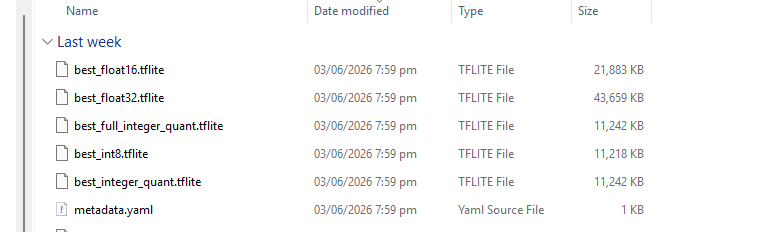
I have vision AI module and I wanted to deploy custom AI model.
I followed the steps here and then followed the deployment process. But after deployment, I get
“Invoke failed please check the device connection“
Train and deploy the YOLOv8 object detection model | Seeed Studio Wiki
Hi there,
So you’re a little lite on the details, custom model to vision AI is a strict process, with well defined parameters.
What part fails ?
Deploy
- The model file that needs to be deployed is the
tflite file exported above. You can burn the model file to the target device according to the following tutorial.
- We strongly recommend using our web tool to burn the trained tflite model into the device. Detailed operations are provided in the Deployment Tutorial
Note: Since the ESP32S3 device does not support model deployment after vela graph optimization, you do not need to perform tflite model graph optimization if you want to deploy the model to the XIAO ESP32S3 device.
Are you able to use the Demonstration models ?
HTH
GL  PJ
PJ 
I am able to use the Demonstration models. yes.
The deployment part itself fails with message, on pop-up “Invoke failed please check the device connection“
I can give you the model files as well. I am using Vision AI module v2 hence, I tried both the vela optimized and not optimized, but the same issue happens.
Any update on this issue?
Hi there,
So , I don’t see any in the GIT, last time was Last updated on Jan 11, 2024 by LynnL4, I know new updates have been made, in other hardware So I think it hasn’t filtered over. The only other Item may be which BSP it is built with, more checking on that might reveal and answer as well.
The connection seems to be at issue here though. Post up the files I can give it a run through, and I have a demo on here of it also, using the Xiao Expansion board’s Power LED , with training to tell when it’s Powered “on” or “off” (basic) , don’t forget the UnKnown or neither training… , Yea wouldn’t work until I added some blank screens with Nothing present.
Maybe a Seeedineer has some input on this ?
HTH
GL PJ