I had my tracker connected to The Things Network. But it stopped working just when I took it on a trip abroad. The gateway is a Dagino LP8 device if that is of any concern.
The log in TTN says:
Join-request to cluster-local Join Server failed: DevNonce is too small
These are the things I tried:
Flash most recent firmware on the tracker
Reset DevNonces in TTN
Reset the device to factory settings in the Android APP
Delete the device from TTN and add it again
Nothing has helped though. Now TTN tries to reconnect the device but this fails:
Transmit downlink: downlink transmission failed with result TOO_EARLY
After that the same error from the beginning appears a few times:
Join-request to cluster-local Join Server failed: DevNonce is too small
I’m now connected again to TTN. And I can also see data on my Home Assistant server, which was the main goal.
But for that I had to do several things differently from what the docs say:
The device has to be added to TTN manually. Using the TTN device repository makes it stop working. The necessary settings are not all provided in the docs and I had to ask ChatGPT for the missing ones.
Using the Sensecraft Android app (which is a piece of work by itself, not very user friendly) you have to configure the LoRa platform as “Other Platform”. Choosing “The Things Network” makes the device stop working. (See the errors in my first post.)
The payload formatter provided by Seeed does not work. Only after using the one found on Github I was able to see all the data correctly.
I’m coming to the conclusion that the device is probably well designed, but just very poorly maintained and documented. Maybe it is better if you use Sensecraft, but connecting it to TTN does not work in the way the official documentation says.
And what’s most concerning: The process above was very annoying. But it does not explain why the device has stopped working in the first place. That makes it very unreliable and quite useless as a tracking device.
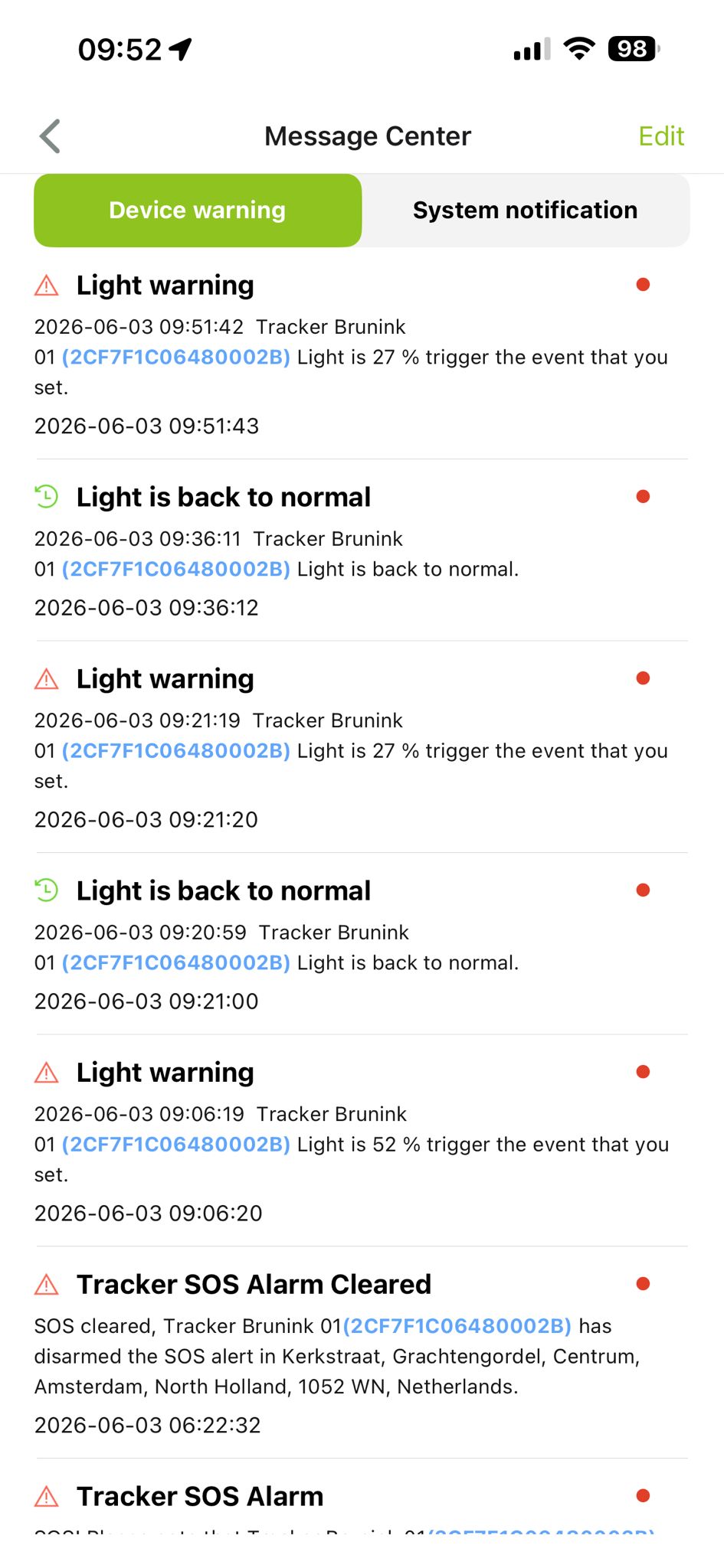
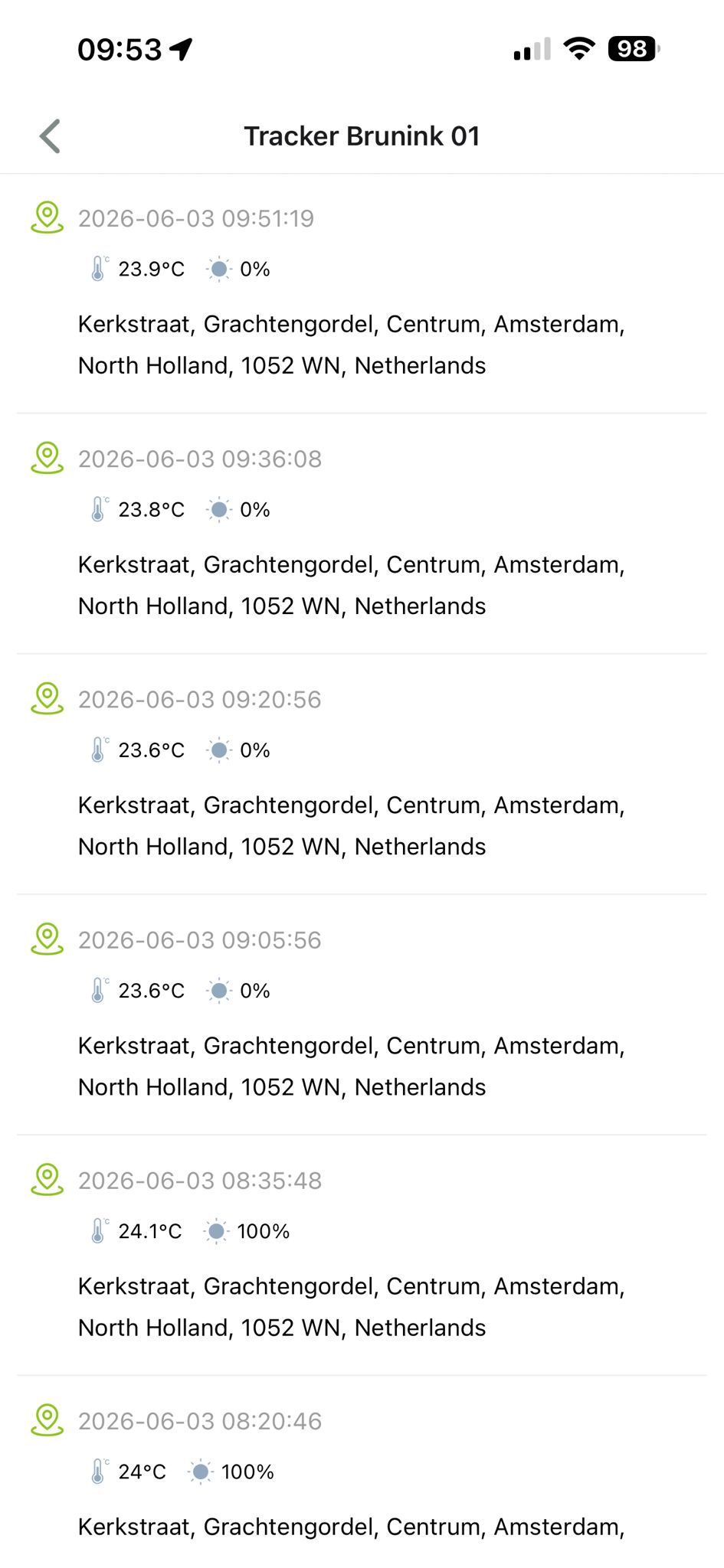
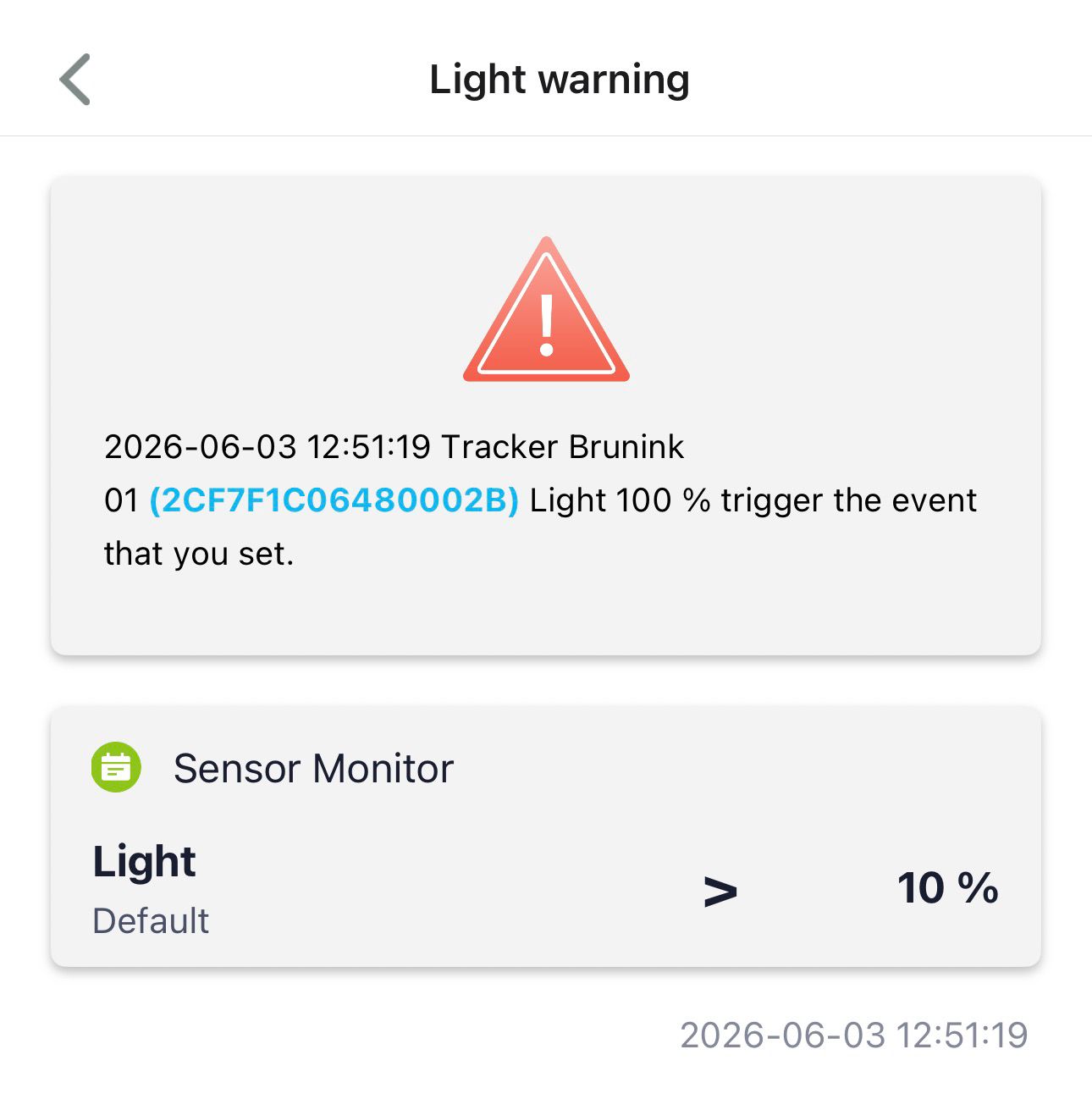
I’m using SenseCraft but getting a lot of push notifications for Tracker SOS Alarms and Light warnings/normal without the SOS button being pressed or any light detected on my T1000-A sensor. The Light warning message values also don’t match the light sensor readings in the GPS history log. Any ideas? Are these old messa…
That sounds a bit unusual, especially if the SOS button hasn’t been pressed and the light sensor values in the notifications don’t match the values recorded in the history logs.
A few things I would check:
Make sure the device firmware is up to date.
Review the notification rules in SenseCraft to confirm there aren’t any old or duplicate alert conditions configured.
Compare the timestamps of the notifications against the actual sensor log entries to see if delayed or cached events might be involved.
Check whether the device has recently experienced connectivity issues that could have caused queued messages to be delivered later.
Have you noticed whether the false SOS alarms and light warnings occur at specific times or after the device reconnects to the network? It would also be helpful to know whether multiple users on the account are receiving the same notifications or if the issue is isolated to a single account.
Thanks for your email; hereby my answers to your questions:
Firmware: 2.8
Notification rules: Only one rule (>10%)
Compare the timestamps: As you can see in the screenshots, there are no delayed or cached events
Connectivity issues: The LoRaWAN coverage is not very stable in the center of Amsterdam, but I did not press the SOS button that many times (I can see more than 20 notifications in the last 24 hours)
The notifications appear with a small delay after a data update.
I have the device for testing purposes — I only have one device and one user account.
I don’t see the GNSS Data Cache working at all, even though I have it enabled.
but I just get this one in, but the last Data Upload Time is 12:50:55 (also in the SenseCap Seeed portal) is:
Light-4199 0% 2026-06-03 12:50:55 / 2026-06-03 12:50:59
The duplicated data records may be related to the processing issue on our cloud platform side. Could you please help confirm whether this issue is still happening now? Or you can directly send your questions to our official email: [email protected] . Thank you!