Have:
- LoRaWAN Data Logger S2100 (Sw ver 3.1, Hw ver 1.1 configured for The Things Network, frequency plan EU868, activation type OTAA, packet policy 2C+1N
- SenseCAP Indicator D1L with running indicator_lorahub example from SenseCAP_Indicator_ESP32-1.0.3-beta-lorahub-demo
Indicator is configured and visible in TTN console, but i’m unable to see any join_request packets from S2100 on console
What frequency RX channel should be applied ? 868,1 and 869,525 gave no result
Spreading factor = 7 ?
[UPSTREAM]
RF packets received by concentrator: 0
CRC_OK: 0.00%, CRC_FAIL: 0.00%, NO_CRC: 0.00%
RF packets forwarded: 0 (0 bytes)
PUSH_DATA datagrams sent: 1 (121 bytes)
PUSH_DATA acknowledged: 0.00%
[DOWNSTREAM]
PULL_DATA sent: 3 (100.00% acknowledged)
PULL_RESP(onse) datagrams received: 0 (0 bytes)
RF packets sent to concentrator: 0 (0 bytes)
TX errors: 0
[JIT]
./main/lora_pkt/jitqueue.c:541:jit_print_queue(): INFO: [jit] queue is empty
Concentrator temperature: 35°C
END
Any ideas how to configure Indicator as hub?
Thank you for choosing Seeed Studio.
We have received your email and have responded to your inquiry within the message. Please check your inbox.
please post the solutions here so we all can learn and archive
It took a week, but I did it.
Support tips (instant response!):
/*
Since the Indicator is a single-channel gateway, you need to configure the ADR to static mode in the custom MAC settings. Our S2100 follows the LoRaWAN v1.0.3, which defines the device to join the network with SF12. So please configure the gateway parameters with SF12, and enable the static mode for ADR on the TTN, and the corresponding ADR data rate index should be set to 0 (DR0) for SF12.
please try to configure the indicator:
Rx channel: 868.3
spreading factor: 12
bandwidth: 125
*/
Done, no result.
I set a trap into interrupt handler and see that every few S2100 resets ( corelation exists!), an IRQ_PREAMBLE_DETECTED interrupt occurs, but there’s no further action.
It seems the SX126 is alive, but the interrupt handler is rejecting or transmission is not correct.
I accidentally put both devices on top of each other and it suddenly worked. For a moment.
The decision — it makes no sense — throw them away.
According to the rules, you should separate the plastic from the electronics
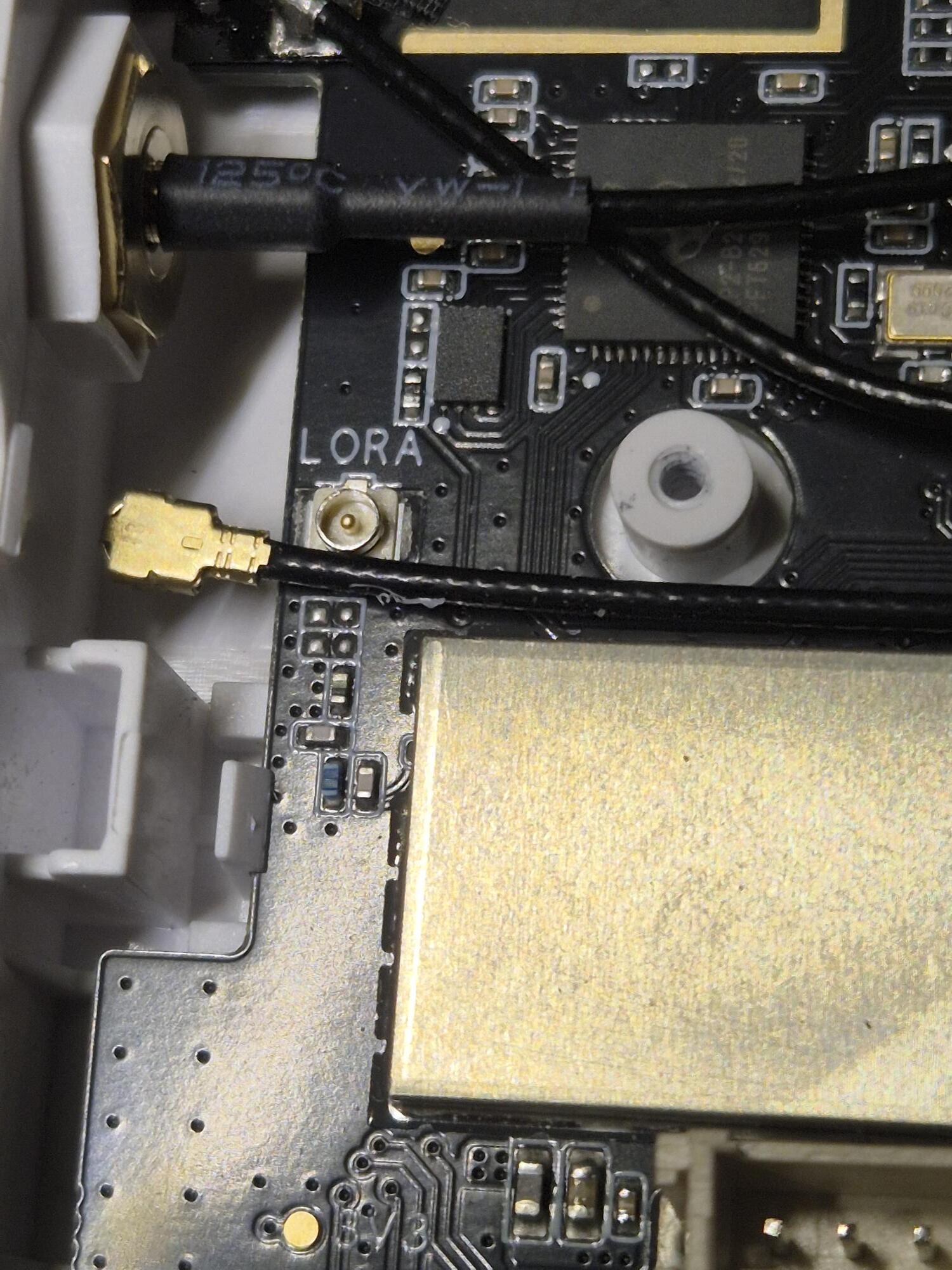
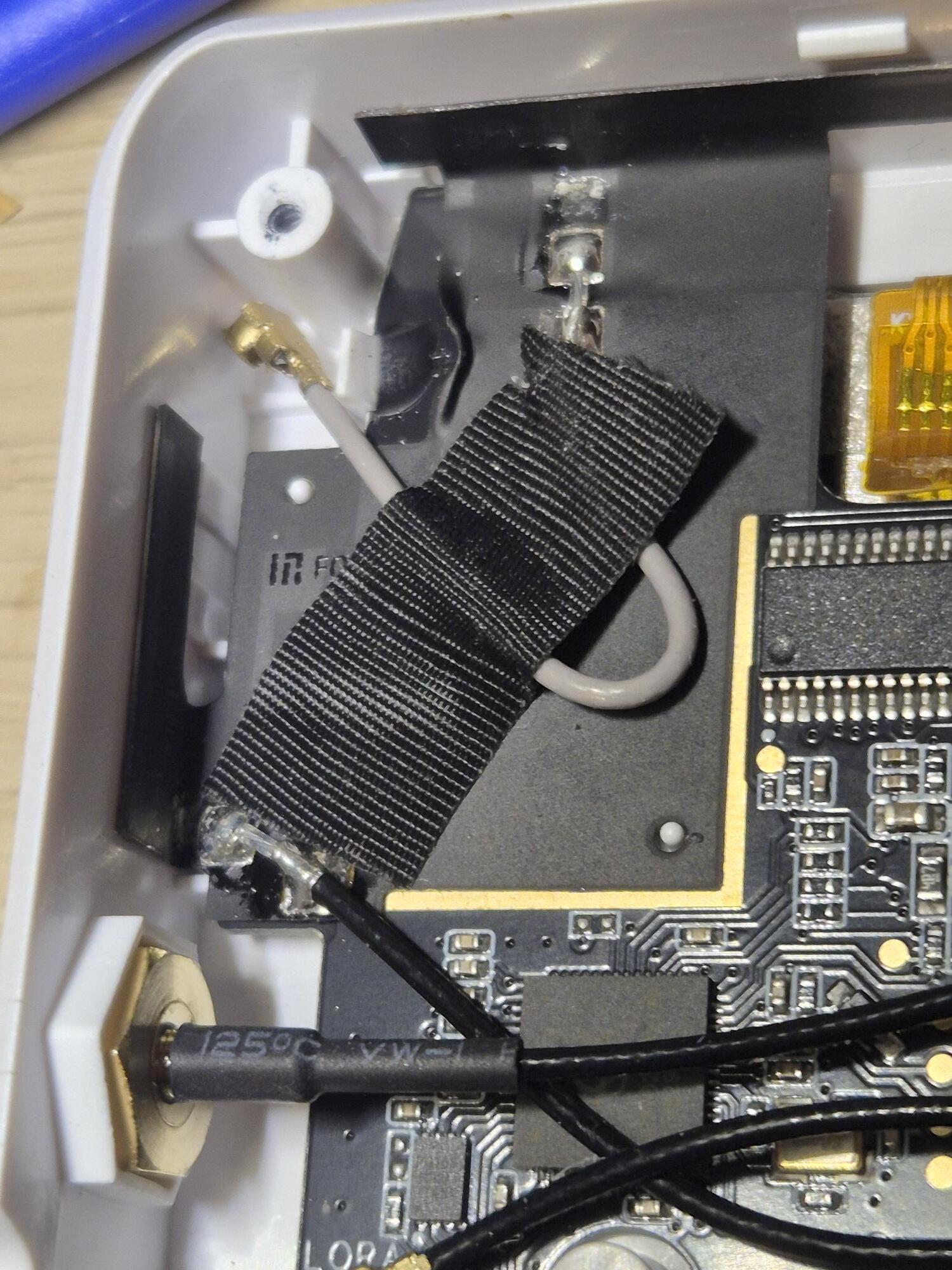
and after opening:
My grandfather told me that some receivers work better with an antenna connected, so I connected it. It started working at once and works without a problem with the settings provided by support.
There is a second LoRa antenna, but there is nothing to connect this one to. (ShortRange alternative ?)
A loose cable can ruin a few days.
1 Like
That’s a great reminder that sometimes the simplest hardware issue can look like a complex software or configuration problem. A loose or disconnected antenna can easily send you down a debugging rabbit hole. Thanks for sharing the root cause—it might save someone else a lot of time.
1 Like
Also FYI transmitting without an antenna can easily burn the chip… as the transmit energy is reflected back into the chip… and most units will transmit and recieve on startup and other times that google needs to know who and what it is…