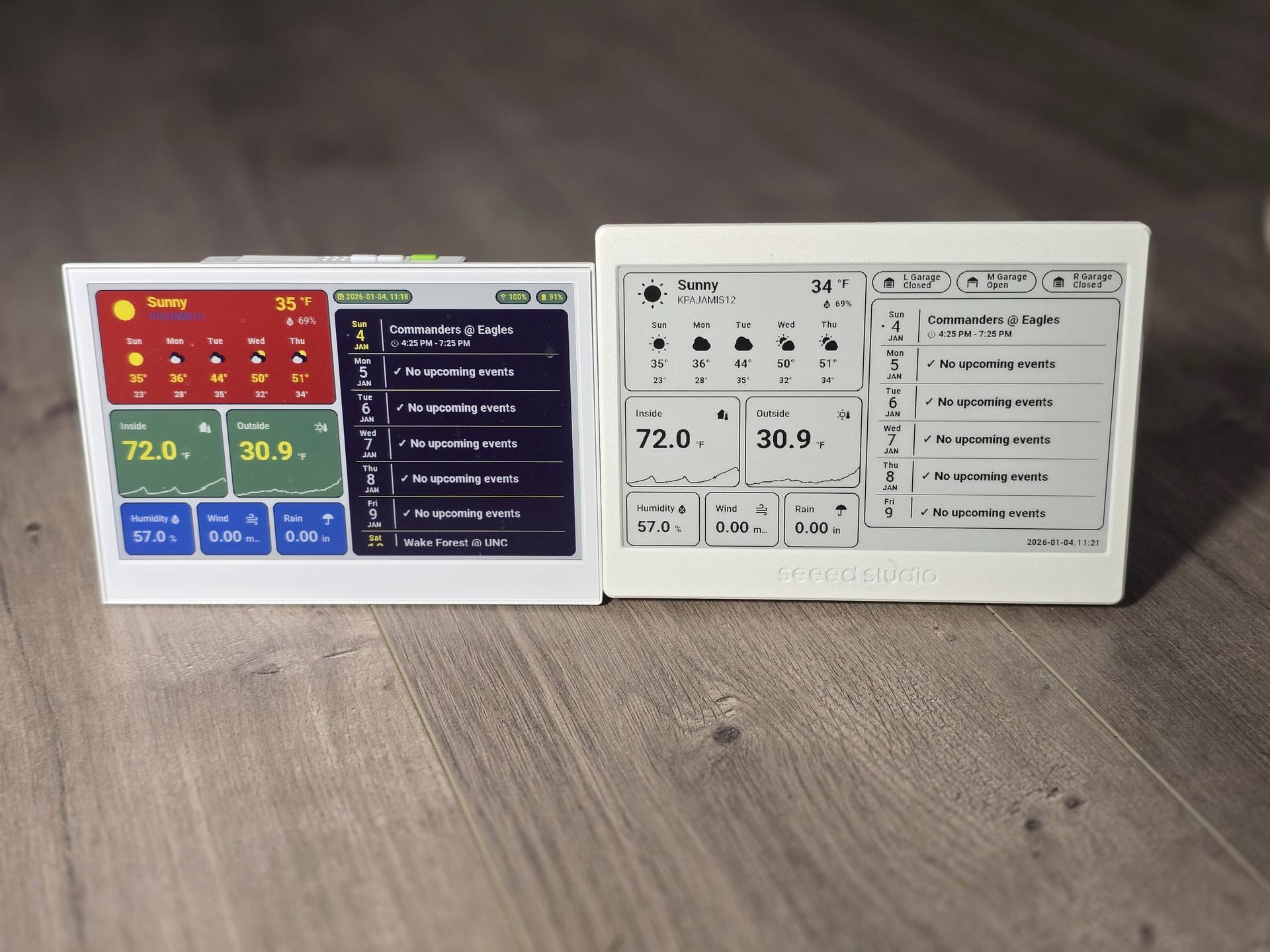
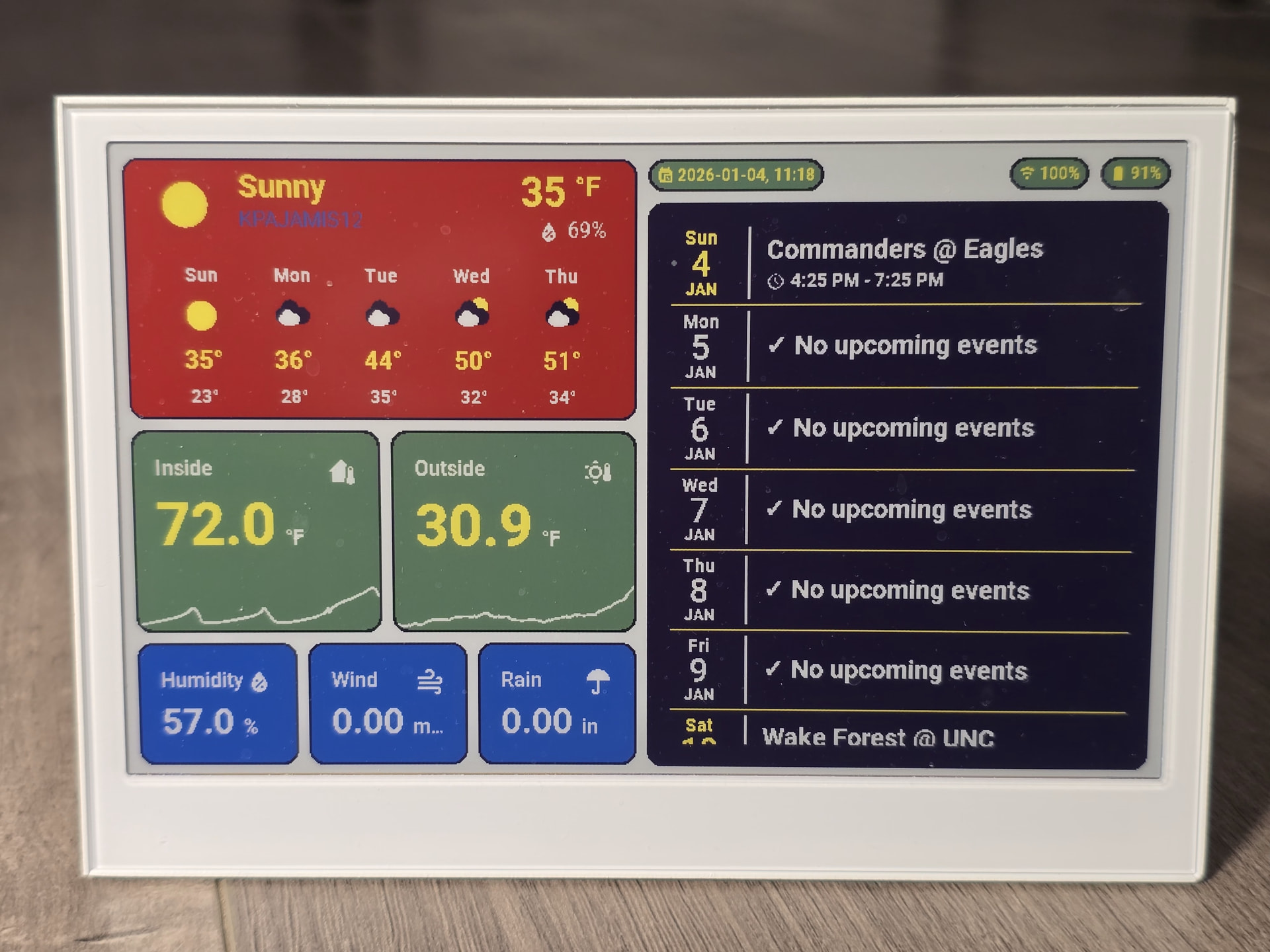
I got a reTerminal E1002 and thought I’d share my dashboard and ESPHome code. I also have a XIAO 7.5" ePaper Display and was able to use a lot of the code from that project.
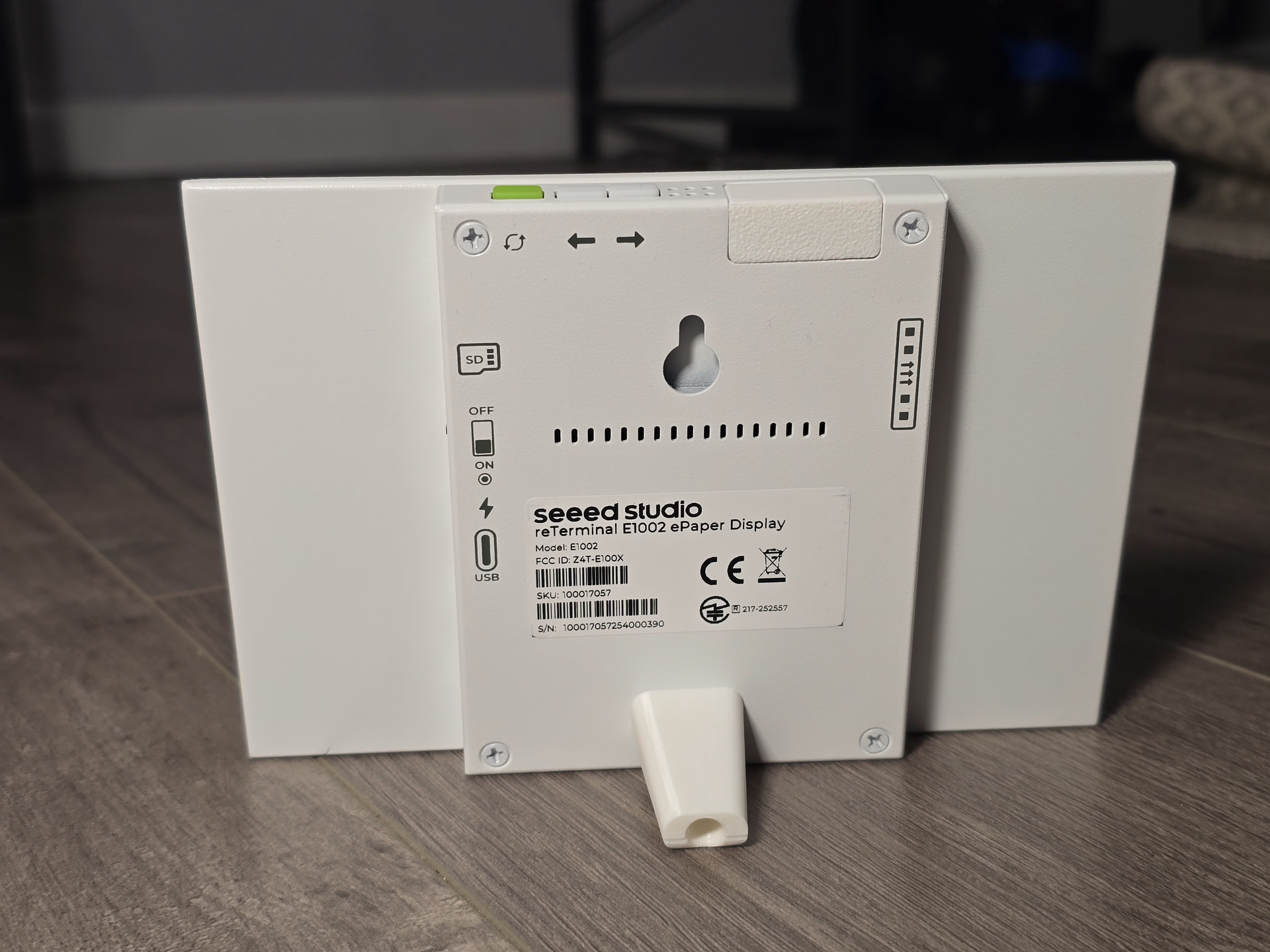
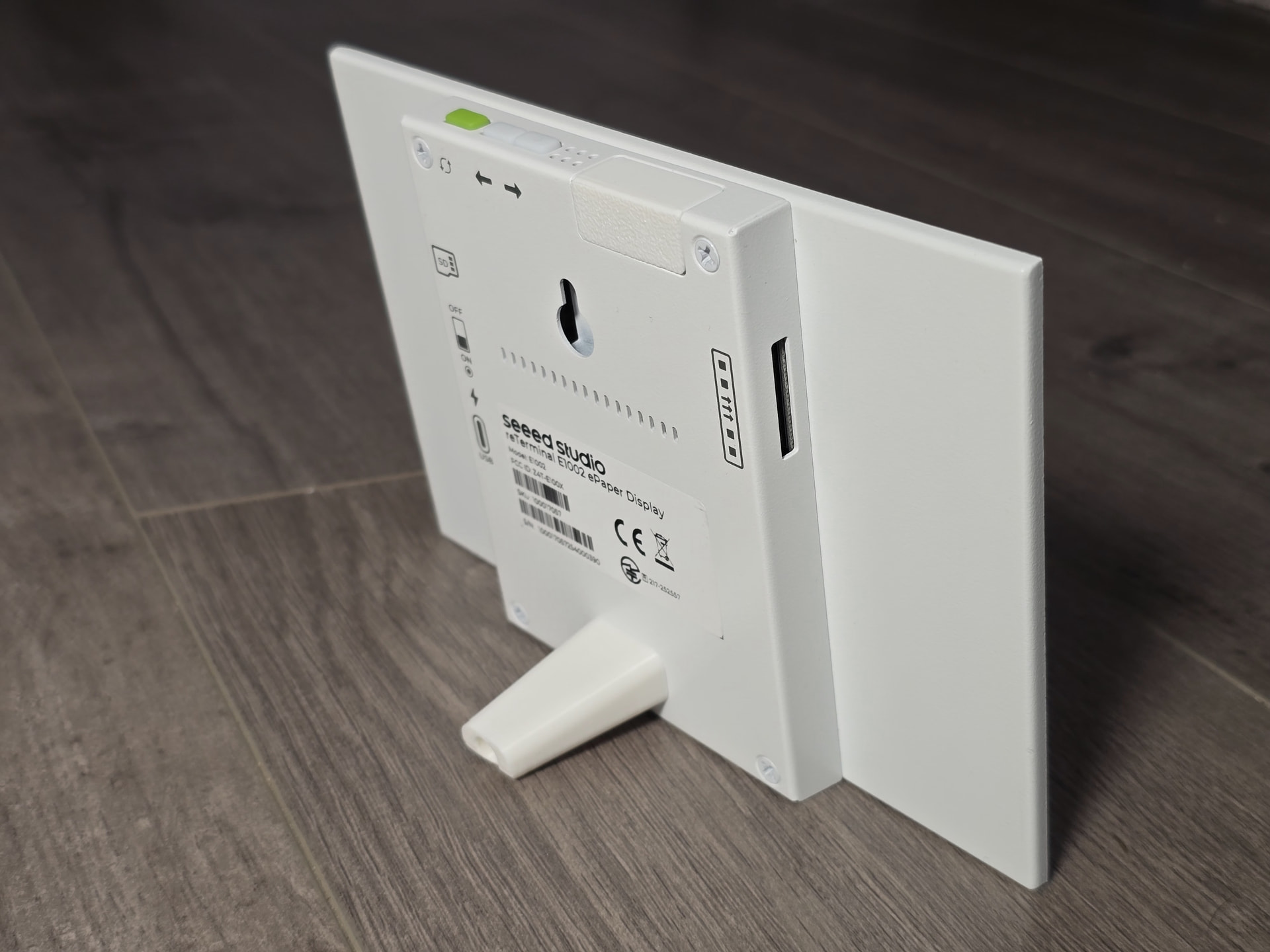
The E100x displays have a much better build (metal case) with programmable buttons, MicroSD card support, leds and buzzer. It also has battery status which was my biggest issue with the XIAO 7.5".
The biggest con to the E1002 (color version) is that the refresh takes a long time (sometimes 30 secs) because it looks like it flashes every color for every element. It flashes like crazy while doing the refresh. I don’t have and numbers yet, but it looks like the battery life is less that the B&W epaper. I’ll update this topic when I have a rough number of days.
I’m still messing with the colors. Haven’t settled on what works best yet.
Pictures:

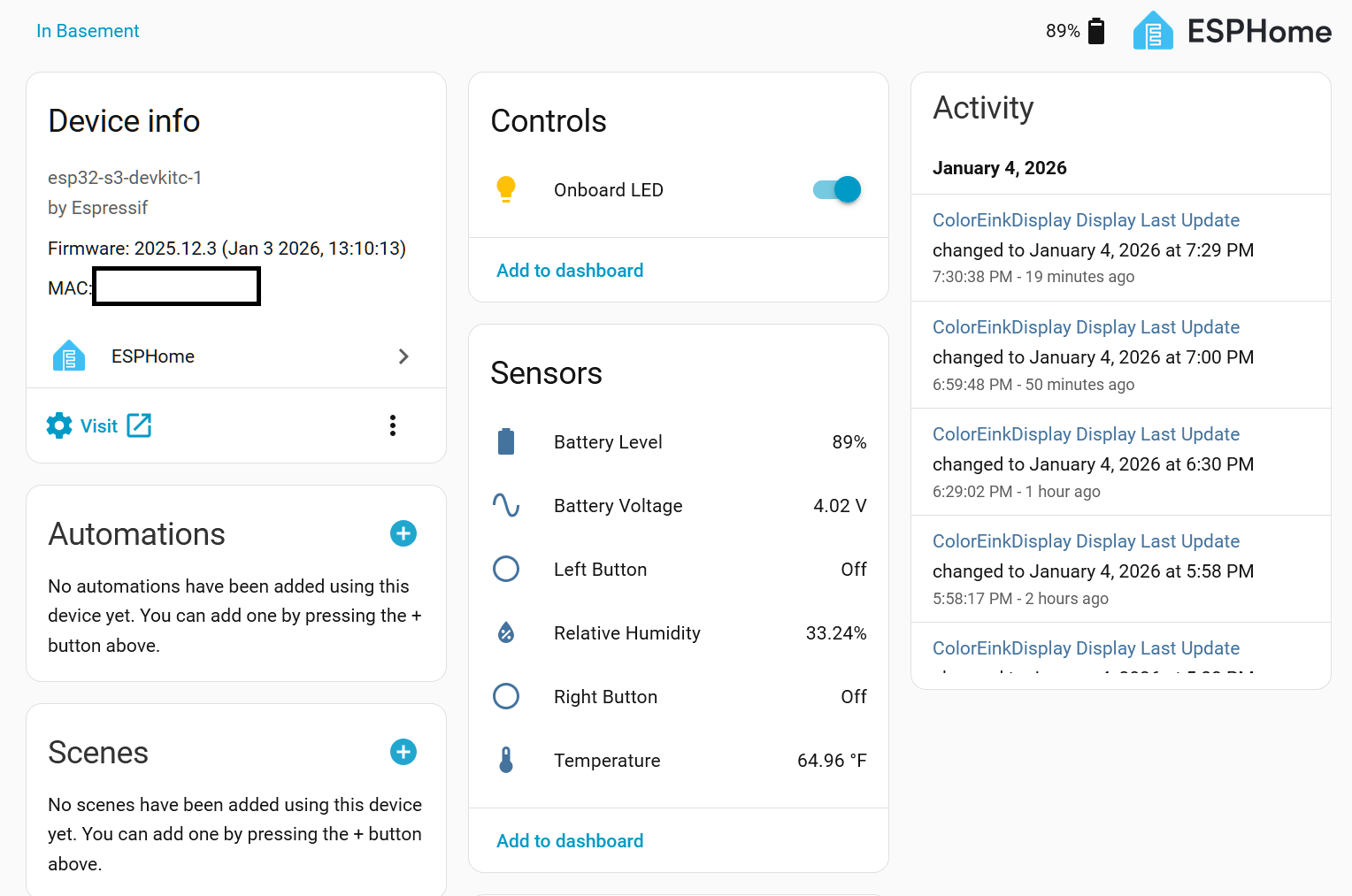
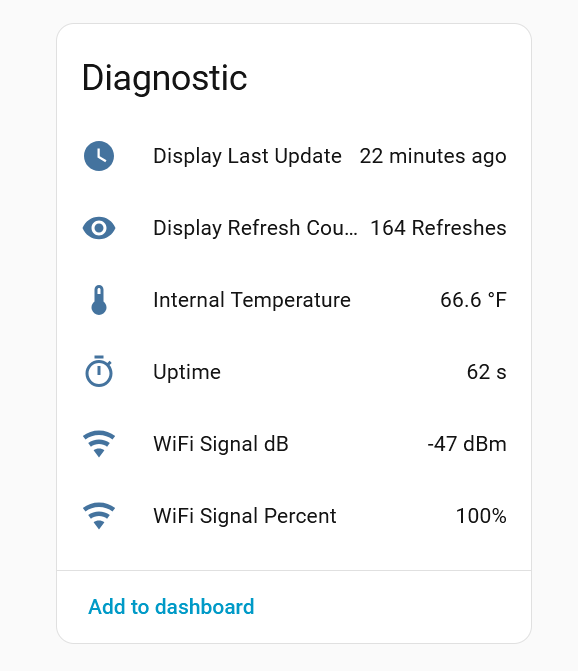
You will need the Puppet Addon.
ESPHome Builder YAML:
esphome:
  name: reterminal-e1002
  friendly_name: ColorEinkDisplay
  on_boot:
    - priority: 600
      then:
        - output.turn_on: bsp_sd_enable
        - output.turn_on: bsp_battery_enable
        - delay: 200ms
        - component.update: battery_voltage
        - component.update: battery_level
    - priority: -100
      then:
        - logger.log: "*** Device woke up from deep sleep ***"
        - light.turn_on: onboard_led
        - delay: 1s
        - logger.log: "*** Starting application ***"

esp32:
  board: esp32-s3-devkitc-1
  framework:
#    type: arduino
    type: esp-idf

# Enable logging
logger:
  hardware_uart: UART0

# Enable Home Assistant API
api:
  encryption:
    key: "<Your API Key>"
  on_client_connected:
    - logger.log:
        format: "*** Client %s connected to API with IP %s ***"
        args: ["client_info.c_str()", "client_address.c_str()"]

ota:
  - platform: esphome
    password: "<Your OTA PW>"

wifi:
  ssid: !secret wifi_ssid
  password: !secret wifi_password
  min_auth_mode: WPA2
  on_connect:
    then:
      - lambda: |-
          id(wifi_status) = 1;
      - logger.log: "*** WiFi Connected Successfully! ***"
      - delay: 1s
      - component.update: dashboard_image
  on_disconnect:
    then:
      - lambda: |-
          id(wifi_status) = 0;
      - logger.log: "*** WiFi Disconnected ***"
  ap:
    ssid: "ColoreInkFallbackHotspot"
    password: "<Your Fallback Hotspot PW>"

psram:
  mode: octal
  speed: 80MHz


captive_portal:

globals:
  - id: sleep_counter
    type: int
    restore_value: yes  # Use RTC storage to maintain counter during sleep
    initial_value: '0'
  - id: battery_glyph
    type: std::string
    restore_value: no
    initial_value: "\"\\U000F0079\""   # default full battery
  - id: wifi_status
    type: int
    restore_value: no
    initial_value: "0"
  - id: recorded_display_refresh
    type: int
    restore_value: yes
    initial_value: '0'

# Deep-sleep, wake by GPIO3
deep_sleep:
  id: deep_sleep_1
  run_duration: 120s  # Device wake up and run 120s. This should not run for 120s because of other code
  sleep_duration: 30min  # deep sleep for 30m
  wakeup_pin: GPIO3          # Green button
  wakeup_pin_mode: INVERT_WAKEUP

# SPI bus for display
spi:
  clk_pin: GPIO7
  mosi_pin: GPIO9
# I2C bus for temperature and humidity sensor
i2c:
  scl: GPIO20
  sda: GPIO19

http_request:
  verify_ssl: false
  timeout: 20s
  watchdog_timeout: 25s

online_image:
  - id: dashboard_image
    format: PNG
    type: RGB565
    buffer_size: 65536
    url: http://192.168.1.101:10000/dashboard-robin/display-color?viewport=800x480&lang=en
#    update_interval: 20s.  # Not needed now
    on_download_finished:
      - component.update: epaper_display
      - delay: 45s # Time to allow display to refresh
      - deep_sleep.enter: deep_sleep_1
    on_error:
      - delay: 30s
      - deep_sleep.enter: deep_sleep_1

display:
  - platform: epaper_spi
    id: epaper_display
    model: Seeed-reTerminal-E1002
    update_interval: never
    lambda: |-
      it.image(0, 0, id(dashboard_image));

# Home Assistant time
time:
  - platform: homeassistant
    id: ha_time

sensor:
  - platform: wifi_signal # Reports the WiFi signal strength/RSSI in dB
    update_interval: 60s
    name: "WiFi Signal dB"
    id: wifi_signal_db
    entity_category: "diagnostic"
  - platform: copy # Reports the WiFi signal strength in %
    source_id: wifi_signal_db
    name: "WiFi Signal Percent"
    id: wifi_signal_percent
    filters:
      - lambda: return min(max(2 * (x + 100.0), 0.0), 100.0);
    unit_of_measurement: "%"
    entity_category: "diagnostic"
  - platform: uptime
    update_interval: 60s
    name: Uptime
  - platform: internal_temperature
    update_interval: 60s
    name: "Internal Temperature"
  - platform: template
    update_interval: 60s
    name: "Display Last Update"
    device_class: timestamp
    entity_category: "diagnostic"
    id: display_last_update
    lambda: 'return id(ha_time).now().timestamp;'
  - platform: template
    name: "Display Refresh Count"
    accuracy_decimals: 0
    unit_of_measurement: "Refreshes"
    state_class: "total_increasing"
    entity_category: "diagnostic"
    lambda: 'return id(recorded_display_refresh) += 1;'
  - platform: sht4x
    update_interval: 60s
    temperature:
      name: "Temperature"
      id: temp_sensor
    humidity:
      name: "Relative Humidity"
      id: hum_sensor
  - platform: adc
    update_interval: 60s
    pin: GPIO1
    name: "Battery Voltage"
    id: battery_voltage
    attenuation: 12db
    filters:
      - multiply: 2.0
  - platform: template
    update_interval: 60s
    name: "Battery Level"
    id: battery_level
    unit_of_measurement: "%"
    icon: "mdi:battery"
    device_class: battery
    state_class: measurement
    lambda: 'return id(battery_voltage).state;'
    on_value:
      then:
        - lambda: |-
            int pct = int(x);
            if (pct <= 10)      id(battery_glyph) = "\U000F007A";
            else if (pct <= 20) id(battery_glyph) = "\U000F007B";
            else if (pct <= 30) id(battery_glyph) = "\U000F007C";
            else if (pct <= 40) id(battery_glyph) = "\U000F007D";
            else if (pct <= 50) id(battery_glyph) = "\U000F007E";
            else if (pct <= 60) id(battery_glyph) = "\U000F007F";
            else if (pct <= 70) id(battery_glyph) = "\U000F0080";
            else if (pct <= 80) id(battery_glyph) = "\U000F0081";
            else if (pct <= 90) id(battery_glyph) = "\U000F0082";
            else                id(battery_glyph) = "\U000F0079";
    filters:
      - calibrate_linear:
          - 4.15 -> 100.0
          - 3.96 -> 90.0
          - 3.91 -> 80.0
          - 3.85 -> 70.0
          - 3.80 -> 60.0
          - 3.75 -> 50.0
          - 3.68 -> 40.0
          - 3.58 -> 30.0
          - 3.49 -> 20.0
          - 3.41 -> 10.0
          - 3.30 -> 5.0
          - 3.27 -> 0.0
      - clamp:
          min_value: 0
          max_value: 100

# Button configuration
binary_sensor:

#  - platform: gpio
#    pin:
#      number: GPIO3         # Green button, commented out because I'm using it for wakeup
#      mode: INPUT_PULLUP
#      inverted: true
#    id: button_1
#    name: "Green Button"
#    on_press:
#      then:
#        - logger.log: "*** Green Button (GPIO3) Pressed ***"

  - platform: gpio
    pin:
      number: GPIO4          # Right white button
      mode: INPUT_PULLUP
      inverted: true
    id: button_2
    name: "Right Button"
    on_press:
      then:
        - logger.log: "*** Right Button (GPIO4) Pressed ***"

  - platform: gpio
    pin:
      number: GPIO5           # Left white button
      mode: INPUT_PULLUP
      inverted: true
    id: button_3
    name: "Left Button"
    on_press:
      then:
        - logger.log: "*** Left Button (GPIO5) Pressed ***"

output:
  - platform: gpio
    pin: GPIO6
    id: bsp_led
    inverted: true
  - platform: gpio
    pin: GPIO16
    id: bsp_sd_enable
  - platform: gpio
    pin: GPIO21
    id: bsp_battery_enable

# Onboard LED
light:
  - platform: binary
    name: "Onboard LED"
    output: bsp_led
    id: onboard_led
Home Assistant Dashboard YAML:
type: masonry
path: display-color
title: Display-Color
cards:
  - type: vertical-stack
    cards:
      - show_current: true
        show_forecast: true
        type: weather-forecast
        entity: weather.kpajamis12
        forecast_type: daily
        secondary_info_attribute: humidity
        card_mod:
          style: |
            :host {
              --weather-icon-cloud-front-color: white;
              --weather-icon-cloud-back-color: black;
              --weather-icon-sun-color: yellow;
              --weather-icon-rain-color: blue;
              --weather-icon-moon-color: yellow;
            }
            ha-card {
              border: 2px solid black;
              padding: 5px !important;
              background: red;
            }
            .name-state .name {
              color: blue;
              font-size: 16px;
            }
            .name-state .state {
              color: yellow;
              font-weight: bold;
            }
            .temp-attribute .temp {
              color: yellow;
              font-weight: bold;
              font-size: 30px !important;
            }
            .temp-attribute .temp span {
              color: yellow;
              font-size: 20px !important;
            }
            .temp-attribute .attribute {
              color: white;
              font-size: 16px;
            }
            .forecast .temp {
              color: yellow;
              font-weight: bold;
              font-size: 14px;
            }
            .forecast .templow {
              color: white;
              font-weight: bold;
              font-size: 14px;
            }
            .forecast div {
              font-weight: bold;
              color: white;
            }
            ha-card div.forecast div.temp {
              font-size: 14pt;
            }
      - type: horizontal-stack
        cards:
          - graph: line
            type: sensor
            detail: 2
            entity: sensor.home_thermostat_air_temperature
            name: Inside
            icon: mdi:home-thermometer
            hours_to_show: 12
            card_mod:
              style: |
                .header .icon {
                  color: white;
                }
                ha-card {
                  border: 2px solid black;
                  --primary-text-color: yellow;
                  font-weight: bold;
                  --secondary-text-color: white;
                  background: green;
                  --accent-color: white;
                  --ha-font-size-3xl: 46px;
                }
          - graph: line
            type: sensor
            detail: 2
            name: Outside
            icon: mdi:sun-thermometer-outline
            hours_to_show: 12
            entity: sensor.back_deck_temp_temperature
            card_mod:
              style: |
                .header .icon {
                  color: white;
                }
                ha-card {
                  border: 2px solid black;
                  --primary-text-color: yellow;
                  font-weight: bold;
                  --secondary-text-color: white;
                  background: green;
                  --accent-color: white;
                  --ha-font-size-3xl: 46px;
                }
      - type: horizontal-stack
        cards:
          - graph: none
            type: sensor
            detail: 2
            icon: ""
            hours_to_show: 12
            entity: sensor.back_deck_temp_humidity
            name: Humidity
            card_mod:
              style: |
                .header .icon {
                  color: white;
                }
                ha-card {
                  border: 2px solid black;
                  --primary-text-color: white;
                  font-weight: bold;
                  --secondary-text-color: white;
                  background: blue;
                  --accent-color: white;
                }
          - graph: none
            type: sensor
            detail: 2
            entity: sensor.topwindspeedhr
            name: Wind
            icon: mdi:weather-windy
            hours_to_show: 12
            card_mod:
              style: |
                .header .icon {
                  color: white;
                }
                ha-card {
                  border: 2px solid black;
                  --primary-text-color: white;
                  font-weight: bold;
                  --secondary-text-color: white;
                  background: blue;
                  --accent-color: white;
                }
          - graph: none
            type: sensor
            detail: 2
            name: Rain
            icon: ""
            hours_to_show: 24
            entity: sensor.kpajamis12_precipitation_today
            card_mod:
              style: |
                .header .icon {
                  color: white;
                }
                ha-card {
                  border: 2px solid black;
                  --secondary-text-color: white;
                  --primary-text-color: white;
                  font-weight: bold;
                  background: blue;
                  --accent-color: white;
                }
  - type: vertical-stack
    cards:
      - type: custom:mushroom-chips-card
        chips:
          - type: entity
            entity: sensor.date_time
            icon_color: yellow
            card_mod:
              style: |
                ha-card {
                  --chip-background: green;
                  --chip-height: 20px;
                  --chip-border-radius: 12px;
                  --chip-icon-size: 12px;
                  --chip-font-size: 12px;
                  --text-color: yellow;
                  border: 2px solid black !important;
                }
          - type: spacer
          - type: entity
            entity: sensor.coloreinkdisplay_wifi_signal_percent
            icon_color: yellow
            card_mod:
              style: |
                ha-card {
                  --chip-background: green;
                  --chip-height: 20px;
                  --chip-border-radius: 12px;
                  --chip-icon-size: 12px;
                  --chip-font-size: 12px;
                  --text-color: yellow;
                  border: 2px solid black !important;
                }
          - type: entity
            entity: sensor.coloreinkdisplay_battery_level
            icon_color: yellow
            card_mod:
              style: |
                ha-card {
                  --chip-background: green;
                  --chip-height: 20px;
                  --chip-border-radius: 12px;
                  --chip-icon-size: 12px;
                  --chip-font-size: 12px;
                  --text-color: yellow;
                  border: 2px solid black !important;
                }
        alignment: center
      - entities:
          - entity: calendar.birthdays
            show_time: true
            color: white
            accent_color: white
          - entity: calendar.philadelphia_phillies
            show_time: true
            color: white
            accent_color: white
          - entity: calendar.carolina_panthers
            show_time: true
            color: white
            accent_color: white
          - entity: calendar.holidays_in_united_states
            show_time: true
            split_multiday_events: false
            color: white
            accent_color: white
          - entity: calendar.north_carolina_tar_heels_men_s_basketball
            show_time: true
            color: white
            accent_color: white
          - entity: calendar.philadelphia_eagles
            show_time: true
            color: white
            accent_color: white
          - entity: calendar.john_w_waters_gmail_com
            show_time: true
            color: white
            accent_color: white
        days_to_show: 7
        show_empty_days: true
        filter_duplicates: true
        title: ""
        title_color: ""
        background_color: black
        accent_color: white
        day_spacing: 4px
        event_spacing: 2px
        day_separator_width: 1px
        day_separator_color: yellow
        today_indicator: dot
        today_indicator_color: green
        weekday_color: white
        day_color: white
        month_color: white
        weekend_weekday_color: yellow
        weekend_day_color: yellow
        weekend_month_color: yellow
        today_weekday_color: ""
        today_day_color: ""
        today_month_color: ""
        show_past_events: true
        event_font_size: 20px
        event_color: white
        empty_day_color: white
        time_font_size: 14px
        time_color: white
        show_location: false
        weather:
          position: none
          date:
            show_conditions: true
            show_high_temp: true
            show_low_temp: false
            icon_size: 14px
            font_size: 12px
            color: white
          event:
            show_conditions: true
            show_temp: true
            icon_size: 14px
            font_size: 12px
            color: white
          entity: weather.kpajamis12
        type: custom:calendar-card-pro
        height: 400px
        card_mod:
          style: |
            ha-card {
              border: 2px solid black;
              font-weight: bold !important;
            }
            .day-table.today .event-title {
              font-weight: bold !important;
            }
            .day-table.tomorrow .event-title {
              font-weight: bold !important;
            }
            .day-table.future-day .event-title {
              font-weight: bold !important;
            }
            div.time {
              font-weight: bold !important;
            }
badges: []
John


 Stepped up the Display game fo Sho!
 PJ
PJ  …Something is up , maybe it’s trying to Do a full refresh when just a partial will do. Also the timing seems off. If you look at the E-ink video I posted with the 4.2 inch display on here it’s was also like that in the beginning


