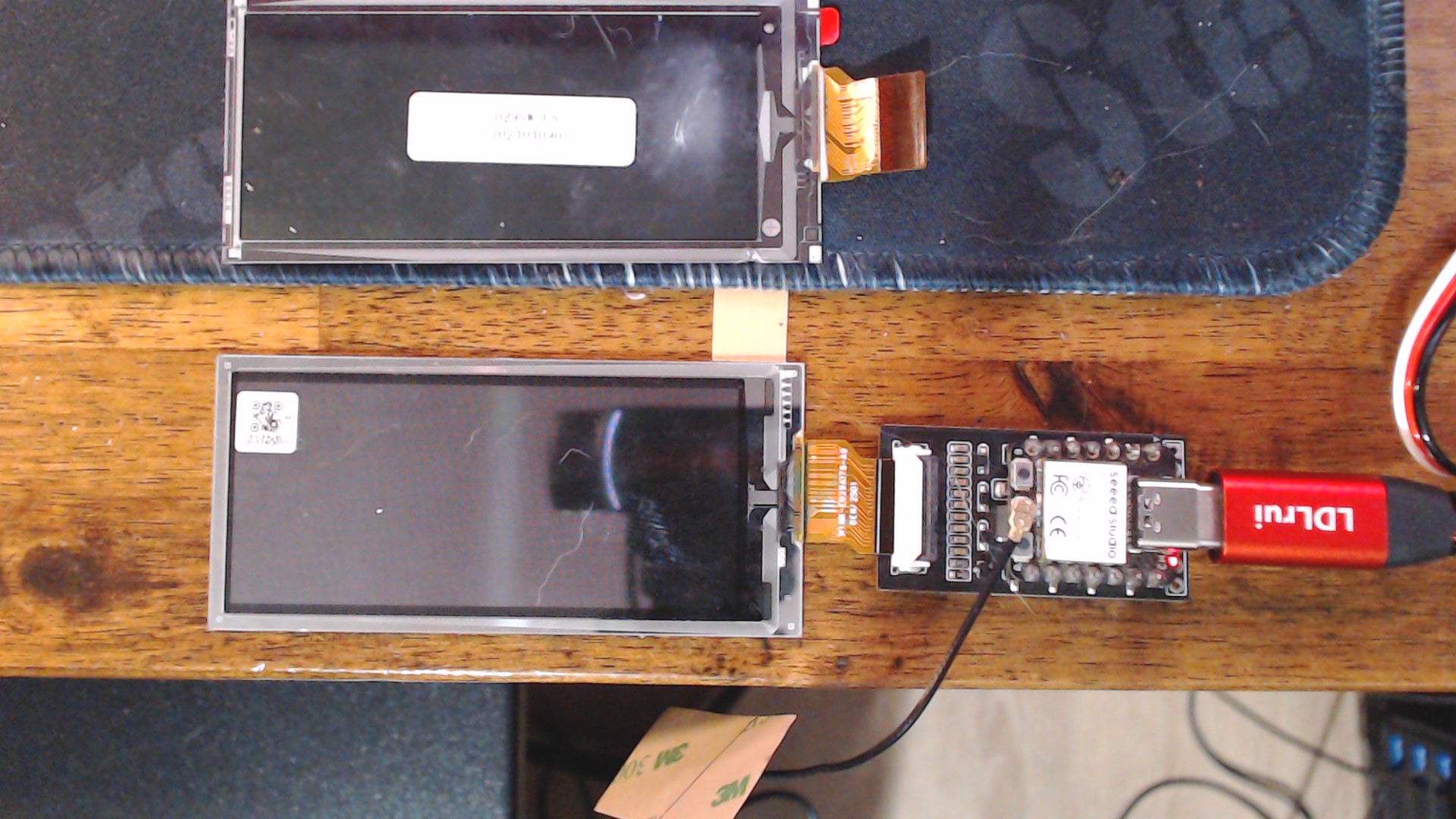
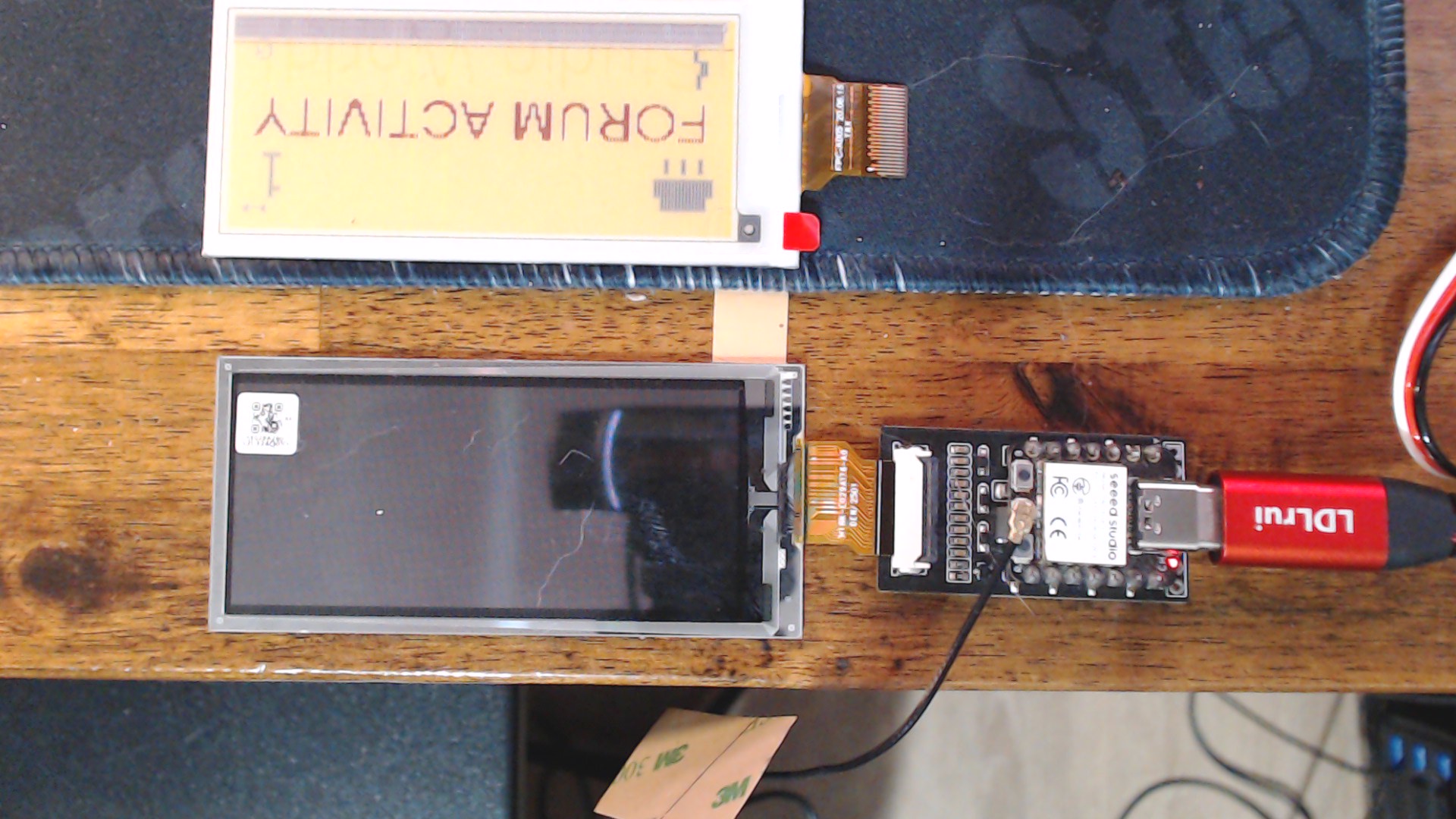
Hi there,
Ok, So as promised… There is a lot going on here , but take each section by itself to follow the flow.
// =====================================================
// XIAO ESP32-C3 + 2.9" Quad Color (JD79667)
// PJ Forum + Weather Ticker
// REV 2.41 – 2026-01-29
// PJG & EAILLM
// BIG number   : Daily Total (UTC day reset)
// SMALL number : Since last check
// Icons        : Sun/Rain top-left, Slim bolt bottom-left, SMALL connected icon top-right
// Timestamp    : HH:MM (UTC) with colon
// Change-detect: refresh only when state changes
// Boot button  : if pressed during 60s window, show HELLO screen then resume cycle
//
// https://www.seeedstudio.com/2-9-Quadruple-Color-ePaper-Display-with-128x296-Pixels-p-5783.html
// https://www.seeedstudio.com/ePaper-Breakout-Board-p-5804.html
//
// NOTE: Requires these headers to exist in your sketch folder / includes:
//   demo.h
//   IMAGE_FORUM_ACTIVITY.h   (gImage_FORUM_ACTIVITY[9472])
//   IMAGE_HELLO.h            (gImage_Hello[9472])  <-- from your hello asset
// =====================================================

#include <SPI.h>
#include <WiFi.h>
#include <WiFiClientSecure.h>
#include <ArduinoJson.h>
#include <Preferences.h>
#include <string.h>
#include <pgmspace.h>
#include "esp_sleep.h"

#include "demo.h"
#include "IMAGE_FORUM_ACTIVITY.h"
#include "IMAGE_HELLO.h"   // provides: const unsigned char gImage_Hello[9472]

// ================= USER CONFIG =================
const char* WIFI_SSID = "GlassSurf-2.4";  // insert yours
const char* WIFI_PASS = "SEEED_Rocks"; // don't hack my wifi :grin:

// true  = Deep sleep  (lowest power, USB disconnect/reconnect sound)
// false = Light sleep (keeps USB alive, no Windows gong)
#define USE_DEEP_SLEEP  false

static const uint32_t SLEEP_MINUTES = 10;

// Boot button window: wait up to 60s before sleeping; if pressed, show HELLO then continue
static const uint32_t BOOT_BUTTON_WINDOW_MS = 60000;
// ==============================================

// ---------------- Discourse ----------------
static const char* DISCOURSE_HOST = "forum.seeedstudio.com";
static const uint16_t DISCOURSE_PORT = 443;
static const char* DISCOURSE_PATH = "/latest.json";

// ---------------- Weather (Open-Meteo) ----------------
// You said UTC is fine; forecast timezone can still be local for “today” — that’s OK.
// If you want UTC day strictly, change timezone=UTC
static const char* WEATHER_HOST = "api.open-meteo.com";
static const uint16_t WEATHER_PORT = 443;
static const char* WEATHER_PATH =
  "/v1/forecast?latitude=26.04&longitude=-80.22&daily=precipitation_sum&timezone=UTC";

// ---------------- Pins (ESP32-C3 breakout mapping) ----------------
int BUSY_Pin = 7;
int RES_Pin  = 2;
int DC_Pin   = 5;
int CS_Pin   = 3;

// EPD macros
#define EPD_W21_CS_0    digitalWrite(CS_Pin, LOW)
#define EPD_W21_CS_1    digitalWrite(CS_Pin, HIGH)
#define EPD_W21_DC_0    digitalWrite(DC_Pin, LOW)
#define EPD_W21_DC_1    digitalWrite(DC_Pin, HIGH)
#define EPD_W21_RST_0   digitalWrite(RES_Pin, LOW)
#define EPD_W21_RST_1   digitalWrite(RES_Pin, HIGH)
#define isEPD_W21_BUSY  digitalRead(BUSY_Pin)

#define Source_BITS        128
#define Gate_BITS          296
#define ALLSCREEN_BYTES    (Source_BITS * Gate_BITS / 4)

// Color indices for your Color_get() input stream
#define IDX_WHITE   0
#define IDX_YELLOW  1
#define IDX_RED     2
#define IDX_BLACK   3

// Landscape UI space
#define LAND_W 296
#define LAND_H 128

// BOOT button on XIAO ESP32-C3 is typically GPIO9 (D9). If yours differs, change here.
#ifndef BOOT_PIN
#define BOOT_PIN 9
#endif

// ---------------- EPD prototypes ----------------
void SPI_Write(unsigned char value);
void EPD_W21_WriteCMD(unsigned char command);
void EPD_W21_WriteDATA(unsigned char datas);
void EPD_init(void);
void EPD_sleep(void);
void EPD_refresh(void);
void lcd_chkstatus(void);
unsigned char Color_get(unsigned char c);

// ---------------- Globals ----------------
static uint8_t fb[ALLSCREEN_BYTES];
Preferences prefs;

// =====================================================
// Arduino-friendly typedef state
// rainState: 0=unknown, 1=no, 2=yes
// =====================================================
typedef struct {
  uint32_t dailyTotal;
  uint32_t sinceLast;
  uint32_t rainState;
  uint8_t  forumOk;     // 0/1
  char     hhmm[6];     // "HH:MM" or "--:--"
} DispState;

// ---------------- Digit font (5x7) ----------------
const uint8_t DIGITS_5x7[10][5] PROGMEM = {
  {0x3E,0x51,0x49,0x45,0x3E},
  {0x00,0x42,0x7F,0x40,0x00},
  {0x42,0x61,0x51,0x49,0x46},
  {0x21,0x41,0x45,0x4B,0x31},
  {0x18,0x14,0x12,0x7F,0x10},
  {0x27,0x45,0x45,0x45,0x39},
  {0x3C,0x4A,0x49,0x49,0x30},
  {0x01,0x71,0x09,0x05,0x03},
  {0x36,0x49,0x49,0x49,0x36},
  {0x06,0x49,0x49,0x29,0x1E},
};

// =====================================================
// Sleep wrapper
// =====================================================
void sleep_minutes(uint32_t minutes) {
  uint64_t us = (uint64_t)minutes * 60ULL * 1000000ULL;
  esp_sleep_enable_timer_wakeup(us);

#if USE_DEEP_SLEEP
  Serial.printf("[SLEEP] Deep sleeping %u min...\n", (unsigned)minutes);
  delay(50);
  esp_deep_sleep_start();
#else
  Serial.printf("[SLEEP] Light sleeping %u min...\n", (unsigned)minutes);
  delay(50);
  esp_light_sleep_start();
  Serial.println("[SLEEP] Woke up");
#endif
}

// =====================================================
// NVS helpers
// =====================================================
String nvs_getString(const char* key, const char* def = "") {
  prefs.begin("ticker", false);
  String v = prefs.getString(key, def);
  prefs.end();
  return v;
}

uint32_t nvs_getUInt(const char* key, uint32_t def = 0) {
  prefs.begin("ticker", false);
  uint32_t v = prefs.getUInt(key, def);
  prefs.end();
  return v;
}

void nvs_putString(const char* key, const String& v) {
  prefs.begin("ticker", false);
  prefs.putString(key, v);
  prefs.end();
}

void nvs_putUInt(const char* key, uint32_t v) {
  prefs.begin("ticker", false);
  prefs.putUInt(key, v);
  prefs.end();
}

String load_last_activity_marker() { return nvs_getString("lastActS", ""); }
void save_last_activity_marker(const String& v) { nvs_putString("lastActS", v); }

String iso_date_yyyy_mm_dd(const String& iso) {
  if (iso.length() >= 10) return iso.substring(0, 10);
  return "";
}

// Change-detection state I/O
void load_disp_state(DispState *s) {
  s->dailyTotal = nvs_getUInt("d_day", 0xFFFFFFFF);
  s->sinceLast  = nvs_getUInt("d_sin", 0xFFFFFFFF);
  s->rainState  = nvs_getUInt("d_rain", 0xFFFFFFFF);
  s->forumOk    = (uint8_t)nvs_getUInt("d_ok", 0);
  String t      = nvs_getString("d_hhmm", "--:--");
  strncpy(s->hhmm, t.c_str(), 5);
  s->hhmm[5] = '\0';
}

void save_disp_state(const DispState *s) {
  nvs_putUInt("d_day", s->dailyTotal);
  nvs_putUInt("d_sin", s->sinceLast);
  nvs_putUInt("d_rain", s->rainState);
  nvs_putUInt("d_ok", s->forumOk ? 1 : 0);
  nvs_putString("d_hhmm", String(s->hhmm));
}

bool same_disp_state(const DispState *a, const DispState *b) {
  return a->dailyTotal == b->dailyTotal &&
         a->sinceLast  == b->sinceLast &&
         a->rainState  == b->rainState &&
         a->forumOk    == b->forumOk &&
         strncmp(a->hhmm, b->hhmm, 5) == 0;
}

// =====================================================
// Framebuffer helpers
// =====================================================

// Load + remap base card image into framebuffer
void FB_LoadImage(const unsigned char* img) {
  for (unsigned int i = 0; i < Gate_BITS; i++) {
    for (unsigned int j = 0; j < Source_BITS / 4; j++) {
      uint8_t temp1 = img[i * (Source_BITS / 4) + j];

      uint8_t data_H1 = (Color_get((temp1 >> 6) & 0x03) & 0x03) << 6;
      uint8_t data_H2 = (Color_get((temp1 >> 4) & 0x03) & 0x03) << 4;
      uint8_t data_L1 = (Color_get((temp1 >> 2) & 0x03) & 0x03) << 2;
      uint8_t data_L2 = (Color_get((temp1 >> 0) & 0x03) & 0x03) << 0;

      fb[i * (Source_BITS / 4) + j] = (data_H1 | data_H2 | data_L1 | data_L2);
    }
  }
}

void FB_DrawPixel(int x, int y, uint8_t colorIdx) {
  if (x < 0 || x >= Source_BITS || y < 0 || y >= Gate_BITS) return;

  unsigned long rowBase = (unsigned long)y * (Source_BITS / 4);
  unsigned long byteIndex = rowBase + (x >> 2);
  uint8_t shift = 6 - 2 * (x & 3);

  uint8_t enc = Color_get(colorIdx) & 0x03;
  fb[byteIndex] &= ~(0x03 << shift);
  fb[byteIndex] |=  (enc  << shift);
}

void FB_DrawPixelL(int xL, int yL, uint8_t colorIdx) {
  if (xL < 0 || xL >= LAND_W || yL < 0 || yL >= LAND_H) return;
  int xP = yL;
  int yP = (LAND_W - 1 - xL);
  FB_DrawPixel(xP, yP, colorIdx);
}

void FB_DrawChar5x7L_Scaled(int x, int y, char c, uint8_t colorIdx, int scale) {
  if (scale < 1) scale = 1;

  if (c >= '0' && c <= '9') {
    const uint8_t* g = DIGITS_5x7[c - '0'];
    for (int col = 0; col < 5; col++) {
      uint8_t bits = pgm_read_byte(&g[col]);
      for (int row = 0; row < 7; row++) {
        if (bits & (1 << row)) {
          for (int dx = 0; dx < scale; dx++) {
            for (int dy = 0; dy < scale; dy++) {
              FB_DrawPixelL(x + col * scale + dx,
                            y + row * scale + dy,
                            colorIdx);
            }
          }
        }
      }
    }
    return;
  }

  // support ':' for HH:MM
  if (c == ':') {
    for (int dx=0; dx<scale; dx++) {
      for (int dy=0; dy<scale; dy++) {
        FB_DrawPixelL(x + 2*scale + dx, y + 2*scale + dy, colorIdx);
        FB_DrawPixelL(x + 2*scale + dx, y + 4*scale + dy, colorIdx);
      }
    }
    return;
  }
}

void FB_DrawText5x7L_Scaled(int x, int y, const char* s, uint8_t colorIdx, int scale) {
  if (scale < 1) scale = 1;
  while (*s) {
    FB_DrawChar5x7L_Scaled(x, y, *s, colorIdx, scale);
    x += (5 * scale) + scale;
    s++;
  }
}

void FB_Display() {
  EPD_W21_WriteCMD(0x10);
  for (unsigned long i = 0; i < ALLSCREEN_BYTES; i++) {
    EPD_W21_WriteDATA(fb[i]);
  }
  EPD_refresh();
}

// Solid block (for icons)
void drawSolidBlockL(int x, int y, int w, int h, uint8_t color) {
  for (int dx=0; dx<w; dx++)
    for (int dy=0; dy<h; dy++)
      FB_DrawPixelL(x+dx, y+dy, color);
}

// =====================================================
// WiFi + HTTPS
// =====================================================
bool wifi_connect(uint32_t timeout_ms = 15000) {
  WiFi.mode(WIFI_STA);
  WiFi.setTxPower(WIFI_POWER_8_5dBm);
  WiFi.begin(WIFI_SSID, WIFI_PASS);
  Serial.println("[WiFi] begin...");

  uint32_t start = millis();
  while (WiFi.status() != WL_CONNECTED && (millis() - start < timeout_ms)) {
    delay(250);
  }
  return (WiFi.status() == WL_CONNECTED);
}

bool https_get(const char* host, uint16_t port, const char* path, String &out) {
  WiFiClientSecure client;
  client.setInsecure();
  client.setTimeout(8000);

  Serial.printf("[NET] TLS connect %s...\n", host);
  if (!client.connect(host, port)) {
    Serial.println("[NET] TLS connect failed");
    return false;
  }

  client.print(String("GET ") + path + " HTTP/1.0\r\n" +
               "Host: " + host + "\r\n" +
               "User-Agent: PJ-Ticker/2.41\r\n" +
               "Accept: application/json\r\n" +
               "Accept-Encoding: identity\r\n" +
               "Connection: close\r\n\r\n");

  uint32_t t0 = millis();
  while (!client.available() && client.connected() && (millis() - t0 < 8000)) delay(10);
  if (!client.available()) {
    Serial.println("[NET] No response (timeout)");
    client.stop();
    return false;
  }

  // Skip headers
  while (client.connected()) {
    String line = client.readStringUntil('\n');
    if (line == "\r") break;
  }

  // Read body
  out = "";
  out.reserve(20000);
  uint32_t lastData = millis();

  while (client.connected()) {
    while (client.available()) {
      out += (char)client.read();
      lastData = millis();
    }
    if (millis() - lastData > 2500) break;
    delay(5);
  }

  client.stop();
  out.trim();
  Serial.print("[NET] Body length: ");
  Serial.println(out.length());
  return out.length() > 0;
}

// =====================================================
// Forum activity + newest marker + HH:MM (UTC)
// =====================================================
uint32_t compute_since_last_and_marker(const String &json,
                                      const String &last_marker,
                                      String &newest_marker_out,
                                      char hhmm_out[6]) {
  newest_marker_out = last_marker;
  strncpy(hhmm_out, "--:--", 6);

  DynamicJsonDocument doc(48000);
  DeserializationError err = deserializeJson(doc, json);
  if (err) {
    Serial.print("[JSON] Parse failed: ");
    Serial.println(err.c_str());
    return 0;
  }

  uint32_t count = 0;
  JsonArray topics = doc["topic_list"]["topics"].as<JsonArray>();

  for (JsonObject t : topics) {
    const char* ts = t["bumped_at"];
    if (!ts || !ts[0]) ts = t["last_posted_at"];
    if (!ts || !ts[0]) ts = t["created_at"];
    if (!ts || !ts[0]) continue;

    if (newest_marker_out.length() == 0 || strcmp(ts, newest_marker_out.c_str()) > 0) {
      newest_marker_out = String(ts);
      if (newest_marker_out.length() >= 16) {
        hhmm_out[0] = newest_marker_out[11];
        hhmm_out[1] = newest_marker_out[12];
        hhmm_out[2] = ':';
        hhmm_out[3] = newest_marker_out[14];
        hhmm_out[4] = newest_marker_out[15];
        hhmm_out[5] = '\0';
      }
    }

    if (last_marker.length() == 0 || strcmp(ts, last_marker.c_str()) > 0) {
      count++;
    }
  }
  return count;
}

// =====================================================
// Weather: Rain today (precipitation_sum[0] > 0)
// rainStateOut: 0=unknown, 1=no, 2=yes
// =====================================================
bool fetch_rain_today(uint32_t &rainStateOut) {
  String body;
  if (!https_get(WEATHER_HOST, WEATHER_PORT, WEATHER_PATH, body)) {
    rainStateOut = 0;
    return false;
  }

  DynamicJsonDocument doc(6000);
  DeserializationError err = deserializeJson(doc, body);
  if (err) {
    Serial.print("[WTH] Parse failed: ");
    Serial.println(err.c_str());
    rainStateOut = 0;
    return false;
  }

  float precip = doc["daily"]["precipitation_sum"][0] | 0.0;
  bool rain_today = (precip > 0.0);
  rainStateOut = rain_today ? 2 : 1;
  Serial.printf("[WTH] precip_sum_today=%.2f => rain_today=%s\n", precip, rain_today ? "YES" : "NO");
  return true;
}

// =====================================================
// Color logic based on since_last
// =====================================================
uint8_t attention_color(uint32_t since_last) {
  if (since_last == 0) return IDX_BLACK;
  if (since_last <= 3) return IDX_RED;
  return IDX_YELLOW;
}

// =====================================================
// Icons
// =====================================================

// Top-left weather icon area (sun/rain) — keep your good one
void draw_weather_icon(uint32_t rainState) {
  int x = 8;
  int y = 8;

  if (rainState == 2) {
    // RAIN: black cloud + drops
    drawSolidBlockL(x+6,  y+6,  28, 10, IDX_BLACK);
    drawSolidBlockL(x+2,  y+14, 36, 12, IDX_BLACK);
    drawSolidBlockL(x+8,  y+28, 4, 10, IDX_BLACK);
    drawSolidBlockL(x+18, y+28, 4, 10, IDX_BLACK);
    drawSolidBlockL(x+28, y+28, 4, 10, IDX_BLACK);
  }
  else if (rainState == 1) {
    // NO RAIN: sun (black)
    drawSolidBlockL(x+14, y+10, 12, 12, IDX_BLACK);
    drawSolidBlockL(x+18, y+2,  4,  6, IDX_BLACK);
    drawSolidBlockL(x+18, y+24, 4,  6, IDX_BLACK);
    drawSolidBlockL(x+6,  y+14, 6,  4, IDX_BLACK);
    drawSolidBlockL(x+28, y+14, 6,  4, IDX_BLACK);
  }
  else {
    drawSolidBlockL(x+10, y+10, 18, 18, IDX_YELLOW);
  }
}

// Bottom-left: slimmer bolt heartbeat (less blocky)
void draw_bolt_heartbeat(uint8_t forumOk) {
  // Always dark + readable
  uint8_t col = forumOk ? IDX_BLACK : IDX_YELLOW;

  int x = 10;
  int y = LAND_H - 42;

  // Thin lightning bolt (zig-zag, 2px wide)
  drawSolidBlockL(x + 8,  y + 0,  4, 10, col);
  drawSolidBlockL(x + 4,  y + 8,  6, 10, col);
  drawSolidBlockL(x + 10, y + 16, 4, 12, col);
}

// Top-right: SMALL connected icon (link)
void draw_connected_icon(bool connected) {
  int x = LAND_W - 24;  // near top-right
  int y = 8;

  int w = 14;
  int h = 8;

  uint8_t col = connected ? IDX_BLACK : IDX_YELLOW;

  // left loop
  drawSolidBlockL(x + 0,  y + 2,  4,  h-4, col);
  drawSolidBlockL(x + 1,  y + 1,  2,  1,  col);
  drawSolidBlockL(x + 1,  y + h-2,2,  1,  col);

  // right loop
  drawSolidBlockL(x + w-4, y + 2,  4,  h-4, col);
  drawSolidBlockL(x + w-3, y + 1,  2,  1,  col);
  drawSolidBlockL(x + w-3, y + h-2,2,  1,  col);

  // bridge
  drawSolidBlockL(x + 4,  y + 4,  w-8, 1, col);
}

// =====================================================
// Render (only called when state changes)
// =====================================================
void render_screen(const DispState *s) {
  // Base card
  FB_LoadImage(gImage_FORUM_ACTIVITY);

  // Icons
  draw_weather_icon(s->rainState);
  draw_bolt_heartbeat(s->forumOk);
  draw_connected_icon(s->forumOk);

  // Timestamp bottom-left (UTC HH:MM)
  if (strncmp(s->hhmm, "--:--", 5) != 0) {
    FB_DrawText5x7L_Scaled(36, LAND_H - 24, s->hhmm, IDX_BLACK, 1);
  }

  // BIG: Daily total (top-right)
  char bigBuf[12];
  snprintf(bigBuf, sizeof(bigBuf), "%u", (unsigned)s->dailyTotal);

  int bigScale = 4;
  int bigDigits = (int)strlen(bigBuf);
  if (bigDigits >= 3) bigScale = 3;

  int bigCharW = (5 * bigScale) + bigScale;
  int bigX = LAND_W - (bigDigits * bigCharW) - 12;
  int bigY = 18;

  uint8_t bigCol = attention_color(s->sinceLast);
  FB_DrawText5x7L_Scaled(bigX, bigY, bigBuf, bigCol, bigScale);

  // SMALL: Since last (bottom-right)
  char smallBuf[8];
  snprintf(smallBuf, sizeof(smallBuf), "%u", (unsigned)s->sinceLast);

  int smallScale = 2;
  int smallDigits = (int)strlen(smallBuf);
  int smallCharW = (5 * smallScale) + smallScale;
  int smallX = LAND_W - (smallDigits * smallCharW) - 12;
  int smallY = LAND_H - 28;

  uint8_t smallCol = (s->sinceLast > 0) ? IDX_RED : IDX_BLACK;
  FB_DrawText5x7L_Scaled(smallX, smallY, smallBuf, smallCol, smallScale);

  // Push
  EPD_init();
  FB_Display();
  EPD_sleep();
}

// =====================================================
// HELLO screen (boot button action)
// =====================================================
void show_hello_screen() {
  Serial.println("[BTN] Boot pressed -> showing HELLO screen");
  FB_LoadImage(gImage_Hello);
  EPD_init();
  FB_Display();
  EPD_sleep();
}

// Wait up to window_ms; if boot pressed, show hello and return true
bool boot_button_window(uint32_t window_ms) {
  uint32_t start = millis();
  while (millis() - start < window_ms) {
    if (digitalRead(BOOT_PIN) == LOW) {   // BOOT is usually active-low
      delay(30);                          // simple debounce
      if (digitalRead(BOOT_PIN) == LOW) {
        show_hello_screen();
        return true;
      }
    }
    delay(20);
  }
  return false;
}

// =====================================================
// Main cycle
// =====================================================
//void run_cycle() {
  void run_cycle(bool forceRefresh = false) {

  String last_marker = load_last_activity_marker();
  Serial.print("[STATE] last marker: ");
  Serial.println(last_marker.length() ? last_marker : "(empty)");

  // Daily storage
  String dailyDate = nvs_getString("dailyDate", "");
  uint32_t dailyTotal = nvs_getUInt("dailyTotal", 0);

  DispState cur{};
  cur.dailyTotal = dailyTotal;
  cur.sinceLast  = 0;
  cur.rainState  = 0;
  cur.forumOk    = 0;
  strncpy(cur.hhmm, "--:--", 6);

  if (!wifi_connect()) {
    Serial.println("[WiFi] connect failed");
  } else {
    Serial.print("[WiFi] IP: ");
    Serial.println(WiFi.localIP());

    // Forum
    String forum_json;
    Serial.println("[FORUM] Fetching latest.json...");
    if (https_get(DISCOURSE_HOST, DISCOURSE_PORT, DISCOURSE_PATH, forum_json) &&
        forum_json.length() > 100 && forum_json[0] == '{') {

      cur.forumOk = 1;

      String newest_marker = last_marker;
      char hhmm[6];
      uint32_t since_last = compute_since_last_and_marker(forum_json, last_marker, newest_marker, hhmm);

      cur.sinceLast = since_last;
      strncpy(cur.hhmm, hhmm, 6);

      Serial.printf("[FORUM] since_last: %u\n", (unsigned)since_last);
      Serial.print("[FORUM] newest marker: ");
      Serial.println(newest_marker);

      // UTC daily reset based on newest marker date
      String newDate = iso_date_yyyy_mm_dd(newest_marker);
      if (newDate.length() && newDate != dailyDate) {
        dailyDate = newDate;
        dailyTotal = 0;
        nvs_putString("dailyDate", dailyDate);
        nvs_putUInt("dailyTotal", dailyTotal);
        Serial.print("[DAILY] New UTC day -> reset: ");
        Serial.println(dailyDate);
      }

      // accumulate daily total
      if (since_last > 0) {
        dailyTotal += since_last;
        nvs_putUInt("dailyTotal", dailyTotal);
      }
      cur.dailyTotal = dailyTotal;

      // update marker
      if (newest_marker.length() && newest_marker != last_marker) {
        save_last_activity_marker(newest_marker);
      }

    } else {
      Serial.println("[FORUM] fetch/parse failed");
    }

    // Weather
    Serial.println("[WTH] Fetching rain today...");
    fetch_rain_today(cur.rainState);
  }

  // Change detection
  DispState prev{};
  load_disp_state(&prev);

    if (forceRefresh || !same_disp_state(&cur, &prev)) {
    if (forceRefresh) Serial.println("[EPD] Forced refresh -> updating display");
    else              Serial.println("[EPD] Change detected -> refreshing display");

    render_screen(&cur);
    save_disp_state(&cur);
  } else {
    Serial.println("[EPD] No change -> skipping refresh");
  }

}

// =====================================================
// EPD driver (your known-good)
// =====================================================
void SPI_Write(unsigned char value) { SPI.transfer(value); }

void EPD_W21_WriteCMD(unsigned char command) {
  EPD_W21_CS_0;
  EPD_W21_DC_0;
  SPI_Write(command);
  EPD_W21_CS_1;
}

void EPD_W21_WriteDATA(unsigned char datas) {
  EPD_W21_CS_0;
  EPD_W21_DC_1;
  SPI_Write(datas);
  EPD_W21_CS_1;
}

void EPD_init(void) {
  delay(20);
  EPD_W21_RST_0; delay(40);
  EPD_W21_RST_1; delay(50);

  lcd_chkstatus();

  EPD_W21_WriteCMD(0x4D); EPD_W21_WriteDATA(0x78);

  EPD_W21_WriteCMD(0x00); EPD_W21_WriteDATA(0x0F); EPD_W21_WriteDATA(0x29);
  EPD_W21_WriteCMD(0x01); EPD_W21_WriteDATA(0x07); EPD_W21_WriteDATA(0x00);

  EPD_W21_WriteCMD(0x03);
  EPD_W21_WriteDATA(0x10); EPD_W21_WriteDATA(0x54); EPD_W21_WriteDATA(0x44);

  EPD_W21_WriteCMD(0x06);
  EPD_W21_WriteDATA(0x05); EPD_W21_WriteDATA(0x00); EPD_W21_WriteDATA(0x3F);
  EPD_W21_WriteDATA(0x0A); EPD_W21_WriteDATA(0x25); EPD_W21_WriteDATA(0x12);
  EPD_W21_WriteDATA(0x1A);

  EPD_W21_WriteCMD(0x50); EPD_W21_WriteDATA(0x37);
  EPD_W21_WriteCMD(0x60); EPD_W21_WriteDATA(0x02); EPD_W21_WriteDATA(0x02);

  EPD_W21_WriteCMD(0x61);
  EPD_W21_WriteDATA(Source_BITS / 256);
  EPD_W21_WriteDATA(Source_BITS % 256);
  EPD_W21_WriteDATA(Gate_BITS / 256);
  EPD_W21_WriteDATA(Gate_BITS % 256);

  EPD_W21_WriteCMD(0xE7); EPD_W21_WriteDATA(0x1C);
  EPD_W21_WriteCMD(0xE3); EPD_W21_WriteDATA(0x22);
  EPD_W21_WriteCMD(0xB4); EPD_W21_WriteDATA(0xD0);
  EPD_W21_WriteCMD(0xB5); EPD_W21_WriteDATA(0x03);
  EPD_W21_WriteCMD(0xE9); EPD_W21_WriteDATA(0x01);
  EPD_W21_WriteCMD(0x30); EPD_W21_WriteDATA(0x08);

  EPD_W21_WriteCMD(0x04);
  lcd_chkstatus();
}

void EPD_refresh(void) {
  EPD_W21_WriteCMD(0x12);
  EPD_W21_WriteDATA(0x00);
  lcd_chkstatus();
}

void EPD_sleep(void) {
  EPD_W21_WriteCMD(0x02);
  EPD_W21_WriteDATA(0x00);
  lcd_chkstatus();

  EPD_W21_WriteCMD(0x07);
  EPD_W21_WriteDATA(0xA5);
}

void lcd_chkstatus(void) {
  while (isEPD_W21_BUSY == 0) delay(3);
}

// Proven color mapping
unsigned char Color_get(unsigned char c) {
  switch (c & 0x03) {
    case 0x00: return 0x01; // white
    case 0x01: return 0x02; // yellow
    case 0x02: return 0x03; // red
    case 0x03: return 0x00; // black
    default:   return 0x01; // white
  }
}

// =====================================================
// Arduino entry
// =====================================================
void setup() {
  Serial.begin(115200);
  delay(600);
  Serial.println("\n=== PJ Forum + Weather Ticker REV 2.41 ===");

  pinMode(BUSY_Pin, INPUT);
  pinMode(RES_Pin, OUTPUT);
  pinMode(DC_Pin, OUTPUT);
  pinMode(CS_Pin, OUTPUT);

  pinMode(BOOT_PIN, INPUT_PULLUP);

  SPI.begin();
  SPI.beginTransaction(SPISettings(10000000, MSBFIRST, SPI_MODE0));

  // First cycle
  run_cycle();
}

void loop() {
#if USE_DEEP_SLEEP
  // With deep sleep, setup() would call sleep and never return,
  // but we keep loop empty just in case.
  delay(1000);
#else
  // Wait window: if BOOT pressed, show hello, then refresh cycle immediately
  bool pressed = boot_button_window(BOOT_BUTTON_WINDOW_MS);
    if (pressed) {
    // After hello, run a fresh cycle immediately AND force the ticker redraw
    run_cycle(true);
  }


  // Then sleep (light) for remainder of interval
  sleep_minutes(SLEEP_MINUTES);

  // On wake, do next cycle
  run_cycle();
#endif
}
FARM_1.0.zip (17.1 KB)
Serial output; here
=== PJ Forum + Weather Ticker REV 2.41 ===
[STATE] last marker: 2026-02-12T16:46:25.943Z
[WiFi] begin...
[WiFi] IP: 192.168.1.190
[FORUM] Fetching latest.json...
[NET] TLS connect forum.seeedstudio.com...
[NET] Body length: 48271
[JSON] Parse failed: InvalidInput
[FORUM] since_last: 0
[FORUM] newest marker: 2026-02-12T16:46:25.943Z
[WTH] Fetching rain today...
[NET] TLS connect api.open-meteo.com...
[NET] Body length: 396
[WTH] precip_sum_today=0.00 => rain_today=NO
[EPD] No change -> skipping refresh
[SLEEP] Light sleeping 10 min...
Visual Language (Intentional Design)
- Black → calm / no activity
- Red → fresh activity / attention
- Yellow → higher volume / warnings
- Icons over text → readable at a glance
- Big numbers first → instant status recognition
Everything is designed so you can glance at it from across the room and instantly know what’s going on.
Enjoy,
I’ll be refining the Display stand portion to add full Bezel and battery compartment.
GL  PJ
PJ 

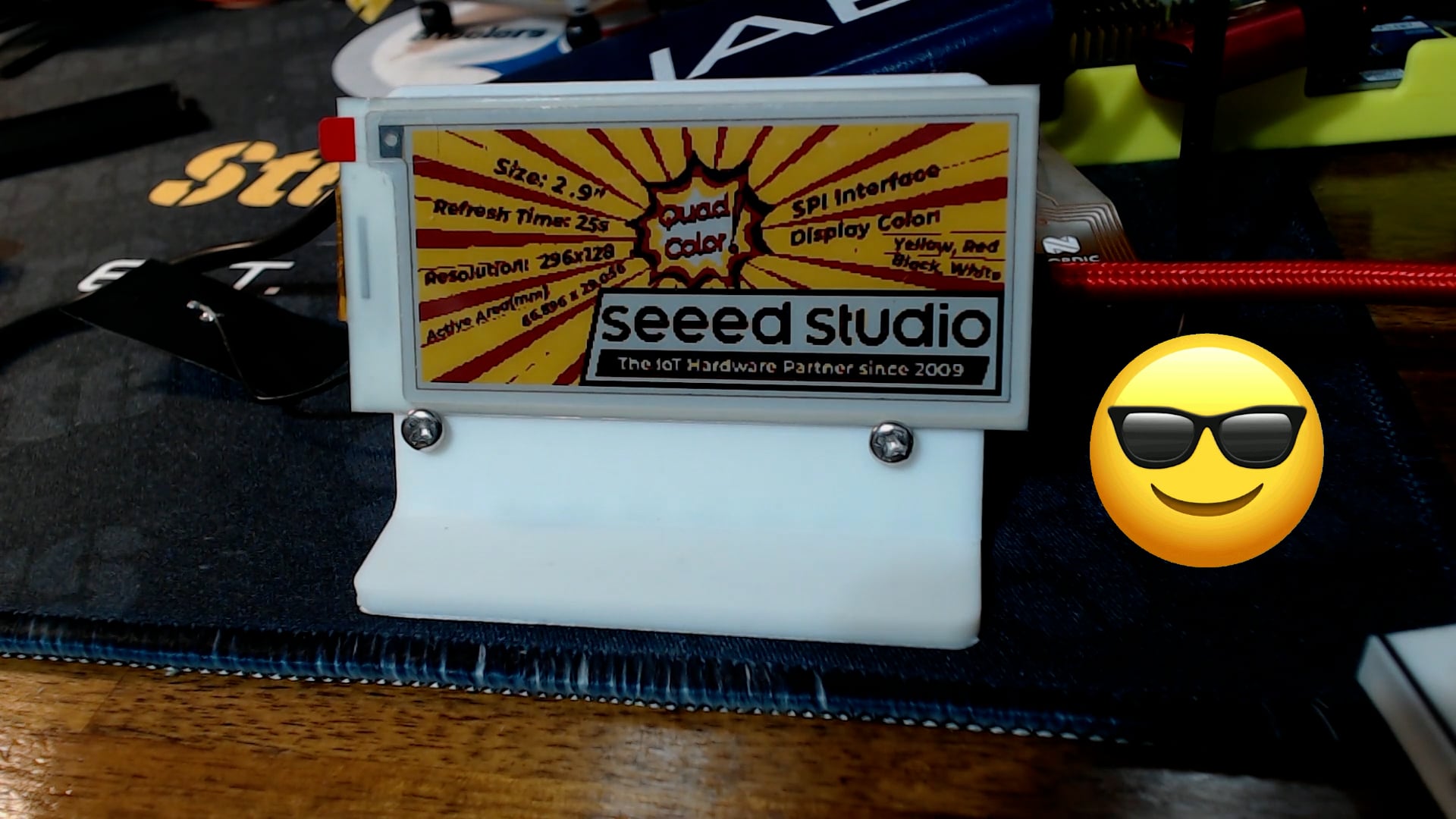
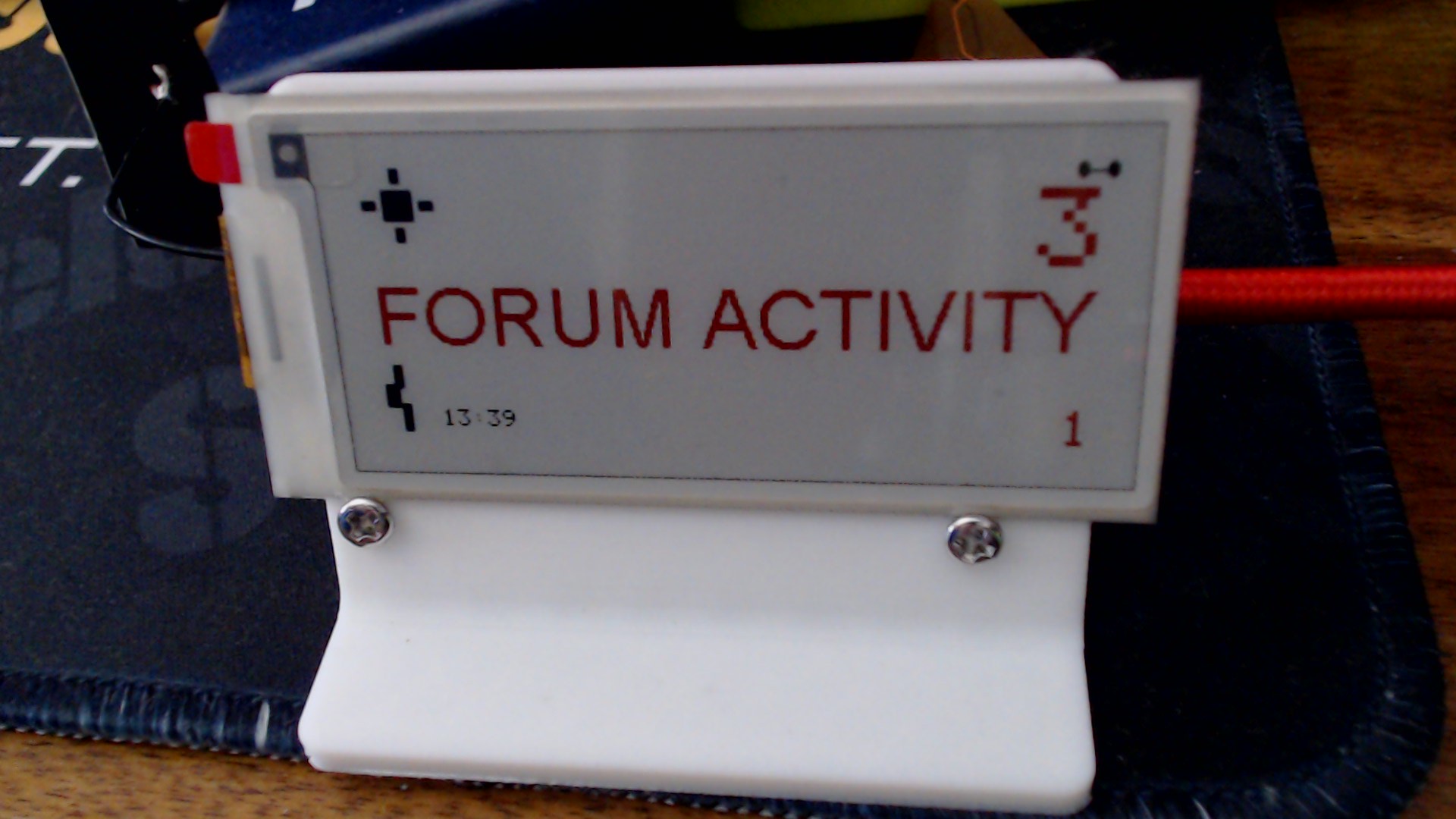
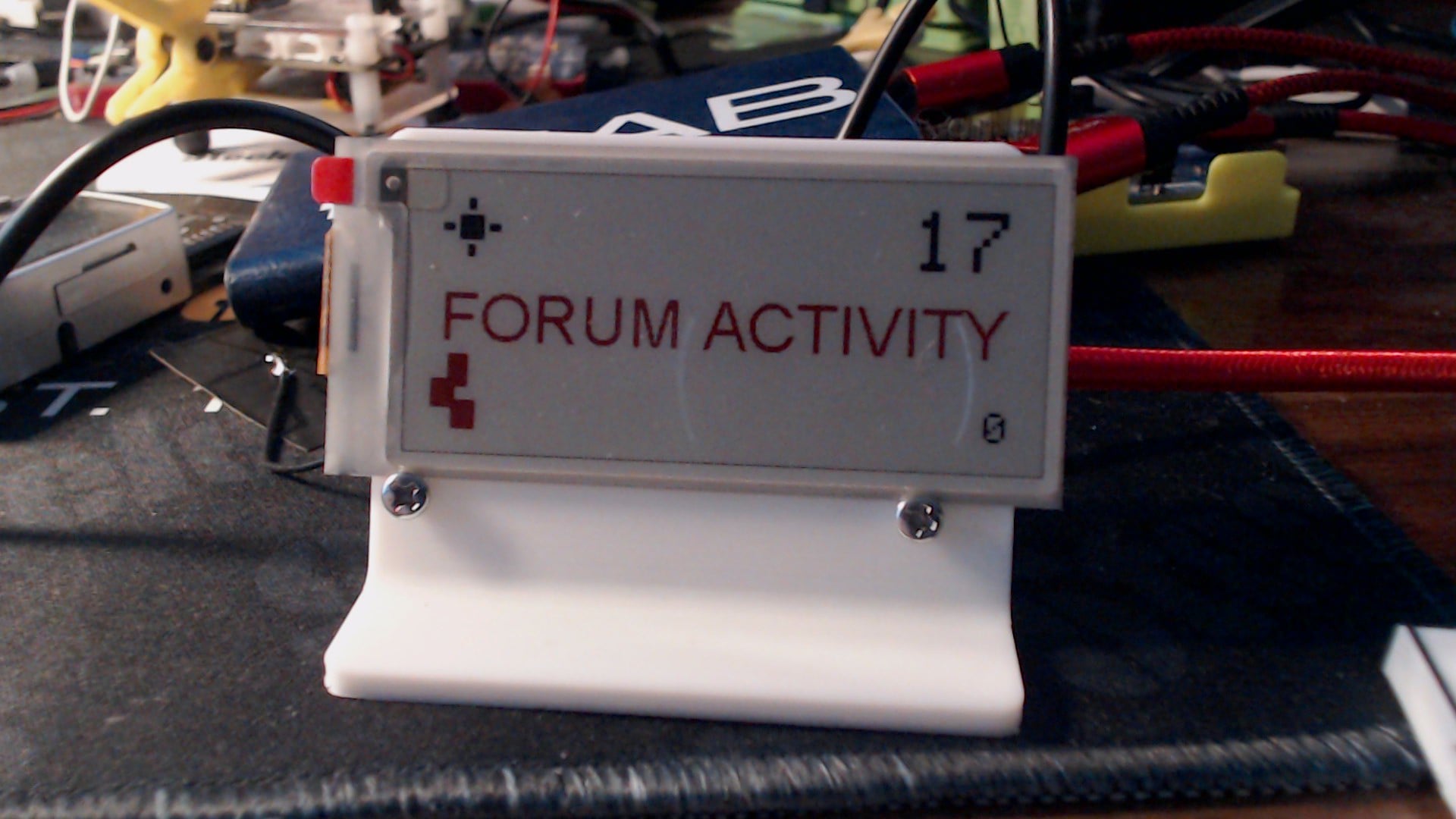
 Forum Activity (Seeed Studio Discourse)
 Weather Status (top-left)
 Connectivity / Heartbeat Indicator (bottom-left)
 Timestamp
 Wake → Connect → Fetch
 Activity Detection (not polling spam)
 Daily Reset Logic
 Change-Detection Display Updates (ePaper-friendly)
 Custom Graphics Pipeline (no display libraries)