I’m very interested.
Please tell us a little more about what you’re doing specifically.
Hello @Toastee0,
Thank you so much for these examples, they’re great help!
I am trying to run the xiao expanded sd card example using bitbang workaround on a custom board with SPI connected correctly and D7 as the chip select pin. I am however not able to get an SD Card to detect. Cmd0 succeeds but cmd8 and cmd58 fail and I am able to get nowhere beyond that. The custom board is able to work with nRF52 and the SD Card works with that.
I would appreciate your help with debugging this issue.
Hi there,
So ,I would like to see how far you have gotten on this, It would be beneficial for some users, Arduino Support is fading so the timing would be very good.
Please keep us posted on your progress.

HTH
GL  PJ
PJ 
Hi All. Arduino for this board is up on GitHub. Since i cannot post links search Lolren (my user) on GitHub. good luck testing guys
Thanks for making this!
I’ve been waiting for the day I could run the nRF54L15 on Arduino.
Hi everyone! I have been playing with the xiao nrf54L15 and the blink main.cpp example today. It works with platformio after just a bit of effort and reading their wiki at:
XIAO nRF54L15 with PlatformIO | Seeed Studio Wiki .
But then I wanted to try to jump into the deep end with the example at:
This is giving me some expected build headaches. I did try to move to vscode but that didn’t pan out for me as I was unable to finally flash the xiao board (no device would ever show up as connected, which platformio does fine without any trouble for me)
Are there any recommended steps anyone has for setting up platformio for one of these more challenging example scripts?
Compiling .pio/build/seeed-xiao-nrf54l15/src/main.o
src/main.cpp:20:10: fatal error: bluetooth/scan.h: No such file or directory
 #include <bluetooth/scan.h>
          ^~~~~~~~~~~~~~~~~~
compilation terminated.
*** [.pio/build/seeed-xiao-nrf54l15/src/main.o] Error 1
======================================================================================= [FAILED] Took 2.64 seconds =======================================================================================
some of my files are:
(vpy) Mac:bleSounding$ cat zephyr/prj.conf
(vpy) Mac:bleSounding$ cat zephyr/CMakeLists.txt
set(BOARD_ROOT "$ENV{ZEPHYR_BASE}/../../platforms/Seeed Studio/zephyr")
cmake_minimum_required(VERSION 3.13.1)

find_package(Zephyr REQUIRED HINTS $ENV{ZEPHYR_BASE})
project(blinky)

target_sources(app PRIVATE ../src/main.cpp) # If the main source file is.c, please change it to src/main.c


(vpy) Mac:bleSounding$ cat platformio.ini
[env:seeed-xiao-nrf54l15]
platform = https://github.com/Seeed-Studio/platform-seeedboards.git
framework = zephyr
board = seeed-xiao-nrf54l15
(vpy) Mac:bleSounding$
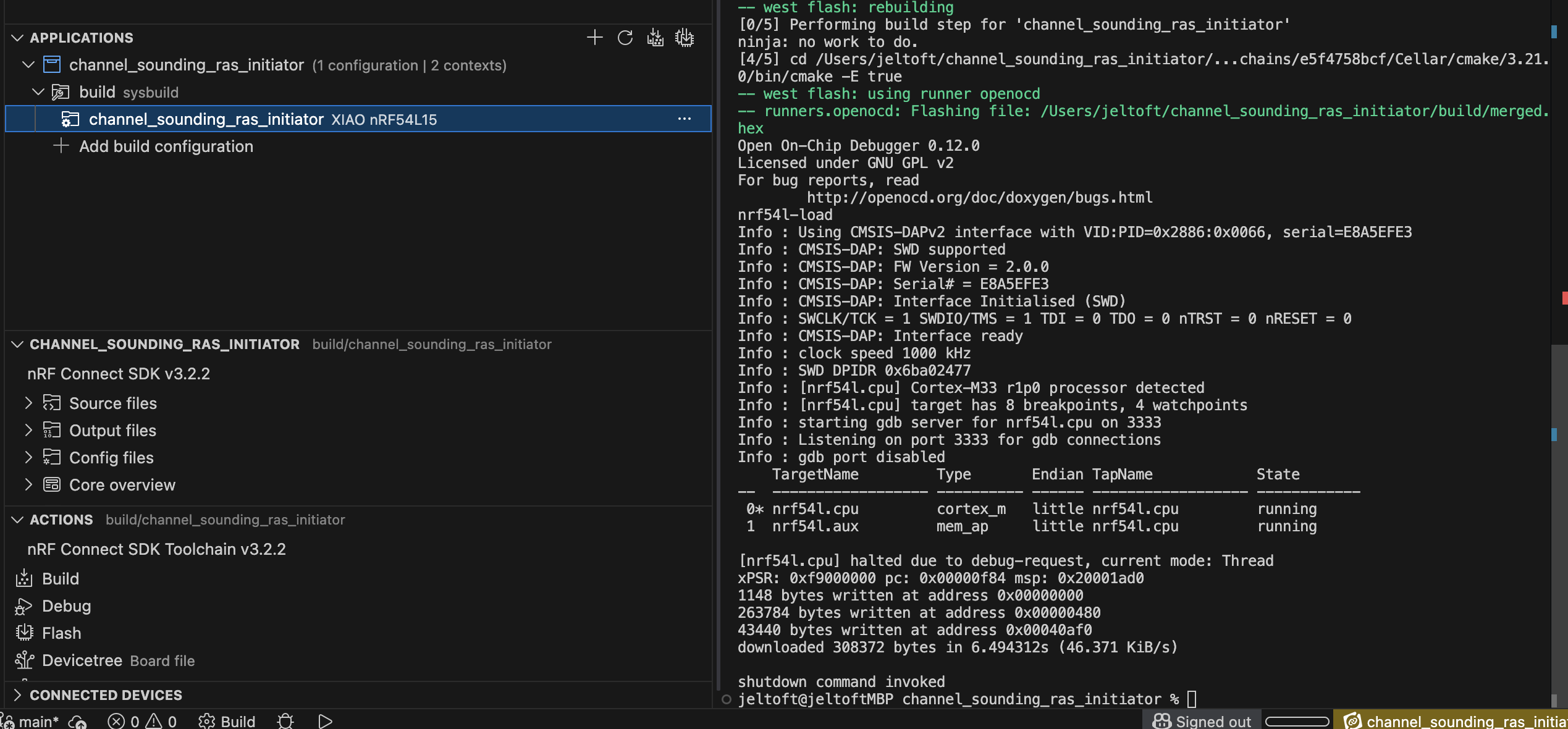
NCS in vs code will never show the board, you use “ West flash “ in the terminal and it works anyway.
The problem you’re having in platformio is likely because it has an out-of-date Zephyr SDK. Which is why I’d avoid it personally.
Thanks for the quick help! I see, that’s good to know about their SDK, bummer. 
Ok, I’ll try vscode again. My current issue is something with python which I think I got around earlier, but maybe not. Maybe I got focused on the vs code showing no boards connected instead:
jeltoft@jeltoftMBP build_1 % west flash
-- west flash: rebuilding
[0/5] Performing build step for 'blinky'
ninja: no work to do.
[4/5] cd /Users/jeltoft/blinky/build_1/_sysbuild &...s/e5f4758bcf/Cellar/cmake/3.21.0/bin/cmake -E true
-- west flash: using runner openocd
FATAL ERROR: elftools missing; please "pip3 install elftools"
jeltoft@jeltoftMBP build_1 % pip3 install elftools
ERROR: Could not find a version that satisfies the requirement elftools (from versions: none)
ERROR: No matching distribution found for elftools
jeltoft@jeltoftMBP build_1 % pip3 install pyelftools
Requirement already satisfied: pyelftools in /Library/Frameworks/Python.framework/Versions/3.13/lib/python3.13/site-packages (0.32)
jeltoft@jeltoftMBP build_1 %
Make sure to open the NRF terminal by right clicking on your application in the list in vs code on the left and choosing open NRF terminal it will open with the correct python dependencies
I installed ArduinoCore on Linux Mint using Arduino IDE 2.3.7, following Method 2: Arduino IDE (Boards Manager, Linux/macOS recommended).
I couldn’t compile Blink or an empty sketch. Below is the error message. I’ll keep trying, but if you have any hints, please let me know.
FQBN: nrf54l15:nrf54l15:xiao_nrf54l15
Using board ‘xiao_nrf54l15’ from platform in folder: /home/fujino/.arduino15/packages/nrf54l15/hardware/nrf54l15/0.1.1
Using core ‘nrf54l15’ from platform in folder: /home/fujino/.arduino15/packages/nrf54l15/hardware/nrf54l15/0.1.1Detecting libraries used…
/home/fujino/.arduino15/packages/nrf54l15/hardware/nrf54l15/0.1.1/tools/toolchain-gpp -std=gnu++17 -mcpu=cortex-m33 -mthumb -mfloat-abi=soft -mfp16-format=ieee -Wall -Wextra -Os -g3 -ffunction-sections -fdata-sections -fno-rtti -fno-exceptions -fno-threadsafe-statics -fno-use-cxa-atexit -fno-sized-deallocation -w -x c++ -E -CC -D__ZEPHYR__=1 -D__CORTEX_M33=1 -D__FPU_PRESENT=1 -I/home/fujino/.arduino15/packages/nrf54l15/hardware/nrf54l15/0.1.1/variants/xiao_nrf54l15/zephyr_lib/include -I/home/fujino/.arduino15/packages/nrf54l15/hardware/nrf54l15/0.1.1/variants/xiao_nrf54l15/zephyr_lib/include/generated -I/home/fujino/.arduino15/packages/nrf54l15/hardware/nrf54l15/0.1.1/variants/xiao_nrf54l15/zephyr_lib/include/modules/cmsis_6 -I/home/fujino/.arduino15/packages/nrf54l15/hardware/nrf54l15/0.1.1/variants/xiao_nrf54l15/zephyr_lib/include/modules/cmsis -DF_CPU=64000000L -DARDUINO=10819 -DARDUINO_NRF54L15 -DNRF54L15_XXAA -DARDUINO_XIAO_NRF54L15 -DARDUINO_NRF54_CPU_64M -DARDUINO_XIAO_NRF54L15_ANTENNA_CERAMIC -DARDUINO_XIAO_NRF54L15_RADIO_DISABLED -I/home/fujino/.arduino15/packages/nrf54l15/hardware/nrf54l15/0.1.1/cores/nrf54l15 -I/home/fujino/.arduino15/packages/nrf54l15/hardware/nrf54l15/0.1.1/variants/xiao_nrf54l15 -c /home/fujino/.cache/arduino/sketches/0EF3FC16E2E8B1BDDB33F5B4F44596B6/sketch/sketch_feb15a.ino.cpp -o /dev/null
Resolving Zephyr SDK for host linux-x86_64 (v0.16.8)…
Existing SDK archive size mismatch, attempting resume/re-download: /home/fujino/.arduino15/packages/nrf54l15/tools/zephyr-sdk-0.16.8_linux-x86_64.tar.xz
Downloading zephyr-sdk-0.16.8_linux-x86_64.tar.xz (attempt 1/10) …
Error while detecting libraries included by /home/fujino/.cache/arduino/sketches/0EF3FC16E2E8B1BDDB33F5B4F44596B6/sketch/sketch_feb15a.ino.cpp
Generating function prototypes…
/home/fujino/.arduino15/packages/nrf54l15/hardware/nrf54l15/0.1.1/tools/toolchain-gpp -std=gnu++17 -mcpu=cortex-m33 -mthumb -mfloat-abi=soft -mfp16-format=ieee -Wall -Wextra -Os -g3 -ffunction-sections -fdata-sections -fno-rtti -fno-exceptions -fno-threadsafe-statics -fno-use-cxa-atexit -fno-sized-deallocation -w -x c++ -E -CC -D__ZEPHYR__=1 -D__CORTEX_M33=1 -D__FPU_PRESENT=1 -I/home/fujino/.arduino15/packages/nrf54l15/hardware/nrf54l15/0.1.1/variants/xiao_nrf54l15/zephyr_lib/include -I/home/fujino/.arduino15/packages/nrf54l15/hardware/nrf54l15/0.1.1/variants/xiao_nrf54l15/zephyr_lib/include/generated -I/home/fujino/.arduino15/packages/nrf54l15/hardware/nrf54l15/0.1.1/variants/xiao_nrf54l15/zephyr_lib/include/modules/cmsis_6 -I/home/fujino/.arduino15/packages/nrf54l15/hardware/nrf54l15/0.1.1/variants/xiao_nrf54l15/zephyr_lib/include/modules/cmsis -DF_CPU=64000000L -DARDUINO=10819 -DARDUINO_NRF54L15 -DNRF54L15_XXAA -DARDUINO_XIAO_NRF54L15 -DARDUINO_NRF54_CPU_64M -DARDUINO_XIAO_NRF54L15_ANTENNA_CERAMIC -DARDUINO_XIAO_NRF54L15_RADIO_DISABLED -I/home/fujino/.arduino15/packages/nrf54l15/hardware/nrf54l15/0.1.1/cores/nrf54l15 -I/home/fujino/.arduino15/packages/nrf54l15/hardware/nrf54l15/0.1.1/variants/xiao_nrf54l15 -c /home/fujino/.cache/arduino/sketches/0EF3FC16E2E8B1BDDB33F5B4F44596B6/sketch/sketch_feb15a.ino.cpp -o /tmp/494013937/sketch_merged.cpp
Resolving Zephyr SDK for host linux-x86_64 (v0.16.8)…
Existing SDK archive size mismatch, attempting resume/re-download: /home/fujino/.arduino15/packages/nrf54l15/tools/zephyr-sdk-0.16.8_linux-x86_64.tar.xz
Downloading zephyr-sdk-0.16.8_linux-x86_64.tar.xz (attempt 1/10) …
** Resuming transfer from byte position 1759078680
% Total % Received % Xferd Average Speed Time Time Time Current
Dload Upload Total Spent Left Speed0 0 0 0 0 0 0 0 --:–:-- --:–:-- --:–:-- 0
0 0 0 0 0 0 0 0 --:–:-- --:–:-- --:–:-- 00 0 0 0 0 0 0 0 --:–:-- --:–:-- --:–:-- 0
0 249 0 0 0 0 0 0 --:–:-- --:–:-- --:–:-- 0
curl: (22) The requested URL returned error: 416
Warning: Problem (retrying all errors). Will retry in 2 seconds. 8 retries
Warning: left.0 0 0 0 0 0 0 0 --:–:-- --:–:-- --:–:-- 0
0 0 0 0 0 0 0 0 --:–:-- --:–:-- --:–:-- 00 249 0 0 0 0 0 0 --:–:-- --:–:-- --:–:-- 0
curl: (22) The requested URL returned error: 416
Warning: Problem (retrying all errors). Will retry in 2 seconds. 7 retries
Warning: left.0 0 0 0 0 0 0 0 --:–:-- --:–:-- --:–:-- 0
0 0 0 0 0 0 0 0 --:–:-- --:–:-- --:–:-- 00 249 0 0 0 0 0 0 --:–:-- --:–:-- --:–:-- 0
curl: (22) The requested URL returned error: 416
Warning: Problem (retrying all errors). Will retry in 2 seconds. 6 retries
Warning: left.0 0 0 0 0 0 0 0 --:–:-- --:–:-- --:–:-- 0
0 0 0 0 0 0 0 0 --:–:-- --:–:-- --:–:-- 00 249 0 0 0 0 0 0 --:–:-- --:–:-- --:–:-- 0
curl: (22) The requested URL returned error: 416
Warning: Problem (retrying all errors). Will retry in 2 seconds. 5 retries
Warning: left.0 0 0 0 0 0 0 0 --:–:-- --:–:-- --:–:-- 0
0 0 0 0 0 0 0 0 --:–:-- --:–:-- --:–:-- 00 249 0 0 0 0 0 0 --:–:-- --:–:-- --:–:-- 0
curl: (22) The requested URL returned error: 416
Warning: Problem (retrying all errors). Will retry in 2 seconds. 4 retries
Warning: left.0 0 0 0 0 0 0 0 --:–:-- --:–:-- --:–:-- 0
0 0 0 0 0 0 0 0 --:–:-- --:–:-- --:–:-- 00 249 0 0 0 0 0 0 --:–:-- --:–:-- --:–:-- 0
curl: (22) The requested URL returned error: 416
Warning: Problem (retrying all errors). Will retry in 2 seconds. 3 retries
Warning: left.0 0 0 0 0 0 0 0 --:–:-- --:–:-- --:–:-- 0
0 0 0 0 0 0 0 0 --:–:-- --:–:-- --:–:-- 00 249 0 0 0 0 0 0 --:–:-- --:–:-- --:–:-- 0
curl: (22) The requested URL returned error: 416
Warning: Problem (retrying all errors). Will retry in 2 seconds. 2 retries
Warning: left.0 0 0 0 0 0 0 0 --:–:-- --:–:-- --:–:-- 0
0 0 0 0 0 0 0 0 --:–:-- --:–:-- --:–:-- 00 249 0 0 0 0 0 0 --:–:-- --:–:-- --:–:-- 0
curl: (22) The requested URL returned error: 416
Warning: Problem (retrying all errors). Will retry in 2 seconds. 1 retries
Warning: left.0 0 0 0 0 0 0 0 --:–:-- --:–:-- --:–:-- 0
0 0 0 0 0 0 0 0 --:–:-- --:–:-- --:–:-- 00 249 0 0 0 0 0 0 --:–:-- --:–:-- --:–:-- 0
curl: (22) The requested URL returned error: 416
Command ‘[’/usr/bin/curl’, ‘-L’, ‘–fail’, ‘–retry’, ‘8’, ‘–retry-all-errors’, ‘–retry-delay’, ‘2’, ‘-C’, ‘-’, ‘-o’, ‘/home/fujino/.arduino15/packages/nrf54l15/tools/zephyr-sdk-0.16.8_linux-x86_64.tar.xz’, ‘https://github.com/zephyrproject-rtos/sdk-ng/releases/download/v0.16.8/zephyr-sdk-0.16.8_linux-x86_64.tar.xz’\\]’ returned non-zero exit status 22.
Traceback (most recent call last):
File “/home/fujino/.arduino15/packages/nrf54l15/hardware/nrf54l15/0.1.1/tools/get_toolchain.py”, line 652, in
raise SystemExit(main())
File “/home/fujino/.arduino15/packages/nrf54l15/hardware/nrf54l15/0.1.1/tools/get_toolchain.py”, line 583, in main
download_file(archive_url, archive_path)
File “/home/fujino/.arduino15/packages/nrf54l15/hardware/nrf54l15/0.1.1/tools/get_toolchain.py”, line 188, in download_file
run(
File “/home/fujino/.arduino15/packages/nrf54l15/hardware/nrf54l15/0.1.1/tools/zephyr_common.py”, line 486, in run
raise subprocess.CalledProcessError(result.returncode, cmd)
subprocess.CalledProcessError: Command ‘[’/usr/bin/curl’, ‘-L’, ‘–fail’, ‘–retry’, ‘8’, ‘–retry-all-errors’, ‘–retry-delay’, ‘2’, ‘-C’, ‘-’, ‘-o’, ‘/home/fujino/.arduino15/packages/nrf54l15/tools/zephyr-sdk-0.16.8_linux-x86_64.tar.xz’, ‘https://github.com/zephyrproject-rtos/sdk-ng/releases/download/v0.16.8/zephyr-sdk-0.16.8_linux-x86_64.tar.xz’\\]’ returned non-zero exit status 22.
Command ‘[’/usr/bin/python3’, ‘/home/fujino/.arduino15/packages/nrf54l15/hardware/nrf54l15/0.1.1/tools/get_toolchain.py’]’ returned non-zero exit status 1.
Traceback (most recent call last):
File “/home/fujino/.arduino15/packages/nrf54l15/hardware/nrf54l15/0.1.1/tools/toolchain_exec.py”, line 77, in
raise SystemExit(main())
File “/home/fujino/.arduino15/packages/nrf54l15/hardware/nrf54l15/0.1.1/tools/toolchain_exec.py”, line 69, in main
tool_path = resolve_tool_path(tool_name)
File “/home/fujino/.arduino15/packages/nrf54l15/hardware/nrf54l15/0.1.1/tools/toolchain_exec.py”, line 51, in resolve_tool_path
subprocess.run([sys.executable, str(script_dir / “get_toolchain.py”)], check=True)
File “/usr/lib/python3.10/subprocess.py”, line 526, in run
raise CalledProcessError(retcode, process.args,
subprocess.CalledProcessError: Command ‘[’/usr/bin/python3’, ‘/home/fujino/.arduino15/packages/nrf54l15/hardware/nrf54l15/0.1.1/tools/get_toolchain.py’]’ returned non-zero exit status 1.
exit status 1Compilation error: exit status 1
If possible, could you provide step-by-step instructions for getting Blink to run on Windows and Linux, explained in a way a beginner can understand? That would help me take the first step.
Note that Arduino users often assume everything needed is already available under /.arduino15/.
Fixed my issue.
tldr: my mac environment has brew and non-brew python, so these two gave different paths:
-
which python3 -
pip3 --version
Fix was the do these steps:
brew uninstall west
python3 -m pip install west
 Thanks again for the advice to use vscode for this bleeding edge.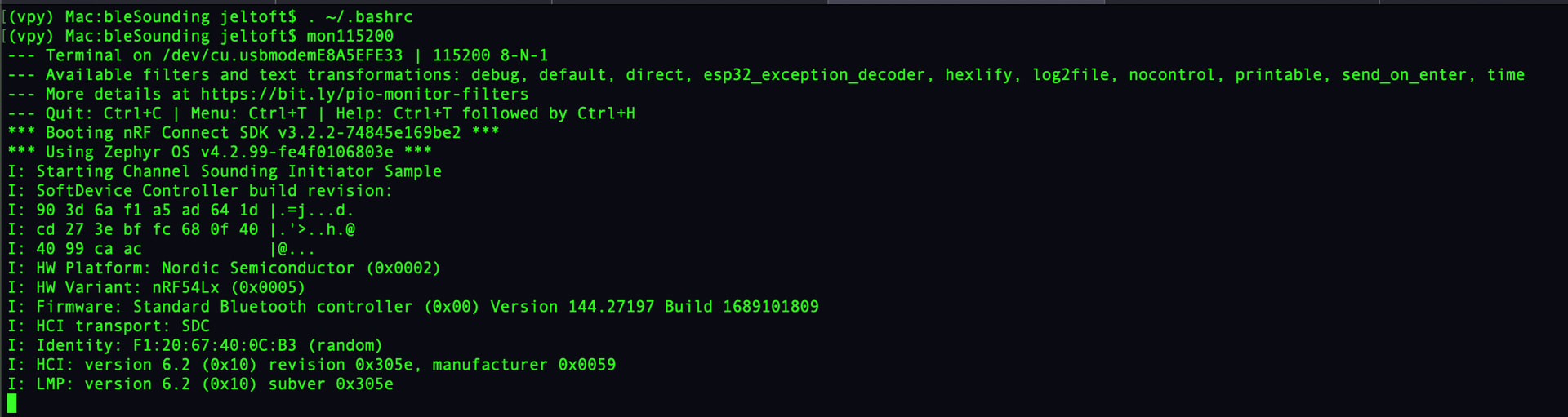
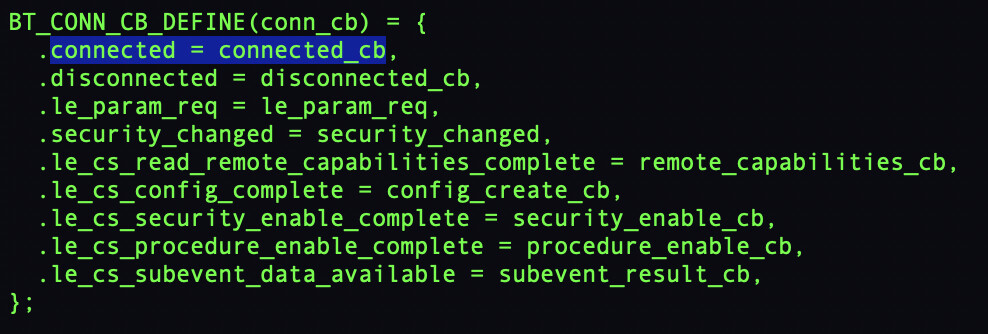
Should work great if you check my repo I have some modded samples for channel sounding in the Bluetooth folder.
A quick update. Mostly success, I have both the reflector and initiator running now. I did have to increase the heap for the reflector to successfully build though. The issue now is the two are both sitting at the “starting line”. I’m not sure if the issue is filtering is not matching between the two example starter files, or if there is some other starting kick these need?
I did disable filtering on the initiator and that showed that it sees a lot of things. Too many in fact and it crashes so I turned filtering back on.
I do see both devices from the nordic app on my phone, so that’s also a great sign.
Is there something I’m missing about setting up the two devices to be in sync on talking to each other specifically? Or is there a starting kick that one or both need?
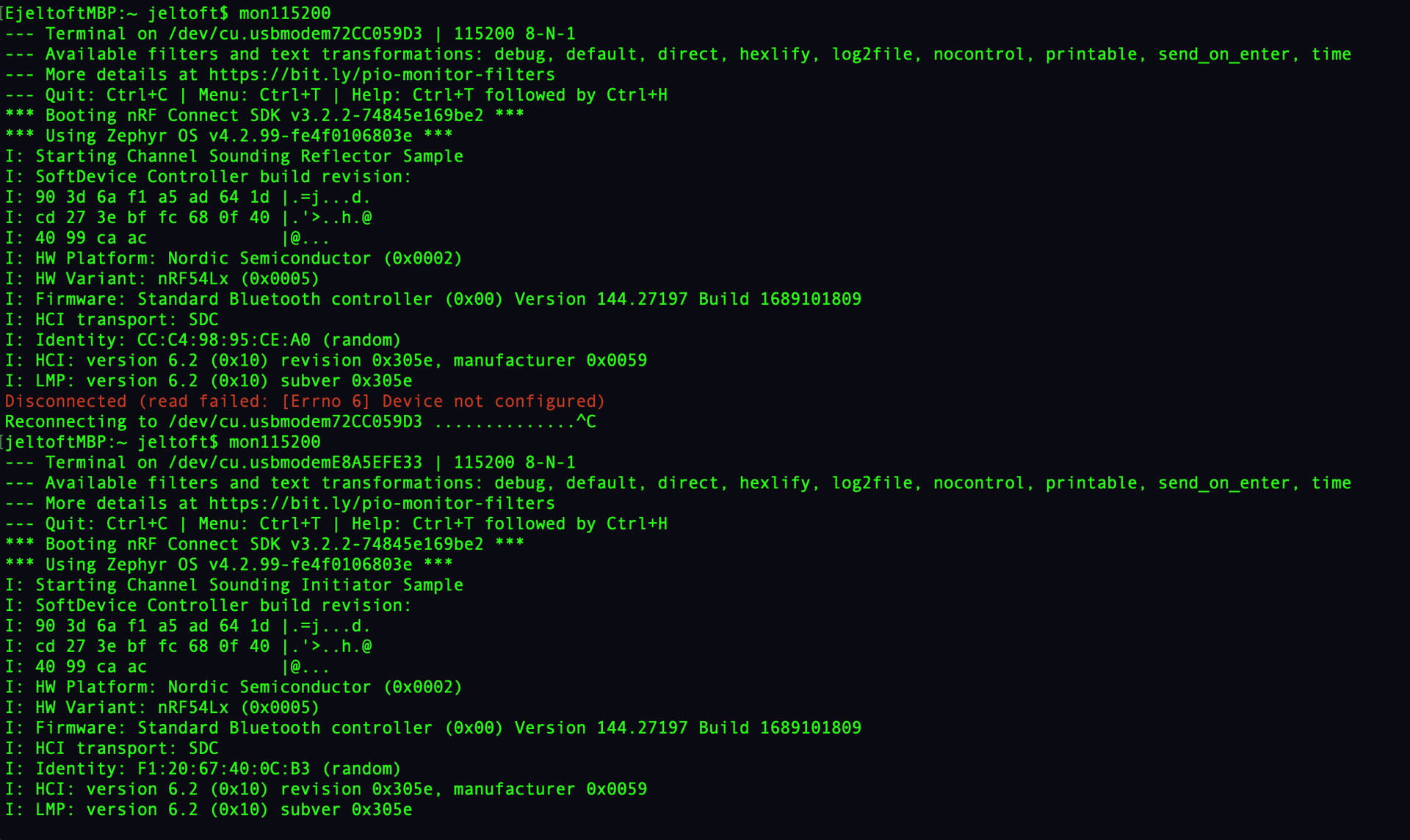
Your reflector sample seems to be throwing a critical error I think it’s radio related.
Or that’s just what it says when you disconnect your terminal.
Yea, that was just me disconnecting it from the Mac. I then plugged it into a wall usb power source to give some distance, and avoid having to choose usb devices to monitor (I’m lazy).
You should only need to have both powered on, then the initiator side will start printing distance measurements to the console. At least that’s what I got when I did this.
Yea, I see that in the code for the initiator. I’ll see if I can get more print outs to see where in main() I’m getting hung up on that side. I have hit reset on both xiao boards, just to make sure. I haven’t tried logging on the reflector when both are powered on, but I didn’t think that side would be very interesting. I do know for sure both devices are visible/on because of the phone scans.
I thought maybe there was maybe a filter that I needed to double check. Like the UUID or the name of each device? I didn’t change those at all.