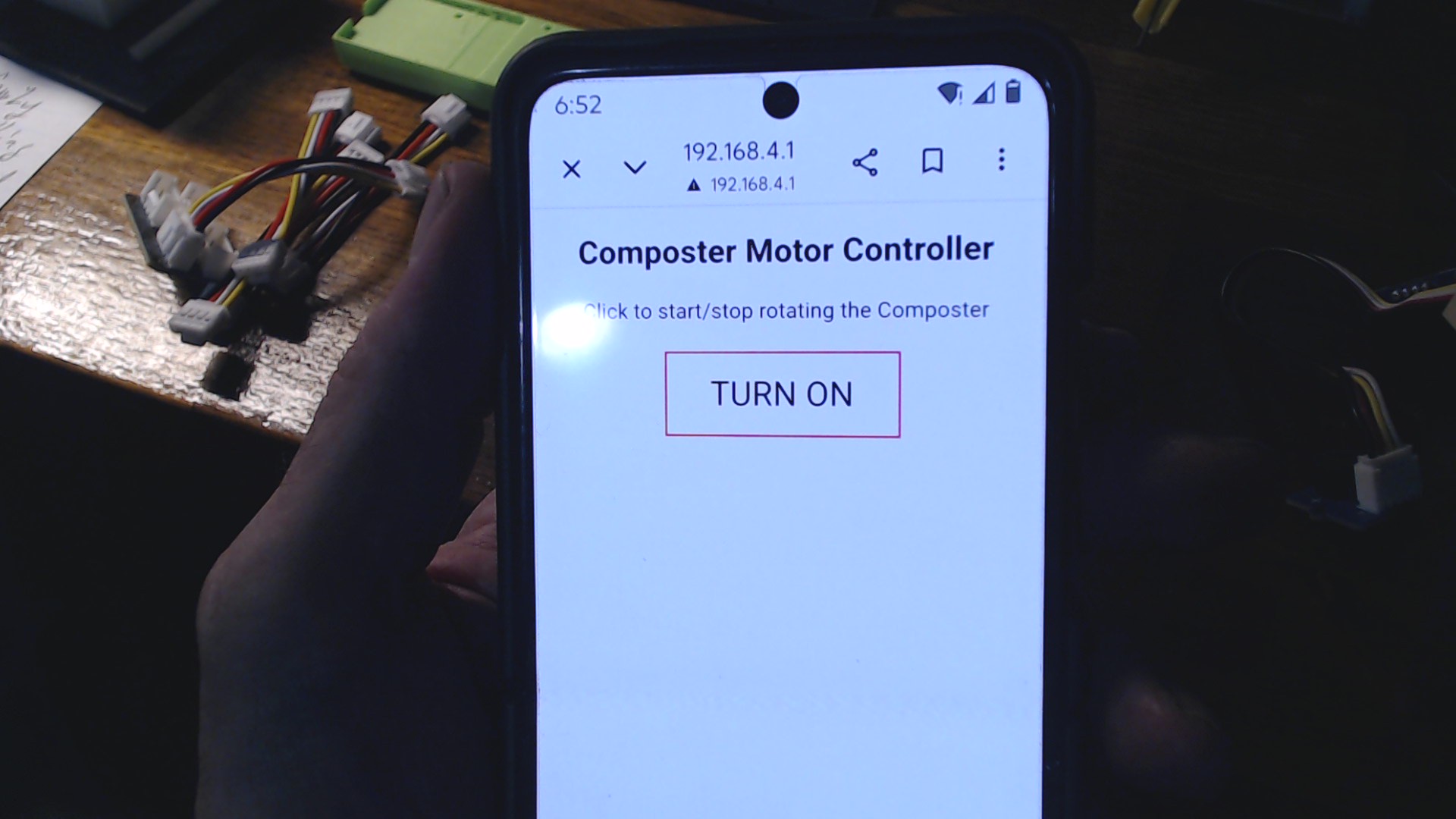
Code just quit working SOLVED 17 Mar 2026

I have a project I am working with a local high school on. This project requires turning a motor on and off from a web page. It was working just fine then just quit. It refuses to connect to the server. As you will see if you look at the code I have it set up as a soft access point because other ESP32C3s will be connecting to it to pass data that will start/stop the motor.

I have put the code on my Google Drive and its available to anyone to review. Its pretty large program so didn’t want to use up space here. It runs up to the loop then fails with the client.available() function.

ino code

Thanks for any help.

1 Like

interesting… have you tried connecting hardwire to the ethernet?

some code with timers will crash when they hit the 16 bit limit… you may check on this

and better define what quit working means… it could be a timer issue or a wifi issue.

if it is a timer issue you may want to add a soft reset every 24 hours or so… also the internet can tell you about different timer stratigy

if you are waking up to access wifi… you may need some extra time in your code

If you have access to your router, you may set a static IP so the router will recognize you and let you in faster…

Let me answer each in turn.

“interesting… have you tried connecting hardwire to the ethernet?” - Not sure what your asking. But the SEEED is acting as a soft Access Point. So it hands out ip addresses to other computers. I have a PC and laptop both can connect to the SEEED’s wifi network and each gets an ip address from the SEEED. So that part seems to be working.

Not sure what your are asking. I have started and stopped the SEEED several times and even after a restart it will not serve up a web page. The server seems to be operating (see above).

Good point. By quit I mean the SEEED will not respond to client requests and will not serve up web pages.

Since the SEEED is acting as a softap this isn’t an issue.

I have absolutly no idea what you are talking, so i will return to my corner…

Hi there,

So I was able to download the ino and try it , same as you.
I see a couple issues, I refactored for the no spam to console and added some cleanup.
On my MOT Razer it looks good :+1:

I get this serial output.on boot.

ESP32 Access Point Mode
SoftAP started successfully
Connect to IP address: 192.168.4.1
HTTP server started

Upon connecting to the composter with password, (no internet NAG) select options on mobile to continue to use the connection anyway , and I then Browse to the IP
and Bobs your Uncle.
I get this on Connection

Client connected
Client timeout
Client connected
Request received:
GET /LED_OFF HTTP/1.1
Host: 192.168.4.1
Connection: keep-alive
Cache-Control: max-age=0
DNT: 1
Upgrade-Insecure-Requests: 1
User-Agent: Mozilla/5.0 (Linux; Android 10; K) AppleWebKit/537.36 (KHTML, like Gecko) Chrome/145.0.0.0 Mobile Safari/537.36
Accept: text/html,application/xhtml+xml,application/xml;q=0.9,image/avif,image/webp,image/apng,*/*;q=0.8,application/signed-exchange;v=b3;q=0.7
Referer: http://192.168.4.1/LED_ON
Accept-Encoding: gzip, deflate
Accept-Language: en-US,en;q=0.9,zh-CN;q=0.8,zh;q=0.7


Motor Stopped
Client disconnected

If I press the button on the page I get this…

Client connected
Request received:
GET /LED_ON HTTP/1.1
Host: 192.168.4.1
Connection: keep-alive
DNT: 1
Upgrade-Insecure-Requests: 1
User-Agent: Mozilla/5.0 (Linux; Android 10; K) AppleWebKit/537.36 (KHTML, like Gecko) Chrome/145.0.0.0 Mobile Safari/537.36
Accept: text/html,application/xhtml+xml,application/xml;q=0.9,image/avif,image/webp,image/apng,*/*;q=0.8,application/signed-exchange;v=b3;q=0.7
Referer: http://192.168.4.1/LED_OFF
Accept-Encoding: gzip, deflate
Accept-Language: en-US,en;q=0.9,zh-CN;q=0.8,zh;q=0.7


Motor Rotating
Client disconnected
Client connected
Client timeout
Client connected
Client timeout

then off again…

Client connected
Request received:
GET /LED_OFF HTTP/1.1
Host: 192.168.4.1
Connection: keep-alive
DNT: 1
Upgrade-Insecure-Requests: 1
User-Agent: Mozilla/5.0 (Linux; Android 10; K) AppleWebKit/537.36 (KHTML, like Gecko) Chrome/145.0.0.0 Mobile Safari/537.36
Accept: text/html,application/xhtml+xml,application/xml;q=0.9,image/avif,image/webp,image/apng,*/*;q=0.8,application/signed-exchange;v=b3;q=0.7
Referer: http://192.168.4.1/LED_ON
Accept-Encoding: gzip, deflate
Accept-Language: en-US,en;q=0.9,zh-CN;q=0.8,zh;q=0.7


Motor Stopped
Client disconnected
Client connected
Client timeout

Appears to work well…with the edits i’ve made. :crossed_fingers:
First, this is bad:

if(!client)
{
 Serial.println("connection failed");
 return;
}

That does not mean failure. It only means no browser is connected right now. So it keeps printing that over and over, spamming the console.

Second, these links are broken:

client.print("<p><a href=\"/LED_ON\n\"><button class=\"button button_ON\">OFF</button></a></p>");
client.print("<p><a href=\"/LED_OFF\n\"><button class=\"button button_OFF\">ON</button></a></p>");

The \n is inside the URL. That should not be there.

Third, softAPConfig() is better set before softAP().

Fourth, LED_Status should be initialized.

Fifth, the request handling should be cleaned up a bit so the page reliably loads.
this fixes the real trouble spots:

  • removes the fake "connection failed" spam
  • fixes the broken href strings
  • initializes LED_Status
  • starts AP with static IP in a safer order
  • waits for a real HTTP request before replying
  • sends a proper page every time

AMA…
HTH
GL :slight_smile: PJ :v:

sketch_mar16a_composter.zip (1.5 KB)

Looks like a fun project.

I loaded it here and noticed the serial port flooded with “connection failed” messages… so removed that code from the loop().

void loop() {
  client = server.available();
  // if (!client) {
  //   Serial.println("connection failed");
  //   return;
  // }

With a single “client” the code seemed to work fine. When more than one client connected, things got “unhappy”.

[NetworkClient.cpp:574] connected(): Disconnected: RES: 0, ERR: 128

With multiple clients it works OK, provided they aren’t connected at the same time - this is to be expected.

I suggest creating the code a little differently, allowing for multiple clients (connections) and servicing each in turn.

Another “upgrade” would to use an ESPAsyncWebServer approach to allow updating the Motor State to each of the connected clients.

Let me know if you’d like a working example.

1 Like

Wow, that’s a lot of analysis from two true experts. I haven’t worked in the field in over 30 years. Last web page I worked on I used php, so that should say something. I will definately apply your fixes and see what happens. Not sure what the term “refactored for no spam…” means.

1 Like

I worked for the guy who wrote a book on HTML… lol

I hand coded HTML webpages… lol Non-Artificial Intelegence at $5 an hour

could almost afford the cigarette it took to get there..

when a pack of cigarettes on campus was $3 and 1.5 off campus… what da?

LOL :grin:

Hi there,Sounds better than it is.. :smiley:
Code refactoring is the process of restructuring existing computer code—changing the internal structure—without changing its external behavior or functionality. It improves code readability, reduces complexity, and removes technical debt, making software easier to maintain and extend. Key techniques include extracting methods, renaming variables for clarity, and removing duplicate code.

No spam , was the constant “connection failed” serial message. it was looped there so, just got rid of it, was really meant to say “no one is connected” is all.

Good stuff :+1:

HTH
GL :slight_smile: Pj :v:

1 Like

Ohhh ok. :grinning_face: Turned up some interesting responses when I googled the phrase. Thanks.

That sounds familiar. I can remember the first web browser “Chelo” I think it was called. Back in those days all we had was HTML, so never thought the web would be anything but a nice way to exchange information. Boy did I have it wrong. I also remember when cigerrets were $3 and gas was 25 cents a gallon. But then I bought my first Corvette for $3000 too. :grinning_face:

So I made all those changes and still no good. So I decided to go back to the drawing board. Re-loaded the original code I started with and made the changes to make it display the way I want it to and it worked. Exactly the same code before any changes in the display. So I think there is something going on with the code on my end that is throwing a monkey wrench into the works. Bottom line is that I now have it working and we will be able to include it in the final presentation for the Society of American Military Engineers next week. Thanks to everyone for your help, I learned a lot from you all.

2 Likes

Dont be a stranger… feel free to post your results here