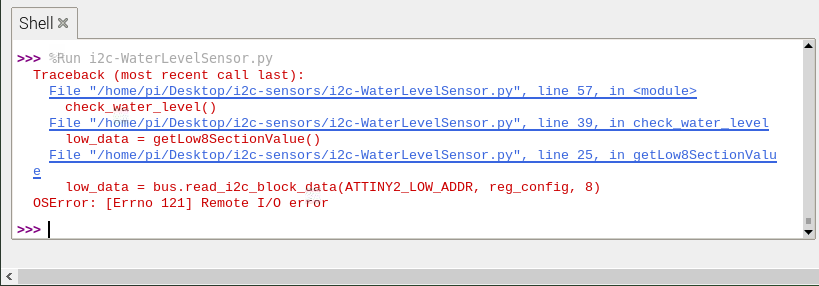
Actually, I just tried it. My code seems to work, but at some point it showed “Remote I/O error” (I’m not sure if I might have induced the error by accidentally touching the wires on the breadboard, though)
I had to compile the micropython library on my Pi: https://www.raspberrypi.org/forums/viewtopic.php?t=191744
Please see the code and the screenshots:
import time
import smbus
import numpy as np

NO_TOUCH = 0xFE
THRESHOLD = 100
ATTINY1_HIGH_ADDR = 0x78
ATTINY2_LOW_ADDR = 0x77

i2c_ch = 1
i2c_address1 = 0x77
i2c_address2 = 0x78

# Register addresses -- don't know what they are for
reg_temp = 0x00
reg_config = 0x01 # offset?

bus = smbus.SMBus(i2c_ch)

def getHigh12SectionValue():
    high_data = bus.read_i2c_block_data(ATTINY1_HIGH_ADDR, reg_config, 12)
    return high_data

def getLow8SectionValue():
    low_data = bus.read_i2c_block_data(ATTINY2_LOW_ADDR, reg_config, 8)
    return low_data

def check_water_level():
    sensorvalue_min = int(250)
    sensorvalue_max = int(255)
    low_count = int(0)
    high_count = int(0)

    touch_val = int(0)
    trig_section = int(0)
    low_count = 0
    high_count = 0

    low_data = getLow8SectionValue()
    high_data = getHigh12SectionValue()

    for i in range(8):
        if low_data[i] > THRESHOLD:
            touch_val += 1

    for i in range(12):
        if high_data[i] > THRESHOLD:
            touch_val += 1

    value = touch_val * 5
    print("water level = " + str(value) + "%")


while True:
    check_water_level()
    time.sleep(2)
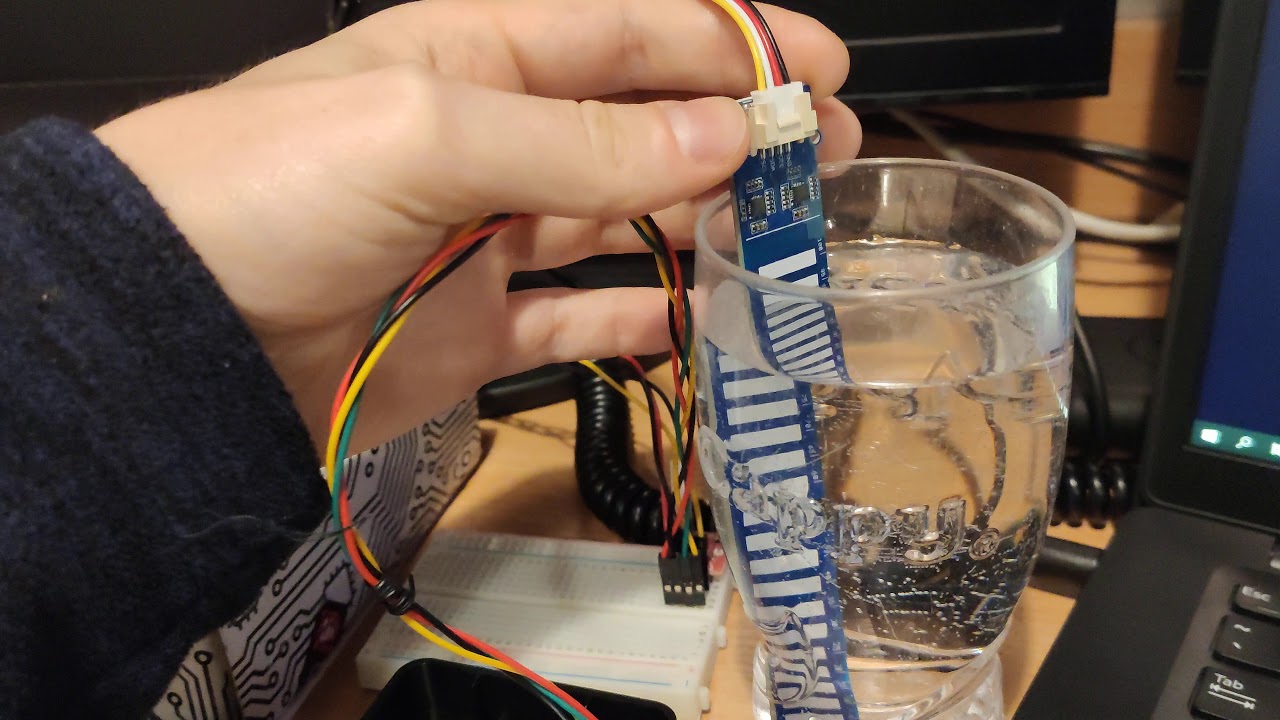
Here’s a short video on how my code works:
Here’s the error message I got in the end, but now the code runs for a few minutes and nothing happens - so it probably was by accident:
I believe my code lacks some sensor diagnostics, e.g. if the bus actually could be read, or - I’m not using the NO_TOUCH variable, which probably determines some sensor parameters or readouts. I did not figure out how to use it from the Arduino code. If you would have any ideas on how to improve this, please share 