IMX219 or IMX477 on Seeed reComputer with JetPack 6.x

Configure IMX219 and IMX477 on reComputer J30/40

Seeed has made modifications to the device tree to cooperate with reComputer (Classic) J30/40 to use IMX219/IMX477 camera. To use these cameras on JetPack 6, additional changes will be needed.

The below examples were demonstrated on JetPack 6.2 (Jetson Linux R36.4.3) with reComputer J30/J40.

Similar operations can be performed across JetPack 6.0/6.1, these files were from our repo. Select different tags to work with your JetPack.

IMX219

  • Download the device tree overlay file.

# Create a workspace

$ mkdir overlay

$ cd overlay

# Download device tree overlay

$ wget -L https://raw.github.com/Seeed-Studio/Linux_for_Tegra/r36.4.3/source/hardware/nvidia/t23x/nv-public/overlay/tegra234-p3767-camera-p3768-imx219-dual-seeed.dts

# create a workspace structure for later building

$ mkdir dt-bindings

$ cd dt-bindings

# download the include file

$ wget -L https://raw.github.com/Seeed-Studio/Linux_for_Tegra/r36.4.3/source/hardware/nvidia/t23x/nv-public/include/platforms/dt-bindings/tegra234-p3767-0000-common.h

Note

The device tree include file tegra234-camera-rbpcv2-imx219.dtsi was a part of NVidia’s official BSP source, our repo didn’t provideit. If you need to download and extract the file you want, navigate to your current BSP page, for an example, JetPack 6.2 (Jetson Linux R36.4.3):

Download the Driver Package (BSP) Sources:


$ wget https://developer.nvidia.com/downloads/embedded/l4t/r36_release_v4.3/sources/public_sources.tbz2

And extract the BSP source (oot modules). Use find command to locate the path of the file you need and copy the file to overlay workspace


# extract the source

$ tar xf public_sources.tbz2

# continue extract the kernel out of tree module source

$ cd Linux_for_Tegra/source

$ tar xf kernel_oot_modules_src.tbz2

# Use find command to find your file

$ find ./ -iname tegra234-camera-rbpcv2-imx219.dtsi

# copy the file to workspace folder

$ cp <PATH_to_Your_File> ~/overlay/

Most of the device tree include files or header files were placed under /usr/src/linux-headers-5.15.148-tegra-ubuntu22.04_aarch64/3rdparty/canonical/linux-jammy/kernel-source/include. But you may need the official BSP source for out of tree module files.

end of note

  • Compile the device tree overlay

# back to workspace root folder

$ cd ..

# use cpp for pre-process

$ cpp -nostdinc -I ./ \

-I /usr/src/linux-headers-5.15.148-tegra-ubuntu22.04_aarch64/3rdparty/canonical/linux-jammy/kernel-source/include \

-undef -x assembler-with-cpp \

tegra234-p3767-camera-p3768-imx219-dual-seeed.dts \

-o tegra234-p3767-camera-p3768-imx219-dual-seeed.dts.pp

# compile

$ dtc -I dts -O dtb -o tegra234-p3767-camera-p3768-imx219-dual-seeed.dtbo tegra234-p3767-camera-p3768-imx219-dual-seeed.dts.pp

  • Copy the device tree blob overlay to /boot folder

$ sudo cp tegra234-p3767-camera-p3768-imx219-dual-seeed.dtbo /boot

Use Jetson IO to configure the CSI Pins

Since our overlay file was copied to /boot folder, we can use Jetson IO to configure the pins.

Launch Jetson IO with


sudo /opt/nvidia/jetson-io/jetson-io.py

Select:

→ Configure Jetson 24pin CSI Connector
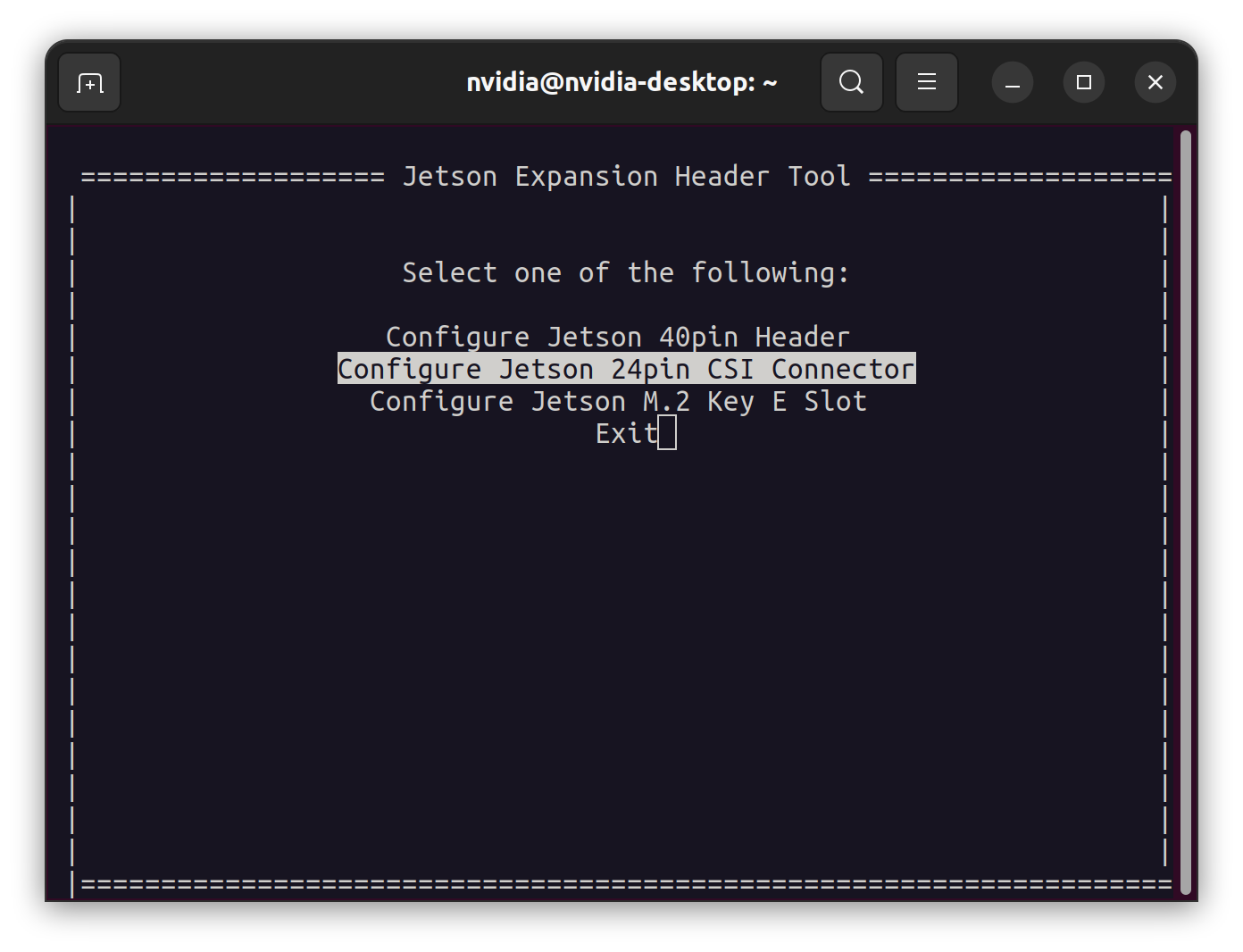
→ Configure for compatible hardware
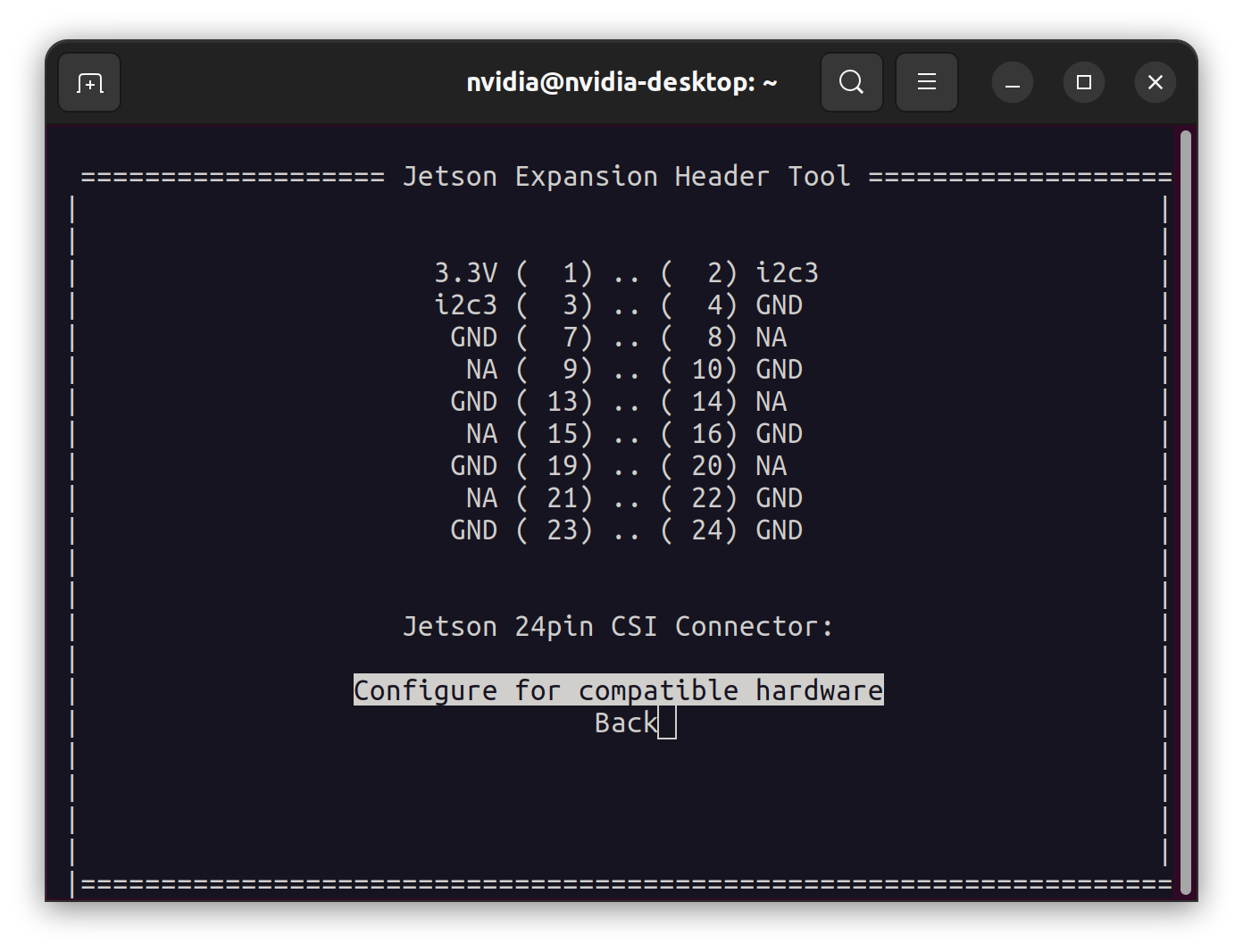
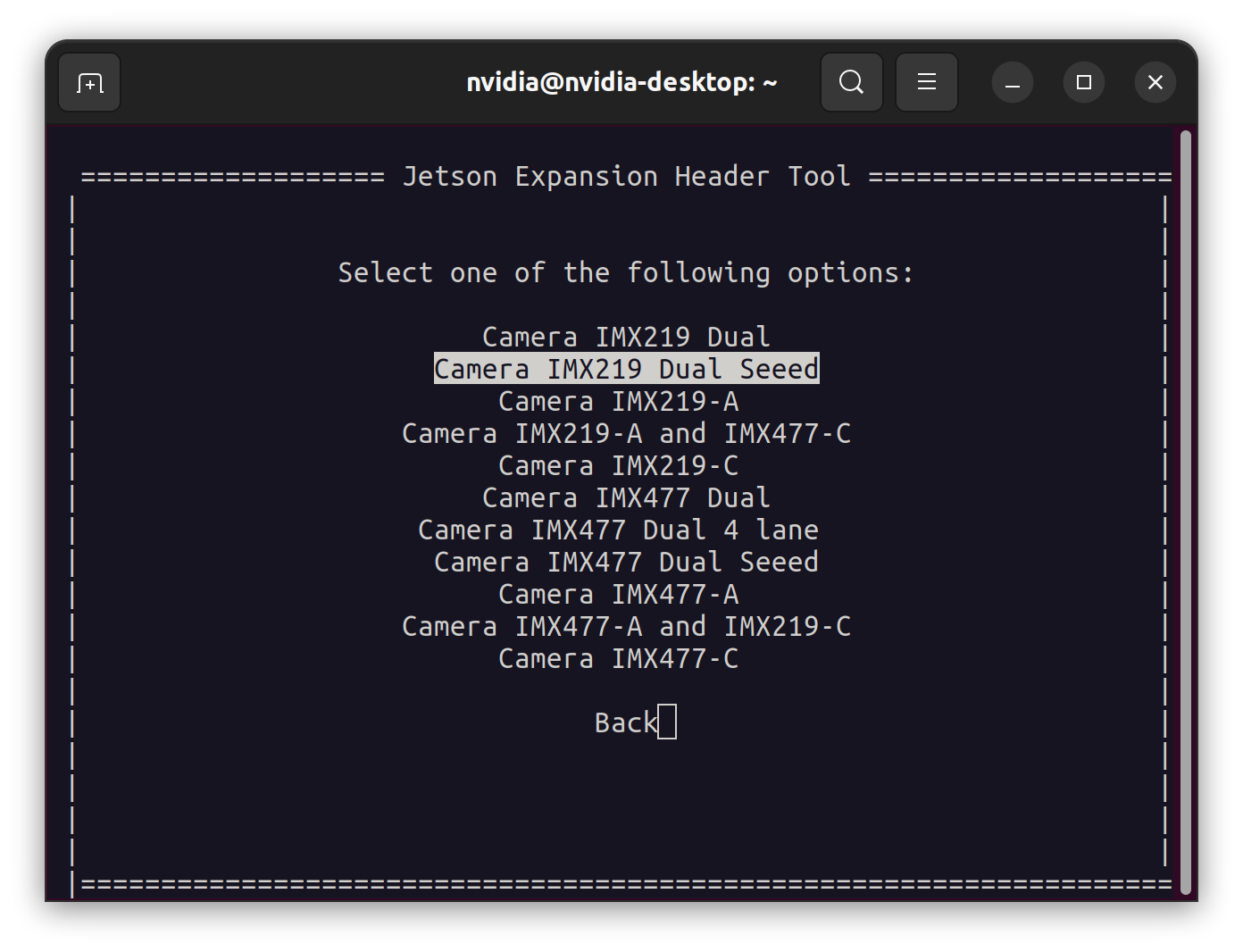
→ Camera IMX219 Dual Seeed
→ Save pin changes
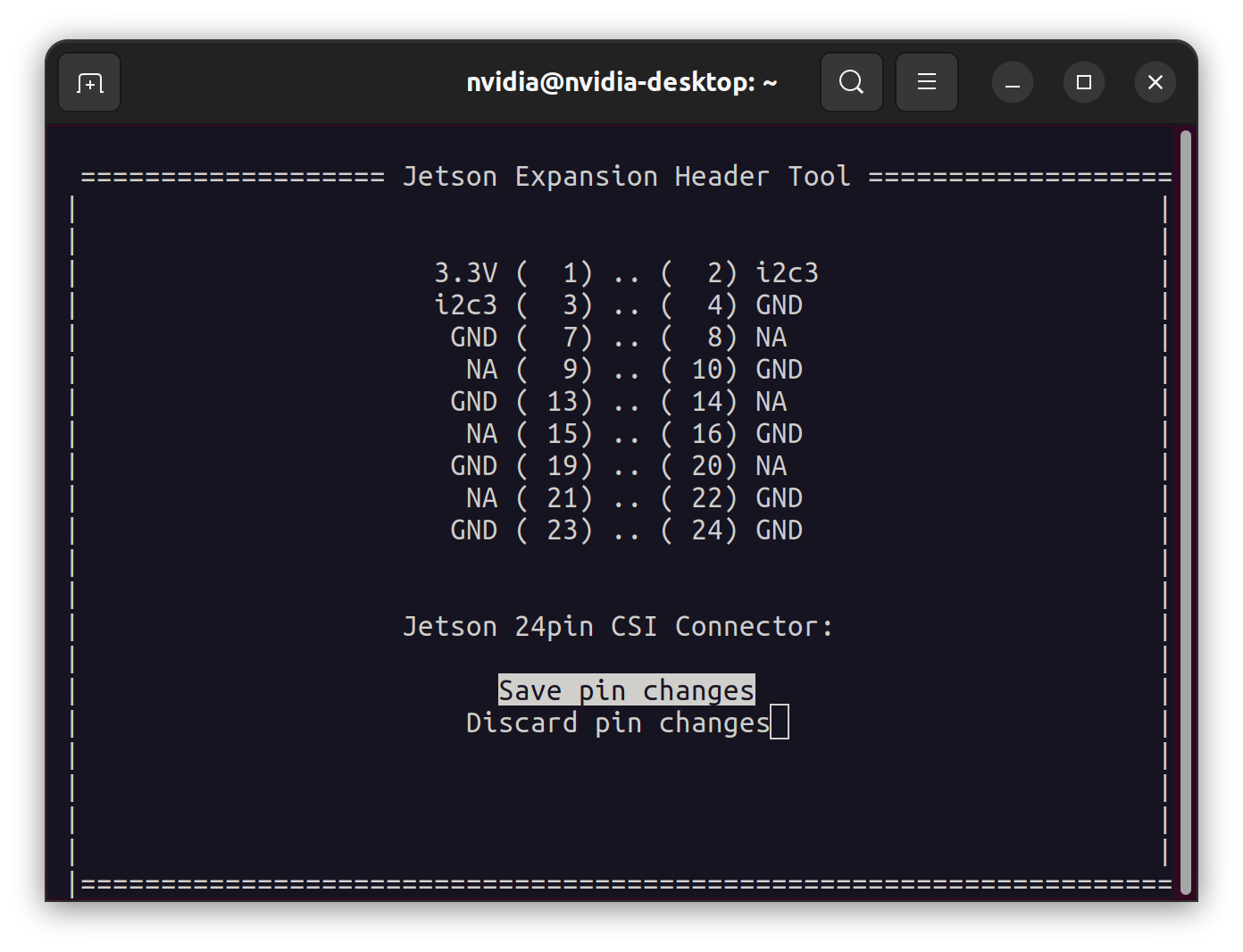
After this, you can either reboot now with Save and reboot to reconfigure pins or save and exit without rebooting.
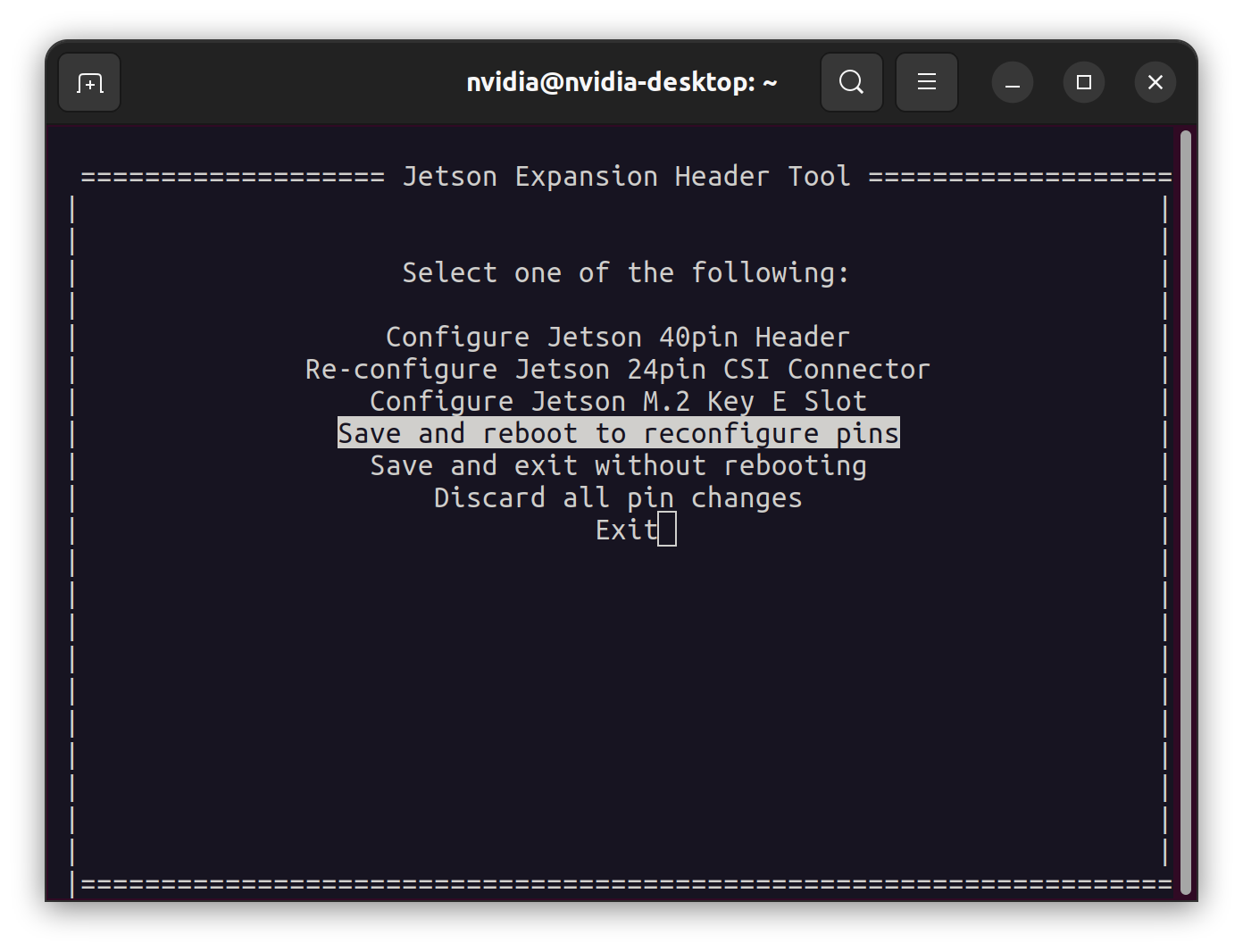
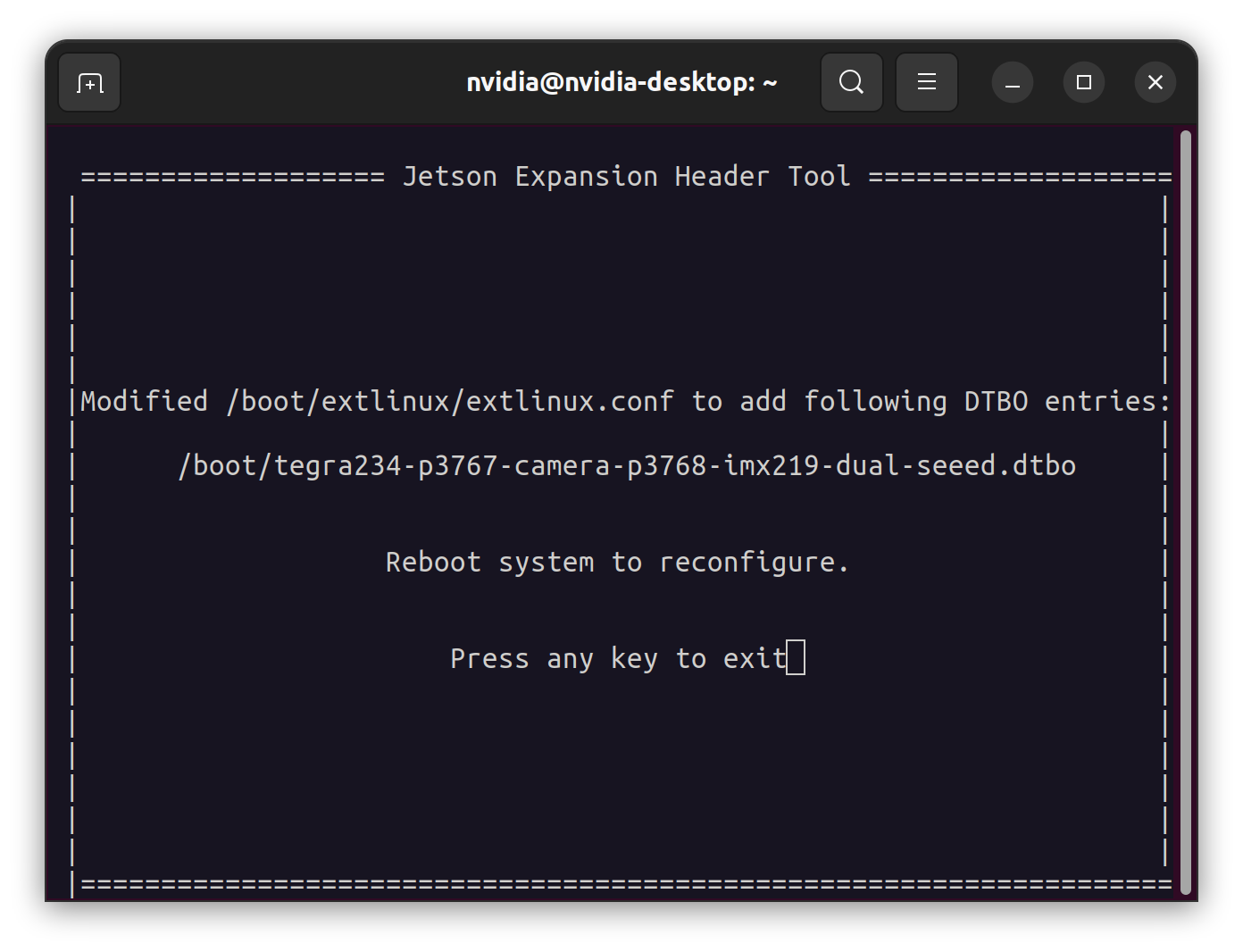
Selecting the overlay.

The device tree overlay was compiled to main device tree binary when booted, the Jetson UEFI will ask you which configurations you wish to load. Here we select the configurations we want.
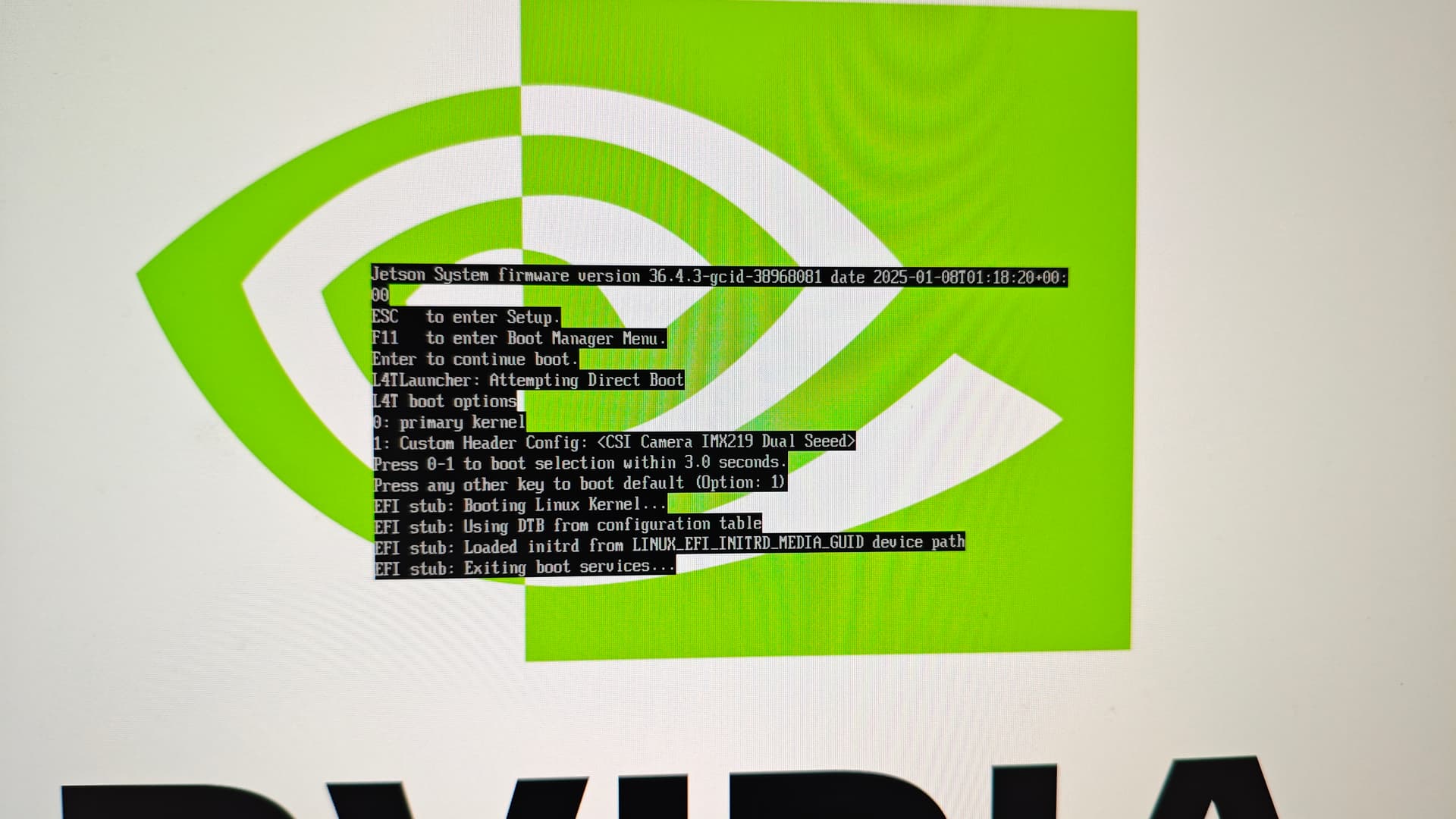
In above boot process, select 1: Custom Header Config: <CSI Camera IMX219 Dual Seeed>

Note

Usually, if you made modifications with Jetson IO, jetson will boot with your configurations by default, but if you faced the issue when booting, you can press 0 to enter primary kernel and fix the errors before continuing.

end of note

IMX477

  • Download the device tree overlay file.

# Create a workspace

$ mkdir overlay

$ cd overlay

# Download device tree overlay

$ wget -L https://raw.github.com/Seeed-Studio/Linux_for_Tegra/r36.4.3/source/hardware/nvidia/t23x/nv-public/overlay/tegra234-p3767-camera-p3768-imx477-dual-seeed.dts

# create a workspace structure for later building

$ mkdir dt-bindings

$ cd dt-bindings

# download the include file

$ wget -L https://raw.github.com/Seeed-Studio/Linux_for_Tegra/r36.4.3/source/hardware/nvidia/t23x/nv-public/include/platforms/dt-bindings/tegra234-p3767-0000-common.h

  • Compile the device tree overlay

# back to workspace root folder

$ cd ..

# use cpp for pre-process

$ cpp -nostdinc -I ./ \

-I /usr/src/linux-headers-5.15.148-tegra-ubuntu22.04_aarch64/3rdparty/canonical/linux-jammy/kernel-source/include \

-undef -x assembler-with-cpp \

tegra234-p3767-camera-p3768-imx477-dual-seeed.dts \

-o tegra234-p3767-camera-p3768-imx477-dual-seeed.dts.pp

# compile

$ dtc -I dts -O dtb -o tegra234-p3767-camera-p3768-imx477-dual-seeed.dtbo tegra234-p3767-camera-p3768-imx477-dual-seeed.dts.pp

  • Copy the device tree blob overlay to /boot folder

$ sudo cp tegra234-p3767-camera-p3768-imx477-dual-seeed.dtbo /boot

::: info

All changes have been published on Seeed’s Linux_for_Tegra repo. You can select different Jetson Linux branch and see the modifications.

:::

Use Jetson IO to configure the CSI Pins

Since our overlay file was copied to /boot folder, we can use Jetson IO to configure the pins.

Launch Jetson IO with


sudo /opt/nvidia/jetson-io/jetson-io.py

Select:

Configure Jetson 24pin CSI Connector → Configure for compatible hardware → Camera IMX477 Dual Seeed → Save pin changes

After this, you can either reboot now with Save and reboot to reconfigure pins or save and exit without rebooting.

Note

When you save the configuration, the corresponding boot parameters will be written to /boot/extlinux/extlinux.conf (LABEL JetsonIO)
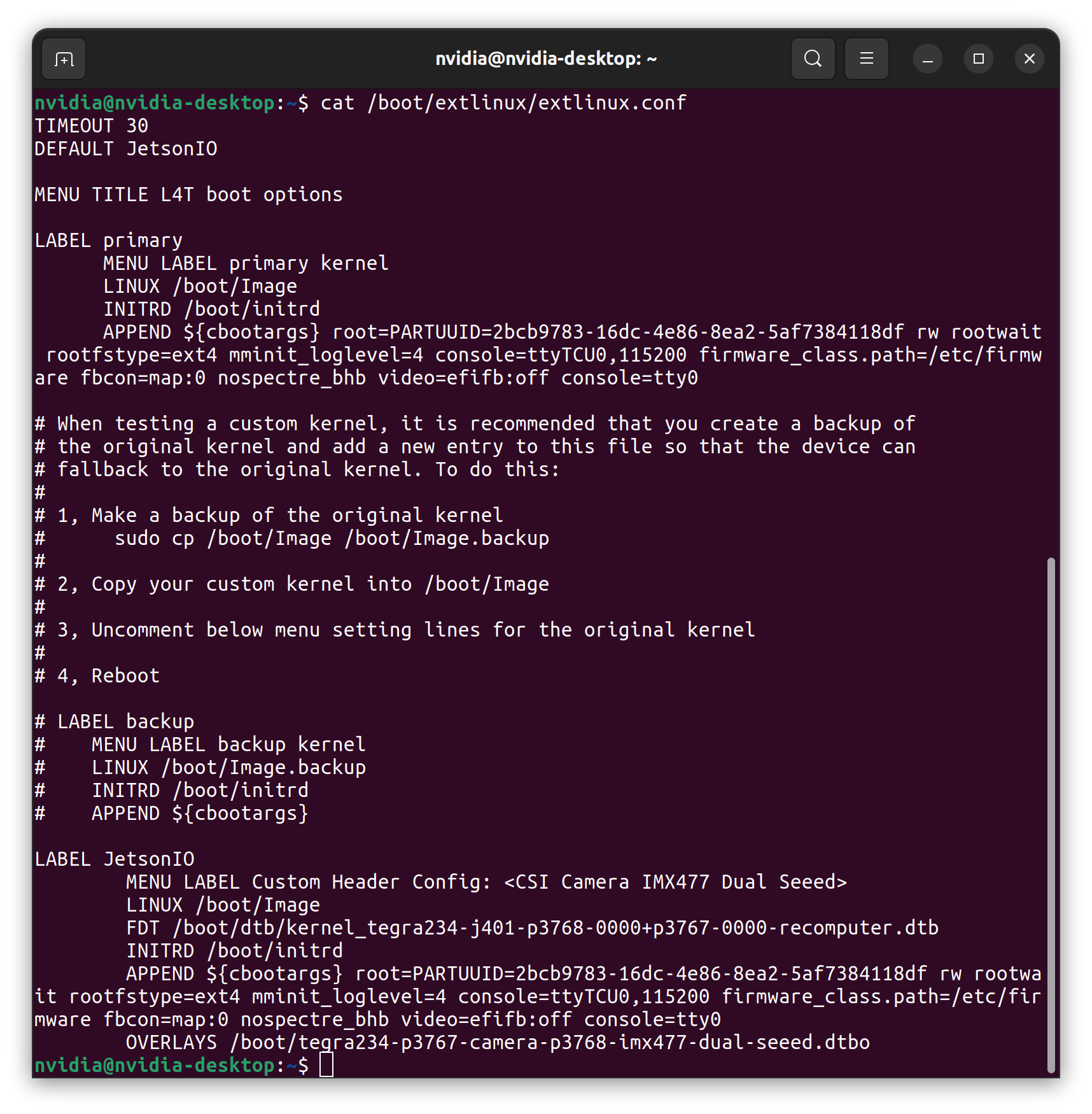
end of note

Selecting the overlay.

The device tree overlay was compiled to main device tree binary when booted, the Jetson UEFI will ask you which configurations you wish to load. Here we select the configurations we want.
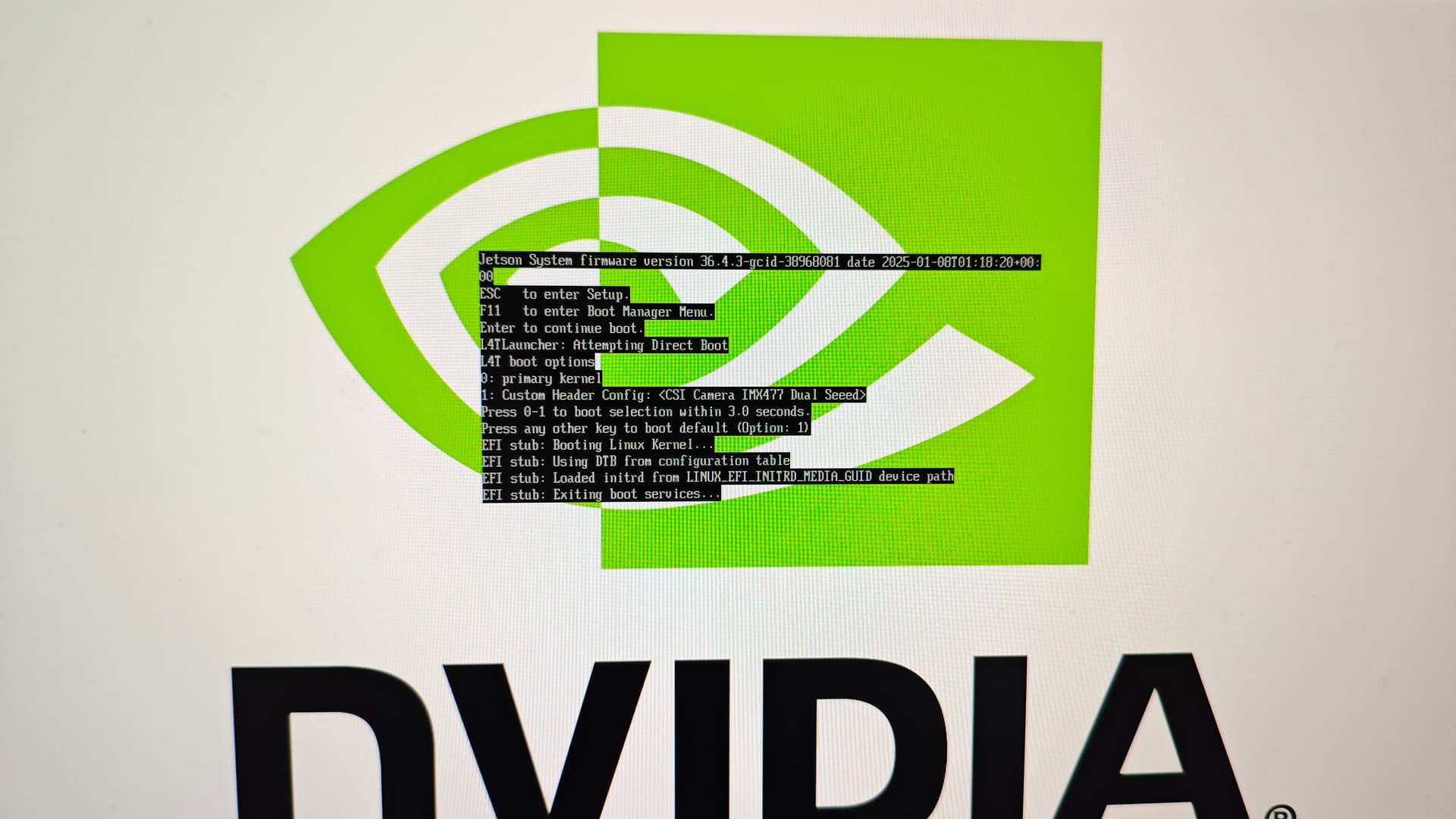
In above boot process, select 1: Custom Header Config: <CSI Camera IMX477 Dual Seeed>

Test the device

Connect the IMX219/IMX477 (MIPI CSI is not designed for hot-plugging, so please power off the device before connecting the camera, and then power it back on) and run


$ nvgstcapture

Note

You can check kernel logs for camera connection and recognition status


$ sudo dmesg | grep imx
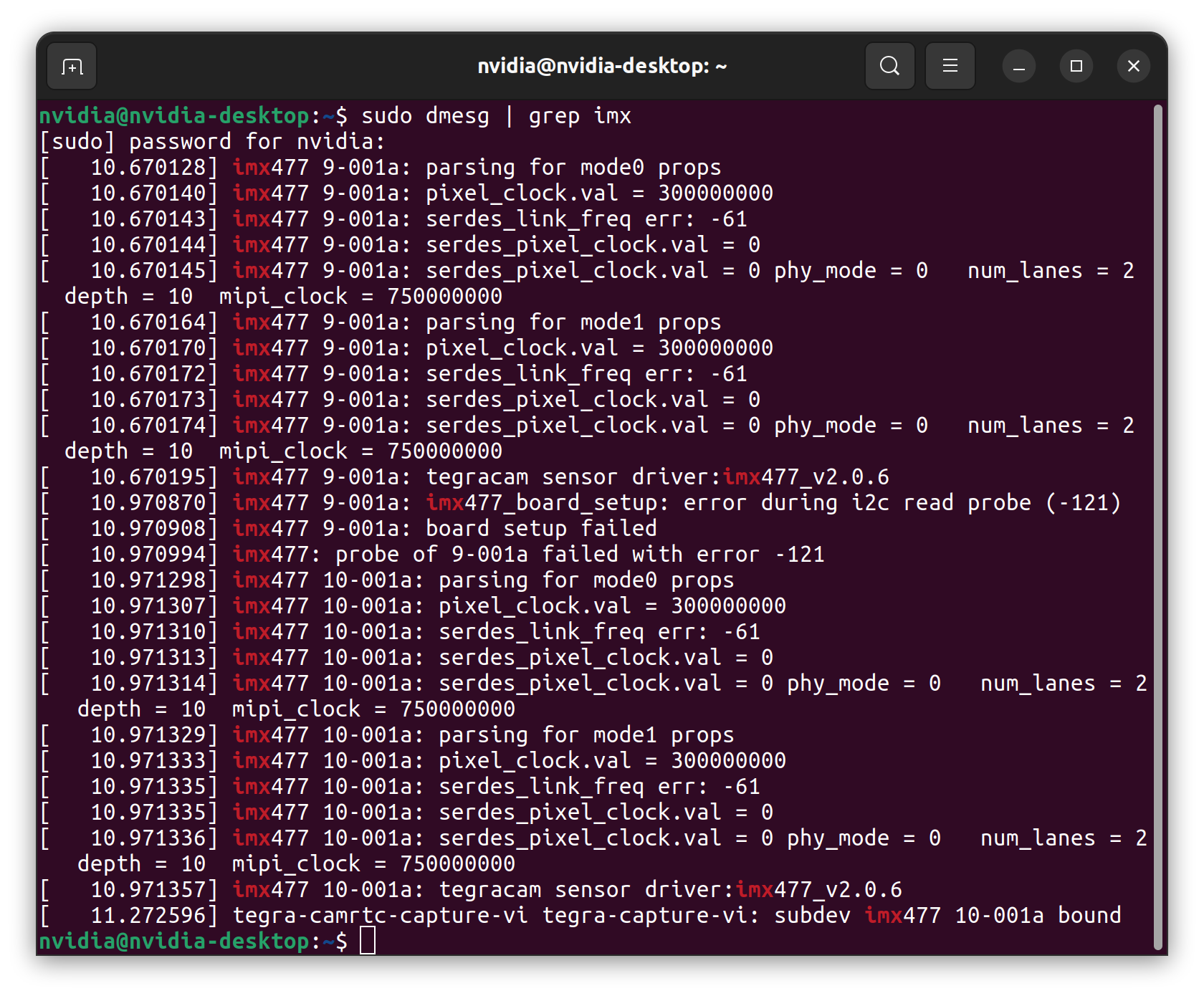
The kernel logs are helpful for troubleshooting.

end of note

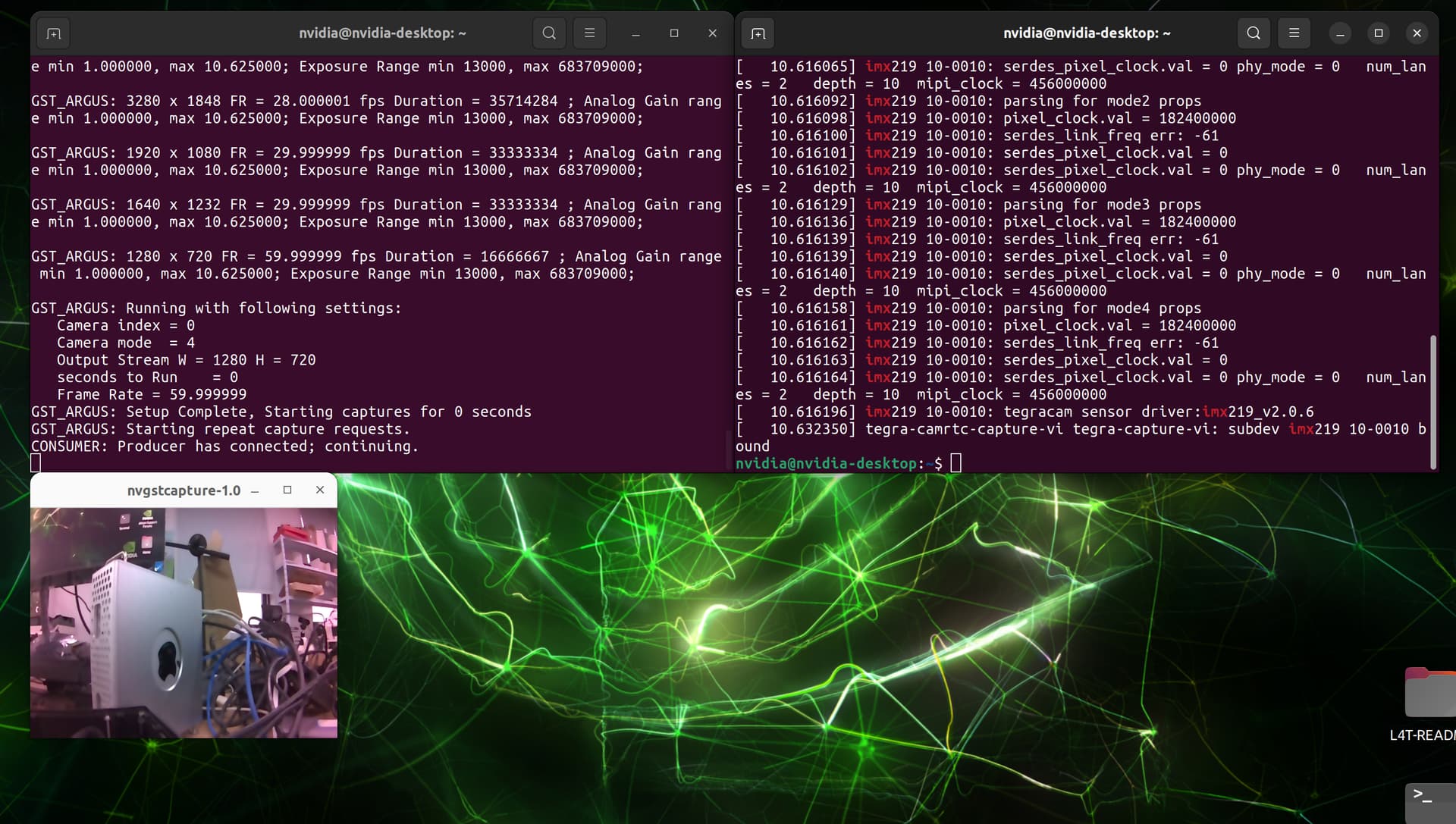
  • IMX 219

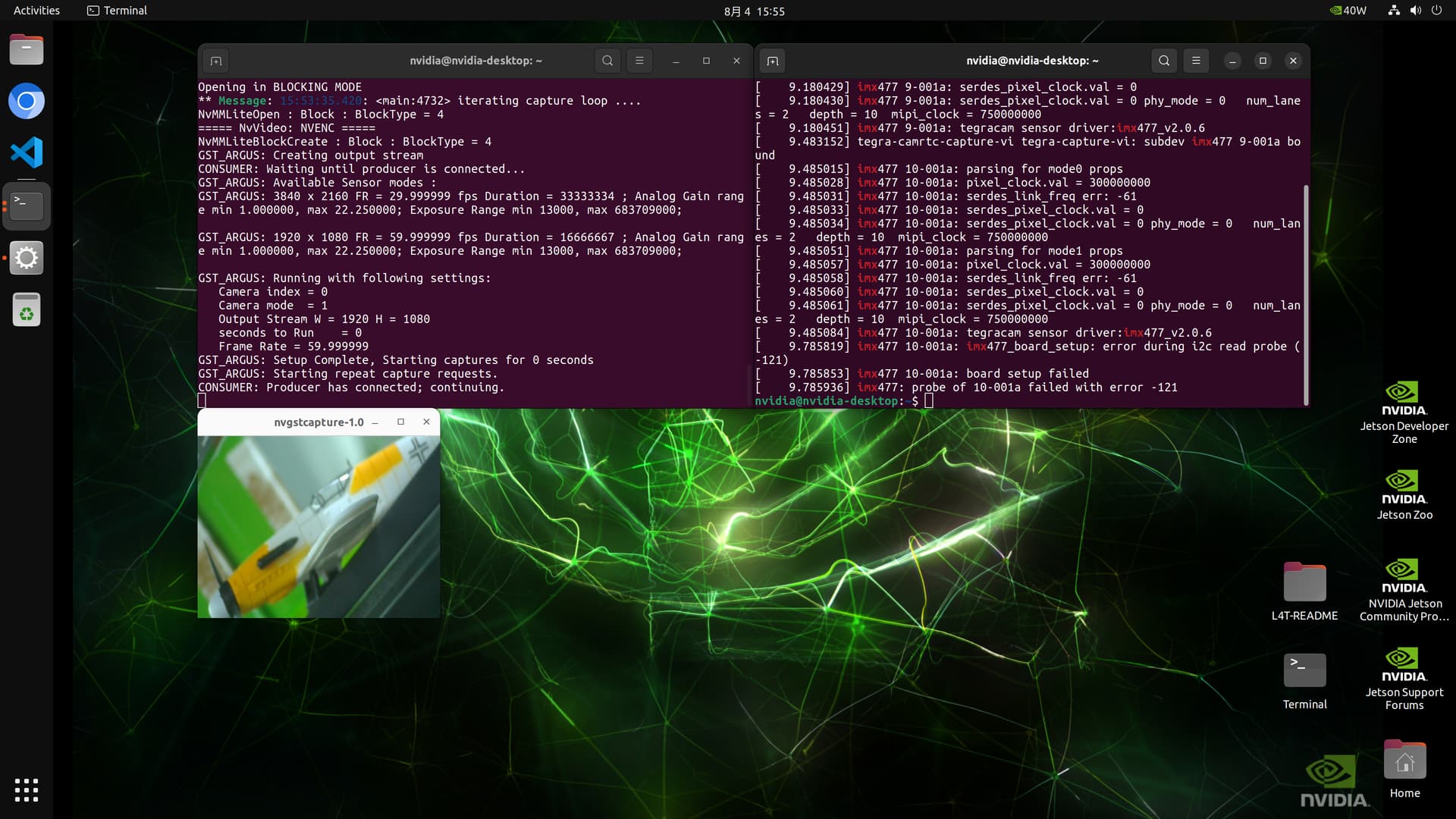
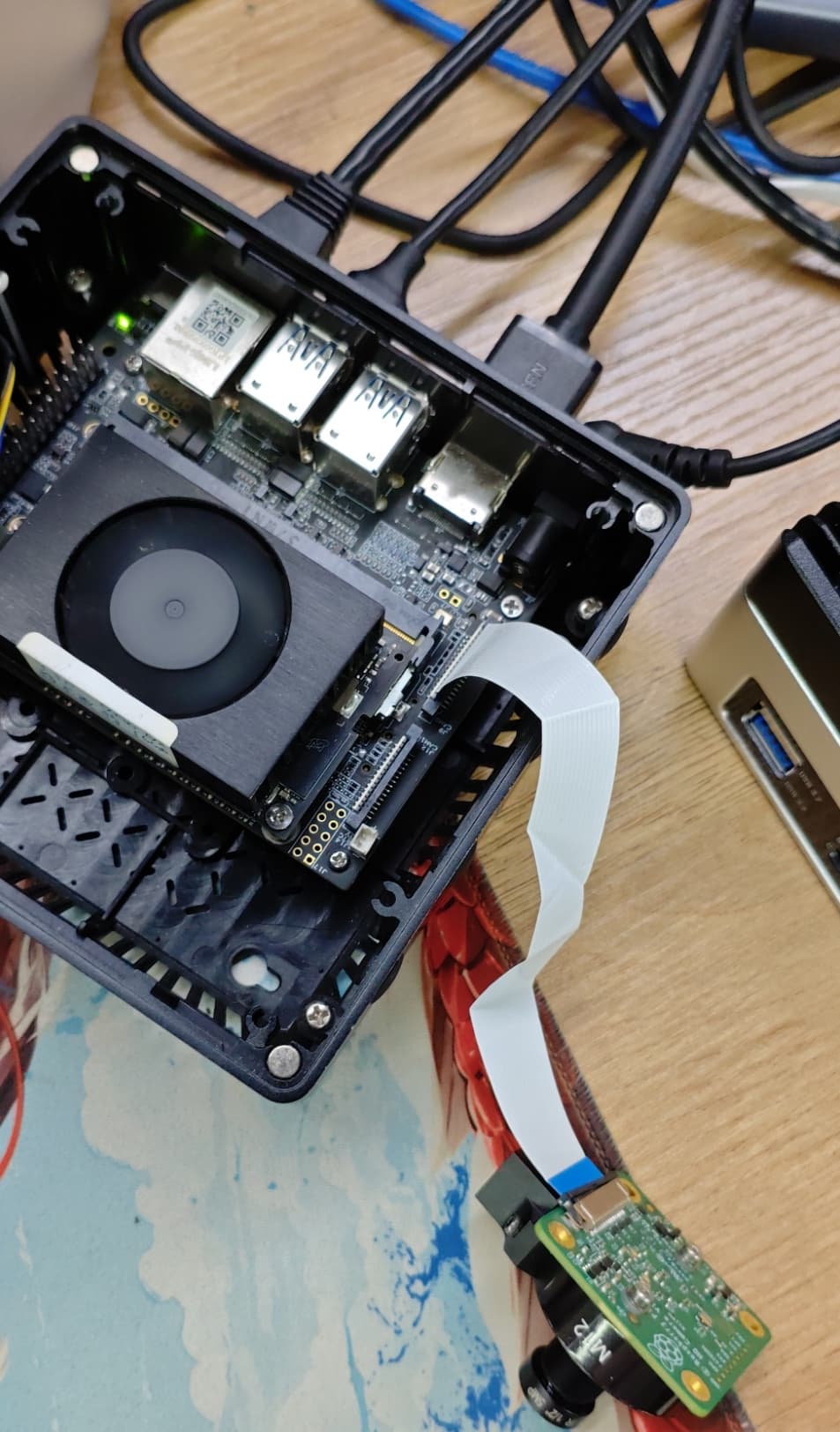
  • IMX 477 CAM 0
nvgstcapture --sensor-id 0
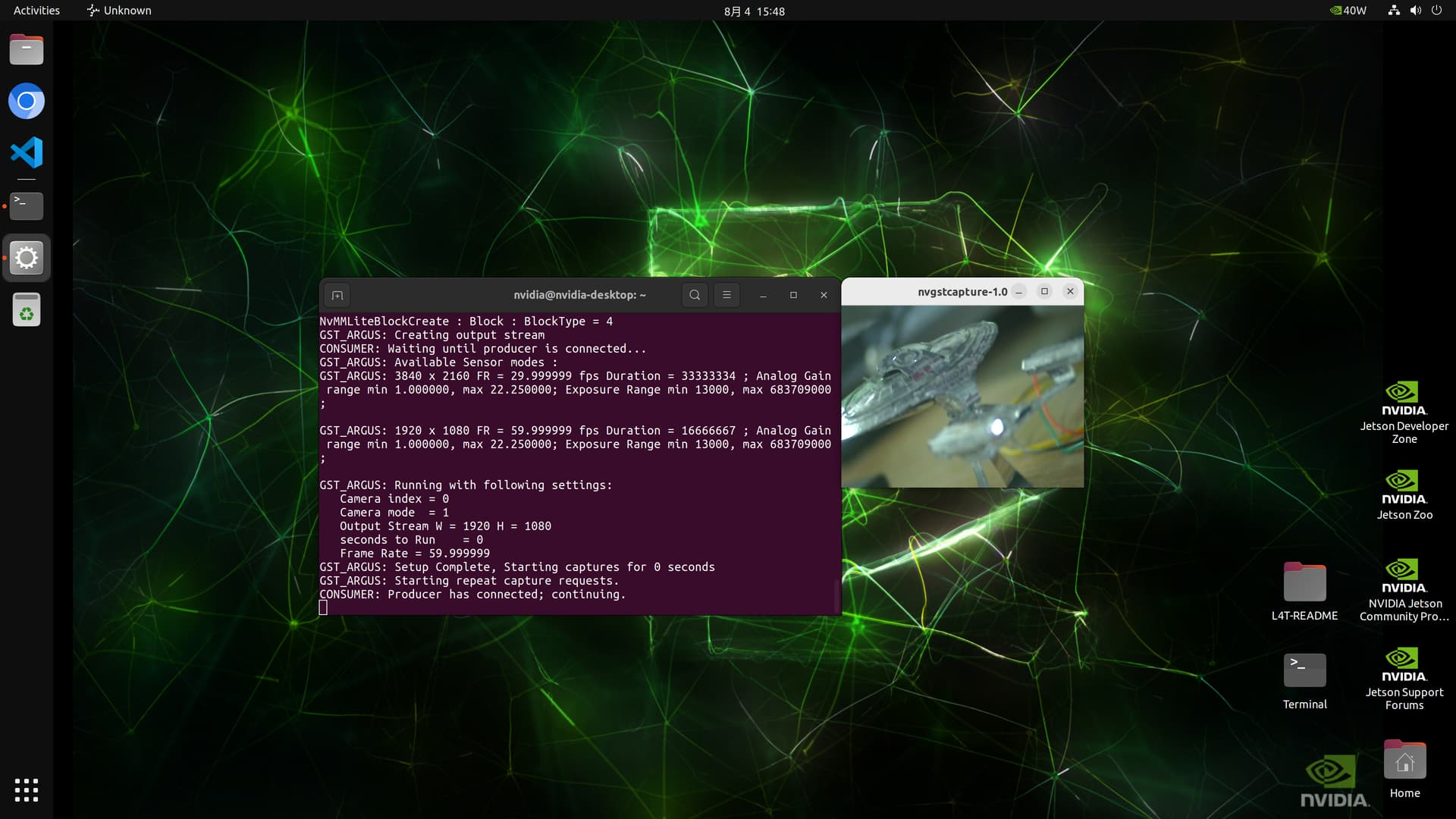
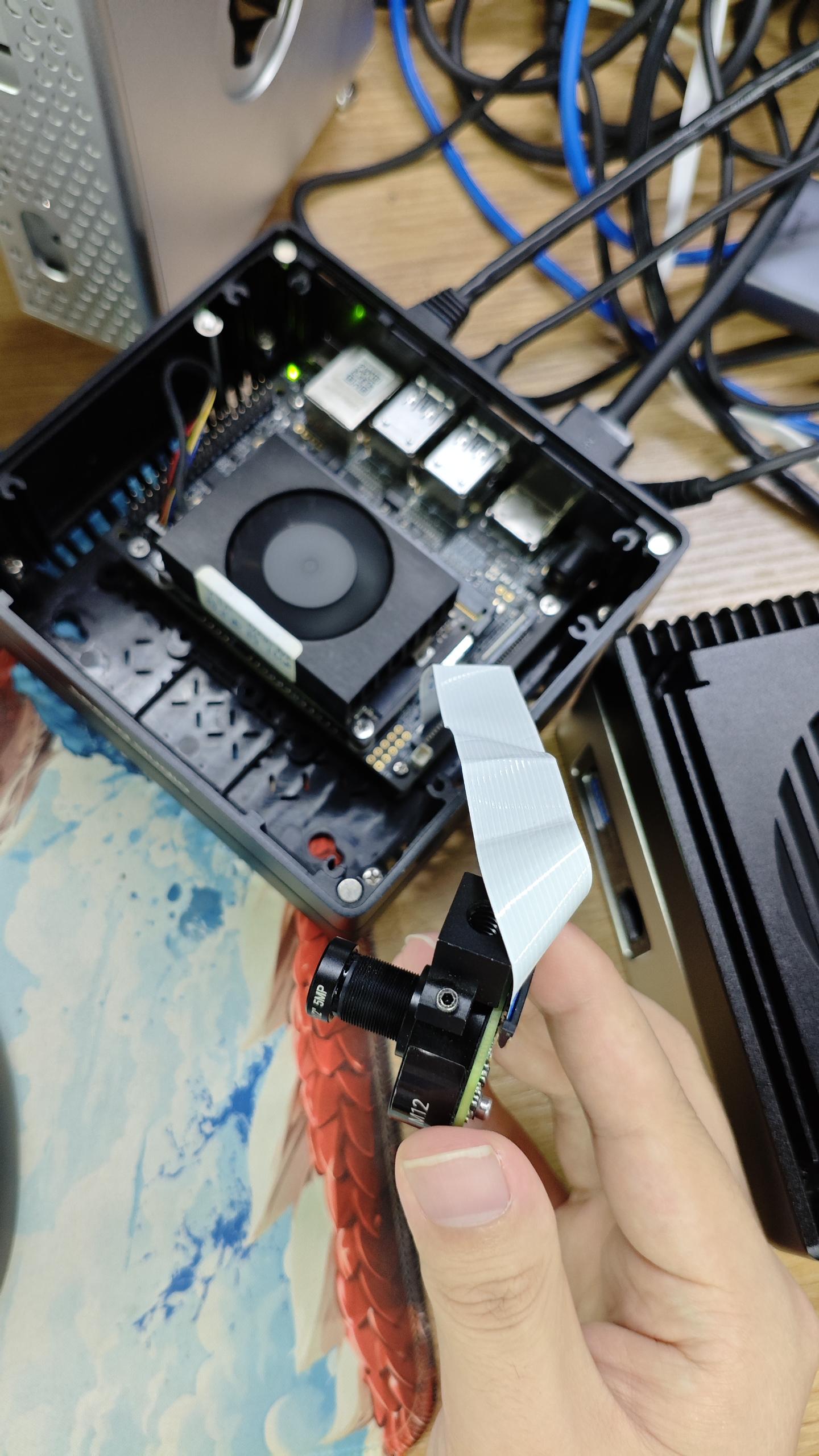
  • IMX477 CAM 1
nvgstcapture --sensor-id 1
Hi,

I followed the above steps for IMX219 (Arducam) on reComputer J4012 (Jetson Orin Nano, JetPack 6), but still faced issues like:

  • probe failed with error -121
  • probe failed with error -22
  • /dev/video0 not created
  • GStreamer pipelines not working

After debugging, I found some additional important steps and common mistakes that are not clearly mentioned:

:wrench: Key Fixes

  1. Correct Camera Module

    • Use only 15-pin IMX219 (22-pin Raspberry Pi version will not work directly)
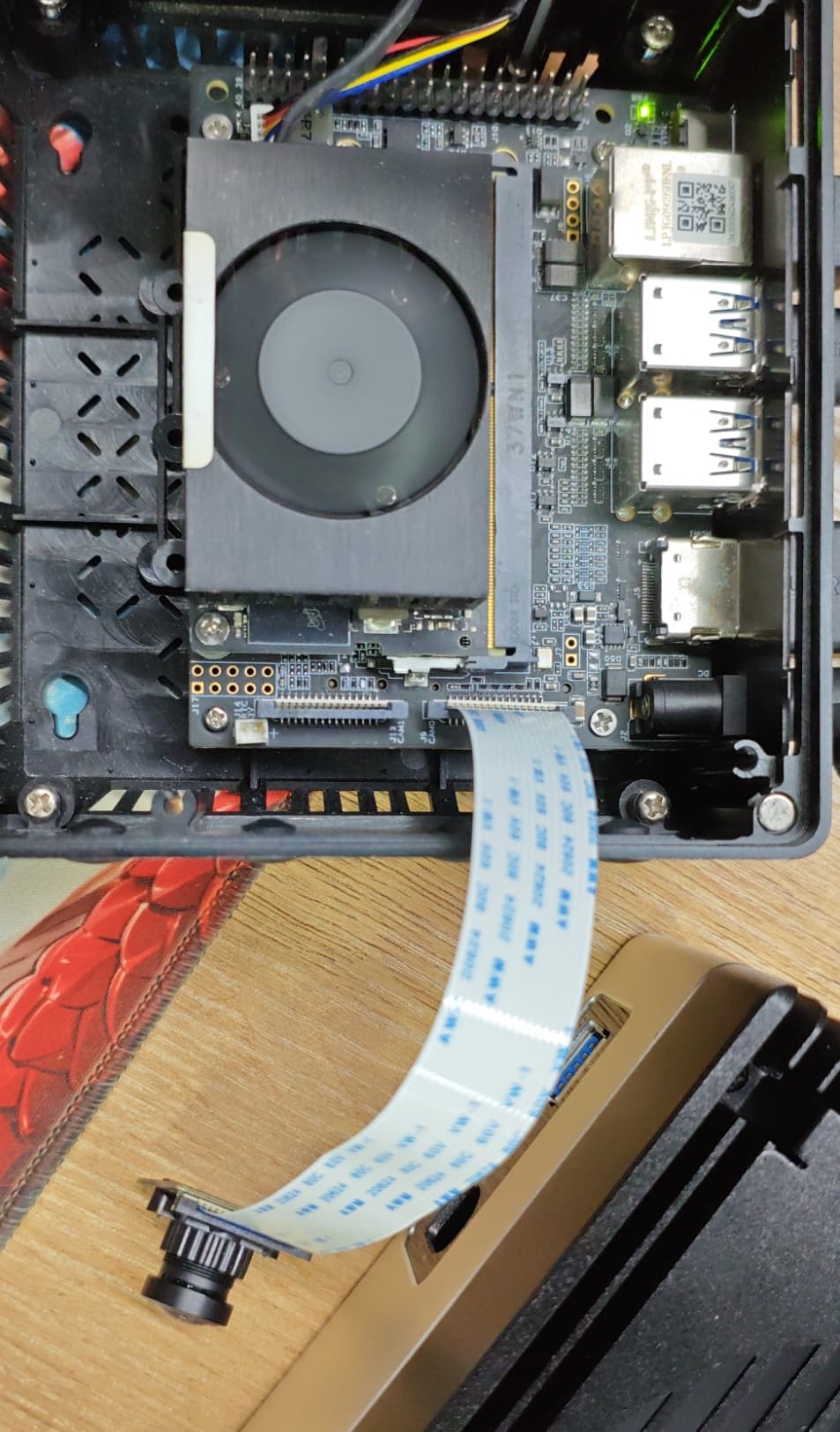
  2. Cable Orientation

    • Ensure ribbon cable is inserted with gold fingers facing DOWN
    • MIPI CSI is NOT hot-pluggable (always power off)
  3. Device Tree Overlay

    • Custom Seeed DT overlay must be compiled and applied properly
    • Also update /boot/extlinux.conf with correct .dtbo (There are 3 .dtbo files, I recommended to use dual.dtbo file.)
  4. Common Errors Fix

    • error -121 → Cable connection / I2C issue
    • error -22 → Wrong lane configuration (overlay issue)
  5. JetPack 6 Note

    • nvgstcapture-1.0 does NOT work → use gst-launch-1.0

:white_check_mark: Verification Steps

sudo dmesg | grep imx219
ls /dev/video*
sudo i2cdetect -y -r 9

Expected:

  • imx219 driver bound
  • /dev/video0 present
  • I2C address 0x10

:movie_camera: Working GStreamer Pipeline

gst-launch-1.0 nvarguscamerasrc sensor-id=0 ! \
'video/x-raw(memory:NVMM),width=1920,height=1080,framerate=30/1' ! \
nvvidconv ! 'video/x-raw,format=BGRx' ! \
videoconvert ! xvimagesink -e

After applying all these fixes, the camera is working correctly at 1080p.

Let me know if anyone is still facing issues — happy to help.

hi @Rutva11 Iam trying to run IMX477 on J4012 Orin NX 16GB

# Seeed Image Name mfi_recomputer-super-orin-nx-16g-j401-6.2-36.4.3-2025-05-22.tar.gz
# branch R36.4.3

all verification steps are passing but when running gst-launch-1.0 having error: No cameras available

using imx477-dual-seeed.dtbo

OVERLAYS /boot/tegra234-p3767-camera-p3768-imx477-dual-seeed.dtbo

sudo dmesg | grep imx477: bound on 12 also i tested on 11:

[    8.219396] imx477 12-001a: parsing for mode0 props
[    8.219409] imx477 12-001a: pixel_clock.val = 300000000
[    8.219413] imx477 12-001a: serdes_link_freq err: -61
[    8.219415] imx477 12-001a: serdes_pixel_clock.val = 0
[    8.219417] imx477 12-001a: serdes_pixel_clock.val = 0 phy_mode = 0   num_lanes = 2   depth = 10  mipi_clock = 750000000
[    8.219440] imx477 12-001a: parsing for mode1 props
[    8.219446] imx477 12-001a: pixel_clock.val = 300000000
[    8.219449] imx477 12-001a: serdes_link_freq err: -61
[    8.219450] imx477 12-001a: serdes_pixel_clock.val = 0
[    8.219451] imx477 12-001a: serdes_pixel_clock.val = 0 phy_mode = 0   num_lanes = 2   depth = 10  mipi_clock = 750000000
[    8.219472] imx477 12-001a: tegracam sensor driver:imx477_v2.0.6
[    8.524224] tegra-camrtc-capture-vi tegra-capture-vi: subdev imx477 12-001a bound
ls /dev/video* :
/dev/video0
sudo i2cdetect -y -r 12:
10: -- -- -- -- -- -- -- -- -- -- UU                       

@Rutva11 any help, thanks

Subject: Dual IMX477 (genuine Raspberry Pi HQ Camera) fails with NvBufSurfaceFromFd Failed / CSI frame timeout on CAM0 — only when both cameras active concurrently — reComputer J4012 (Orin NX), JetPack 6.2.1 (L4T R36.4.7)

Hardware:

• Seeed reComputer J4012 (Jetson Orin NX)
• 2x genuine Raspberry Pi Foundation HQ Camera Modules (IMX477), R8 intact (unmodified)
• Active overlay: tegra234-p3767-camera-p3768-imx477-dual-seeed.dtbo
• JetPack 6.2.1 / L4T R36.4.7

Symptom:
CAM0 (sensor-id=0) fails consistently with:

nvbuf_utils: dmabuf_fd -1 mapped entry NOT found
Error generated. gstnvarguscamerasrc.cpp, threadExecute:734 NvBufSurfaceFromFd Failed.

CAM1 (sensor-id=1) works reliably in every test.

Key diagnostic findings (isolated systematically):

  1. CAM0 works perfectly when it is the only camera physically connected — clean file-based capture ( jpegenc ! filesink ), zero errors, in either physical port slot.
  2. CAM0 fails every time CAM1 is also connected/active — confirmed independent of: run order (tested CAM0-first and CAM1-first — CAM0 always fails), process structure (tested sequential separate gst-launch processes AND a single combined pipeline running both concurrently — same result), and physical cable/module swap (swapped which physical camera module occupies which port — the failure stayed with sensor-id=0 regardless of which physical unit was plugged in, ruling out a bad cable or bad individual camera module).
  3. Kernel-level driver binding is clean for both sensors simultaneously — dmesg shows both imx477 9-001a and imx477 10-001a bind successfully with zero I2C/CSI errors at boot, in every test, including immediately after the failure.
  4. nvargus-daemon journal log ( journalctl -u nvargus-daemon ) shows the real failure is a genuine CSI hardware-level frame timeout, not a driver/probe issue:
    Module_id 30 Severity 2 : (fusa) Error: Timeout propagating from:/capture/src/fusaViHandler.cpp 820
    SCF: Error InvalidState: Timeout!! Skipping requests on sensor GUID 1 … draining session frameEnd events
    (in src/services/capture/FusaCaptureViCsiHw.cpp, function waitCsiFrameEnd(), line 646)
    SCF: Error InvalidState: Sensor GUID 1 is in error state.
  5. Dual IMX219 cameras are confirmed working concurrently on this same board family (per other Seeed forum reports) — meaning the physical CSI lanes/PHY/NVCSI hardware are capable of true concurrent dual-camera operation. This strongly suggests the issue is specific to IMX477’s higher CSI bandwidth demand exceeding a bandwidth-budget parameter in the tegra-camera-platform node of the dual-IMX477 overlay, rather than a hardware fault.

Overlay bandwidth-budget parameters currently set (from tegra-camera-platform node in tegra234-p3767-camera-p3768-imx477-dual-seeed.dts ):

num_csi_lanes = <4>;
max_lane_speed = <1500000>;
min_bits_per_pixel = <10>;
vi_peak_byte_per_pixel = <2>;
vi_bw_margin_pct = <25>;
max_pixel_rate = <7500000>;
isp_peak_byte_per_pixel = <5>;
isp_bw_margin_pct = <25>;

Request: Given IMX477’s real [email protected] sensor mode (both channels default to this mode regardless of requested framerate — no lower-bandwidth 1080p mode is exposed in Argus’s sensor mode table for this overlay), could Seeed’s engineering team confirm whether these bandwidth-budget values ( max_lane_speed , max_pixel_rate , vi_peak_byte_per_pixel , etc.) are correctly tuned for concurrent dual IMX477 operation, or provide an updated .dtbo with corrected values? Happy to test any candidate overlay and report back.

Hi there,

And Welcome here…

SO, I feel like it’s Ground_Hog day :grin:
I have seen this post before, when they started offering 2 fullframe camera hardware, from 5 to 6 maybe…

Try this ;
Before compiling a custom device tree, lock the clocks at maximum using jetson_clocks:

sudo jetson_clocks
sudo jetson_clocks --show

If CAM0 suddenly starts capturing when clocks are pinned at maximum, the issue is strictly the bandwidth and clock governor thresholds (max_pixel_rate, vi_peak_byte_per_pixel) in tegra-camera-platform.

then try to stream both sensors simultaneously via v4l2-ctl to confirm if the CSI hardware pipeline itself is multiplexing properly:

# Terminal 1:
v4l2-ctl -d /dev/video0 --set-fmt-video=width=1920,height=1080,pixelformat=RG10 --stream-mmap --stream-count=100

# Terminal 2 (simultaneously):
v4l2-ctl -d /dev/video1 --set-fmt-video=width=1920,height=1080,pixelformat=RG10 --stream-mmap --stream-count=100
  1. If V4L2 captures both cleanly with < indicators, the CSI PHY and kernel drivers are intact, and the fault is entirely within the Argus daemon / tegra-camera-platform bandwidth parameters.
  2. If V4L2 also fails on /dev/video0 during concurrent capture, the CSI channel/port routing (port-index in nvcsi / tegra-capture-vi) has a hard lane collision in tegra234-p3767-camera-p3768-imx477-dual-seeed.dts.

SO,
In the .dts overlay:

  1. Ensure the port indices are strictly separated:

    • Sensor 0 (CAM0): port-index = <0> (or <1>) using 2 lanes (bus-width = <2>).

    • Sensor 1 (CAM1): port-index = <2> using 2 lanes (bus-width = <2>).

  2. Double the aggregate parameters in tegra-camera-platform:

tegra-camera-platform {
    num_csi_lanes = <4>;            /* 2 + 2 lanes */
    max_pixel_rate = <1500000000>;  /* Increase to give headroom for dual streams */
    vi_bw_margin_pct = <25>;
    isp_bw_margin_pct = <25>;
};

should set it right , but use the search and review the other thread as well. :+1:

HTH
GL :slight_smile: PJ :v:

I would start with the BASICS… just in case
:face_with_peeking_eye:
Removing or desoldering R8 pulls the camera out of reset permanently, allowing the IMX477 to run reliably on the Jetson’s 1.8V camera interface.

For a walkthrough of this modification and how R8 affects the Jetson interface, see the guide on Using Rpi HQ Camera w/ Jetson Xavier NX & Nano (IMX477 Module).

This video explains why the R8 resistor on the Raspberry Pi High Quality camera must be removed to work reliably with NVIDIA Jetson carrier board logic levels.

Furthermore…
On genuine Raspberry Pi Foundation HQ Camera modules (IMX477), leaving resistor R8 in place causes GPIO voltage incompatibility on NVIDIA Jetson carrier boards:

  • The 1.8V vs 3.3V Logic Conflict: The Raspberry Pi HQ Camera expects a 3.3V logic level on the reset / camera enable line (CAM_GPIO). Jetson carrier boards (including Seeed’s J4012 carrier board for Orin NX) supply 1.8V GPIO logic to the 15/22-pin CSI interface.

Great technical breakdown. Validating raw video streams using v4l2-ctl bypasses the NVMM memory allocations and Argus daemon overhead entirely for cleaner pipeline isolation.