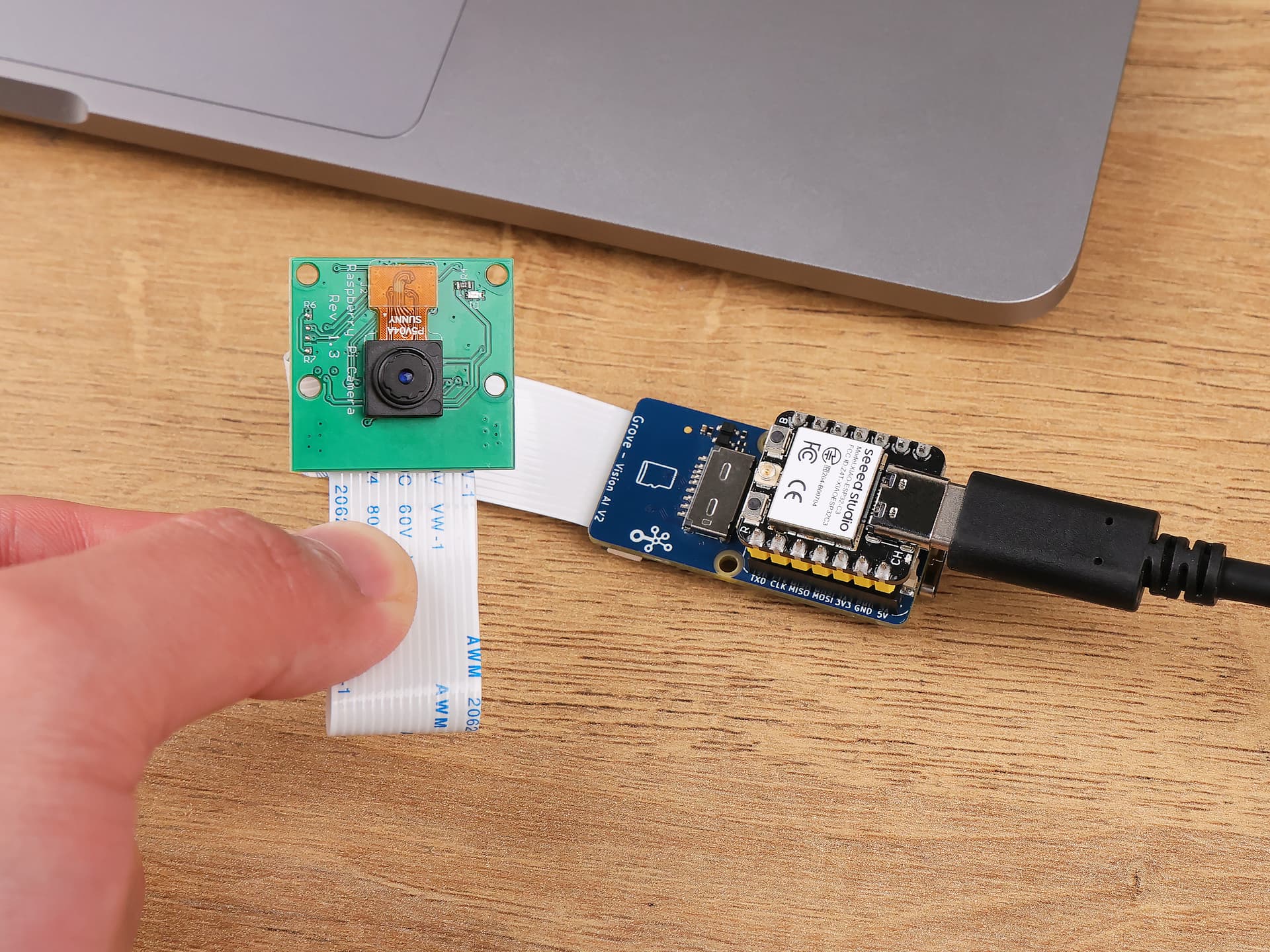
I’m new to the whole hardware scene and trying to get my project up and running. I’ve got a Grove Vision V2, a Xiao ESP32-C3, and a Raspberry Pi Camera Module (OV5647), and I’ve connected everything according to the tutorial.
But here’s the thing: when I try to link the Grove to Sensecraft.com, I keep getting a “response times out” error. The same happens when I try to use the camera on the site.
I’ve even tried recovering the bootloader like I found in some posts, but it’s either stuck at 0 or just won’t load the program at all. I might be missing something since I’m pretty new at this!
If anyone has some advice or has dealt with this before, I’d really appreciate it. Thanks a ton!
Hello.
Can you send a photo about how you connected the camera to the V2; and please note that you need to use a usb data cable to connect to PC, not a usb power cable
Thanks for the suggestion! I’ve actually checked that multiple times, and it’s not the issue. I’m still having trouble, I used this image to connect the camera …
Hi there,
Check around these other threads, Just plugging the camera in backwards has tripped up a few users, What is connected to the USB the Module or the Xiao?
Can you provide a picture of your setup?
Which BSP are you currently using? and double check the web address I think it had changed for a while ? YMMV
HTH
GL PJ
Have you navigated to the Web Site , then try the connect again?
verify you have the correct link too, it changed a while ago.
Do you get a windows Gong’ when you plug it in?
So, this one is the easiest, main point is to have the website open, then connect the device and have it detect it when you connect. It’s always tricky the first time, from what I have seen here. BUT it does work well when you nail it down, This one is a good start
see which steps don’t work and report back, You get it going but it takes a bit of patients with all this stuff
Also have a look at the post I made on it,(search icon) several options for the final result are possible Local vs. Online.
It is very powerful and somewhat cool too. Mixed with the inferencing it can give your project Vision
HTH
GL PJ
Follow this thread if you want some behind the hardware knowledge
 PJ
PJ 
 PJ
PJ 

 with all this stuff
 PJ
PJ