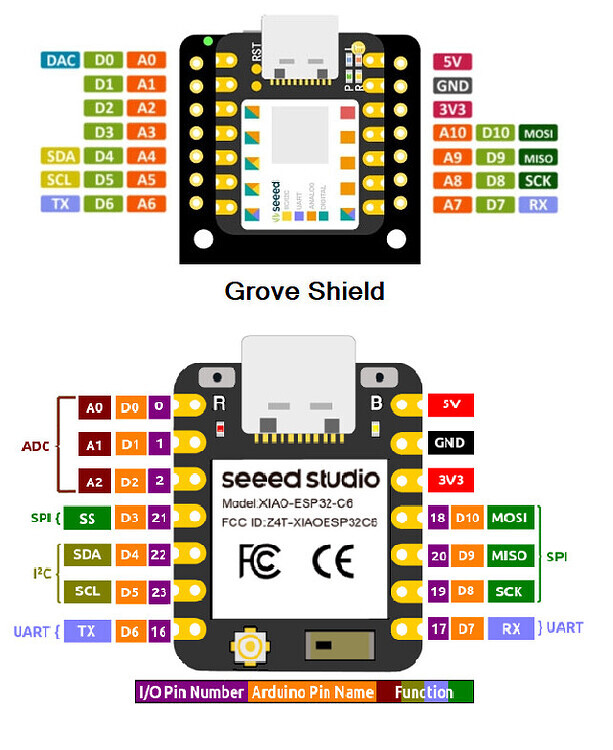
Seeed Studio XIAO ESP32-C3
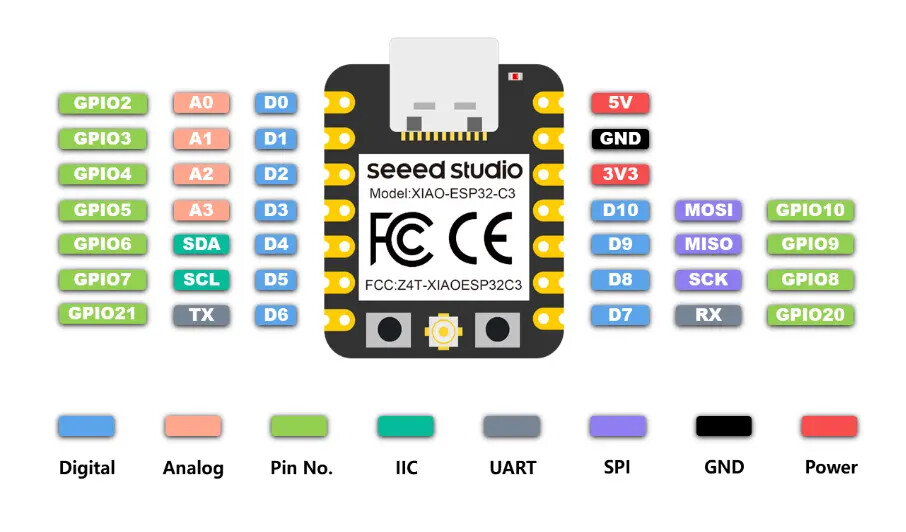
Seeed Studio XIAO ESP32-S3 Plus
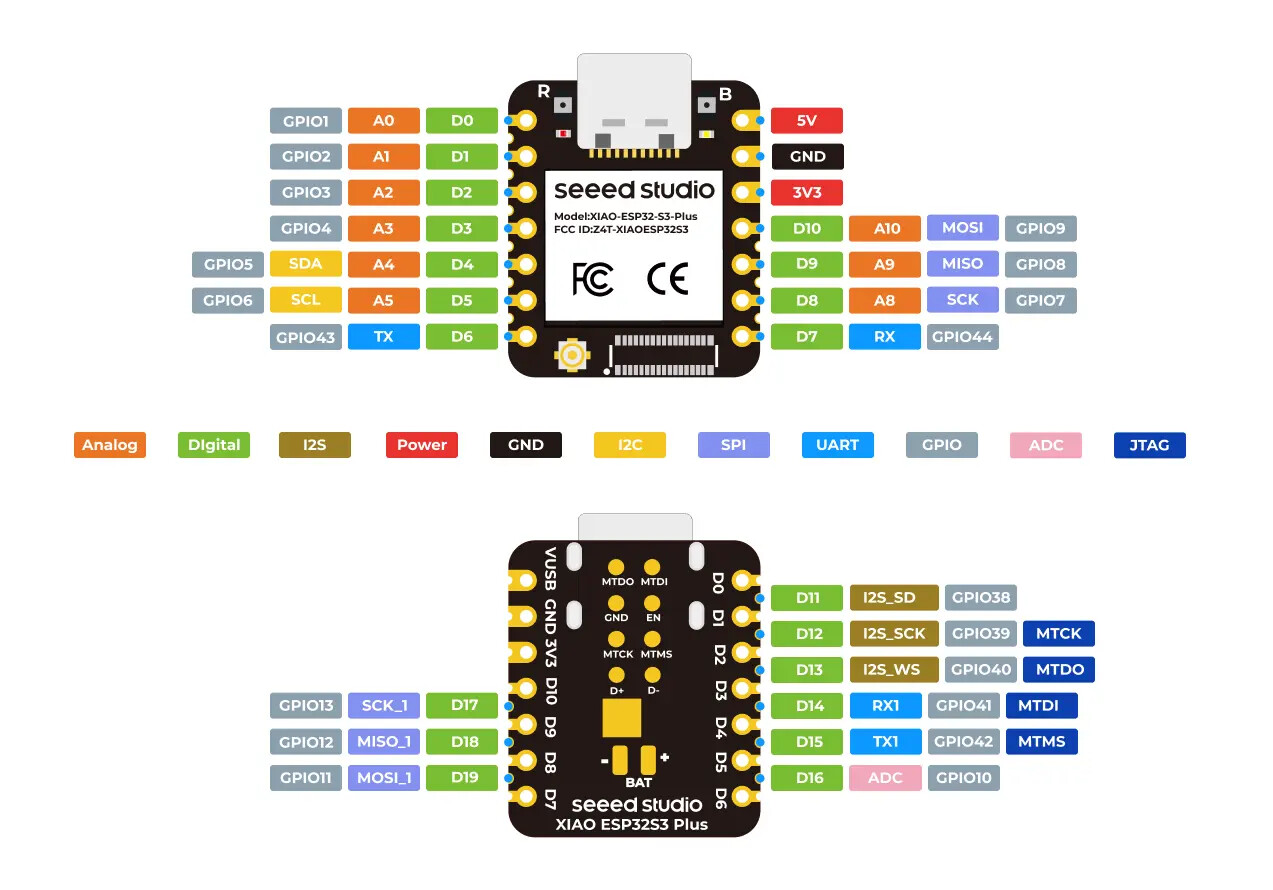
Seeed Studio XIAO ESP32-C5
XIAO nRF52840 Sense Plus
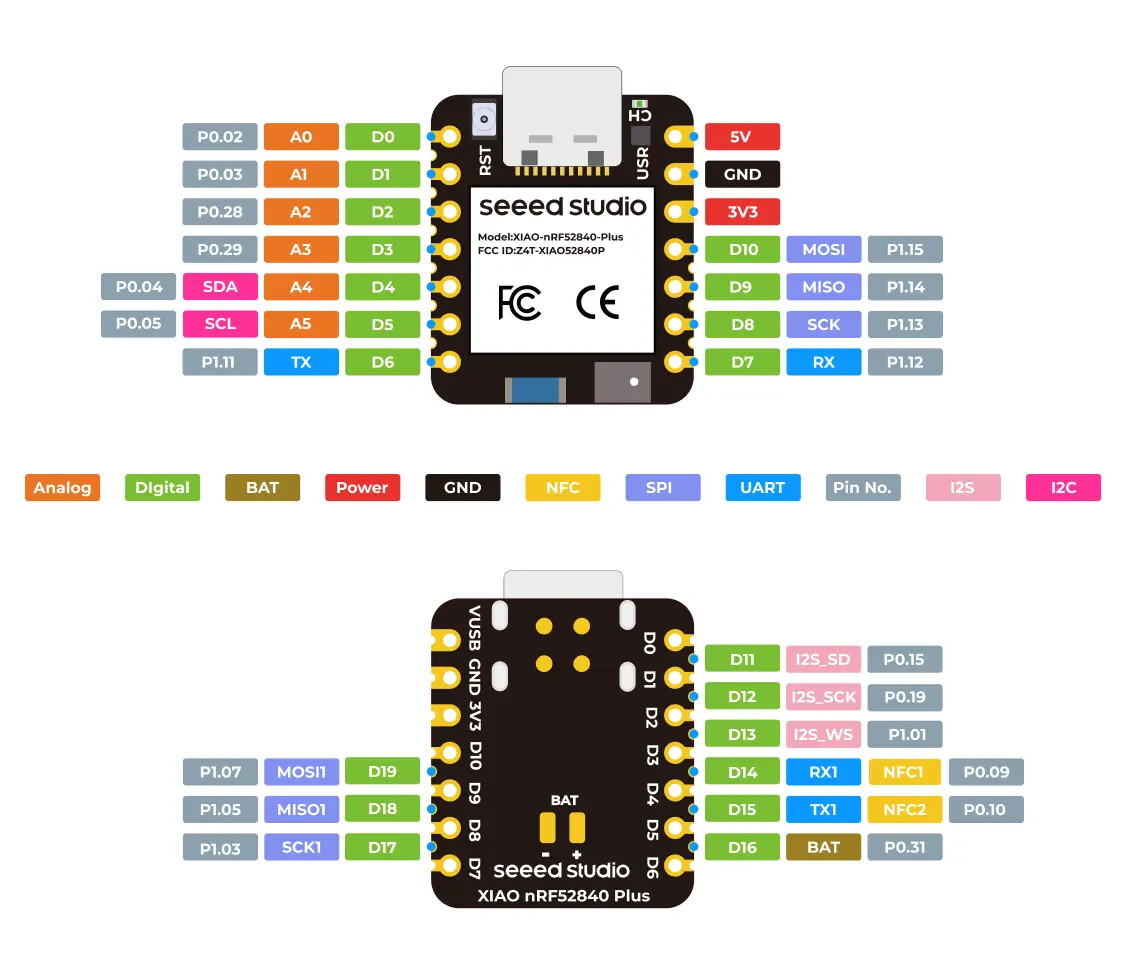
Seeed Studio XIAO nRF54L15 Sense
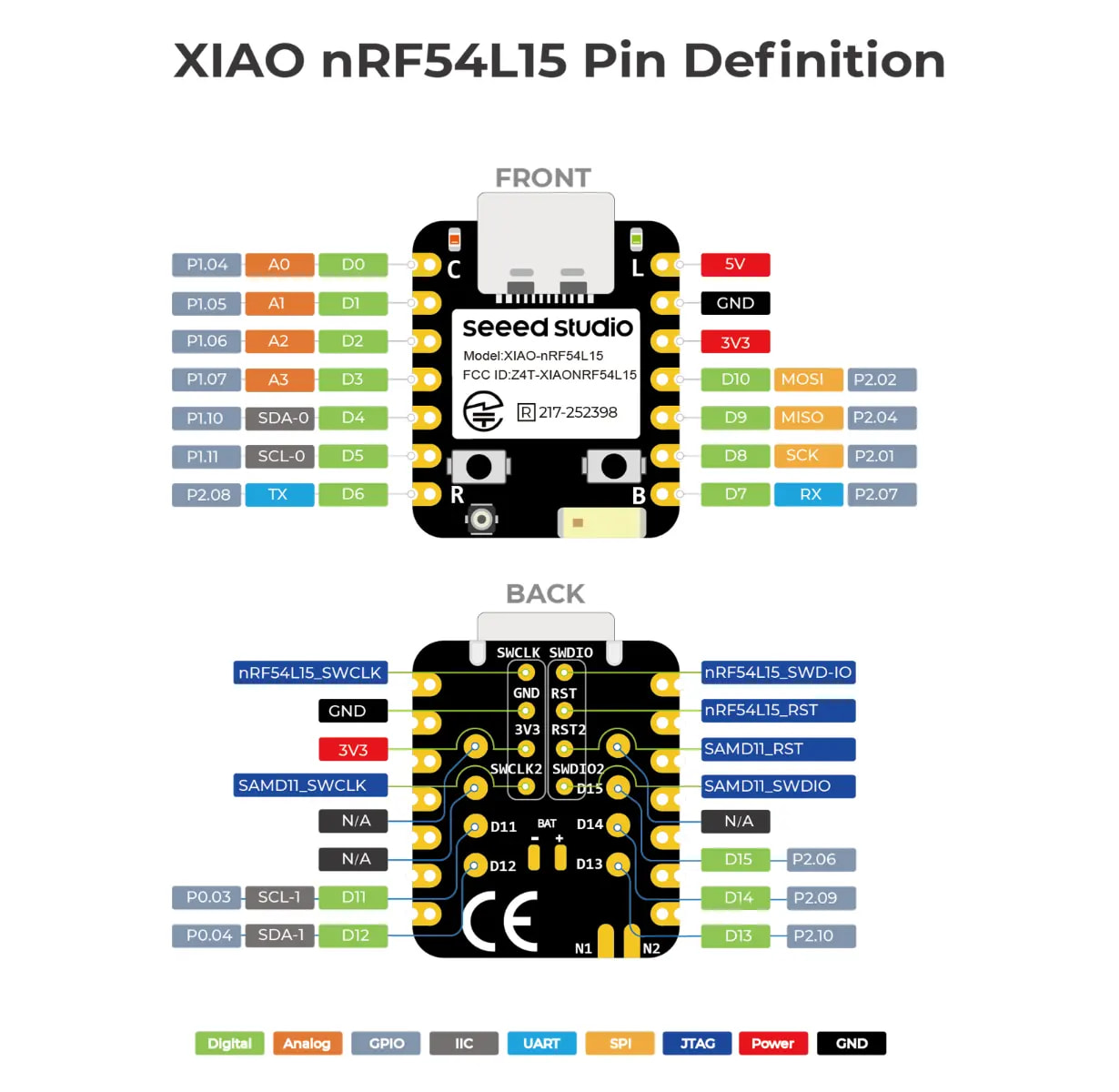
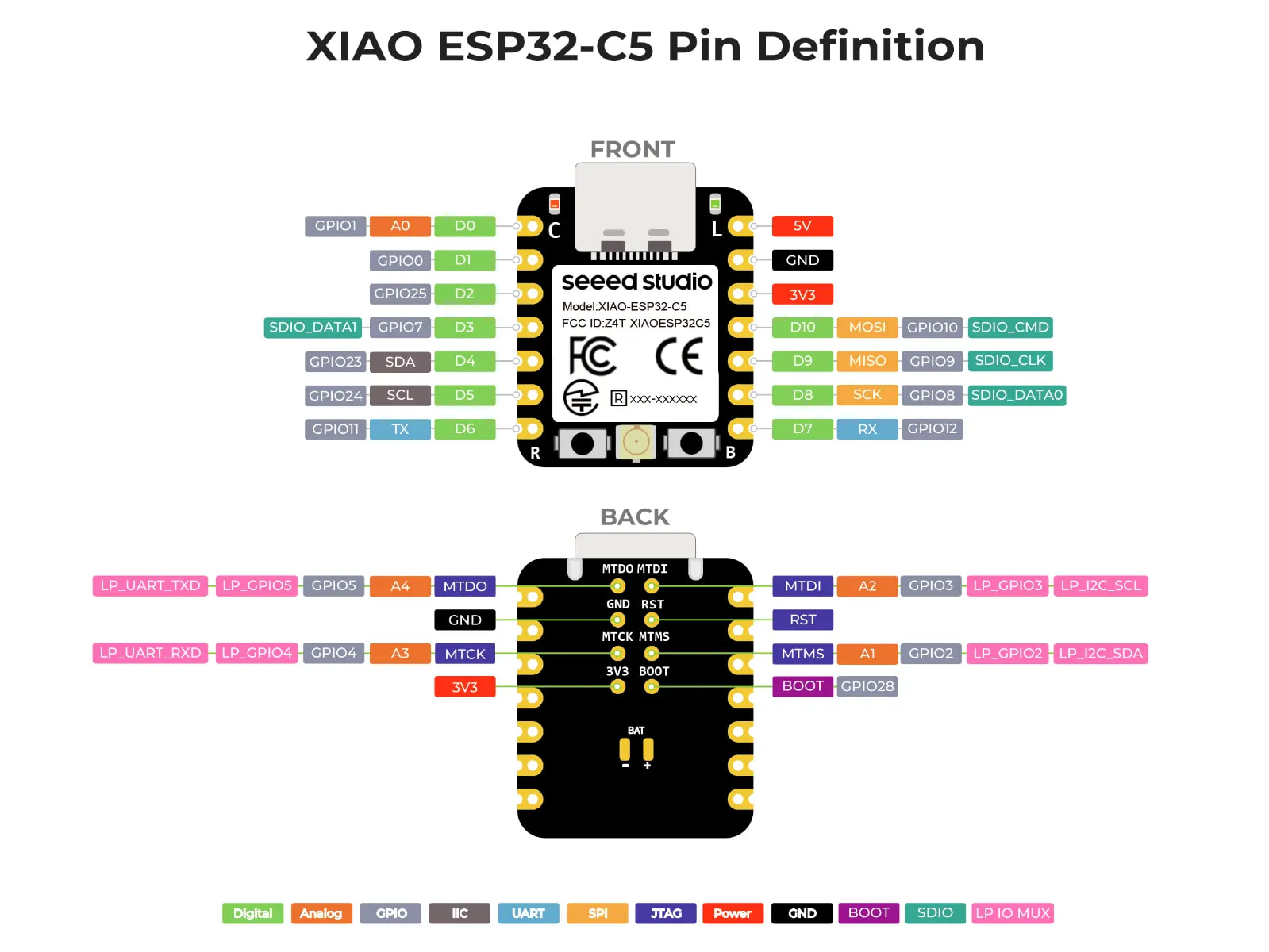
Seeed Studio XIAO ESP32-C6
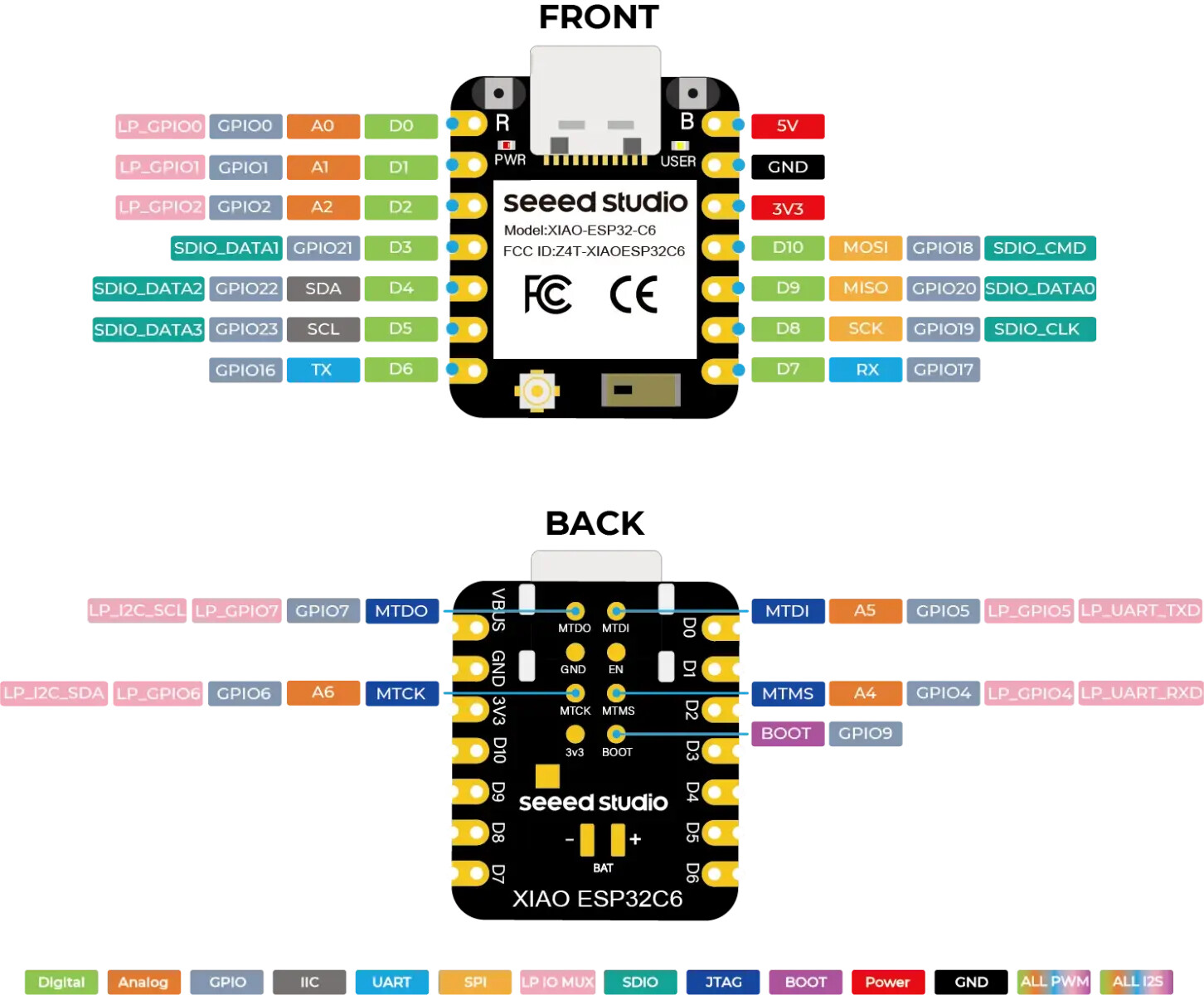
So there are “Silkscreen” pinouts Vendors use.
Programmers use the GPIO’s for code , UNLESS…!
The Boards support package .a.k.a. BSP include PIN macros that translate the SilkScreen numbers to GPIO’s, very processor specific. If you just look at pin 0 in the diagrams above… you should see the meaning
If i may add…. it is a little confusing that they call it D1 and A1… the important part is the 1… the meaning is this pin is in location 1 on the physical board…the only meaning is all pins are on a basic level digital (D) meaning they accept or output a digital signal… meaning 0V0 or 3V3 low or high
I call it the Physical Pin, or Board Pin number… or maybe Silkscreen Number as opposed to what I call the Logical Pin or the Chip Pin #… it is confusing, but to make it simple, each board has a pin, but each chip has a GPIO and depending on the chip used on the device, the logical pin may be connected physically on the board to a different physical or board pin… this is confusing but it happens when different chips need to be connected for different reasons that i dont understand
(A) Analog pins mean they can accept or output an analog signal, meaning the pin has access to an analog to digital converter… menaing if properly setup the pin can accept or output a proportional voltage at either 8, 10 or 12 bit resolution depending
(it is important in the setup code to assign ADC to pins to enable this feature)
to understand better, chips have ADC converter sub-systems, these sub-system units can be logicly connected to other elements to perform functions… if the code is incorect, the logical pipeline is corrupted… hope this is understandable
Most pins are digital by default… if you want it to perform analog functions, you have to assign it an analog resource units (ADC or DAC hadware)… this is done thru software configuration options
most pins can be A or D so it is assumed, but depending on the hardware, this may or not be true
alot of configuration options need to happen under the hood….
I hope this helps