Battery Guidance for the nRF52840 Sense

Hello.

Are there any good pages for best practices for setting up a project with battery management? I’m using a Sense with a 4.2 LiH AA. I’m looking for advice, recommended circuits, best practices, etc. Power management (sleep mode), etc is welcomed too.

Thanks in advance.

Hi there and welcome,
Can you be more specific, which Sense the ESP32s3 Sense or the Xiao nRF52840 Sense ?
Both are awesome so you can’t go wrong. If I were starting at the battery which imo makes a lot of sense no pun intended :smile:
Check out the battery life calc. [

Battery Life Calculator

](Battery Life Calculator | DigiKey Electronics)

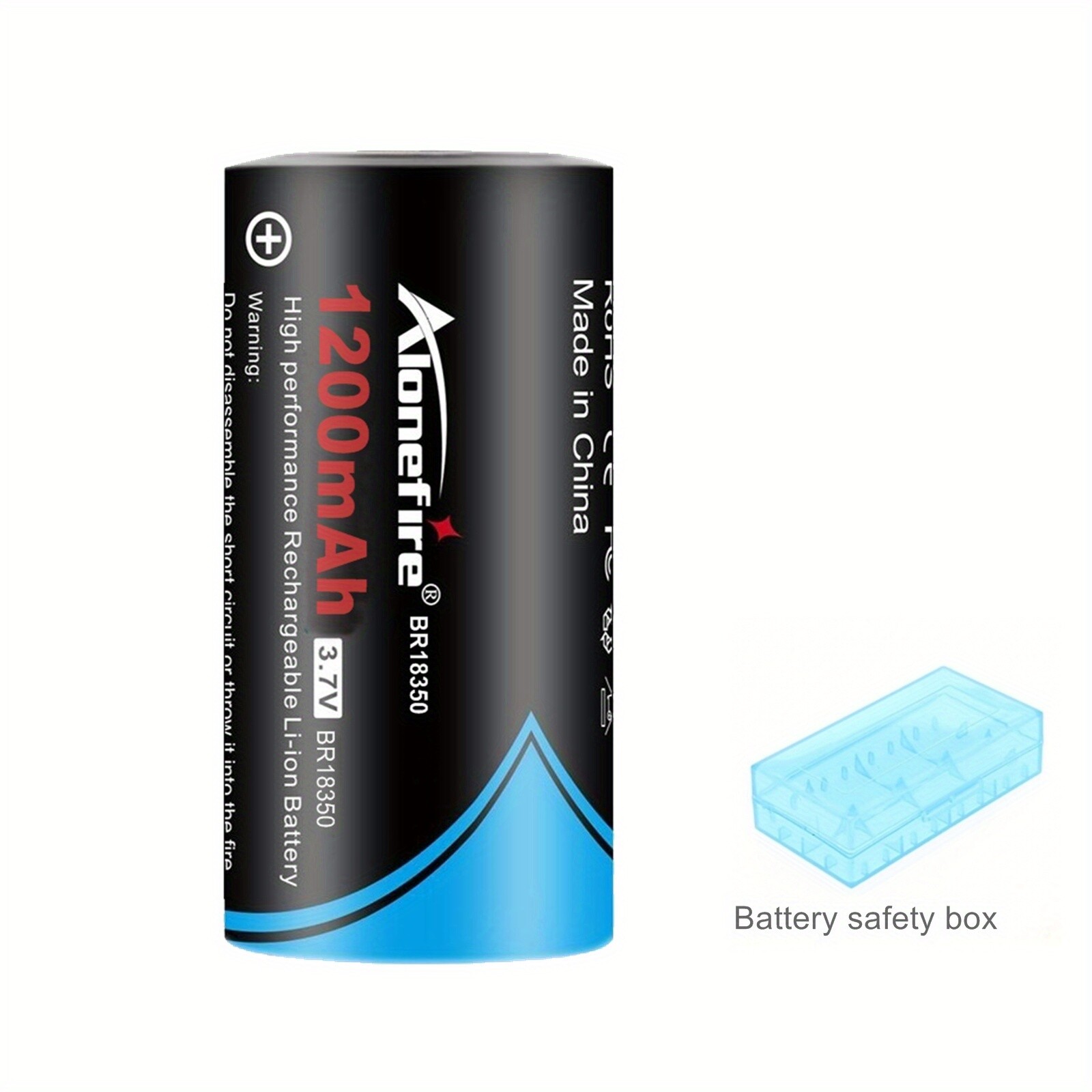
18350 3.7V-4.2V 1200mAh High Performance Rechargeable Li-ion Lithium Battery


for example 1200 mah at ESP32s3 Lite sleep most of the time 2ma. power use gives you approx ballpark of 25 days cut that in half for head room is what I would do.
shooting from the hip.
HTH
GL :slight_smile: PJ
Specifications

Processor ESP32-S3R8 Xtensa LX7 dual-core, 32-bit processor 240 MHz
Low Power Consumption Model Light-sleep: ~ 2mA Deep Sleep: ~ 14 μA
WiFi Enabled Power Consumption ~ 100 mA
BLE Enabled Power Consumption ~ 85 mA
Working Temperature -40°C ~ 65°C
1 Like

That’s great info. Thank you @PJ_Glasso !

I’m using the Xiao nRF52840 Sense.

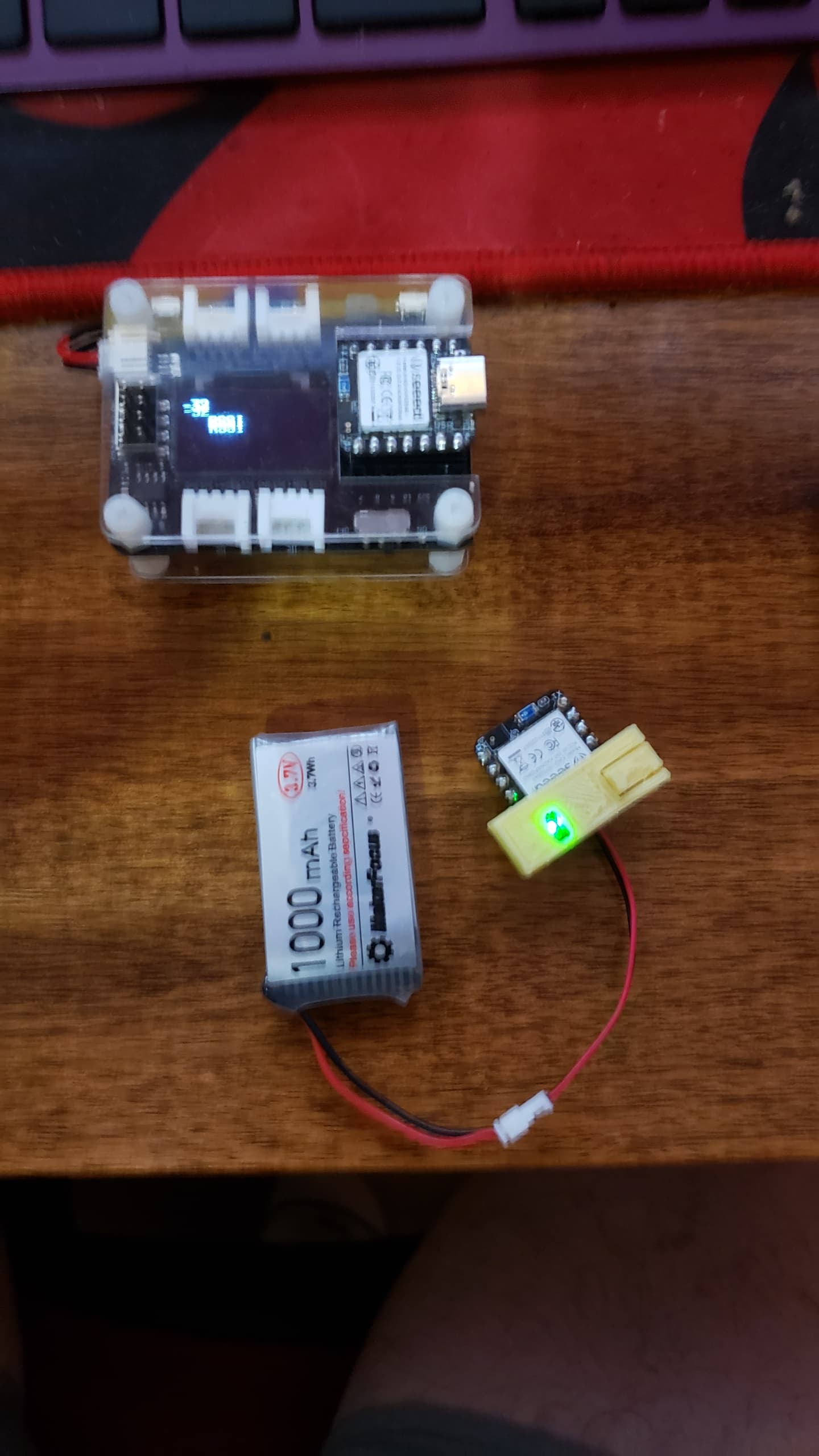
Does one just connect the battery to the battery leads & charge through the 5v pin or USB connection? All the battery charging management just magically happens?

Hi there,
Yea, if it were only that easy…LOL
The Xiao has built in charge control chip, so if you use the usb for external connection to power it. The Xiao charges and manages the battery for you.(provided you use the BATT pads on the bottom of the PCB for connection. It doesn’t do that if you use the 5V pin connection.
HTH
GL :slight_smile: PJ

On a similar vein, are rechargeable coin cells like the LIR2032 compatible with the nRF52840 sense power management chip? I need a very small battery footprint, so coin cells would be brilliant.

Any help appreciated!

Hi there,
After looking over the Spec sheet for the BQ25100 it can deliver 50ma or 100ma charge current
the LIR2032 has confusing specs, 40ma. ideal charge current , max 200ma supply current.
they are frequent recharge batteries. I would try it and I would but a temperature probe , nothing fancy even a IR-temp gun and see what the case does if anything, same rules for the battery management apply as far as drop out , OVP , temp. If you had access the app note shows how to RC it for lower charge current like 40ma. (Pg22)

I wouldn’t be afraid to try it, but it’s gonna drain fast if you spend allot of time awake, so DeeP sleep model code for that battery.
my .02
HTH
GL :slight_smile: PJ

How is the circuit supposed to work? The battery negative and ground pin are not the same. Since that’s true, is the battery supposed to be completely isolated? That would suggest the Seeed is expected to regulate voltage for the rest of my project. And if so, what current can the 3.3V pin source?

Time to take a LQQK at the Wiki and spec sheet ,


HTH
GL :slight_smile: PJ

I’m obviously missing something. The one wiki I’m aware of is on the Seeed site, but has scant information on battery usage. Is there something better? Just point me in the right direction. :slight_smile:

Well here is the important Part LOL,
Actually they are the same level. GND is GND. battery Neg. is connected to pin 13 on Xiao.
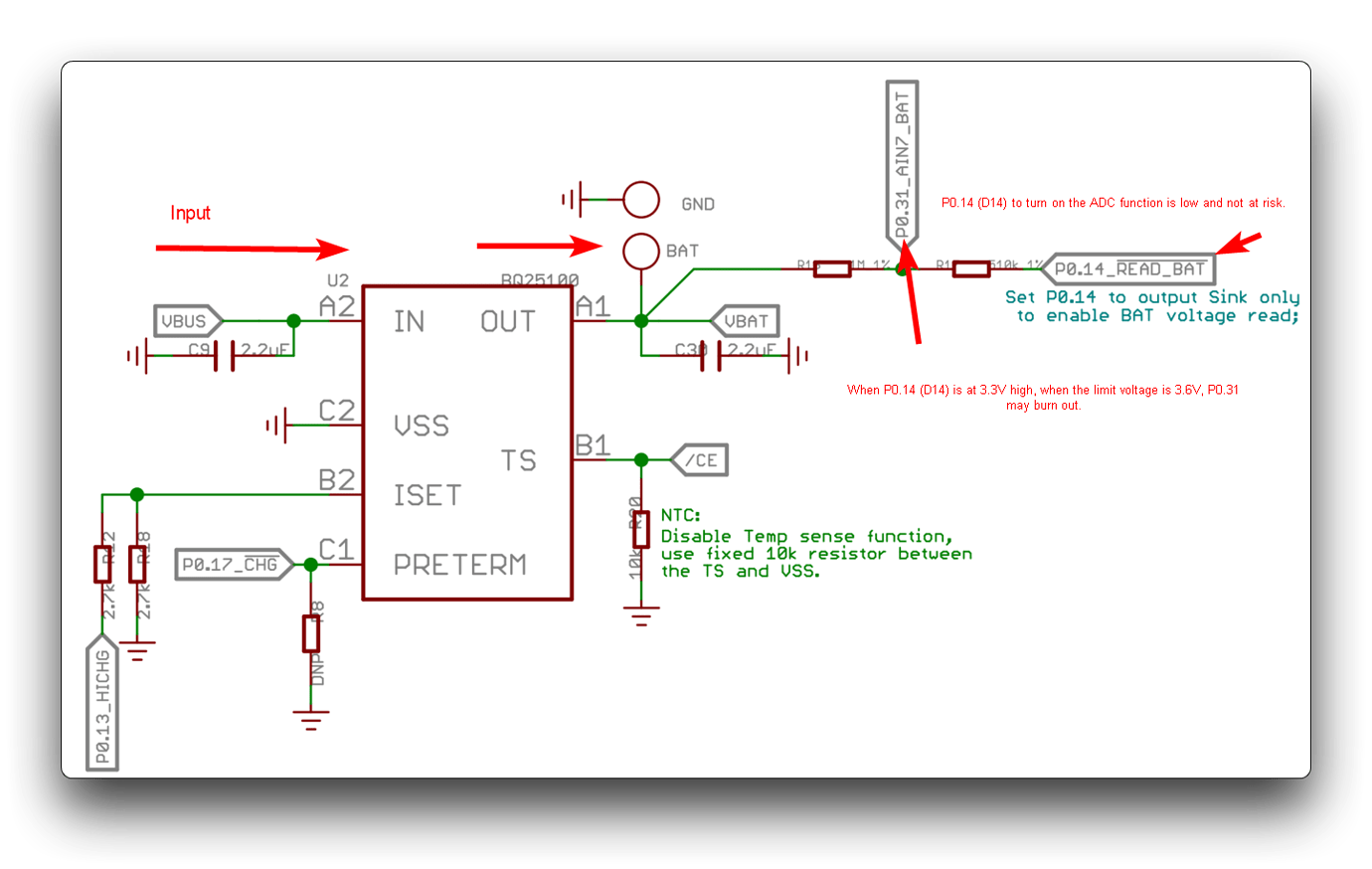
Take a LQQk at the charge chip data-sheet there is a section that covers sinking current for external devices.

HTH
GL :slight_smile: PJ

1 Like

That’s very helpful. I thought I’d measured resistance between those two grounds. If that’s the case, though I wonder why even bother with the surface pad when a perfectly good pin does the same thing?

Please point me to the “charge chip data-sheet”. I definitely need to take a look at that.

Check this thread ,https://forum.seeedstudio.com/t/xiao-nrf52840-recharging-3v-18650-battery/268260/2?u=pj_glasso second post has the link for it, plus good info related to Batt.
HTH
GL :slight_smile: PJ

Hello, I have tried to connect the Xiao nRF52840 Sense to the BATT pads but when i connect it to the usbc and try to charge it the charge light goes green for a minute and then turns off, but when i try to disconnect the usbc to use the XIAO with the battery, it doesn’t work, even if the battery is charged. Am I missing something? I am using a 3.7 V battery .

Hi there

And welcome here…

So, The first thing to check would be if you have the While Serial statement in your code if your system is waiting for the serial port to be connected before it’ll execute if that’s not the case are you using the LEDs the RGB LED specifically can you post a code using the code tags from above "</> " paste it in there.

Lots of smart folks on here willing to help
:grin::+1:

Double check your polarity on your battery connection. What BSP are you selecting for your board?

HTH
GL​:wink:PJ :victory_hand:

1 Like

Thank you for the reply. I am using the following BSP: Seed nRF52 Boards, version 1.1.13, non-mbed. I don’t think I inserted the while (serial) statement in my code, but maybe I am missing something. Here is the code: #include <LSM6DS3.h>

#include <Wire.h>

#include <bluefruit.h>

#include <InternalFileSystem.h>


using namespace Adafruit_LittleFS_Namespace;


LSM6DS3 myIMU(I2C_MODE, 0x6A);


// --- PIN BATTERIA INTERNI ALLA XIAO ---

const int PIN_CHARGE_CURRENT = 13; // P0.13

const int PIN_BAT_ENABLE = 14;     // P0.14


// --- CONFIGURAZIONE BLUETOOTH ---

uint8_t const SVC_UUID[] = { 0x10, 0x12, 0x8A, 0x76, 0x04, 0xD1, 0x6C, 0x4F, 0x7E, 0x53, 0xF2, 0xE8, 0x01, 0x00, 0xB1, 0x19 };

uint8_t const CHR_ANGLE_UUID[] = { 0x14, 0x12, 0x8A, 0x76, 0x04, 0xD1, 0x6C, 0x4F, 0x7E, 0x53, 0xF2, 0xE8, 0x01, 0x00, 0xB1, 0x19 };

uint8_t const CHR_CMD_UUID[] = { 0x15, 0x12, 0x8A, 0x76, 0x04, 0xD1, 0x6C, 0x4F, 0x7E, 0x53, 0xF2, 0xE8, 0x01, 0x00, 0xB1, 0x19 };


BLEService skateService(SVC_UUID);

BLECharacteristic liveAngleChar(CHR_ANGLE_UUID);

BLECharacteristic commandChar(CHR_CMD_UUID);


bool isRecording = false;

const char* filename = "skate.csv";

const uint32_t MAX_FILE_SIZE = 150000; // Limite massimo 150 KB (~4 minuti continui)

const uint32_t WARNING_SIZE  = 120000; // Soglia LED rosso all'80% (120 KB)


File file(InternalFS); 


void setup() {

  // --- CONFIGURAZIONE BATTERIA (Sicurezza e Ricarica Rapida 100mA) ---

  pinMode(PIN_BAT_ENABLE, OUTPUT);

  digitalWrite(PIN_BAT_ENABLE, LOW);     


  pinMode(PIN_CHARGE_CURRENT, OUTPUT);

  digitalWrite(PIN_CHARGE_CURRENT, LOW); 


  // --- CONFIGURAZIONE LED ROSSO DI AVVISO MEMORIA ---

  pinMode(LED_RED, OUTPUT);

  digitalWrite(LED_RED, HIGH); // HIGH significa SPENTO


  myIMU.begin();


  // INIZIALIZZA LA MEMORIA INTERNA

  InternalFS.begin();


  // --- CONFIGURAZIONE BLUETOOTH E MODALITA' STEALTH ---

  Bluefruit.begin();

  Bluefruit.autoConnLed(false); // Spegne il lampeggio del LED Blu

  Bluefruit.setName("XIAO_SKATE");

  skateService.begin();


  liveAngleChar.setProperties(CHR_PROPS_READ | CHR_PROPS_NOTIFY);

  liveAngleChar.setPermission(SECMODE_OPEN, SECMODE_NO_ACCESS);

  liveAngleChar.setMaxLen(20);

  liveAngleChar.begin();


  commandChar.setProperties(CHR_PROPS_WRITE | CHR_PROPS_NOTIFY);

  commandChar.setPermission(SECMODE_OPEN, SECMODE_OPEN);

  commandChar.setWriteCallback(onCommandWrite); 

  commandChar.setMaxLen(20);

  commandChar.begin();


  Bluefruit.Advertising.addFlags(BLE_GAP_ADV_FLAGS_LE_ONLY_GENERAL_DISC_MODE);

  Bluefruit.Advertising.addTxPower();

  Bluefruit.Advertising.addService(skateService);

  Bluefruit.Advertising.addName();

  Bluefruit.Advertising.start(0);

}


// --- CERVELLO DELLA SCATOLA NERA (Ascolta Python) ---

void onCommandWrite(uint16_t conn_hdl, BLECharacteristic* chr, uint8_t* data, uint16_t len) {

  char buf[21] = {0};

  uint16_t safe_len = len < 20 ? len : 20;

  memcpy(buf, data, safe_len);

  String cmd = String(buf);

  cmd.trim();


  if (cmd == "RECORD") {

    // Gestione Dashcam: svuota lo spazio se il file precedente ha riempito la memoria

    if (InternalFS.exists(filename)) {

      File checkFile = InternalFS.open(filename, FILE_O_READ);

      if (checkFile) {

        uint32_t f_size = checkFile.size();

        checkFile.close();

        if (f_size > MAX_FILE_SIZE) {

          InternalFS.remove(filename); 

        }

      }

    }

    file.open(filename, FILE_O_WRITE);

    if (file) isRecording = true;

  } 


  else if (cmd == "STOP") {

    isRecording = false;

    if (file) {

      file.close(); 

      digitalWrite(LED_RED, HIGH); // Spegne il LED rosso per sicurezza

    }

  } 


  else if (cmd == "DUMP") {

    File srcFile = InternalFS.open(filename, FILE_O_READ);

    if (srcFile) {

      while (srcFile.available()) {

        String line = srcFile.readStringUntil('\n');

        liveAngleChar.notify(line.c_str(), line.length());

        delay(4); 

      }

      srcFile.close();

      InternalFS.remove(filename); // Svuota la memoria dopo il download

    }

    commandChar.notify("DUMP_DONE", 9); 

  }


  // --- COMANDO DI SPEGNIMENTO TOTALE (DEEP SLEEP) ---

  else if (cmd == "SHUTDOWN") {

    isRecording = false;

    if (file) {

      file.close(); // Salva eventuali dati in sospeso

      digitalWrite(LED_RED, HIGH); 

    }


    // Disconnette il Bluetooth dolcemente

    Bluefruit.disconnect(conn_hdl);

    delay(500); 


    // Spegne completamente il processore (Per riaccenderlo basta collegare il cavo USB-C per 1 secondo)

    sd_power_system_off(); 

  }

}


void loop() {

  if (Bluefruit.connected()) {


    // --- LETTURA SULL'ASSE Y (Per montaggio longitudinale) ---

    float rollAngle = myIMU.readFloatAccelY() * 90.0;

    String angleStr = String(rollAngle, 2);

    liveAngleChar.notify(angleStr.c_str(), angleStr.length());


    // --- SALVATAGGIO IN MEMORIA (Senza freno a mano) ---

    if (isRecording && file) {

      uint32_t timestamp = millis();

      String dataRow = String(timestamp) + "," + angleStr + "\n";

      file.print(dataRow);

      // NESSUN FLUSH QUI: Usiamo la RAM per viaggiare fluidi a 100Hz


      // Controllo capienza memoria per accendere il LED di allarme

      if (file.size() > WARNING_SIZE) {

        digitalWrite(LED_RED, LOW);  // Accende il LED rosso

      } else {

        digitalWrite(LED_RED, HIGH); // Mantiene il LED rosso spento

      }

    }


    delay(10); // Velocissimo a 100 cicli al secondo

  }

}

Please try changing the section below. I have confirmed that the device is advertising whether it is powered by USB or the battery.

//const int PIN_CHARGE_CURRENT = 13; // P0.13
const int PIN_CHARGE_CURRENT = 22; // P0.13

1 Like

If you look at the “variant.h” for your device you can see the correct pin numbers as advised by @msfujino.

#define VBAT_ENABLE             (14)    // Output LOW to enable reading of the BAT voltage.
                                        // https://wiki.seeedstudio.com/XIAO_BLE#q3-what-are-the-considerations-when-using-xiao-nrf52840-sense-for-battery-charging

#define PIN_CHARGING_CURRENT    (22)    // Battery Charging current
                                        // https://wiki.seeedstudio.com/XIAO_BLE#battery-charging-current